Catalog   /   Computing   /   Components   /   Drive Cases & Docks   /   Maiwo

Maiwo K10635N

Photos - Drive Case Maiwo K10635N
Photos 6
Maiwo K10635N
Colour
Type
docking station
Features
portable
Drive form factor
M.2 + 2.5"/3.5"
Drive interface
SATA/PCIe NVMe
Connectivity
USB-A 5Gbps
Material
plastic
Storage slots
2
Power source
pSU
Size
108.4x24.1x44.3 mm
Added to E-Catalog
September 2025
The full cloning function is available autonomously, without using a computer.

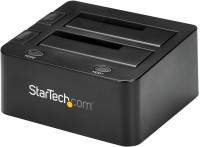
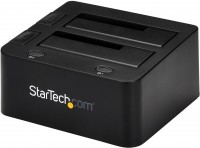
Universal docking station that allows you to connect two data drives to a computer, laptop, and other external devices. The model is compatible with various types of storage media: 2.5" SATA SSD drives, 2.5"/3.5" HDD formats, M.2 SSD NVMe drives (M key / B + M key). In the latter option, compatibility with storage sizes of 2230, 2242, 2260, and 2280 is provided. The Maiwo K10635N features easy tool-free mounting of drives and supports an offline disk cloning function.

The progress of this process is indicated by four built-in indicators (25 / 50 / 75 / 100%). The model is equipped with support for UASP and TRIM protocols, and its external connection interface is USB 3.2 gen1 with a maximum throughput of up to 5 Gbps. An appropriate USB cable is supplied in the docking station's standard kit. It also features additional external power supplied by a network adapter. The model is automatically recognized — in Plug&Play compatibility mode. Easy tool-free installation, offline disk cloning, and wide compatibility with different storage formats make this docking station a standout choice for users seeking versatility.

The information in the model description is for reference purposes.
Always clarify the specifications and configuration of the product with the online store manager before purchasing.
Catalog Maiwo 2026 - new arrivals, bestsellers, and the most relevant models Maiwo.

Buy Maiwo K10635N

All prices 6 →
When you make a purchase through links on our site, we may receive a affiliate commission.

Maiwo Dual Bay Storage Converter HDD / SSD for 2.5/3.5 SATA HDD and M.2 NVMe SSD (K10635N) K10635N

The Maiwo K10635N is a versatile and compact dual-bay storage converter designed for high-speed data management and effortles... mores drive cloning. This device bridges the gap between different storage technologies, supporting both traditional 2.5-inch or 3.5-inch SATA hard drives and modern M.2 NVMe SSDs.&.nbsp.With a high-speed USB Type-C interface providing up to 10Gbps bandwidth, it is an ideal tool for system upgrades, data recovery, and managing large media libraries. The screw-less design ensures that installing drives is quick and easy, while the broad compatibility with Windows, Mac, and Linux makes it a flexible choice for any user.One of the standout capabilities of this converter is its bidirectional offline cloning feature. This allows users to duplicate data from a SATA drive to an NVMe SSD or vice versa without the need for a computer connection. A dedicated switch allows you to control the source and target disks, while four LED progress indicators clearly display the stat...
RefreshCartridges.co.uk
Delivery: in United Kingdom
Report
£40.27

MAIWO K10635N Dual Bay USB Type C Hard Drive Enclosure HDD / SSD Duplicator for 2.5/3.5 Inch SATA Hard Drive and M.2 NVMe SS

HDD/SSD duplicator. Interface: USB 3.2 Gen 2 (3.1 Gen 2). Housing material: Acrylonitrile butadiene styrene (ABS). 43.9 x 10⁸... morex 24.1 mm. Black. MAIWO K10635N type C 10Gbps to dual bay HDD/NVMe M2 SSD clone converter for 2.5 and 3.5 SATA. Key Features. Screw-less design easy to install HDD and SSD. Compatible for different kinds of HDD/SSD in the market, including M-key NVMe SSD,2.5 SATA HDD/SSD and 3.5 SATA HDD, can recognize two disks simultaneously when connecting with PC. Support M-key NVMe SSD. Offline clone, dual way, can copy 2.5/3.5 SATA => NVMe or NVMe => 2.5/3.5 SATA, switch to control source and target disk. Four LED lights indicate clone progress 25%,50%,75% and 100%. Interface: Type C to SATA/M-key M2. Support SSD size: 2230,2242,2260 ,2280. USB speed to 10Gbps max. Support U.A.S.P, will improve speed 30% at win8 or above. Compatible with windows, MAC and Linux. Unit size:108 x 35 x 24 mm. Clear Indicator Light. Drive Indicatior. Light Flashes when read & write, light goes off when in sleep mode.. Clone Indicator. Light flashes when cloning, light up when cloning is finished.. Step 1. Insert 2.5/3.5 SATA drive into the SATA Port, or insert M.2 NVMe SSD into the M2 port.. Step 2. Spin the silicone cork to fix the M.2 hard drive.. Step 3. Connect the adapter to your device via data cable.. Step 4. Connect the power adapter and open the power switch.. Clone Operation Steps. Step 1. Choose the clone mode. Make sure the capacity of the target drive is larger than or equal to the source drive. Connect the power adapter, open the POWER switch, the power light, lights up and then the two Drive Indicators light up. Step 2. Long-press Clone button for 5 seconds and the Clone Indicator flashes. Press Clone button within 5 seconds to enter clone mode. Corresponding progress indicators start to flash when cloning. Indicators are on once cloning is finished. Note:. You must remove the USB-C cable from the PC for the cloning process to work. Box Contents. Package Content:. 1 x adapter. 1 x cable. 1 x power adapter. 3 x screws. 1 x manual. 1 x warranty card. Warranty. 1 Year. Features. LED indicators. Yes. Transfer rate. 10000 MB/s. Interface. USB 3.2 Gen 2 (3.1 Gen 2). Housing material. Acrylonitrile butadiene styrene (ABS). Product colour. Black. Product type. HDD/SSD duplicator. System requirements. Linux operating systems supported. Yes. Mac compatibility. Yes. Windows operating systems supported. Yes. Weight & dimensions. Dimensions (WxDxH). 43.9 x 108 x 24.1 mm. Packaging data. Quantity per pack. 1 pc(s)
Backtotheoffice.co.uk
Delivery: in United Kingdom
Report
£39.99

MAIWO K10635N Dual Bay USB Type C Hard Drive Enclosure HDD / SSD Dupli

MAIWO K10635N Dual Bay USB Type C Hard Drive Enclosure HDD / SSD Duplicator for 2.5/3.5 Inch SATA Hard Drive and M.2 NVMe SSD... more. Support Offline Clone and Transmission Speed Up to 10Gbps. w/ 12V/3A Power MAIWO K10635N type C 10Gbps to dual bay HDD/NVMe M2 SSD clone converter for 2.5" and 3.5" SATAKey FeaturesScrew-less design easy to install HDD and SSDCompatible for different kinds of HDD/SSD in the market. including M-key NVMe SSD.2.5" SATA HDD/SSD and 3.5" SATA HDD. can recognize two disks simultaneously when connecting with PCSupport M-key NVMe SSD Offline clone. dual way. can copy 2.5"/3.5" SATA => NVMe or NVMe => 2.5"/3.5" SATA. switch to control source and target diskFour LED lights indicate clone progress 25%.50%.75% and 100% Interface: Type C to SATA/M-key M2Support SSD size: 2230.2242.2260 .2280USB speed to 10Gbps maxSupport U.A.S.P. will improve speed 30% at win8 or above Compatible with windows. MAC and Linux Unit size:108 x 35 x 24 mmPerfect ForSystem UpgradesEasily migrating an OS from an old SATA HDD to a modern. fast M.2 NVMe SSD.Data & Recovery BackupAccessing data from different drive types without needing multiple specialized adapters.Content CreationManaging large libraries of media files across different storage mediums at high speed. Clear Indicator LightDrive IndicatiorLight Flashes when read & write. light goes off when in sleep mode.Clone IndicatorLight flashes when cloning. light up when cloning is finished.Step 1Insert 2.5"/3.5" SATA drive into the SATA Port. or insert M.2 NVMe SSD into the M2 port.Step 2Spin the silicone cork to fix the M.2 hard drive.Step 3Connect the adapter to your device via data cable.Step 4Connect the power adapter and open the power switch.Clone Operation StepsStep 1Choose the clone modeMake sure the capacity of the target drive is larger than or equal to the source driveConnect the power adapter. open the POWER switch. the power light. lights up and then the two Drive Indicators light upStep 2Long-press Clone button for 5 seconds and the Clone Indicator flashesPress Clone button within 5 seconds to enter clone modeCorresponding progress indicators start to flash when cloningIndicators are on once cloning is finishedNote:You must remove the USB-C cable from the PC for the cloning process to workBox ContentsPackage Content:1 x adapter1 x cable1 x power adapter3 x screws1 x manual1 x warranty cardWarranty1 Year
Pcnova.co.uk
Delivery: in United Kingdom
Report
£44.46

MAIWO K10635N Dual Bay USB Type C Hard Drive Enclosure HDD / SSD Dupli

MAIWO K10635N Dual Bay USB Type C Hard Drive Enclosure HDD / SSD Duplicator for 2.5/3.5 Inch SATA Hard Drive and M.2 NVMe SSD... more. Support Offline Clone and Transmission Speed Up to 10Gbps. w/ 12V/3A Power
LaptopHub.uk
Delivery: in United Kingdom
Report
£44.46

MAIWO K10635N Dual Bay USB Type C Hard Drive Enclosure HDD / SSD Dupli

MAIWO K10635N type C 10Gbps to dual bay HDD/NVMe M2 SSD clone converter for 2.5" and 3.5" SATAKey FeaturesScrew-less design e... moreasy to install HDD and SSDCompatible for different kinds of HDD/SSD in the market. including M-key NVMe SSD.2.5" SATA HDD/SSD and 3.5" SATA HDD. can recognize two disks simultaneously when connecting with PCSupport M-key NVMe SSD Offline clone. dual way. can copy 2.5"/3.5" SATA => NVMe or NVMe => 2.5"/3.5" SATA. switch to control source and target diskFour LED lights indicate clone progress 25%.50%.75% and 100% Interface: Type C to SATA/M-key M2Support SSD size: 2230.2242.2260 .2280USB speed to 10Gbps maxSupport U.A.S.P. will improve speed 30% at win8 or above Compatible with windows. MAC and Linux Unit size:108 x 35 x 24 mmPerfect ForSystem UpgradesEasily migrating an OS from an old SATA HDD to a modern. fast M.2 NVMe SSD.Data & Recovery BackupAccessing data from different drive types without needing multiple specialized adapters.Content CreationManaging large libraries of media files across different storage mediums at high speed. Clear Indicator LightDrive IndicatiorLight Flashes when read & write. light goes off when in sleep mode.Clone IndicatorLight flashes when cloning. light up when cloning is finished.Step 1Insert 2.5"/3.5" SATA drive into the SATA Port. or insert M.2 NVMe SSD into the M2 port.Step 2Spin the silicone cork to fix the M.2 hard drive.Step 3Connect the adapter to your device via data cable.Step 4Connect the power adapter and open the power switch.Clone Operation StepsStep 1Choose the clone modeMake sure the capacity of the target drive is larger than or equal to the source driveConnect the power adapter. open the POWER switch. the power light. lights up and then the two Drive Indicators light upStep 2Long-press Clone button for 5 seconds and the Clone Indicator flashesPress Clone button within 5 seconds to enter clone modeCorresponding progress indicators start to flash when cloningIndicators are on once cloning is finishedNote:You must remove the USB-C cable from the PC for the cloning process to workBox ContentsPackage Content:1 x adapter1 x cable1 x power adapter3 x screws1 x manual1 x warranty cardWarranty1 Year MAIWO K10635N Dual Bay USB Type C Hard Drive Enclosure HDD / SSD Duplicator for 2.5/3.5 Inch SATA Hard Drive and M.2 NVMe SSD. Support Offline Clone and Transmission Speed Up to 10Gbps. w/ 12V/3A Power
Gamingkit.co.uk
Delivery: in United Kingdom
Report
£45.35

MAIWO K10635N Dual Bay USB Type C Hard Drive Enclosure HDD / SSD Duplicator for 2.5/3.5 Inch SATA Hard Drive and M.2 NVMe SS

Maiwo K10635n Type C 10Gbps To Dual Bay Hdd/Nvme M2 Ssd Clone Converter For 2.5" And 3.5" SataKey FeaturesScrew-Less Design E... moreasy To Install Hdd And SsdCompatible For Different Kinds Of Hdd/Ssd In The Market Including M-Key Nvme Ssd2.5" Sata Hdd/Ssd And 3.5" Sata Hdd Can Recognize Two Disks Simultaneously When Connecting With PcSupport M-Key Nvme Ssd Offline Clone Dual Way Can Copy 2.5"/3.5" Sata => Nvme Or Nvme => 2.5"/3.5" Sata Switch To Control Source And Target DiskFour Led Lights Indicate Clone Progress 25%50%75% And 100% Interface: Type C To Sata/M-Key M2Support Ssd Size: 223022422260 2280Usb Speed To 10Gbps MaxSupport U.A.S.P Will Improve Speed 30% At Win8 Or Above Compatible With Windows Mac And Linux Unit Size:108 X 35 X 24 MmClear Indicator LightDrive IndicatiorLight Flashes When Read Write Light Goes Off When In Sleep Mode.Clone IndicatorLight Flashes When Cloning Light Up When Cloning Is Finished.Step 1Insert 2.5"/3.5" Sata Drive Into The Sata Port Or Insert M.2 Nvme Ssd Into The M2 Port.Step 2Spin The Silicone Cork To Fix The M.2 Hard Drive.Step 3Connect The Adapter To Your Device Via Data Cable.Step 4Connect The Power Adapter And Open The Power Switch.Clone Operation StepsStep 1Choose The Clone ModeMake Sure The Capacity Of The Target Drive Is Larger Than Or Equal To The Source DriveConnect The Power Adapter Open The Power Switch The Power Light Lights Up And Then The Two Drive Indicators Light UpStep 2Long-Press Clone Button For 5 Seconds And The Clone Indicator FlashesPress Clone Button Within 5 Seconds To Enter Clone ModeCorresponding Progress Indicators Start To Flash When CloningIndicators Are On Once Cloning Is FinishedNote:You Must Remove The Usb-C Cable From The Pc For The Cloning Process To WorkBox ContentsPackage Content:1 X Adapter1 X Cable1 X Power Adapter3 X Screws1 X Manual1 X Warranty CardWarranty1 Year
Quzo.co.uk
Delivery: to United Kingdom
Report
£47.76