Microsoft Wireless Desktop 2000
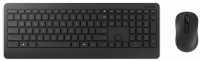
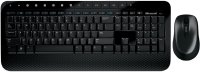 | Outdated Product In box: keyboard and mouse; Connection: radio; Form factor: 100% (full size); Layout: ANSI; Key profile: low; Switch technology: membrane; Additional keys: 16; Programmable keys: 5; Fn key; Cyrillic colour: white; Volume control: add. keys; Cable: Power source: 2xAAA; Sensor resolution (DPI): 1000 |


Microsoft Wireless Desktop 2000 | |||||||||||||||||||||||||||||||||||||||||||||||||||||||||||||||||||||
|
| ||||||||||||||||||||||||||||||||||||||||||||||||||||||||||||||||||||


The information in the model description is for reference purposes.
Always clarify the specifications and configuration of the product with the online store manager before purchasing.
Catalog Microsoft 2026 - new arrivals, bestsellers, and the most relevant models Microsoft.
Always clarify the specifications and configuration of the product with the online store manager before purchasing.
Catalog Microsoft 2026 - new arrivals, bestsellers, and the most relevant models Microsoft.

How to choose a gaming keyboardLet's look at the differences between the types of switches and additional equipment for gaming keyboards

Differences between different types of keyboards, their sizes and types of layoutsUnderstanding how a full-sized keyboard differs from TKL and what is the difference between layouts
Series Microsoft Wireless kits (radio)Compare using chart →









Model overview based on user reviews
The Microsoft Wireless Desktop 2000 offers a standard keyboard and mouse set with a wireless connection range of up to 10 meters. The keyboard features a low-profile, classic key type with a membrane switch technology and includes 16 additional keys and 5 programmable keys. It also has a palm rest and volume control keys. However, users have noted that the Russian font is blue and small, while the English font is white and large, which may not be ideal for all users. A significant drawback is the lack of a keyboard disable slider, leading to rapid battery discharge, which can be inconvenient and costly over time. The mouse uses BlueTrack technology with a 1000 DPI sensor and requires two AA batteries. Overall, while the set has some useful features, the battery issue and font design may detract from its value.
Pros
Cons
Buy and you will work on DURACEL!!! Kvaska on the keys is blue and white. Moreover, the RUSSIAN font that we most often use is BLUE and SMALL! And English, on the contrary, is WHITE and LARGE. The RUSSIAN producers simply ignored them!!! The keyboard disable slider is missing. It does not turn off, resulting in rapid battery discharge. For some reason the manufacturers didn’t think of it or they are paid specifically for this by battery manufacturers!!  Andrey Mirsanov: use Microsoft Wireless Desktop 2000 few months Andrey Mirsanov: use Microsoft Wireless Desktop 2000 few months |
Add Review
Video reviews

*Quick Review* Microsoft Wireless 2000 Desktop Mouse & Keyboard
6 February 20195 902 view

Unboxing Microsoft Wireless Desktop 2000
3 January 20125 296 view
Additional features keyboard Microsoft Wireless Desktop 2000:
- 128-bit signal encryption
- Battery level indicator
We recommendCompare using chart →


play (for kids), mechanical, 80% (TKL, without Numpad), Bluetooth / radio / wired, additional keys: 3, backlight, RGB backlight, battery, up to 36 h

play (for kids), membrane, 100% (full size), wired, additional keys: 9, backlight, water resistance, RGB backlight
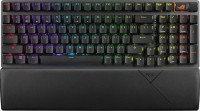
play (for kids), mechanical, 1800 (compact full-size), Bluetooth / radio / wired, BT v 5, additional keys: 1, backlight, RGB backlight, battery, up to 1500 h
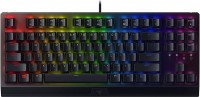

play (for kids), magnetic, 80% (TKL, without Numpad), wired, additional keys: 1, backlight, RGB backlight
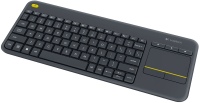
membrane, 75% (compact TKL, without Num-block), radio, additional keys: 4, touchpad, 2xAA
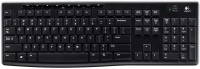
play (for kids), magnetic, 75% (compact TKL, without Num-block), Bluetooth / radio / wired, BT v 5, additional keys: 2, backlight, RGB backlight, battery, 4000 mAh, up to 110 h