
Samsung CLX-2160
 | Outdated Product Paper size: A4; Print Type: laser; Output Type: colour; B/W printing (ppm): 16; Colour printing (ppm): 4; Black Ink Page Yield (pages): 2000; Colour Ink Page Yield (pages): 1000; OPC drum cycle (ths pages): 20; PC connection (USB); USB; Display: monochrome; Noise level (dB): 52; Dimensions (mm): 413x353x333 |


We recommend products in stockAll-in-One Printers Samsung →
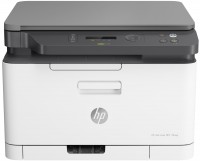
colour, flowers 4, laser, A4, printing 600х600 dpi, scanning 600х600 dpi, RAM 128 MB, LAN, Wi-Fi Direct, AirPrint
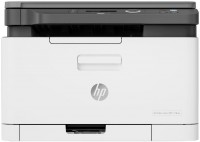
colour, flowers 4, laser, A4, printing 600х600 dpi, scanning 600х600 dpi, RAM 128 MB, LAN, Wi-Fi Direct, AirPrint
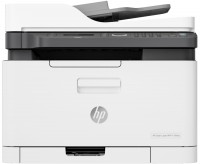
colour, flowers 4, laser, A4, printing 600х600 dpi, scanning 600х600 dpi, autoscan, RAM 128 MB, LAN, Wi-Fi Direct, AirPrint, fax machine
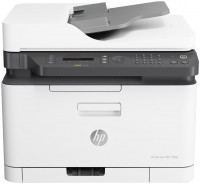
colour, flowers 4, laser, A4, printing 600х600 dpi, scanning 600х600 dpi, autoscan, RAM 128 MB, LAN, Wi-Fi Direct, AirPrint, fax machine

colour, laser, A4, printing 1200х1200 dpi, 2-side print, scanning 1200х1200 dpi, autoscan, RAM 512 MB, LAN, Wi-Fi Direct, AirPrint
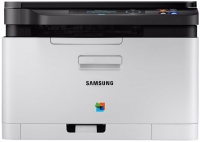
colour, flowers 4, laser, A4, printing 2400х600 dpi, scanning 4800х4800 dpi, RAM 128 MB, LAN
Samsung CLX-2160
Type:colour, laser
Format:A4
Connection:USB B
Print Resolution:2400х600 dpi
Scanning:4800х4800 dpi
B/W printing:16 ppm
Colour print:4 ppm
Number of cartridges:4 pcs
All specifications
Specifications CLX-2160
|
| |||||||||||||||||||||||||||||||||||||||||||||||||||||||||||||||||||||||||||||||||

The information in the model description is for reference purposes.
Always clarify the specifications and configuration of the product with the online store manager before purchasing.
Catalog Samsung 2026 - new arrivals, bestsellers, and the most relevant models Samsung.
Always clarify the specifications and configuration of the product with the online store manager before purchasing.
Catalog Samsung 2026 - new arrivals, bestsellers, and the most relevant models Samsung.
Additional features all-in-one printer Samsung CLX-2160:
"ID Copy"
ID Copy allows you to copy both sides of a business card or ID card onto one sheet of paper with the touch of a button. You do not need to re-insert the sheet of paper.
- "ID Copy" function
"ID Copy"
ID Copy allows you to copy both sides of a business card or ID card onto one sheet of paper with the touch of a button. You do not need to re-insert the sheet of paper.