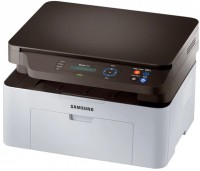
Samsung SL-M2070 (SS293B)
 | Compare prices 2 → When you make a purchase through links on our site, we may receive a affiliate commission.
|

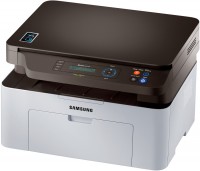
A simple and affordable multifunctional device that can fully perform the functions of a monochrome laser printer, flatbed scanner and convenient copier with zoom support and manual feed of originals. It is positioned as a product of the basic price category, intended for use within the home / small office. Demonstrates a decent speed of printing and copying (up to 20 ppm), which allows you to quickly output multi-page b/w documents.
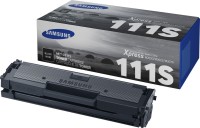
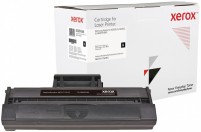
It handles with significant volumes of work without problems, the maximum (peak) monthly load of the Samsung SL-M2070 multifunctional device can reach 10,000 pages. The stylish and ergonomic design of the case will fit into any modern interior, and high energy efficiency makes it possible to minimize energy costs. A flatbed scanner with a CIS sensor and a high optical resolution of 1200x1200 dpi allows you to copy b/w documents and create digital copies of colour documents. As consumables, use the standard toner cartridge MLT-D111S (up to 1000 pages) or the high-capacity toner cartridge MLT-D111L (up to 1800 pages). Replacement of this consumable does not require qualification and can be performed by the user himself.
|
| ||||||||||||||||||||||||||||||||||||||||||||||||||||||||||||||||||||||||||||||||||


Always clarify the specifications and configuration of the product with the online store manager before purchasing.
Catalog Samsung 2026 - new arrivals, bestsellers, and the most relevant models Samsung.
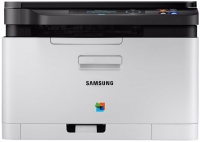
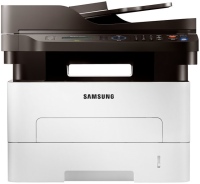
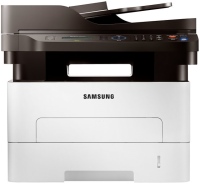
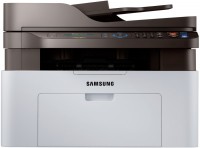
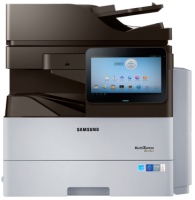
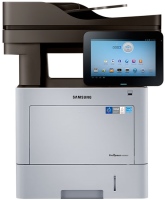
Overall, the printer is good. The print quality is high, but because of this, refilling is needed quite frequently. The additional features of scanning and copying are a huge plus. Throughout the usage time, there haven't been any critical issues, so I'm satisfied with the purchase. It's worth noting that despite all its advantages, the printer is not expensive. I constantly work with documents, so for me, a printer is not just a toy. I specifically chose a model with copying and scanning capabilities - very useful in the sense that a combination of a printer and scanner works much worse in terms of convenience/speed/efficiency. I was pleased with the device's working speed: it prints 20 pages of text in about one minute (didn't really time it, but it feels about right). On the other hand, my previous Samsung (gave it up because there were no drivers for Windows 7) did no more than 5-6 pages in a minute, so the improvement is noticeable. But despite the printing speed, the printer is quite quiet. The print quality itself is excellent - the outlines are smooth, neat, and the detailing is top-notch. Copying and scanning documents also happens quickly and with high quality. For a 3-in-1 printer, it is quite compact, and I had no trouble finding space for it (the computer desk is small). It connects to the PC without any issues, found drivers for Windows 10 right away. The design doesn't stand out in particular, but having the printer on the desk isn't annoying. The control buttons are convenient, and their placement is quite logical. Ink in the cartridge runs out quickly, and refilling is quite expensive. After refilling, the first few sheets print poorly, but then the quality returns to the previous level. |
Excellent! Value for money! Disadvantages-Nothing  Alexandr Fedchenkov: use Samsung SL-M2070 more than year Alexandr Fedchenkov: use Samsung SL-M2070 more than year |