
Comparison A4Tech FBX50C vs Rapoo E9800M
Add to comparison | 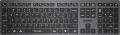 | 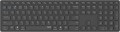 |
|---|---|---|
| A4Tech FBX50C | Rapoo E9800M | |
from £68.00 | Compare prices 2 | |
| TOP sellers | ||
| Connection | Bluetooth / radio | Bluetooth / radio |
| Bluetooth version | v3.0 | v5.0 |
| Multi-Device |  | |
| Form factor | 100% (full size) | 100% (full size) |
| Layout | ANSI | ANSI |
Keyboard | ||
| Key profile | low | low |
| Key type | island type | island type |
| Switch technology | scissor | scissor |
| Additional keys | 5 | |
| Fn key | | |
| CMD / OPT keys | | |
Features | ||
| Volume control | fn | fn |
Connection and power supply | ||
| Power source | battery | battery |
| Port on the device | USB C | USB C |
| Receiver (dongle) | USB A | USB A |
General | ||
| Size | 420x126x20 mm | 420x115x13 mm |
| Weight | 485 g | 647 g |
| Color | ||
| Added to E-Catalog | april 2023 | june 2022 |



Compare A4Tech FBX50C and Rapoo E9800M
Keyboards A4Tech FBX50C and Rapoo E9800M have similar features, such as connection type (Bluetooth/radio), operating range (10 m), and format (standard with Num-keypad). However, Rapoo E9800M supports the newer Bluetooth 5.0 version, which can provide a more stable connection. Unlike A4Tech, Rapoo has a metal construction, which adds durability but makes it heavier (647 g vs. 485 g for A4Tech). Both devices have low key travel and island-style keys, but Rapoo offers additional keys, which can be useful for users.
Price comparison
You may be interested in
A4Tech FBX50C often compared


Glossary
Bluetooth version
A version of the "blue tooth" technology for connecting the wireless keyboard to other devices from the outside as a manipulator. The higher its serial number, the more stable and noise-proof connection is provided. At the moment, Bluetooth v 5 is the most advanced standard in keyboards.
Additional keys
The number of additional keys provided in the design of the keyboard.
Such keys do not belong to the standard layout and are intended for quick access to specific functions or individual applications — for example, to control the media player or open mail with one click. This function is convenient because commands from additional keys are usually recognized by the system regardless of what is on the screen — thanks to this, for example, you do not have to close the text editor to switch tracks in the player.
Note that in this case we are talking about individual keys that have a strictly defined purpose and corresponding markings. Programmable buttons, the Fn key (see below) and the functions of the main keys implemented through Fn are not taken into account in this paragraph.
Such keys do not belong to the standard layout and are intended for quick access to specific functions or individual applications — for example, to control the media player or open mail with one click. This function is convenient because commands from additional keys are usually recognized by the system regardless of what is on the screen — thanks to this, for example, you do not have to close the text editor to switch tracks in the player.
Note that in this case we are talking about individual keys that have a strictly defined purpose and corresponding markings. Programmable buttons, the Fn key (see below) and the functions of the main keys implemented through Fn are not taken into account in this paragraph.