
Comparison A4Tech FBX50C vs A4Tech FX-50
Add to comparison | 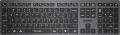 | 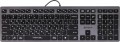 |
|---|---|---|
| A4Tech FBX50C | A4Tech FX-50 | |
from £68.00 | from £54.79 | |
| TOP sellers | ||
| Connection | Bluetooth / radio | wired |
| Bluetooth version | v3.0 | |
| Multi-Device |  |  |
| Cable length | 1.5 m | |
| Form factor | 100% (full size) | 100% (full size) |
| Layout | ANSI | ANSI |
Keyboard | ||
| Key profile | low | low |
| Key type | island type | island type |
| Switch technology | scissor | scissor |
| Additional keys | 4 | |
| Fn key | | |
| CMD / OPT keys | | |
Features | ||
| Volume control | fn | fn |
Connection and power supply | ||
| Cable | USB-A | |
| Power source | battery | |
| Port on the device | USB C | |
| Receiver (dongle) | USB A | |
General | ||
| Size | 420x126x20 mm | 420x126x20 mm |
| Weight | 485 g | |
| Color | ||
| Added to E-Catalog | april 2023 | october 2022 |


Compare A4Tech FBX50C and FX-50
Keyboards A4Tech FBX50C and A4Tech FX-50 have a similar standard format with a Num-pad and low-profile island-style keys, but they differ in connection type: the FBX50C uses Bluetooth or radio, allowing connection to multiple devices, while the FX-50 is wired. Both devices have Fn keys and similar sizes, but the FX-50 does not support Multi-Device. Users appreciate the convenience of both models, but the FBX50C may be preferable for those who value wireless connectivity and the ability to work with multiple devices.
You may be interested in
My comparisons
A4Tech FBX50C often compared


A4Tech FX-50 often compared
Glossary
Connection
— Wired. Connection using a cable with one or another type of connector — most often USB, less often PS/2 or a proprietary plug (see "Connection interface"). Wired keyboards are notable for their low cost and overall convenience — in the sense that they do not require batteries and the operating time is unlimited. However the wire limits mobility; however, given that most often the keyboard is used in close proximity to the computer, this shortcoming cannot be called critical.
— Radio. Wireless connection over the air, usually through a wireless adapter connected to a computer via a USB port. The main advantage of this option can be called the actual absence of a wire; while the communication range is usually several metres, which gives freedom of movement and even allows you to use the keyboard as a "computer remote control". On the other hand, wireless models are much more expensive than wired ones, and their operation requires separate power supply from batteries or a rechargeable battery, the charge of which is limited — accordingly, the continuous operation time is limited. Separately, we note that this option is designed mainly for stationary PCs; if a wireless keyboard is needed for a laptop, it is better to pay attention to Bluetooth models (see below).
— Bluetooth. Another way to wir...elessly connect keyboards. Technically, Bluetooth is based on radio waves, but this technology has its own characteristics, so it is listed separately from the "normal" radio connection (see above). The main one of these features is that many models of modern electronics (almost all laptops and tablets, some PCs, etc.) are equipped with built-in Bluetooth modules, which allows you to connect such keyboards without using additional adapters. In addition, the range of such a connection is officially at least 10 m (in fact, of course, it depends on obstacles, interference, etc.). It is this option that will be optimal if you need a wireless keyboard for a Bluetooth-enabled device.
— Bluetooth / radio. Wireless keyboards that can connect both via Bluetooth and radio. See above for more details on each of these options. Also note here that such a keyboard is usually connected directly to a Bluetooth device (for example, a laptop), and if the computer does not support Bluetooth, you can connect a USB adapter to it and use a radio connection. Thus, the keyboard is as versatile as possible in connection. However, such versatility significantly affects the cost, and is required not so often; so this option is not widely used.
— Bluetooth / radio / wired. Keyboards that support all three connection methods described above. This is the most versatile option, giving the user the freedom to choose for different situations. For example, while playing a game or watching a movie, you can sit in a comfortable chair away from the screen by connecting the device wirelessly, and when typing or surfing the Internet, you can move to the table and use the wire, saving battery power. At the same time, such versatility is not often required and is expensive, so models with this type of connection are not popular either.
— Radio. Wireless connection over the air, usually through a wireless adapter connected to a computer via a USB port. The main advantage of this option can be called the actual absence of a wire; while the communication range is usually several metres, which gives freedom of movement and even allows you to use the keyboard as a "computer remote control". On the other hand, wireless models are much more expensive than wired ones, and their operation requires separate power supply from batteries or a rechargeable battery, the charge of which is limited — accordingly, the continuous operation time is limited. Separately, we note that this option is designed mainly for stationary PCs; if a wireless keyboard is needed for a laptop, it is better to pay attention to Bluetooth models (see below).
— Bluetooth. Another way to wir...elessly connect keyboards. Technically, Bluetooth is based on radio waves, but this technology has its own characteristics, so it is listed separately from the "normal" radio connection (see above). The main one of these features is that many models of modern electronics (almost all laptops and tablets, some PCs, etc.) are equipped with built-in Bluetooth modules, which allows you to connect such keyboards without using additional adapters. In addition, the range of such a connection is officially at least 10 m (in fact, of course, it depends on obstacles, interference, etc.). It is this option that will be optimal if you need a wireless keyboard for a Bluetooth-enabled device.
— Bluetooth / radio. Wireless keyboards that can connect both via Bluetooth and radio. See above for more details on each of these options. Also note here that such a keyboard is usually connected directly to a Bluetooth device (for example, a laptop), and if the computer does not support Bluetooth, you can connect a USB adapter to it and use a radio connection. Thus, the keyboard is as versatile as possible in connection. However, such versatility significantly affects the cost, and is required not so often; so this option is not widely used.
— Bluetooth / radio / wired. Keyboards that support all three connection methods described above. This is the most versatile option, giving the user the freedom to choose for different situations. For example, while playing a game or watching a movie, you can sit in a comfortable chair away from the screen by connecting the device wirelessly, and when typing or surfing the Internet, you can move to the table and use the wire, saving battery power. At the same time, such versatility is not often required and is expensive, so models with this type of connection are not popular either.
Bluetooth version
A version of the "blue tooth" technology for connecting the wireless keyboard to other devices from the outside as a manipulator. The higher its serial number, the more stable and noise-proof connection is provided. At the moment, Bluetooth v 5 is the most advanced standard in keyboards.
Multi-Device
The keyboard's ability to quickly switch between multiple devices. Multi-Device allows you to simultaneously work with a tablet, TV, and other devices with one keyboard.
Cable length
The length of the cable that the keyboard is equipped with for wired connection (see "Connection type").
When choosing this parameter, you should first of all take into account the distance from the device to the connection port: a cable that is too short may simply not reach the connector, and a cable that is too long may get confused at hand and create inconvenience. As for specific values, the reference length is 1.8 m. However, there are cables both shorter and longer.
When choosing this parameter, you should first of all take into account the distance from the device to the connection port: a cable that is too short may simply not reach the connector, and a cable that is too long may get confused at hand and create inconvenience. As for specific values, the reference length is 1.8 m. However, there are cables both shorter and longer.
Additional keys
The number of additional keys provided in the design of the keyboard.
Such keys do not belong to the standard layout and are intended for quick access to specific functions or individual applications — for example, to control the media player or open mail with one click. This function is convenient because commands from additional keys are usually recognized by the system regardless of what is on the screen — thanks to this, for example, you do not have to close the text editor to switch tracks in the player.
Note that in this case we are talking about individual keys that have a strictly defined purpose and corresponding markings. Programmable buttons, the Fn key (see below) and the functions of the main keys implemented through Fn are not taken into account in this paragraph.
Such keys do not belong to the standard layout and are intended for quick access to specific functions or individual applications — for example, to control the media player or open mail with one click. This function is convenient because commands from additional keys are usually recognized by the system regardless of what is on the screen — thanks to this, for example, you do not have to close the text editor to switch tracks in the player.
Note that in this case we are talking about individual keys that have a strictly defined purpose and corresponding markings. Programmable buttons, the Fn key (see below) and the functions of the main keys implemented through Fn are not taken into account in this paragraph.
Cable
Features of the cable with which the device is equipped. First of all, it's worth noting the connection interface used in a wired keyboard. Namely:
— USB-A. A standard universal port for connecting peripherals, present in almost all modern computers—from desktop PCs to microcomputers. USB keyboards are the most universal, so this option is the most common today. The main disadvantage of this option is that the USB port occupied by the keyboard might be needed for another peripheral device; however, this problem is easily solved—for example, by using a USB hub or purchasing a keyboard with its own hub (see below).
— USB-C. The USB-C plug is reversible, compact, and universal, so the keyboard easily connects to modern laptops, PCs, and docking stations. There is no difference in delay and functionality compared to USB-A: in both cases, the keyboard is recognized as a common USB-HID, NKRO, and high polling rate do not depend on the type of plug. Mechanically, USB-C is usually more durable for wear (up to ~10,000 insertion cycles compared to ~1,500 for USB-A), and it is also easier to insert "by feel". Compatibility is resolved with a cable or mini-adapter A↔C, which may be included. Bottom line: if you have a free USB-C port—opt for a keyboard/cable with USB-C; if there are few "C" ports or the PC is stationary—USB-A is just as good in operation.
— PS/2. A specialized round-shaped port used for connecting keyboards and mice; modern PCs may have either two ports, one for each, or a single universal port. In any case, this connection method is convenient because all USB ports remain free; this can be important when using a large number of USB peripherals. At the same time, the PS/2 port itself is quite large and not suitable for laptops and other compact equipment, and therefore is found only in desktop PCs. Even in these cases, it is advisable to confirm the availability of PS/2 before purchasing a keyboard with such a plug.
— USB or PS/2. Generally, this means USB keyboards equipped with an adapter for PS/2 ports. The features of both interfaces are described above; here we note that this option is the most versatile, allowing for a choice of connection method depending on the situation. Furthermore, it is convenient because there are relatively few PS/2 models, and it's easier to find a suitable USB keyboard equipped with an adapter. The adapters themselves are inexpensive and do not significantly affect the device's price; naturally, they are also sold separately, although a set is often a more preferable option.
— Brand-specific. Connection using a unique plug that is not among the standard (described above) interfaces and is mainly used in technology from a specific brand, at best in some devices from third-party manufacturers. This option is quite convenient for tablet accessories (see "By Direction").
In addition to connection, the keyboard cable may have additional properties:
— Detachable.... A cable that can be disconnected from the keyboard. Almost all devices with two connection options—wired and wireless—have this feature: in wireless mode, the cable can be removed so that it doesn't get in the way. Although, there are also purely wired devices with such a cable—mainly laptop ones, where the cable is removed for convenience during transport. It is also worth noting that a universal port is most often used to connect the cable, so if necessary, the cable can be replaced with another—e.g., a longer one.
— Braided. The presence of an additional braid on the cable makes it more durable, reliable, and resistant to bends. On the other hand, the braid tends to accumulate dirt and fray with wear; because of this, the cable's casing quickly loses its marketable appearance compared to keyboards without braiding. And such a cord costs more than a regular smooth one.
— USB-A. A standard universal port for connecting peripherals, present in almost all modern computers—from desktop PCs to microcomputers. USB keyboards are the most universal, so this option is the most common today. The main disadvantage of this option is that the USB port occupied by the keyboard might be needed for another peripheral device; however, this problem is easily solved—for example, by using a USB hub or purchasing a keyboard with its own hub (see below).
— USB-C. The USB-C plug is reversible, compact, and universal, so the keyboard easily connects to modern laptops, PCs, and docking stations. There is no difference in delay and functionality compared to USB-A: in both cases, the keyboard is recognized as a common USB-HID, NKRO, and high polling rate do not depend on the type of plug. Mechanically, USB-C is usually more durable for wear (up to ~10,000 insertion cycles compared to ~1,500 for USB-A), and it is also easier to insert "by feel". Compatibility is resolved with a cable or mini-adapter A↔C, which may be included. Bottom line: if you have a free USB-C port—opt for a keyboard/cable with USB-C; if there are few "C" ports or the PC is stationary—USB-A is just as good in operation.
— PS/2. A specialized round-shaped port used for connecting keyboards and mice; modern PCs may have either two ports, one for each, or a single universal port. In any case, this connection method is convenient because all USB ports remain free; this can be important when using a large number of USB peripherals. At the same time, the PS/2 port itself is quite large and not suitable for laptops and other compact equipment, and therefore is found only in desktop PCs. Even in these cases, it is advisable to confirm the availability of PS/2 before purchasing a keyboard with such a plug.
— USB or PS/2. Generally, this means USB keyboards equipped with an adapter for PS/2 ports. The features of both interfaces are described above; here we note that this option is the most versatile, allowing for a choice of connection method depending on the situation. Furthermore, it is convenient because there are relatively few PS/2 models, and it's easier to find a suitable USB keyboard equipped with an adapter. The adapters themselves are inexpensive and do not significantly affect the device's price; naturally, they are also sold separately, although a set is often a more preferable option.
— Brand-specific. Connection using a unique plug that is not among the standard (described above) interfaces and is mainly used in technology from a specific brand, at best in some devices from third-party manufacturers. This option is quite convenient for tablet accessories (see "By Direction").
In addition to connection, the keyboard cable may have additional properties:
— Detachable.... A cable that can be disconnected from the keyboard. Almost all devices with two connection options—wired and wireless—have this feature: in wireless mode, the cable can be removed so that it doesn't get in the way. Although, there are also purely wired devices with such a cable—mainly laptop ones, where the cable is removed for convenience during transport. It is also worth noting that a universal port is most often used to connect the cable, so if necessary, the cable can be replaced with another—e.g., a longer one.
— Braided. The presence of an additional braid on the cable makes it more durable, reliable, and resistant to bends. On the other hand, the braid tends to accumulate dirt and fray with wear; because of this, the cable's casing quickly loses its marketable appearance compared to keyboards without braiding. And such a cord costs more than a regular smooth one.
Power source
The type of power used in wireless keyboards. It can be a replaceable battery or its own built-in battery.
As replaceable batteries in modern keyboards, batteries or accumulators of the AA (“finger”) or AAA (“mini-finger”) format can be used. The main advantage of this power supply is the ability to quickly replace dead batteries with new ones — if there are any left, a few seconds are enough, and the keyboard is ready to work again. However, batteries are often not included and must be purchased separately. In addition, anyway, you have to buy new batteries as the old ones wear out — or fork out for rather expensive batteries and, possibly, a charger.
Built-in battery, in turn, relieves the user of the need to purchase batteries. On the other hand, in the event of a discharge, such a battery cannot be quickly replaced, and the only option to continue working is to charge it, which can take quite a long time.
As replaceable batteries in modern keyboards, batteries or accumulators of the AA (“finger”) or AAA (“mini-finger”) format can be used. The main advantage of this power supply is the ability to quickly replace dead batteries with new ones — if there are any left, a few seconds are enough, and the keyboard is ready to work again. However, batteries are often not included and must be purchased separately. In addition, anyway, you have to buy new batteries as the old ones wear out — or fork out for rather expensive batteries and, possibly, a charger.
Built-in battery, in turn, relieves the user of the need to purchase batteries. On the other hand, in the event of a discharge, such a battery cannot be quickly replaced, and the only option to continue working is to charge it, which can take quite a long time.
Port on the device
A connector in the keyboard case for attaching a removable cable, found in both wired models and wireless ones with a battery, where through this port the keyboard is charged and, if necessary, operates "wired" without delay.
— microUSB. One of the miniature versions of the USB connector, still popular in gadgets despite the emergence of the more advanced USB-C. It has comparatively modest capabilities (in particular, it is inferior to USB-C in terms of maximum possible charging power), but this rarely proves critical. Meanwhile, there is an abundance of microUSB cables and chargers.
— USB-C. The latest (as of the end of 2025) type of USB connector. It is symmetrical, allowing the cable to be inserted either way, eliminating the possibility of incorrect connection. USB-C is more reliable, has an extended lifespan, and supports higher data transfer and charging speeds. Additionally, it is compatible with modern devices and is gradually becoming a universal standard, making keyboards with this connector more convenient and relevant for users.
— microUSB. One of the miniature versions of the USB connector, still popular in gadgets despite the emergence of the more advanced USB-C. It has comparatively modest capabilities (in particular, it is inferior to USB-C in terms of maximum possible charging power), but this rarely proves critical. Meanwhile, there is an abundance of microUSB cables and chargers.
— USB-C. The latest (as of the end of 2025) type of USB connector. It is symmetrical, allowing the cable to be inserted either way, eliminating the possibility of incorrect connection. USB-C is more reliable, has an extended lifespan, and supports higher data transfer and charging speeds. Additionally, it is compatible with modern devices and is gradually becoming a universal standard, making keyboards with this connector more convenient and relevant for users.
Receiver (dongle)
A mini adapter that connects to a computer and provides a wireless keyboard connection via a 2.4 GHz radio channel with low latency and stable connectivity. They are distinguished by the connection method that describes the specific type of connector into which you insert the dongle.
— USB-A. A classic full-size rectangular plug used in desktop PCs, monitor hubs, and higher-end docking stations;
— USB-C. A compact reversible plug that is common in ultrabooks, tablets, and modern docks, can be inserted either way and is convenient in limited spaces.
Additionally, the set may include an adapter for converting one type of port to another.
— USB-A. A classic full-size rectangular plug used in desktop PCs, monitor hubs, and higher-end docking stations;
— USB-C. A compact reversible plug that is common in ultrabooks, tablets, and modern docks, can be inserted either way and is convenient in limited spaces.
Additionally, the set may include an adapter for converting one type of port to another.