
Comparison Tenda AC19 vs Tenda AC8
Add to comparison | 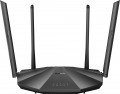 | 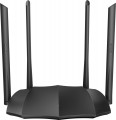 |
|---|---|---|
| Tenda AC19 | Tenda AC8 | |
from £19.99 | Compare prices 1 | |
| User reviews | ||
| TOP sellers | ||
Responsible for performance dual-core processor with a frequency of 1 GHz, made on 28 nm process technology. | Beamforming and MU-MIMO support. 4 antennas with a gain of 6 dBi. | |
| Product type | router | router |
| Data input (WAN-port) | Ethernet (RJ45) Wi-Fi | Ethernet (RJ45) Wi-Fi |
Wireless Wi-Fi connection | ||
| Wi-Fi standards | Wi-Fi 3 (802.11g) Wi-Fi 4 (802.11n) Wi-Fi 5 (802.11ac) | Wi-Fi 3 (802.11g) Wi-Fi 4 (802.11n) Wi-Fi 5 (802.11ac) |
| Frequency band | 2.4GHz 5 GHz | 2.4GHz 5 GHz |
| Operating ranges | dual-band (2.4 GHz and 5 GHz) | dual-band (2.4 GHz and 5 GHz) |
| Wireless speed 2.4 GHz | 300 Mbps | 300 Mbps |
| Wireless speed 5 GHz | 1733 Mbps | 867 Mbps |
Connection and LAN | ||
| WAN | 1 port 1 Gbps | 1 port 1 Gbps |
| LAN | 4 ports 1 Gbps | 3 ports 1 Gbps |
| USB-A 2.0 | 1 pcs | |
Antenna and transmitter | ||
| Number of antennas | 4 | 4 |
| Antenna type | external | external |
| MU-MIMO |  | |
| Gain | 6 dBi | 6 dBi |
| 2.4 GHz antennas | 2 | |
| 5 GHz antennas | 4 | |
| 2.4 / 5 GHz antennas | 4 | |
| Transmitter power | 23 dBm | 23 dBm |
| Signal strength 2.4 GHz | 20 dBm | 20 dBm |
| Signal strength 5 GHz | 23 dBm | 23 dBm |
Hardware | ||
| CPU | Realtek RTL8197FH | |
| Clock Speed | 1 GHz | |
| RAM | 128 MB | |
| Flash memory | 8 MB | |
Functions | ||
| Features | NAT bridge mode repeater Beamforming firewall | NAT bridge mode repeater Beamforming firewall |
| More features | DHCP server FTP server file server print server VPN DDNS DMZ | DHCP server VPN DDNS DMZ |
Security | ||
| Safety standards | WPA WEP WPA2 | WPA WEP WPA2 |
General | ||
| Operating temperature | 0 °C ~ +40 °C | 0 °C ~ +40 °C |
| Dimensions | 239x144x40 mm | 200x127x34 mm |
| Color | ||
| Added to E-Catalog | february 2020 | january 2020 |


Compare Tenda AC19 and AC8
Price comparison
You may be interested in
Tenda AC19 often compared

Tenda AC8 often compared


Glossary
Wireless speed 5 GHz
The maximum speed supported by the device when communicating wirelessly in the 5 GHz band.
This range is used in Wi-Fi 4, Wi-Fi 6 and Wi-Fi 6E as one of the available bands, in Wi-Fi 5 as the only one (see "Wi-Fi Standards"). The maximum speed is specified in the specifications in order to indicate the real capabilities of specific equipment - they can be noticeably more modest than the general capabilities of the standard. Also, in fact, it all depends on the generation of Wi-Fi. For example, devices with Wi-Fi 5 support can theoretically deliver up to 6928 Mbit (using eight antennas), with Wi-Fi 6 support up to 9607 Mbit (using the same eight spatial streams). The maximum possible communication speed is achieved under certain conditions, and not every model of Wi-Fi equipment fully satisfies them. Specific figures are conditionally divided into several groups: the value up to 500 Mbit is rather modest, many devices support speeds in the range of 500 - 1000 Mbit, indicators of 1 - 2 Gbps can be attributed to the average, and the most advanced models in class provide a data exchange rate of over 2 Gbps.
This range is used in Wi-Fi 4, Wi-Fi 6 and Wi-Fi 6E as one of the available bands, in Wi-Fi 5 as the only one (see "Wi-Fi Standards"). The maximum speed is specified in the specifications in order to indicate the real capabilities of specific equipment - they can be noticeably more modest than the general capabilities of the standard. Also, in fact, it all depends on the generation of Wi-Fi. For example, devices with Wi-Fi 5 support can theoretically deliver up to 6928 Mbit (using eight antennas), with Wi-Fi 6 support up to 9607 Mbit (using the same eight spatial streams). The maximum possible communication speed is achieved under certain conditions, and not every model of Wi-Fi equipment fully satisfies them. Specific figures are conditionally divided into several groups: the value up to 500 Mbit is rather modest, many devices support speeds in the range of 500 - 1000 Mbit, indicators of 1 - 2 Gbps can be attributed to the average, and the most advanced models in class provide a data exchange rate of over 2 Gbps.
LAN
In this case, LAN means standard network connectors (known as RJ-45) designed for wired connection of LAN devices — PCs, servers, additional access points, etc. The number of ports corresponds to the number of devices that can be directly connected to wired equipment. way.
In terms of speed, 100 Mbps (Fast Ethernet) and 1 Gbps (Gigabit Ethernet) are the most popular options today. At the same time, thanks to the development of technology, more and more gigabit devices are being produced, although in fact this speed is critical only when transferring large amounts of information. At the same time, some models, in addition to the standard speed of the main LAN ports, may have a 2.5 Gbps, 5 Gbps and even 10 Gbps LAN port with increased bandwidth.
In terms of speed, 100 Mbps (Fast Ethernet) and 1 Gbps (Gigabit Ethernet) are the most popular options today. At the same time, thanks to the development of technology, more and more gigabit devices are being produced, although in fact this speed is critical only when transferring large amounts of information. At the same time, some models, in addition to the standard speed of the main LAN ports, may have a 2.5 Gbps, 5 Gbps and even 10 Gbps LAN port with increased bandwidth.
USB-A 2.0
The number of USB 2.0 ports provided in the device design.
In this case, USB serves as a universal interface for connecting peripheral devices to the router. The specific supported USB devices and their use cases can vary. Examples include working with a flash drive used as storage for FTP mode or file server operation (see "Features/Capabilities"), connection to a printer in print server mode (see there), connection of a 3G modem (see "Data Input (WAN-port)"), and so on.
Specifically, USB 2.0 allows data transfer speeds of up to 480 Mbps. This is noticeably less than more advanced standards (starting with USB 3.2 gen1 described below), and the power supply of such connectors is low. However, even such specifications are often quite sufficient, considering the specifics of Wi-Fi device applications. Additionally, a USB 2.0 port can also connect peripherals with newer versions — as long as the power supply is adequate. Therefore, although this standard is considered outdated, it is still widely used in modern wireless equipment. There are even models that provide for 2 or even more USB 2.0 ports, allowing multiple external devices to be used simultaneously — for example, a 3G modem and a flash drive.
In this case, USB serves as a universal interface for connecting peripheral devices to the router. The specific supported USB devices and their use cases can vary. Examples include working with a flash drive used as storage for FTP mode or file server operation (see "Features/Capabilities"), connection to a printer in print server mode (see there), connection of a 3G modem (see "Data Input (WAN-port)"), and so on.
Specifically, USB 2.0 allows data transfer speeds of up to 480 Mbps. This is noticeably less than more advanced standards (starting with USB 3.2 gen1 described below), and the power supply of such connectors is low. However, even such specifications are often quite sufficient, considering the specifics of Wi-Fi device applications. Additionally, a USB 2.0 port can also connect peripherals with newer versions — as long as the power supply is adequate. Therefore, although this standard is considered outdated, it is still widely used in modern wireless equipment. There are even models that provide for 2 or even more USB 2.0 ports, allowing multiple external devices to be used simultaneously — for example, a 3G modem and a flash drive.
2.4 GHz antennas
The total number of antennas in the router that are responsible for communication in the 2.4 GHz band. For details about the number of antennas, see "Total antennas", about the range — "Frequency range".
5 GHz antennas
The total number of antennas in the router that are responsible for communication in the 5 GHz band. For details about the number of antennas, see "Total antennas", about the range — "Frequency range".
2.4 / 5 GHz antennas
The total number of antennas in the router that can operate on both 5 GHz and 2.4 GHz frequencies. For details about the number of antennas, see "Total antennas", about the range — "Frequency range".
CPU
The model of the processor installed in the device. The processor is responsible for processing network traffic and running software. Knowing its name, you can get more detailed data on the speed capabilities of the equipment and understand how much such a powerful or, on the contrary, mediocre element is needed on board. In new models of Wi-Fi equipment, coprocessors or so-called NPU modules are often installed, which relieve the load from the main processor.
Most often, Wi-Fi equipment is equipped with processors from Broadcom, MediaTek, Realtek and Qualcomm.
Most often, Wi-Fi equipment is equipped with processors from Broadcom, MediaTek, Realtek and Qualcomm.
Clock Speed
The number of cycles per second that the processor produces in its normal operating mode. A clock is a single electrical impulse used to process data and synchronize the processor with the rest of the computer system. Different operations may require fractions of a clock or several clocks, but anyway, the clock frequency is one of the main parameters characterizing the performance and speed of the processor — all other things being equal, a processor with a higher clock frequency will work faster and better cope with significant loads.
RAM
The amount of random access memory (RAM) provided in the device. The amount of "RAM" is one of the indicators of the power of the device: the larger it is, the higher the speed and the better the device will cope with "heavy" tasks. Among the values, there can be 128 MB, 256 MB, 512 MB and high scores in 1 GB and 2 GB.