Tenda AC8
 | When you make a purchase through links on our site, we may receive a affiliate commission. Buy! Tenda AC8 Router WiFi AC1200 - Wireless Router with Dual Band 5GHz/24GHz 3xWAN/LAN Gigabit Ports 4x6dBi Antennas Repeater AcAmazon.co.ukDelivery: in United Kingdom Report |

|
| ||||||||||||||||||||||||||||||||||||||||||||||||||||||||||||||||||||||||||||||||||


Always clarify the specifications and configuration of the product with the online store manager before purchasing.
Catalog Tenda 2026 - new arrivals, bestsellers, and the most relevant models Tenda.
2 1 2 1 |
It worked fine for a year, and then the 2.4 GHz band fell off, tried to reflash - it did not help. Even after several flashings, the firmware hung, i.e. the device is not reset to factory settings even through a physical button and is not sewn to any other firmware. And the problems with 2.4, as I understand it, are due to the fact that this transmitter is very close to the processor, which is very hot. 5 GHz band works well Price, cool design, good 5 GHz signal Bad signal 2.4, which a year later completely bent. On the Gigabit Internet in line of sight no more than 80 Mbps and about 30 Mbps through two walls. Through Lan about 200 Mbps issues  Oleksandr Somochkin: use Tenda AC8 more than year Oleksandr Somochkin: use Tenda AC8 more than year |
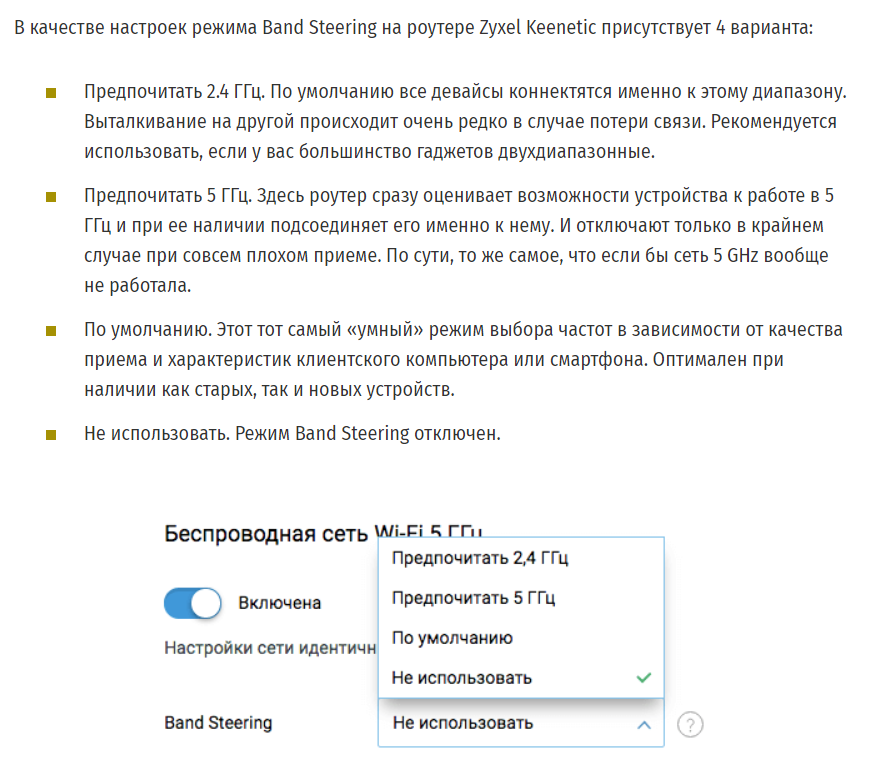
do not count on the normal operation of the Preferred Band (aka band steering) good work in repeater mode (Universal repeater mode paired with TENDA ac9) unclear operation of the Preferred Band feature (and that's why I bought the router). The idea was to push all supported devices into the 5G band (two identical SSIDs on both bands). When this function is activated, nothing happens. Devices remained on 2.4 as they were (literal translation from the documentation: When it is enabled, the WiFi names in the 2.4 GHz and 5 GHz networks match. And only one WiFi signal is displayed. When you connect to the WiFi network, it automatically connects to the WiFi signal of the best quality.) Meanwhile, I rebooted the router, set the signal level on 5 to maximum, 2.4 to minimum...the implementation of this feature should have been like Keenetik (in the picture), but in such an implementation as on AC8, it is useless. Sergei Dubsov: use Tenda AC8 less than month |
Convenient and easy-to-configure interface. High-quality 5/2.4GHz signal. 5 GHz + 2.4 GHz -  Shved: use Tenda AC8 less than month Shved: use Tenda AC8 less than month |







Stylish and affordable
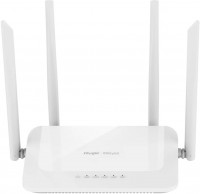
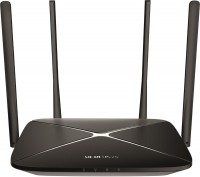
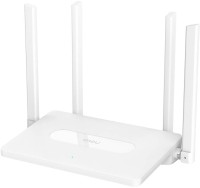
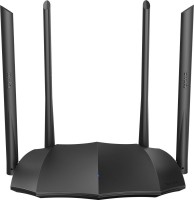
Being an extremely popular brand in China, Tenda is gaining momentum in our area, offering high-quality and highly functional routers at affordable prices. It seems that the new gigabyte model Tenda AC8 is also “charged for success”. The router meets with a non-trivial appearance for inexpensive models with oblique arcuate ends, which in profile resemble the Batmobile. If we didn't know that it costs less than $40, we would be sure that this is some kind of expensive gaming model from conditional Asus.
4 antennas with 6 dBi gain
Now for some technical information. The router is equipped with three gigabit ports and dual-band (Dual-band) Wi-Fi with a total channel width of 1167 Mbps: 300 Mbps at 2.4 GHz plus another 867 Mbps at 5 GHz. Given the price, you can't ask for more, some models with a price tag 2 times higher offer the same thing. In tests, when connected to a gigabit channel at a five-hertz Wi-Fi frequency in a three-room apartment, the sum of average speeds slightly exceeded 600 Mbps. A couple of laptops, three smartphones, an iPad and a TV were connected to the router. Communication with all devices was stable (thanks to four antennas with a gain of 6 dBi), there were no drawdowns or breaks. Considering that we are talking about an apartment building where both bands are specifically packed, the results are very decent.
MU-MIMO and Beamforming
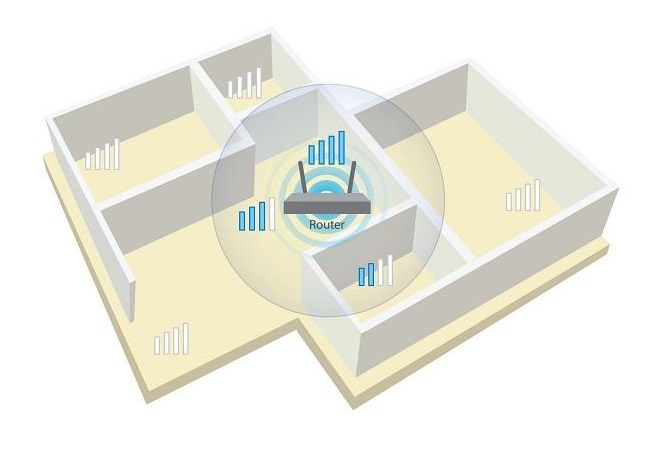
The list of compliments is complemented by support for MU-MIMO technology, which minimizes lag when broadcasting to multiple wireless clients, and Beamforming, which allows you to focus the signal in the direction of exactly the device that needs it most. Like any experienced router manufacturer, Tenda offers two options for setting up a network: using the admin panel on a computer or a simplified version through a mobile application. The only thing that I didn’t like about Tenda AC8 was the combined WPS activation and reset button, due to which you can inadvertently erase network settings instead of connecting a new client without a password.