
Comparison PXN V99 vs ThrustMaster T248
Add to comparison |  | 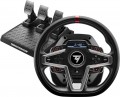 |
|---|---|---|
| PXN V99 | ThrustMaster T248 | |
| Compare prices 2 | Compare prices 17 | |
| User reviews | ||
| TOP sellers | ||
Built-in display for steering wheel settings and additional functions (display speed, lap time, etc.) | ||
| Device type (configuration) | steering wheel, pedals, and gearbox | steering wheel and pedals |
| Steering wheel size | 30 cm | 28 cm |
| Detachable steering wheel |  |  |
| Compatibility | PC (Windows) Switch Xbox PlayStation 3 PlayStation 4 | PC (Windows) PlayStation 4 PlayStation 5 |
| Connection | wired | wired |
| Cable | USB-A | USB-A |
Technical specifications | ||
| Total number of buttons | 14 | 21 |
| Feedback | power | power |
| Drive type | belt | hybrid |
| Max. torque | 3.2 Nm | 3.5 Nm |
| D-pad controller | | |
| Steering wheel turn | 270° – 900° | |
| Paddle shifters | 4 pcs | 2 pcs |
| Pedals | accelerator brake clutch | accelerator brake clutch |
General information | ||
| Mounting | clamps | clamps |
| Display | | |
| Steering wheel cover | rubber | rubber |
| Power source | network | network |
| Color | ||
| Added to E-Catalog | december 2024 | september 2021 |





Compare PXN V99 and ThrustMaster T248
Price comparison
You may be interested in
PXN V99 often compared


ThrustMaster T248 often compared


Glossary
Device type (configuration)
— Steering Wheel. Ready-to-use gaming steering wheels that can be plugged in and played right out of the box. Such a set usually includes the wheel with a base, mount, and cables, but without pedals or a separate gearbox, so acceleration and braking may be assigned to buttons or paddles. This option is suitable for arcade races, simple racing simulators, and cases where a basic kit without extra accessories is needed.
— Steering Wheel with Pedals. A more complete racing kit that, in addition to the steering block, includes a separate pedal platform for the accelerator, brake, and sometimes the clutch. This set is noticeably closer to real car control than just a wheel without pedals, as speed and braking are controlled with your feet. It's a convenient starting option for Forza, Gran Turismo, F1, Assetto Corsa, and other racing games.
— Steering Wheel, Pedals, and Gearbox. Contains the three main elements at once: a steering block, pedals, and a separate gear shifter. Here, the gear shifter refers to a standalone shifter that mimics manual shifting, not paddle shifters on the wheel. This set is better suited for simulators, drifting, truck games, and fans of manual gear shifting, where more realistic seating and control are important.
— Steering Wheel with Gearbox. Kits where the gear lever is provid...ed along with the wheel. Unlike kits with a separate gearbox, here the lever is often located directly on the same base with the wheel, making the set more compact and not requiring separate space for the shifter. This option is convenient for arcade races, simple simulators, and users who want manual shifting without complex modular assembly.
— Steering Wheel. A separate interchangeable part of a gaming steering wheel, designed to be mounted on a compatible steering base. This option is considered a more professional solution because the user assembles the simulator modularly: separately choosing the base, wheel, pedals, gearbox, and other accessories. This allows you to customize the shape, diameter, grip, buttons, and style of the wheel for specific races — for example, formula, rally, drift, or GT races.
— Steering Base. The main power block to which the steering wheel is connected and which is responsible for rotation, resistance, and Force Feedback feedback. The base itself is not a ready-to-play wheel, as it usually requires a separate steering wheel, pedals, and other accessories. This option is more often chosen for modular simulators where power, precision, and the ability to assemble the kit yourself are important.
— Pedals. An independent accessory for a gaming steering wheel that is responsible for the accelerator, brake, and in some kits, the clutch. They are purchased to replace the basic pedal block, upgrade a simulator, or assemble a kit from separate components. For example, more advanced pedals can more accurately transmit braking force and better suit serious racing simulators.
— Gearbox. A gear shifter for gaming steering wheels and racing simulators. It mimics the operation of a manual or sequential gearbox, depending on the model's design. This accessory is especially useful for car simulators, drifting, rally, truck simulators, and games where players want to control gears with a separate lever instead of paddles.
— Handbrake. An accessory for a racing simulator that mimics a lever for a parking or hydraulic brake. It is especially useful in drifting, rally, and some arcade races, where you need to quickly break the rear axle into a slide or take a corner sideways.
— Steering Wheel with Pedals. A more complete racing kit that, in addition to the steering block, includes a separate pedal platform for the accelerator, brake, and sometimes the clutch. This set is noticeably closer to real car control than just a wheel without pedals, as speed and braking are controlled with your feet. It's a convenient starting option for Forza, Gran Turismo, F1, Assetto Corsa, and other racing games.
— Steering Wheel, Pedals, and Gearbox. Contains the three main elements at once: a steering block, pedals, and a separate gear shifter. Here, the gear shifter refers to a standalone shifter that mimics manual shifting, not paddle shifters on the wheel. This set is better suited for simulators, drifting, truck games, and fans of manual gear shifting, where more realistic seating and control are important.
— Steering Wheel with Gearbox. Kits where the gear lever is provid...ed along with the wheel. Unlike kits with a separate gearbox, here the lever is often located directly on the same base with the wheel, making the set more compact and not requiring separate space for the shifter. This option is convenient for arcade races, simple simulators, and users who want manual shifting without complex modular assembly.
— Steering Wheel. A separate interchangeable part of a gaming steering wheel, designed to be mounted on a compatible steering base. This option is considered a more professional solution because the user assembles the simulator modularly: separately choosing the base, wheel, pedals, gearbox, and other accessories. This allows you to customize the shape, diameter, grip, buttons, and style of the wheel for specific races — for example, formula, rally, drift, or GT races.
— Steering Base. The main power block to which the steering wheel is connected and which is responsible for rotation, resistance, and Force Feedback feedback. The base itself is not a ready-to-play wheel, as it usually requires a separate steering wheel, pedals, and other accessories. This option is more often chosen for modular simulators where power, precision, and the ability to assemble the kit yourself are important.
— Pedals. An independent accessory for a gaming steering wheel that is responsible for the accelerator, brake, and in some kits, the clutch. They are purchased to replace the basic pedal block, upgrade a simulator, or assemble a kit from separate components. For example, more advanced pedals can more accurately transmit braking force and better suit serious racing simulators.
— Gearbox. A gear shifter for gaming steering wheels and racing simulators. It mimics the operation of a manual or sequential gearbox, depending on the model's design. This accessory is especially useful for car simulators, drifting, rally, truck simulators, and games where players want to control gears with a separate lever instead of paddles.
— Handbrake. An accessory for a racing simulator that mimics a lever for a parking or hydraulic brake. It is especially useful in drifting, rally, and some arcade races, where you need to quickly break the rear axle into a slide or take a corner sideways.
Steering wheel size
The size of a gaming steering wheel usually refers to the diameter of the wheel in round and D-shaped forms and affects the realism of control, rotation speed, and grip comfort. Compact wheels, around 20 – 24 cm, are more common in simple models and are suitable for arcade racing but feel less realistic. A size of 27 – 30 cm is considered more versatile and closer to an actual car steering wheel, making it convenient for simulators, GT, rally, and everyday play. Larger wheels, 31 – 35 cm, are more often used in advanced setups, especially for trucking simulators, drifts, or the most realistic seating.
For formula wheels or steering wheels with a cut-off shape, the size is more often indicated by the maximum width between the outermost grip points.
For formula wheels or steering wheels with a cut-off shape, the size is more often indicated by the maximum width between the outermost grip points.
Detachable steering wheel
The ability to detach the steering wheel from the base. This is convenient for storage, transportation, and changing the wheel for different types of racing: for example, installing a round wheel for drifting or a yoke for formula simulators.
Compatibility
Compatibility shows which devices a gaming wheel can work with: PC, PlayStation, Xbox, Nintendo Switch or specific console generations. It is important to check this parameter before purchasing because a PC wheel does not always fit a console, and models for PlayStation and Xbox often have different versions (PS3, PS4, PS5) due to the proprietary license and electronics inside the base.
Special attention should be given to steering wheels that have specific compatibility with bases. In most cases, all bases from the brand are suitable, but it is better to confirm this additionally.
Special attention should be given to steering wheels that have specific compatibility with bases. In most cases, all bases from the brand are suitable, but it is better to confirm this additionally.
Total number of buttons
The total number of buttons provided in the manipulator's design.
The more buttons, the more additional functions can be "assigned" to the manipulator, reducing the likelihood of having to use other control devices (e.g., a PC keyboard) during gameplay. However, many gaming consoles (see "Platform Compatibility") require a certain minimum number of buttons for a compatible gamepad — having fewer buttons would simply not allow full use of all the console functions. For instance, the standard controller for the PlayStation 4 has 11 buttons.
Note that the D-Pad manipulator (see below) is not counted in this calculation: it is considered a specific control device, although it is based on buttons.
The more buttons, the more additional functions can be "assigned" to the manipulator, reducing the likelihood of having to use other control devices (e.g., a PC keyboard) during gameplay. However, many gaming consoles (see "Platform Compatibility") require a certain minimum number of buttons for a compatible gamepad — having fewer buttons would simply not allow full use of all the console functions. For instance, the standard controller for the PlayStation 4 has 11 buttons.
Note that the D-Pad manipulator (see below) is not counted in this calculation: it is considered a specific control device, although it is based on buttons.
Drive type
The drive type indicates how the motor's force is transmitted to the wheel and how realistic the feedback feels in the game.
— Gear-driven. A gear mechanism transmits the motor's force to the wheel through a gear transmission, making these models generally simpler and more affordable. It provides basic feedback and is suitable for getting acquainted with racing, but may feel noisier, more stepped, and less smooth than belt or direct drive. Therefore, a gear-driven wheel is suitable for Forza, Need for Speed, or initial runs in simulators without serious precision demands.
— Belt-driven. The transfer of force through a belt makes the wheel rotation smoother and quieter compared to a gear mechanism. This type of drive usually smooths out jerks better, provides pleasant feedback, and is suitable for those looking for a noticeable step up from basic models. A belt-driven wheel is well-suited for circuit racing, where smooth trajectory handling and precise car correction are important.
— Hybrid. A combined drive uses several types of force transmission, most often belts and gears, to combine affordable pricing with smoother feedback. It generally operates more softly than a purely gear-driven mechanism but does not offer the precision and speed of direct drive. A hybrid wheel is suitable for a player who has outgrown the basic model but is not yet ready to invest in an expensive Direct Drive base.
— Direct. A direct drive system transmit...s motor force directly to the steering shaft, without belts and gears, allowing the wheel to react as quickly and accurately as possible. This option is valued for its powerful feedback, detailed transmission of small effects, and absence of play, though it is usually more expensive and requires secure mounting. For example, direct drive is well-suited for serious sim racing, where feeling tire slip, car weight, and the moment of drifting is important.
— Gear-driven. A gear mechanism transmits the motor's force to the wheel through a gear transmission, making these models generally simpler and more affordable. It provides basic feedback and is suitable for getting acquainted with racing, but may feel noisier, more stepped, and less smooth than belt or direct drive. Therefore, a gear-driven wheel is suitable for Forza, Need for Speed, or initial runs in simulators without serious precision demands.
— Belt-driven. The transfer of force through a belt makes the wheel rotation smoother and quieter compared to a gear mechanism. This type of drive usually smooths out jerks better, provides pleasant feedback, and is suitable for those looking for a noticeable step up from basic models. A belt-driven wheel is well-suited for circuit racing, where smooth trajectory handling and precise car correction are important.
— Hybrid. A combined drive uses several types of force transmission, most often belts and gears, to combine affordable pricing with smoother feedback. It generally operates more softly than a purely gear-driven mechanism but does not offer the precision and speed of direct drive. A hybrid wheel is suitable for a player who has outgrown the basic model but is not yet ready to invest in an expensive Direct Drive base.
— Direct. A direct drive system transmit...s motor force directly to the steering shaft, without belts and gears, allowing the wheel to react as quickly and accurately as possible. This option is valued for its powerful feedback, detailed transmission of small effects, and absence of play, though it is usually more expensive and requires secure mounting. For example, direct drive is well-suited for serious sim racing, where feeling tire slip, car weight, and the moment of drifting is important.
Max. torque
The max torque indicates the force with which the steering base can resist the steering wheel's turn. The higher the torque, the more strongly tire grip, impacts, skids, curbs, and load in turns are felt, making the control closer to that of a real car. Simple steering wheels usually provide up to 3 Nm, more advanced models — 4-8 Nm, and powerful Direct Drive bases can deliver 10-20 Nm and above.
Meanwhile, in simulators, the force is often adjusted for the game, car, and user's comfort. For example, for arcade racing, a small effort is enough, whereas for iRacing, Assetto Corsa, or serious drifting, a powerful base with a torque reserve provides more accurate and rich feedback.
Meanwhile, in simulators, the force is often adjusted for the game, car, and user's comfort. For example, for arcade racing, a small effort is enough, whereas for iRacing, Assetto Corsa, or serious drifting, a powerful base with a torque reserve provides more accurate and rich feedback.
Steering wheel turn
The steering wheel rotation angle in the control wheel (see "Device Type"). This parameter is measured by the total range — from one extreme point to the other; accordingly, the rotation angle from the mid position will be half of the total. For instance, an indicator of 180° means the wheel can turn both right and left by 90°.
This parameter directly affects both the overall level and the purpose of the wheel. Models with a rotation angle up to 270° are predominantly entry-level and are mainly intended for arcade racing enthusiasts without a significant emphasis on realism, as well as for children and beginner gamers. More advanced wheels have a rotation angle of 900°, or even 1080°. These figures are not arbitrary — they correspond to the steering wheel rotation ranges in most production cars (900°) and some racing supercars (1080°). Thus, such features make using the wheel as realistic as possible — on the other hand, they significantly impact the cost.
The range of steering wheel rotation can be adjusted by the steering angle adjustment function (if this feature is implemented in the game controller). The option is set either directly in the game or through the software that manages the wheel's operation.
This parameter directly affects both the overall level and the purpose of the wheel. Models with a rotation angle up to 270° are predominantly entry-level and are mainly intended for arcade racing enthusiasts without a significant emphasis on realism, as well as for children and beginner gamers. More advanced wheels have a rotation angle of 900°, or even 1080°. These figures are not arbitrary — they correspond to the steering wheel rotation ranges in most production cars (900°) and some racing supercars (1080°). Thus, such features make using the wheel as realistic as possible — on the other hand, they significantly impact the cost.
The range of steering wheel rotation can be adjusted by the steering angle adjustment function (if this feature is implemented in the game controller). The option is set either directly in the game or through the software that manages the wheel's operation.
Paddle shifters
Paddle shifters behind the steering wheel, which can be pressed with fingers without removing hands from the wheel, are most often used for gear shifting. Basic models usually have two paddles: the right one is for shifting up, and the left one is for shifting down. More advanced wheels may have 4 or 6 paddles, with additional pairs used for clutch, manual start, DRS, car adjustments, or other commands in simulators. The more paddle shifters there are, the more convenient it is to control important functions directly from the wheel, especially in F1, GT, and other racing simulators.