
Comparison Microsoft Xbox One S Wireless Controller vs Microsoft Xbox One Controller for Windows
Add to comparison | 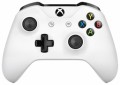 | 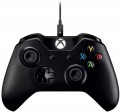 |
|---|---|---|
| Microsoft Xbox One S Wireless Controller | Microsoft Xbox One Controller for Windows | |
| Compare prices 3 | from $24.76 | |
| User reviews | ||
| TOP sellers | ||
Convenient asymmetric gamepad. 100% PC compatible. Battery not included | Battery not included | |
| Product type | gamepad | gamepad |
Connection | ||
| Platform | PC (Windows) Xbox | PC (Windows) Xbox |
| Interface | Bluetooth | Bluetooth / wired |
| Wired interface | USB-A | |
| Max. polling rate | 125 Hz (8 ms) | |
| Range | 10 m | |
Control | ||
| Number of buttons | 11 pcs | 11 pcs |
| Switch type | membrane | |
| Feedback | vibration | vibration |
| D-pad | 4 position | 4 position |
| Sticks | 2 asymmetrical | 2 asymmetrical |
| Bumpers (shifts) | 2 pcs | 2 pcs |
| Triggers | 2 pcs | 2 pcs |
Features | ||
| Detachable cable |  |  |
Power supply | ||
| Power source | 2xAA or battery | 2xAA or battery |
| Port on the device | microUSB | |
General | ||
| Material | plastic | plastic |
| Color | ||
| Added to E-Catalog | october 2016 | june 2016 |



Compare Microsoft Xbox One S Wireless Controller and Xbox One Controller for Windows
You may be interested in
My comparisons
Microsoft Xbox One S Wireless Controller often compared


Microsoft Xbox One Controller for Windows often compared


Glossary
Interface
The way to connect the manipulator to the gaming device.
In general, such methods are divided into wired(in a conventional or serial format), wireless(radio, Bluetooth, or even both at once) or combined(a combination of wired and wireless formats in one model). Here is a more detailed description of the different options:
— Wired. The classic wired connection is a very popular option, especially among PC/Mac controllers and desktop consoles (see "Platform Compatibility"). But for portable gadgets, it is practically not used (and for AppleTV it is not used in principle). A wired connection is usually carried out via a USB connector, but other options are possible (again, depending on the supported platforms). The main disadvantage of controllers of this format is the limited freedom of movement; this is especially true when playing on a large screen, when you need a considerable distance from such a screen for comfortable viewing. On the other hand, wired accessories are noticeably lighter and cheaper than wireless ones, and the vast majority of such models receive energy from a USB port or a network (see "Power"), so the operating time is unlimited (although there are some exceptions). And the length of the cable is not so often critical: for example, a steering wheel or joystick mounted on a table right in front of the computer usually does not need a lon...g cable, and accessories for desktop consoles usually make the cable quite long.
— Wired serial. A variation of the wired connection described above, in which the controllers are connected in a “chain” through one port: one manipulator is connected to the gaming device, and the second to the first manipulator. In general, this is a rather rare option, used only in some paired sets of gamepads (see "Device type"). However, in some cases, such a connection turns out to be more convenient than the traditional one: it allows you to reduce the number of wires stretching to the set-top box.
— Wireless. The main advantage of all types of wireless connection is obvious: the absence of a cable, which limits mobility and can create inconvenience. And for motion controllers (see "Device type"), this option is, in fact, the only possible one at all (otherwise it would be at least problematic to use such a manipulator). In addition, it is wireless communication (for a number of reasons) that is most convenient for working with portable gadgets — smartphones and tablets. At the same time, the range of such a connection is usually sufficient to work at least within a large living room, and more often at greater distances. On the other hand, wireless controllers are noticeably more expensive than their wired counterparts. In addition, most of them use autonomous power (batteries or accumulator), which limits the time of continuous operation. And although this time can be quite significant, and batteries (and some batteries) can be quickly changed, you still cannot do without interruptions in work, and the charge may end at the most inopportune moment. The exception is some models with mains power, but they have a wire, in turn, “binds” the device to the outlet. As for specific methods of wireless communication, nowadays there are such options:
In general, such methods are divided into wired(in a conventional or serial format), wireless(radio, Bluetooth, or even both at once) or combined(a combination of wired and wireless formats in one model). Here is a more detailed description of the different options:
— Wired. The classic wired connection is a very popular option, especially among PC/Mac controllers and desktop consoles (see "Platform Compatibility"). But for portable gadgets, it is practically not used (and for AppleTV it is not used in principle). A wired connection is usually carried out via a USB connector, but other options are possible (again, depending on the supported platforms). The main disadvantage of controllers of this format is the limited freedom of movement; this is especially true when playing on a large screen, when you need a considerable distance from such a screen for comfortable viewing. On the other hand, wired accessories are noticeably lighter and cheaper than wireless ones, and the vast majority of such models receive energy from a USB port or a network (see "Power"), so the operating time is unlimited (although there are some exceptions). And the length of the cable is not so often critical: for example, a steering wheel or joystick mounted on a table right in front of the computer usually does not need a lon...g cable, and accessories for desktop consoles usually make the cable quite long.
— Wired serial. A variation of the wired connection described above, in which the controllers are connected in a “chain” through one port: one manipulator is connected to the gaming device, and the second to the first manipulator. In general, this is a rather rare option, used only in some paired sets of gamepads (see "Device type"). However, in some cases, such a connection turns out to be more convenient than the traditional one: it allows you to reduce the number of wires stretching to the set-top box.
— Wireless. The main advantage of all types of wireless connection is obvious: the absence of a cable, which limits mobility and can create inconvenience. And for motion controllers (see "Device type"), this option is, in fact, the only possible one at all (otherwise it would be at least problematic to use such a manipulator). In addition, it is wireless communication (for a number of reasons) that is most convenient for working with portable gadgets — smartphones and tablets. At the same time, the range of such a connection is usually sufficient to work at least within a large living room, and more often at greater distances. On the other hand, wireless controllers are noticeably more expensive than their wired counterparts. In addition, most of them use autonomous power (batteries or accumulator), which limits the time of continuous operation. And although this time can be quite significant, and batteries (and some batteries) can be quickly changed, you still cannot do without interruptions in work, and the charge may end at the most inopportune moment. The exception is some models with mains power, but they have a wire, in turn, “binds” the device to the outlet. As for specific methods of wireless communication, nowadays there are such options:
- bluetooth. Connecting via Bluetooth is convenient primarily because many modern gaming devices initially have built-in modules for such a connection. The list of such devices includes, in particular, almost all desktop consoles, smartphones, tablets and laptops, as well as many advanced PCs (including all Mac computers). Thus, the controller can be made compatible with numerous different devices, and most often no additional adapters are needed for the connection itself. However, if necessary — for example, for a desktop computer without Bluetooth — such an adapter can be purchased separately. With all this, the connection is carried out in the radio range and does not require direct visibility, and its range in open space is standardly at least 10 m (and often much more).
- Radio. Non-Bluetooth radio connection (see above). The specific features of such a connection largely depend on compatibility with gaming platforms (see above). For example, native radio standards are used by many desktop consoles, and connections to such devices are often made directly, without additional equipment. In turn, controllers with the ability to work on a PC (Mac) are equipped with special adapters, usually connected via USB (in this case, such models can also support a direct connection to the game console). But for mobile gadgets, this method of communication is not used — in this case, the Bluetooth described above is more justified.
- Bluetooth / radio. Ability to work in any of the options described above. All such controllers are made immediately for several platforms — consoles (of a particular series), mobile devices and computers; the specific combination of these options can be any, but there is always more than one. However such versatility significantly affects the cost, so in general there are very few models with such a connection. However, if we take not variety, but the total number, then this method is not as rare as one might think — for example, it is provided in the “native” gamepad for Xbox Series S / X consoles of the 2020 model.
Wired interface
— USB-A. A classic interface for connecting to a full-size USB port, which is still very common on PCs, consoles, TVs, and docking stations. This interface is particularly convenient for stationary use, when a gamepad or other controller connects directly without adapters or additional settings. Compared to USB-C, it is less modern in format but often wins in compatibility with older and universal devices.
— USB-C. A modern wired interface that is better suited for newer laptops, tablets, smartphones, and compact PCs. Its main advantage is that this port is more convenient for current technology and is more often used in mobile gaming accessories and new controllers. Compared to USB-A, it looks more modern and fits better into devices where full-size ports are few or nonexistent.
— MicroUSB. A compact wired interface that was more commonly found on older mobile devices, and in gaming controllers is mainly characteristic of controllers from previous generations.
— Lightning. A connection primarily designed for older Apple devices with the proprietary Lightning port. This option is especially useful for mobile controllers for the iPhone, when a direct connection to the smartphone is needed without switching to USB-C. Compared to USB-C, this interface is significantly narrower in application range, but it fits better for compatibility with older iPhones and some iPads.
— Proprietary. A brand-specific connection for a pa...rticular manufacturer. This option is usually designed for a specific device model or its own ecosystem of accessories, making it less universal compared to USB-A and USB-C. Its advantage is that the manufacturer can better tailor the shape, mounting, or power for their device, but the downside is less compatibility and more challenging cable replacement.
— USB-C. A modern wired interface that is better suited for newer laptops, tablets, smartphones, and compact PCs. Its main advantage is that this port is more convenient for current technology and is more often used in mobile gaming accessories and new controllers. Compared to USB-A, it looks more modern and fits better into devices where full-size ports are few or nonexistent.
— MicroUSB. A compact wired interface that was more commonly found on older mobile devices, and in gaming controllers is mainly characteristic of controllers from previous generations.
— Lightning. A connection primarily designed for older Apple devices with the proprietary Lightning port. This option is especially useful for mobile controllers for the iPhone, when a direct connection to the smartphone is needed without switching to USB-C. Compared to USB-C, this interface is significantly narrower in application range, but it fits better for compatibility with older iPhones and some iPads.
— Proprietary. A brand-specific connection for a pa...rticular manufacturer. This option is usually designed for a specific device model or its own ecosystem of accessories, making it less universal compared to USB-A and USB-C. Its advantage is that the manufacturer can better tailor the shape, mounting, or power for their device, but the downside is less compatibility and more challenging cable replacement.
Max. polling rate
The polling rate indicates how often the controller sends data about presses and movements to the system, usually measured in Hz, and it directly affects the sense of responsiveness. The higher the polling rate, the smaller the "time window" between your action and when it appears in the game, making control feel more precise, especially in shooters, fighting games, and rhythm games. However, the actual effect also depends on the type of connection: wired high frequency often provides more stable performance, while Bluetooth can be limited by protocol or power saving, so two identical game controllers may feel different in wired and wireless modes. Thus, if you play a competitive shooter, a higher polling rate helps "catch" micro-movements of the stick more accurately; for calm games, the difference might be barely noticeable.
Range
The range of the wireless connection provided by the gamepad.
Almost all modern wireless models work confidently at a distance of at least 2 – 3 metres. So you need to pay attention to this parameter mainly when the device is planned to be used at a greater distance from the computer. At the same time, when evaluating the range, note that it is indicated for perfect conditions: the absence of interference and obstacles in the signal path, the battery is fully charged, etc. In fact, the communication range may be somewhat less, so when choosing, it is worth taking a certain margin. Nevertheless, according to the claimed range, it is quite possible to evaluate the practical capabilities of different models and compare them with each other.
Almost all modern wireless models work confidently at a distance of at least 2 – 3 metres. So you need to pay attention to this parameter mainly when the device is planned to be used at a greater distance from the computer. At the same time, when evaluating the range, note that it is indicated for perfect conditions: the absence of interference and obstacles in the signal path, the battery is fully charged, etc. In fact, the communication range may be somewhat less, so when choosing, it is worth taking a certain margin. Nevertheless, according to the claimed range, it is quite possible to evaluate the practical capabilities of different models and compare them with each other.
Switch type
The type of switches indicates the mechanism under the buttons of a gamepad or controller and how exactly the device registers pressing. This affects the click feel, response speed, noise, durability, and accuracy of repeated presses.
— Membrane. Under the button is a flexible rubber or silicone membrane that gets pressed to close the contact. These switches are usually quieter, softer, and cheaper but can lose elasticity over time and do not match mechanical solutions in terms of response precision.
— Mechanical. In mechanical switches, each press is handled by an individual mechanism with a spring and more pronounced tactile feedback. These buttons feel better to the fingers, return to the starting position faster, and are well-suited for fighting games, arcade games, and frequent commands.
— Optical. An optical switch registers the button's movement by interrupting or changing a light beam, rather than through regular contact. Compared to mechanical solutions, it can respond faster and wear less in the contact zone, making them a good choice for active gaming and esports.
— Membrane. Under the button is a flexible rubber or silicone membrane that gets pressed to close the contact. These switches are usually quieter, softer, and cheaper but can lose elasticity over time and do not match mechanical solutions in terms of response precision.
— Mechanical. In mechanical switches, each press is handled by an individual mechanism with a spring and more pronounced tactile feedback. These buttons feel better to the fingers, return to the starting position faster, and are well-suited for fighting games, arcade games, and frequent commands.
— Optical. An optical switch registers the button's movement by interrupting or changing a light beam, rather than through regular contact. Compared to mechanical solutions, it can respond faster and wear less in the contact zone, making them a good choice for active gaming and esports.
Detachable cable
The presence of a detachable cable in the design of the gaming controller.
This feature is found exclusively in models with the option for wired or combined connection (see "Connection Type"). Such a design feature allows replacing the original cable with another: this can be useful if a longer cable is needed, or if the included one was damaged. Additionally, detaching the cable simplifies the storage and transportation of the gaming controller.
This feature is found exclusively in models with the option for wired or combined connection (see "Connection Type"). Such a design feature allows replacing the original cable with another: this can be useful if a longer cable is needed, or if the included one was damaged. Additionally, detaching the cable simplifies the storage and transportation of the gaming controller.
Port on the device
The connector on the device's body for connecting a removable cable; it is found in both wired models and wireless models with a battery, where this port is used for charging the device and, if necessary, for operating "wired" without delays.
— microUSB. One of the miniature versions of the USB connector, still popular in gadgets despite the emergence of the more advanced USB-C. It has relatively modest capabilities (in particular, it is inferior to USB-C in terms of maximum possible charging power), but this point rarely proves critical. Meanwhile, there is a vast number of microUSB cables and chargers available.
— USB-C. A relatively new type of USB connector that is rapidly gaining momentum. Like microUSB, it is miniature in size but features a more convenient reversible design and extended capabilities, particularly the ability to transfer higher power, which positively affects charging time.
— microUSB. One of the miniature versions of the USB connector, still popular in gadgets despite the emergence of the more advanced USB-C. It has relatively modest capabilities (in particular, it is inferior to USB-C in terms of maximum possible charging power), but this point rarely proves critical. Meanwhile, there is a vast number of microUSB cables and chargers available.
— USB-C. A relatively new type of USB connector that is rapidly gaining momentum. Like microUSB, it is miniature in size but features a more convenient reversible design and extended capabilities, particularly the ability to transfer higher power, which positively affects charging time.