
Comparison Logitech Wireless Mouse M325 vs Logitech Wireless Mouse M310
Add to comparison | 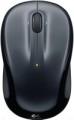 | 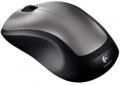 |
|---|---|---|
| Logitech Wireless Mouse M325 | Logitech Wireless Mouse M310 | |
| Compare prices 15 | Compare prices 4 | |
| User reviews | ||
| TOP sellers | ||
| Product type | mouse | mouse |
| Connection | radio | radio |
| Sensor | optical | optical |
| Type | notebook | notebook |
Sensor and control | ||
| Sensor resolution | 1000 DPI | 1000 DPI |
| Number of buttons | 2 | 2 |
| Scroll wheels | 1 | 1 |
| 4D wheel |  |  |
Connection and power supply | ||
| Power source | 1xAA | 1xAA |
General | ||
| Suitable for left-handers | | |
| Left handed | | |
| In box | USB-A dongle | USB-A dongle |
| Size (LxWxH) | 95x57x39 mm | 111x62x39 mm |
| Weight | 93 g | 99 g |
| Color | ||
| Added to E-Catalog | april 2011 | january 2011 |




Compare Logitech Wireless Mouse M325 and M310
Price comparison
You may be interested in
Logitech Wireless Mouse M325 often compared


Logitech Wireless Mouse M310 often compared


Glossary
4D wheel
The presence in the mouse of 4D-wheels — wheels with the function of navigating in four directions. In other words, such equipment allows you to scroll the image on the screen not only up and down, but also left and right. The specific implementation of this function may be different: in some models for horizontal navigation, the wheel can tilt to the sides, in others, switching between horizontal and vertical scrolling is carried out using a separate button. However, anyway, this feature expands the functionality of the mouse, while the 4D wheel is cheaper and takes up less space than two separate wheels (see "Number of scroll wheels").
Weight
The total weight of the mouse. For models with a wired connection, usually, it is indicated without cable, and for devices with weight adjustment (see above) — without weights.
This parameter is important primarily for professional gaming applications, although it is often relevant for ordinary users. Theoretically, less weight promotes speed and reduces fatigue. At the same time, in fact, much depends on the personal habits and preferences of the user: a mouse that is too light may “not be felt in the hands” and not give familiar feedback. Therefore, although most mice have a lower weight limit of 60 – 80 g, however, even among professional gaming models there are much more massive devices — 120 – 140 g or more. The lightest variety of "rodents" is laptop (see "In the direction"), among them devices come across and less than 60 g.
Also note that the weight to some extent depends on the size and “tricked out” of the device, but there is no unambiguous dependence here: models similar in size and functionality can differ markedly in weight.
This parameter is important primarily for professional gaming applications, although it is often relevant for ordinary users. Theoretically, less weight promotes speed and reduces fatigue. At the same time, in fact, much depends on the personal habits and preferences of the user: a mouse that is too light may “not be felt in the hands” and not give familiar feedback. Therefore, although most mice have a lower weight limit of 60 – 80 g, however, even among professional gaming models there are much more massive devices — 120 – 140 g or more. The lightest variety of "rodents" is laptop (see "In the direction"), among them devices come across and less than 60 g.
Also note that the weight to some extent depends on the size and “tricked out” of the device, but there is no unambiguous dependence here: models similar in size and functionality can differ markedly in weight.