
Comparison DJI Osmo Raw vs DJI Osmo
Add to comparison | 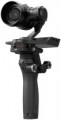 | 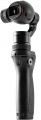 |
|---|---|---|
| DJI Osmo Raw | DJI Osmo | |
from £55.60 | from £427.22 | |
| TOP sellers | ||
4K video recording, effective three-axis stabilizer, 360° panorama shooting, smartphone mount, wide range of accessories. | ||
| Type | with camera | DJI Zenmuse X3, X5 with camera |
| In box | phone mount (like a screen) | phone mount (like a screen) |
Gimbal specifications | ||
| Rotation angle | ±320° | ±330° |
| Tilt angle | -130° +45° | -90° +150° |
| Bank angle | -90° +30° | -50° +90° |
| Max. controlled speed | 180 °/sec | 120 °/sec |
| Max. phone diagonal | 6 " | 6 " |
Camera and filming | ||
| HD (720p) | 1280x720 px 60 fps | |
| Full HD (1080p) | 1920x1080 px 100 fps | 1920x1080 px 100 fps |
| Quad HD | 2704x1520 px 30 fps | 2704x1520 px 30 fps |
| Ultra HD (4K) | 3840x2160 px 30 fps | 3840x2160 px 30 fps |
| Field of view | 72 ° | 94 ° |
| Digital stabilization |  | |
| Optical zoom | 3.5 | |
| Digital zoom | 2x | 2x |
| Photo megapixels | 16 | 12 |
| Photo resolution | 4000x3000 px | |
Battery | ||
| Battery model | HB02-542465 | HB01-522365 |
| Capacity | 1225 mAh | 980 mAh |
| Removable battery | | |
Shooting features | ||
| Camera control | joystick | joystick |
| Functions | camera position fixing | camera position fixing |
| Shooting modes | Time lapse selfie mode autopanorama tracking mode inversion mode | Time lapse selfie mode sports mode autopanorama tracking mode inversion mode |
General | ||
| Connection | Wi-Fi | Wi-Fi |
| Dimensions (folded) | 61.8x48.2x161.5 mm | 61.8x48.2x161.5 mm |
| Weight | 583 g | 201 g |
| Added to E-Catalog | may 2017 | march 2016 |


Compare DJI Osmo Raw and Osmo
You may be interested in
DJI Osmo Raw often compared


DJI Osmo often compared


Glossary
Type
— For smartphone. Mount for using a smartphone as a camera. Most often it is a kind of clamp, in which the body of the device is tightly clamped. Such clamps usually have a fairly wide range of adjustment for the width of the phone, which allows you to use this type of stabiliser with most modern smartphones, regardless of the diagonal. And some models can even work with compact digital cameras.
— For camera. Attachments designed for use with full-size cameras — SLR and mirrorless (MILC). Such cameras are quite large and have a thread mount for a tripod. All these features are taken into account in the design of the stabiliser.
— For action cameras. Stabilisers designed for action cameras — compact cameras used mainly for shooting dynamic scenes like sports, skiing, cycling, etc. Such devices, by definition, are designed for use in rather extreme activities, including surfing, skiing, paragliding, etc. However, the specific features of different stabilisers may be different, so before buying it's ok to clarify this matter separately. Note that instead of the general name “for action camera”, the stabiliser specifications may contain the names of specific models of action cameras for which the device is designed.
— With camera. Stabilizers equipped with their own cameras. These are integrated directly int...o the stabilizer's construction, eliminating the need for external devices for filming. Moreover, such models are inherently optimized for working with the built-in camera — at the very least, the user doesn't have to deal with balancing the load on the stabilizer's head. Note that the ability to remove and replace the camera with another is usually not provided, although there are occasional exceptions to this rule.
— For camera. Attachments designed for use with full-size cameras — SLR and mirrorless (MILC). Such cameras are quite large and have a thread mount for a tripod. All these features are taken into account in the design of the stabiliser.
— For action cameras. Stabilisers designed for action cameras — compact cameras used mainly for shooting dynamic scenes like sports, skiing, cycling, etc. Such devices, by definition, are designed for use in rather extreme activities, including surfing, skiing, paragliding, etc. However, the specific features of different stabilisers may be different, so before buying it's ok to clarify this matter separately. Note that instead of the general name “for action camera”, the stabiliser specifications may contain the names of specific models of action cameras for which the device is designed.
— With camera. Stabilizers equipped with their own cameras. These are integrated directly int...o the stabilizer's construction, eliminating the need for external devices for filming. Moreover, such models are inherently optimized for working with the built-in camera — at the very least, the user doesn't have to deal with balancing the load on the stabilizer's head. Note that the ability to remove and replace the camera with another is usually not provided, although there are occasional exceptions to this rule.
Rotation angle
The range of rotation angles supported by the steadicam.
In this case, it means turning the camera to the right or left, without tilting back and forth.
In this case, it means turning the camera to the right or left, without tilting back and forth.
Tilt angle
The range of forward-backwards tilt angles relative to the vertical position supported by the stabiliser.
It can be written in different ways.
The simplest option is when one angle value is indicated in the characteristics. This may mean that the camera can deviate from the neutral position in both directions by the same angle, which is half the range.
Another option is used when the angles of tilt forward and backward are not the same. In such cases, the horizontal position of the camera on a vertical steadicam is taken as zero, the “-” sign indicates the maximum angle of camera deflection back, lens up, and the “+” sign — forward, lens down.
It can be written in different ways.
The simplest option is when one angle value is indicated in the characteristics. This may mean that the camera can deviate from the neutral position in both directions by the same angle, which is half the range.
Another option is used when the angles of tilt forward and backward are not the same. In such cases, the horizontal position of the camera on a vertical steadicam is taken as zero, the “-” sign indicates the maximum angle of camera deflection back, lens up, and the “+” sign — forward, lens down.
Bank angle
The range of roll angles (to the side) supported by the stabiliser.
Can be recorded in two ways (See "Tilt angle")
Can be recorded in two ways (See "Tilt angle")
Max. controlled speed
The maximum controlled speed supported by the stabiliser is, in fact, the highest speed of rotation of the camera along one axis or another, provided by the device. This is the maximum rotation speed of the entire structure, at which the stabiliser automation can provide effective stabilisation along the corresponding axis (that is, keep the camera stationary).
This item is directly related to the purpose of the stabiliser — for shooting while hiking or cycling on flat terrain, a high stabilization speed is hardly necessary, but during surfing, acrobatic aerobatics and other similar activities, the “slow” stabiliser often turns out to be ineffective.
This item is directly related to the purpose of the stabiliser — for shooting while hiking or cycling on flat terrain, a high stabilization speed is hardly necessary, but during surfing, acrobatic aerobatics and other similar activities, the “slow” stabiliser often turns out to be ineffective.
HD (720p)
HD (720p) video recording capabilities supported by the stabiliser's camera.
The HD (720p) standard allows the size of 1280x720 pixels. It offers a fairly decent picture quality with relatively small file sizes and low requirements for the processing power of video equipment.
Note that the quality of the video depends not only on the resolution but also on the frame rate. 30 fps gives more or less normal image quality, 60 fps is good, and higher values are usually used in slow motion which means that the camera supports this feature.
The HD (720p) standard allows the size of 1280x720 pixels. It offers a fairly decent picture quality with relatively small file sizes and low requirements for the processing power of video equipment.
Note that the quality of the video depends not only on the resolution but also on the frame rate. 30 fps gives more or less normal image quality, 60 fps is good, and higher values are usually used in slow motion which means that the camera supports this feature.
Field of view
The angle of view of the complete stabiliser camera.
Two things depend on this parameter: the width of the space that enters the frame, and the degree of zoom provided by the camera. A large viewing angle allows you to fit more of the surrounding space into the frame, but details in such a picture will look small. Conversely, a narrower angle limits the field of view but gives a greater magnification and allows you to see the details of what is still in the frame better.
Two things depend on this parameter: the width of the space that enters the frame, and the degree of zoom provided by the camera. A large viewing angle allows you to fit more of the surrounding space into the frame, but details in such a picture will look small. Conversely, a narrower angle limits the field of view but gives a greater magnification and allows you to see the details of what is still in the frame better.
Optical zoom
The degree of optical zoom provided by the stabiliser's camera.
Optical zoom is carried out due to the so-called zoom lens — a lens with a system of movable lenses that allow you to change the focal length and viewing angles. Such systems are noticeably more complicated and more expensive than electronic zoom, moreover, they are more bulky and less reliable, but they do not affect the image quality and visibility of fine details.
Optical zoom is carried out due to the so-called zoom lens — a lens with a system of movable lenses that allow you to change the focal length and viewing angles. Such systems are noticeably more complicated and more expensive than electronic zoom, moreover, they are more bulky and less reliable, but they do not affect the image quality and visibility of fine details.
Photo megapixels
Resolution of photos taken with the stabiliser's bundled camera, in megapixels. Usually, this number corresponds to the working resolution of the image sensor, and not only photos but also the quality of the image sensor as a whole are evaluated by it.
The number of megapixels is a rather ambiguous parameter. There is an opinion that the higher the resolution, the better the quality of the photos taken. However, it is not. The only thing that the number of megapixels definitely has an effect on is the resolution of the resulting images and how clearly fine details will be visible in them: higher resolution allows you to achieve better detail. At the same time, increasing the number of megapixels without increasing the size of the image sensor leads to a decrease in the size of each pixel and an increase in the noise level; so between two sensors of the same size, the overall image quality may be better with the one with the lower resolution.
The number of megapixels is a rather ambiguous parameter. There is an opinion that the higher the resolution, the better the quality of the photos taken. However, it is not. The only thing that the number of megapixels definitely has an effect on is the resolution of the resulting images and how clearly fine details will be visible in them: higher resolution allows you to achieve better detail. At the same time, increasing the number of megapixels without increasing the size of the image sensor leads to a decrease in the size of each pixel and an increase in the noise level; so between two sensors of the same size, the overall image quality may be better with the one with the lower resolution.