
Comparison Samsung QE-55Q90RA vs Samsung QE-55Q60R
Add to comparison | 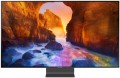 | 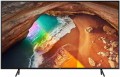 |
|---|---|---|
| Samsung QE-55Q90RA | Samsung QE-55Q60R | |
| Outdated Product | from £1,609.00 | |
| User reviews | ||
| TOP sellers | ||
Quantum 4K processor. Support for Quantum HDR 2000. Availability of the Ambient Mode function. AMD FreeSync support. AirPlay 2 support | Quantum 4K processor, Ambient Mode. AirPlay 2 support. Google Assistant and Amazon Alexa support. | |
| Size | 55 " | 55 " |
| Operating system | Smart TV (proprietary system) | Smart TV (proprietary system) |
| CPU | Samsung Quantum 4K | Samsung Quantum 4K |
Display | ||
| Matrix | QLED | QLED |
| Backlight type | FALD | |
| Screen surface | anti-glare | anti-glare |
| Resolution | 3840x2160 px | 3840x2160 px |
| Upscaling | up to 4K | up to 4K |
| Brightness | 800 cd/m² | |
| Frame rate | 100/120 Hz | 50/60 Hz |
| HDR support | HDR10+ | HDR10+ |
| Brightness / contrast enhancement |  | |
| Colour enhancement | |  |
| Black enhancement | | |
| AMD compatible | AMD FreeSync | |
Multimedia | ||
| Sound power | 60 W | 20 W |
| Number of speakers | 4 | 2 |
| Subwoofer | | |
| Audio decoders | Dolby Digital Plus | Dolby Digital Plus |
| Digital tuner | DVB-T2 (terrestrial) DVB-C (cable) DVB-S2 (satellite) | DVB-T2 (terrestrial) DVB-C (cable) DVB-S2 (satellite) |
| Picture-in-picture | | |
Features | ||
| Features | AirPlay 2 Wi-Fi 5 (802.11ac) Miracast Bluetooth voice control Amazon Alexa Google Assistant Bixby | AirPlay 2 Wi-Fi 5 (802.11ac) Miracast Bluetooth voice control Amazon Alexa Google Assistant Bixby |
Connectors | ||
| HDMI | 4 | 4 |
| HDMI version | v 2.1 | v 2.0 |
| Additional inputs | USB-A LAN | USB-A LAN |
| Outputs | optical | optical |
| External connectivity unit | One Connect | |
General | ||
| Wall mount | VESA 200x200 mm | VESA 200x200 mm |
| Power consumption | 153 W | 170 W |
| Energy efficiency class | B | A |
| Dimensions (WxHxD) | 1231x797x235 mm | 1237x791x264 mm |
| Dimensions without stand (WxHxD) | 1231x708x40 mm | 1237x714x59 mm |
| Weight | 24.7 kg | 18.9 kg |
| Color | ||
| Added to E-Catalog | march 2019 | march 2019 |


Compare Samsung QE-55Q90RA and 55Q60R
You may be interested in
Samsung QE-55Q90RA often compared


Samsung QE-55Q60R often compared


Glossary
Backlight type
— Edge LED — side backlight of the matrix. In this case, the LEDs are distributed around the perimeter of the screen. To evenly distribute the backlight, the background of the matrix has a special reflector. An important advantage of TVs with Edge LED backlighting is the minimum thickness of the device. Among the shortcomings, one can note the presence of glare at the edges, which appear under certain conditions. Glare may be visible in scenes where dark hues predominate.
— Direct LED — rear matrix backlight. In this case, the LEDs are evenly distributed over the entire screen area. The Direct LED backlight makes the image contrast and bright at the same time. TVs with this technology have good colour reproduction. Among the shortcomings can be noted increased power consumption and increased dimensions. Additionally, such TVs have a large delay (Input lag), which is why Direct LED backlit screens are poorly suited for dynamic games.
— FALD (Full-Array Local Dimming) is a backlight technology widely used in LG TVs. A close analogue of FALD is the Direct LED backlight. The LEDs are also evenly spaced across the entire surface of the matrix, but FALD technology provides a bright, colour-rich image with high contrast. Another distinctive feature of FALD is the ability to reproduce natural blacks. When black is displayed on the screen, the LEDs are turn...ed off in groups, by sector, which allows to make black extremely saturated. Of course, the abundance of LEDs on the matrix makes the TV more massive, and at the same time heavy. The appetite for electricity in such models is above average.
— Mini LED. Screen backlight system on a substrate of reduced LEDs (hence the Mini prefix). On the same plane of the TV panel, the number of LEDs has increased several times, if we draw parallels with traditional LED systems. As a result, the canvas with Mini LED backlight has many times more local dimming zones of the picture (Local Dimming), which is necessary for the correct operation of the extended dynamic range image technology. For playing HDR content, Mini LED systems are much better than ordinary LCDs.
— Dual LED. Proprietary backlight system used in Samsung TVs. The technology involves illuminating the image on the screen with two types of LEDs: one emits light in a cold spectrum, the other in a warm one. The Dual LED enhances colour reproduction and enhances detail contrast by adapting the colour tone of the picture according to the content on the screen.
— Dual LED. Proprietary backlight system used in Samsung TVs. The technology involves illuminating the image on the screen with two types of LEDs: one emits light in a cold spectrum, the other in a warm one. The Dual LED enhances colour reproduction and enhances detail contrast by adapting the colour tone of the picture according to the content on the screen.
Brightness
The maximum brightness of the image provided by the TV screen.
The image on the screen should be bright enough so that you do not have to strain your eyes unnecessarily to view it. However, too high brightness is undesirable — it will also lead to fatigue. The optimal brightness level depends on the surrounding conditions: the more intense the ambient light, the brighter the TV screen should be. So, on a sunny day, the screen may have to be “turned up” to the maximum, and in the evening, in dimmed light, a relatively dim image will be more comfortable. In addition note that large screens require higher brightness, since they are designed for a greater distance from the viewer.
Thus, the higher the number in this paragraph, the greater the margin of brightness this model has, the better it will show itself in intense ambient light. The lowest indicator sufficient for more or less comfortable viewing in any conditions is 300 cd/m² for models with a diagonal of up to 32", 400 cd/m² for models in the range of 32 – 55" and 600 cd/m² for large screens of 60" and more. In this case, the brightness margin anyway will not be superfluous. But with lower indicators, you may have to darken the room somewhat for comfortable viewing.
The image on the screen should be bright enough so that you do not have to strain your eyes unnecessarily to view it. However, too high brightness is undesirable — it will also lead to fatigue. The optimal brightness level depends on the surrounding conditions: the more intense the ambient light, the brighter the TV screen should be. So, on a sunny day, the screen may have to be “turned up” to the maximum, and in the evening, in dimmed light, a relatively dim image will be more comfortable. In addition note that large screens require higher brightness, since they are designed for a greater distance from the viewer.
Thus, the higher the number in this paragraph, the greater the margin of brightness this model has, the better it will show itself in intense ambient light. The lowest indicator sufficient for more or less comfortable viewing in any conditions is 300 cd/m² for models with a diagonal of up to 32", 400 cd/m² for models in the range of 32 – 55" and 600 cd/m² for large screens of 60" and more. In this case, the brightness margin anyway will not be superfluous. But with lower indicators, you may have to darken the room somewhat for comfortable viewing.
Frame rate
The true panel frequency of a TV without marketing enhancements and interpolation; today there are two classes: 50/60 Hz and 100/120 Hz. The pair of 50 and 60 Hz exists due to historical video signal standards (Europe 25/50, USA/Asia 30/60), with modern TVs typically accepting both. It is reasonable to consider the 100/120 Hz pair as one: it is the same high-end hardware platform, simply operating in multiples of its "native" content (100 Hz for 50 Hz sources, 120 Hz for 60 Hz). This class provides smoother motion in sports and 24p movies (at 120 Hz — in a multiple of 5:5 without stuttering) and unlocks 4K@120 Hz/VRR for gaming; 50/60 Hz remains the basic option for TV and streaming without gaming ambitions.
Colour enhancement
The TV's support of one or the other colour enhancement technology.
Such technologies usually involve image processing in software to provide brighter and/or more accurate colours. Specific processing methods may be different, some manufacturers do not specify technical details at all, limiting themselves to advertising statements. The effect of using such technologies can also vary: in some cases it is clearly visible, in others it is almost absent, depending on the features of the picture. It is also worth saying that this feature, usually, needs to be turned on manually in the TV menu (accordingly, it can be turned off if desired).
Such technologies usually involve image processing in software to provide brighter and/or more accurate colours. Specific processing methods may be different, some manufacturers do not specify technical details at all, limiting themselves to advertising statements. The effect of using such technologies can also vary: in some cases it is clearly visible, in others it is almost absent, depending on the features of the picture. It is also worth saying that this feature, usually, needs to be turned on manually in the TV menu (accordingly, it can be turned off if desired).
Black enhancement
TV supports some kind of black enhancement technology.
Deep blacks are as important to an image as the quality of other colours. At the same time, it is not as easy to achieve it as it might seem at first glance: the black areas of the screen are “lit up” by the backlight and, without additional tricks, may not look dark enough. Thus, modern TVs use various additional black enhancement technologies. One of the options for this technology is local backlighting, in which LEDs are placed not on the sides of the screen, but behind it: each of them illuminates its own section of the sensor and can be turned off if necessary. There are other, more complex ways to achieve high-quality black.
Deep blacks are as important to an image as the quality of other colours. At the same time, it is not as easy to achieve it as it might seem at first glance: the black areas of the screen are “lit up” by the backlight and, without additional tricks, may not look dark enough. Thus, modern TVs use various additional black enhancement technologies. One of the options for this technology is local backlighting, in which LEDs are placed not on the sides of the screen, but behind it: each of them illuminates its own section of the sensor and can be turned off if necessary. There are other, more complex ways to achieve high-quality black.
AMD compatible
TV compatibility with special frame synchronization technologies used in AMD graphics cards.
You should pay attention to this parameter if you plan to use the TV as a gaming monitor for a PC or laptop with an AMD graphics adapter. Special timing technologies are used to match the screen refresh rate to the frame rate of the incoming video signal. Such a need arises for the reason that the frame rate issued by the graphics card can “float” when the load on the video adapter changes (this is especially true for demanding games); and if this frequency does not match the screen refresh rate – tears and other unwanted artifacts appear on the image.
The AMD technology used to eliminate this effect is called FreeSync. Nowadays, it is presented on the market in three versions — the original FreeSync and two extended ones:
– AMD FreeSync Premium Pro. The most advanced and functional version, formerly known as AMD FreeSync 2 HDR. In addition to refresh rate sync, it also includes support for HDR (see above), output at a frame rate of at least 120 Hz at Full HD resolution, as well as low frame rate compensation (LFC). The essence of LFC is that when the frame rate of the original video signal falls below the minimum frequency supported by the screen, the same frame is displayed on the screen several times, which allows to maintain the maximum smoothness of the “picture”.
— AMD FreeSync Premium. A somewhat s...implified version compared to FreeSync Premium Pro. It does not provide working with HDR, otherwise it is completely similar.
You should pay attention to this parameter if you plan to use the TV as a gaming monitor for a PC or laptop with an AMD graphics adapter. Special timing technologies are used to match the screen refresh rate to the frame rate of the incoming video signal. Such a need arises for the reason that the frame rate issued by the graphics card can “float” when the load on the video adapter changes (this is especially true for demanding games); and if this frequency does not match the screen refresh rate – tears and other unwanted artifacts appear on the image.
The AMD technology used to eliminate this effect is called FreeSync. Nowadays, it is presented on the market in three versions — the original FreeSync and two extended ones:
– AMD FreeSync Premium Pro. The most advanced and functional version, formerly known as AMD FreeSync 2 HDR. In addition to refresh rate sync, it also includes support for HDR (see above), output at a frame rate of at least 120 Hz at Full HD resolution, as well as low frame rate compensation (LFC). The essence of LFC is that when the frame rate of the original video signal falls below the minimum frequency supported by the screen, the same frame is displayed on the screen several times, which allows to maintain the maximum smoothness of the “picture”.
— AMD FreeSync Premium. A somewhat s...implified version compared to FreeSync Premium Pro. It does not provide working with HDR, otherwise it is completely similar.
Sound power
The nominal power of the sound produced by the TV's sound system.
The larger the screen and the greater the estimated distance to the viewer, the more powerful the sound system must be in order to be heard normally. Manufacturers take this moment into account, moreover, most often they also provide a solid volume margin. So if a TV is bought for home viewing in a quiet, calm environment, you can not pay much attention to the sound power: it is guaranteed to be enough for such a usage. It makes sense to specifically look for models with high-power speakers for a noisy environment — for example, a cafe or other public space. Detailed recommendations on this matter can be found in special sources, but here we note that even in such cases, connecting external speakers can be a good alternative.
The larger the screen and the greater the estimated distance to the viewer, the more powerful the sound system must be in order to be heard normally. Manufacturers take this moment into account, moreover, most often they also provide a solid volume margin. So if a TV is bought for home viewing in a quiet, calm environment, you can not pay much attention to the sound power: it is guaranteed to be enough for such a usage. It makes sense to specifically look for models with high-power speakers for a noisy environment — for example, a cafe or other public space. Detailed recommendations on this matter can be found in special sources, but here we note that even in such cases, connecting external speakers can be a good alternative.
Number of speakers
The number of speakers installed in the TV.
Theoretically, one speaker is enough to work with sound, but most entry-level and mid-range models (as well as many premium devices) provide two speakers — for stereo operation, which allows to achieve some surround sound effect. And more than two speakers usually means the TV has enhanced audio capabilities such as a subwoofer or soundbar (see below).
Theoretically, one speaker is enough to work with sound, but most entry-level and mid-range models (as well as many premium devices) provide two speakers — for stereo operation, which allows to achieve some surround sound effect. And more than two speakers usually means the TV has enhanced audio capabilities such as a subwoofer or soundbar (see below).
Subwoofer
The presence of a subwoofer as part of the TV sound system.
A subwoofer is a specialized speaker for bass and ultra-low frequencies. It makes the sound richer in the bass, which is especially useful when watching adventure films with appropriate sound effects (bumps, explosions), as well as concerts. It should noted that the specifications of built-in subwoofers are usually much more limited than those of external ones; so don't expect cinema-like bass from a TV audio system. However, the advantage in bass quality for such TVs (compared to models without a subwoofer) will still be noticeable.
A subwoofer is a specialized speaker for bass and ultra-low frequencies. It makes the sound richer in the bass, which is especially useful when watching adventure films with appropriate sound effects (bumps, explosions), as well as concerts. It should noted that the specifications of built-in subwoofers are usually much more limited than those of external ones; so don't expect cinema-like bass from a TV audio system. However, the advantage in bass quality for such TVs (compared to models without a subwoofer) will still be noticeable.