
Comparison Vinga KB414 vs MSI Interceptor DS4100
Add to comparison | 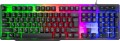 | 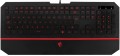 |
|---|---|---|
| Vinga KB414 | MSI Interceptor DS4100 | |
| Outdated Product | Outdated Product | |
| User reviews | ||
| TOP sellers | ||
Wrist rest. : 620 | ||
| Connection | wired | wired |
| Cable length | 1.5 m | 1.8 m |
| Type | for game | for game |
| Form factor | 100% (full size) | 100% (full size) |
| Layout | JIS | ISO |
Keyboard | ||
| Key profile | high | low |
| Key type | classic type | island type |
| Switch technology | membrane | membrane |
| Fn key |  | |
Features | ||
| Cyrillic colour | white | |
| Volume control | fn | fn |
| Palm rest | + | |
| Game mode | |  |
| Lighting | multicolor | multicolor |
| Lighting effects | + | |
Connection and power supply | ||
| Cable | USB-A | USB-A |
General | ||
| Skeleton keyboard | | |
| Size | 445x140x35 mm | |
| Weight | 807 g | |
| Color | ||
| Added to E-Catalog | march 2019 | july 2017 |


Compare Vinga KB414 and MSI Interceptor DS4100
You may be interested in
My comparisons
Vinga KB414 often compared


MSI Interceptor DS4100 often compared


Glossary
Cable length
The length of the cable that the keyboard is equipped with for wired connection (see "Connection type").
When choosing this parameter, you should first of all take into account the distance from the device to the connection port: a cable that is too short may simply not reach the connector, and a cable that is too long may get confused at hand and create inconvenience. As for specific values, the reference length is 1.8 m. However, there are cables both shorter and longer.
When choosing this parameter, you should first of all take into account the distance from the device to the connection port: a cable that is too short may simply not reach the connector, and a cable that is too long may get confused at hand and create inconvenience. As for specific values, the reference length is 1.8 m. However, there are cables both shorter and longer.
Layout
The layout describes the physical geometry of the keys and their standard arrangement: the shape of Enter and Shift, the presence of additional keys, the width of the space bar, and consequently, compatibility with keycap sets and typing familiarity. The standards hardly affect productivity in software and gaming — comfort and how easy it is to find suitable keycaps/cases are more important. The following types are found:
— ANSI (American). A distinctive feature of the American layout is the single-row Enter key; it is the only popular layout where this key occupies one row, not two. Additionally, unlike the European ISO, the Shift keys on ANSI keyboards have the same width, and the Alt key has the same function. The backslash “\” is usually placed above the Enter and can be longer.
— ISO (European). One characteristic feature of the European layout is the Enter key, which occupies two rows and is slightly wider at the top. Also, the modifier keys are asymmetrical: the Shift keys differ in size (the left one is shorter than the right), and the Alts differ in function (the right Alt is marked as “Alt Gr” and is used for typing special characters of European languages). From the similar in many ways "Japanese" JIS layout, the ISO layout differs by the placement of the backslash “\” — it is standardly located near the left Shift (in some models, it is duplicated near the Enter). As a result,...the left Shift is shorter than usual; this can be inconvenient, especially for new users.
— KS (Korean). The “Korean” layout can be distinguished by the characteristic shape of the Enter key: it occupies two rows and is longer at the bottom than at the top. Another feature is the backslash “\”, which is located to the left of the Backspace, resulting in a shorter Backspace than in other layouts.
— JIS (Japanese). A layout much like the European ISO: it has the same two-row Enter with an increased length of the upper half. In many models, the right Alt is labeled “Alt Gr” and is designed for typing special symbols. The main differences lie in two aspects: the length of the left Shift (it is standard in JIS, not shortened) and the placement of the backslash “\” (it is standardly installed to the left of the lower half of the Enter, where some ISO keyboards have a second, additional backslash).
— ANSI (American). A distinctive feature of the American layout is the single-row Enter key; it is the only popular layout where this key occupies one row, not two. Additionally, unlike the European ISO, the Shift keys on ANSI keyboards have the same width, and the Alt key has the same function. The backslash “\” is usually placed above the Enter and can be longer.
— ISO (European). One characteristic feature of the European layout is the Enter key, which occupies two rows and is slightly wider at the top. Also, the modifier keys are asymmetrical: the Shift keys differ in size (the left one is shorter than the right), and the Alts differ in function (the right Alt is marked as “Alt Gr” and is used for typing special characters of European languages). From the similar in many ways "Japanese" JIS layout, the ISO layout differs by the placement of the backslash “\” — it is standardly located near the left Shift (in some models, it is duplicated near the Enter). As a result,...the left Shift is shorter than usual; this can be inconvenient, especially for new users.
— KS (Korean). The “Korean” layout can be distinguished by the characteristic shape of the Enter key: it occupies two rows and is longer at the bottom than at the top. Another feature is the backslash “\”, which is located to the left of the Backspace, resulting in a shorter Backspace than in other layouts.
— JIS (Japanese). A layout much like the European ISO: it has the same two-row Enter with an increased length of the upper half. In many models, the right Alt is labeled “Alt Gr” and is designed for typing special symbols. The main differences lie in two aspects: the length of the left Shift (it is standard in JIS, not shortened) and the placement of the backslash “\” (it is standardly installed to the left of the lower half of the Enter, where some ISO keyboards have a second, additional backslash).
Key profile
The distance that the key travels when pressed — from the initial position to touching the contacts and sending the "command". Indicated as high or low. Keyboards with low key travel(3 mm or less) are considered to be more comfortable for fast input (such as fast typing). However, the best option largely depends on the habits and preferences of a particular user.
Key type
— Classic type. Keyboard with keys of the usual square and rectangular shape, with a small distance between them. Such keys usually expand downwards so that the gaps between them are as small as possible.
— Island type. Also known as "soaring" or chiclet. This is a keyboard in which each key is installed in a separate hole at a small distance from the others. Island models are more convenient than classical ones in that they are less likely to accidentally press the adjacent key. On the other hand, they are more difficult to clean: debris that has clogged into the gap between the key and the “board” itself is quite difficult to clean out, while contamination can create problems in operation.
On the practical side, the choice of a particular type of keys depends primarily on the personal preferences of the user.
— Island type. Also known as "soaring" or chiclet. This is a keyboard in which each key is installed in a separate hole at a small distance from the others. Island models are more convenient than classical ones in that they are less likely to accidentally press the adjacent key. On the other hand, they are more difficult to clean: debris that has clogged into the gap between the key and the “board” itself is quite difficult to clean out, while contamination can create problems in operation.
On the practical side, the choice of a particular type of keys depends primarily on the personal preferences of the user.
Cyrillic colour
The colour of the Cyrillic letters printed on the keyboard.
This colour is usually chosen so that the letters are clearly visible. This point does not affect the functionality of the keyboard, and the choice in this case depends mainly on personal preferences. However, there is also a practical point: for inexperienced users who have not mastered touch typing, it is desirable that the letters stand out as much as possible against the background of the keys.
Transparent letters are a separate case — they are used in keyboards equipped with a backlight (see below), due to which such characters, when the backlight is on, are visible even in the dark.
This colour is usually chosen so that the letters are clearly visible. This point does not affect the functionality of the keyboard, and the choice in this case depends mainly on personal preferences. However, there is also a practical point: for inexperienced users who have not mastered touch typing, it is desirable that the letters stand out as much as possible against the background of the keys.
Transparent letters are a separate case — they are used in keyboards equipped with a backlight (see below), due to which such characters, when the backlight is on, are visible even in the dark.
Palm rest
The presence of an additional palm rest in the design of the keyboard. Such a stand is located in the lower (closest to the user) part of the device and is a kind of continuation of the “board”, providing additional support and increasing the comfort of use. However, comfort is largely a matter of personal preference, and not all users like stands; therefore, most often they are made removable.
Game mode
The presence in the keyboard of a special game mode.
This function is found exclusively in models of the corresponding specialization (see "Intended use"). Enabling Game Mode disables some of the keys and keyboard shortcuts used by the system, such as the Windows Start menu button and the context menu button. Thanks to this, you do not have to worry that an accidental key press will call a system function and interrupt the game.
In many models, you can customize a specific set of keys that are deactivated in the game mode.
This function is found exclusively in models of the corresponding specialization (see "Intended use"). Enabling Game Mode disables some of the keys and keyboard shortcuts used by the system, such as the Windows Start menu button and the context menu button. Thanks to this, you do not have to worry that an accidental key press will call a system function and interrupt the game.
In many models, you can customize a specific set of keys that are deactivated in the game mode.
Lighting effects
The presence of additional effects in the backlight provided in the keyboard (see above). For models with the backlight synchronization function, this item indicates the synchronization technology.
Additional backlight effects can be different: multi-coloured backlighting of individual keyboard zones, smooth “flowing” of one colour into another, response to system or game events, etc.; specific features should be clarified for each model separately. As for synchronization, it allows you to coordinate the backlighting of various system components — keyboards, case mice, graphics cards, etc.; this opportunity is especially appreciated by the owners of high-end gaming stations. Coordination requires that all highlighted components support the same technology; usually, each manufacturer has its own — Aura Sync for Asus, RGB Fusion for Gigabyte, etc.
Additional backlight effects can be different: multi-coloured backlighting of individual keyboard zones, smooth “flowing” of one colour into another, response to system or game events, etc.; specific features should be clarified for each model separately. As for synchronization, it allows you to coordinate the backlighting of various system components — keyboards, case mice, graphics cards, etc.; this opportunity is especially appreciated by the owners of high-end gaming stations. Coordination requires that all highlighted components support the same technology; usually, each manufacturer has its own — Aura Sync for Asus, RGB Fusion for Gigabyte, etc.
Skeleton keyboard
Keyboards made in a Skeleton case.
The main difference between such cases and the classical ones is that the mechanism of each key is not hidden at the base of the keyboard, but, on the contrary, rises somewhat above it. Due to this, the keys can be easily removed and put back into place, which makes it much easier to clean from dust and dirt. And in gaming keyboards of this type, the kit often includes interchangeable buttons that differ in colour and texture from the main ones. Actually, almost all models with this feature are specifically gaming (see "By Direction").
The main difference between such cases and the classical ones is that the mechanism of each key is not hidden at the base of the keyboard, but, on the contrary, rises somewhat above it. Due to this, the keys can be easily removed and put back into place, which makes it much easier to clean from dust and dirt. And in gaming keyboards of this type, the kit often includes interchangeable buttons that differ in colour and texture from the main ones. Actually, almost all models with this feature are specifically gaming (see "By Direction").