
Comparison Logitech MX Keys vs Logitech Craft
Add to comparison | 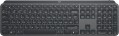 | 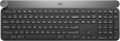 |
|---|---|---|
| Logitech MX Keys | Logitech Craft | |
| Compare prices 36 | from £239.98 | |
| User reviews | ||
| TOP sellers | ||
Connect with up to three devices simultaneously with the ability to quickly switch between them. Smart backlight — can turn on when you bring your hands to the keyboard, and there is also an auto-brightness adjustment depending on the lighting. Support fast charging (port — USB-C) | Touch wheel with tapping function to control various functions of applications. Charging via USB-C port. Changes the brightness of the backlight when you bring your hands close to the keyboard. | |
| Connection | Bluetooth / radio | Bluetooth / radio |
| Bluetooth version | v5.0 | v5.0 |
| Multi-Device |  | |
| Form factor | 100% (full size) | 100% (full size) |
| Layout | ISO | ISO |
Keyboard | ||
| Key profile | low | low |
| Key type | island type | island type |
| Switch technology | scissor | membrane |
| Additional keys | 7 | 4 |
| Fn key | | |
| CMD / OPT keys | | |
| Scroll wheel |  | |
Features | ||
| Cyrillic colour | white | |
| Application of symbols (Latin) | laser engraving | |
| Volume control | fn | fn |
| Lighting | white | white |
Connection and power supply | ||
| Power source | battery | battery |
| Battery capacity | 1500 mAh | |
| Battery time | 10 days | |
| Port on the device | USB C | |
| Receiver (dongle) | USB A | USB A |
General | ||
| Size | 430x132x21 mm | 430x149x32 mm |
| Weight | 810 g | 960 g |
| Color | ||
| Added to E-Catalog | october 2019 | february 2018 |




Compare Logitech MX Keys and Craft
Keyboards Logitech MX Keys and Logitech Craft have similar features, such as Bluetooth 5.0 and the ability to connect to multiple devices. However, the MX Keys have a scissor key design with short travel, allowing for easy pressing, while the Craft uses membrane keys. One of the key features of the Craft is the touch-sensitive wheel for application control, which can be useful for creative tasks. In terms of backlighting, both keyboards have intelligent backlighting, but the Craft offers 15 brightness levels. It is also worth noting that the MX Keys have greater autonomy — up to 10 days, while the Craft operates for only 3-4 days on a single charge.
Price comparison
You may be interested in
Logitech MX Keys often compared


Logitech Craft often compared


Glossary
Switch technology
— Membrane. The name of this type is due to the fact that the contacts under each key are made in the form of two membranes — conductive disks on a flexible film. The return of the keys to their original position after pressing is ensured by the elasticity of the membranes. This design is characterized by low cost and low noise level; in addition, such keyboards are quite resistant to liquid spills (although this is still not recommended). Of the shortcomings, it is worth noting the relatively low durability — 3-4 times lower than that of mechanical ones. In addition, as the keys of this type wear out, the force required to press decreases, they begin to “fall through” under the fingers (“fatigue effect”).
— Mechanical. In this design, springs are used to return the key to its original position after being pressed. Mechanical keyboards are considered more advanced than membrane keyboards: they are more reliable and durable, almost do not lose properties as they wear out, and give a clear tactile feedback. The overall noise level is often higher than that of membrane ones, however, many attribute a characteristic click with each press to the advantages of such models; in addition, completely silent mechanical switches are also available. But of the unequivocal disadvantages, one can name the high cost and sensitivity to spilling liquid (although a mechanical keyboard can also be made waterproof).
...
— Optical-mechanical. A variation of the mechanical keyboards described above, in which each key is equipped not with a traditional pair of contacts, but with an optical switch in the form of a sensor that receives an infrared beam; when you press the key, this beam is blocked, which serves as a signal for operation. One of the key advantages of such switches is a very high response speed (fractions of a millisecond); this moment is not critical for domestic use, but it can be fundamental for gamers-enthusiasts and e-sportsmen. In addition, the absence of electrical contacts that are prone to wear and oxidize has a positive effect on durability. And although initially the “optics” are more complicated than classic systems with contacts, however, in gaming keyboards, optical-mechanical switches are often even cheaper than pure “mechanics”. And the fact that this option is relatively rare is primarily due to the fact that optical technology appeared not so long ago and is only gaining popularity.
— Membrane + mechanical. A layout in which most of the keys have a membrane design, and some, the most "responsible" ones, are mechanical. About the features of both options, see above, and a similar combination of them is found mainly in gaming keyboards. In this case, the "mechanics" are usually used on the traditional combination of WASD plus on the surrounding keys Q, E, R and F.
— Mechanical-membrane. A hybrid design that combines elements of mechanical and membrane keyboards (see above for more on both). In this case, these features are combined in each individual key. Usually, under each button in such keyboards there is a membrane, however, inside this membrane is not just a pair of contacts, but a mechanical spring system. Thus, this design combines the advantages of both options. At the same time, mechanical-membrane systems are very expensive. Therefore, their main scope is high-end gaming keyboards, and even among such devices this option is quite rare.
— Scissor. A slightly modified version of membrane keyboards (see the relevant paragraph), in which the flexible membrane on each key is supplemented by a two-piece mechanism fastened together in the form of scissors. One of the main features of scissor keyboards is the low key travel (noticeably lower than that of membrane keyboards). Also, this design is less demanding on accuracy, it allows you to achieve a clear pressing regardless of where the finger hit — in the centre or on the edge of the key. The service life of the "scissors" is large; they are more difficult to clean, however, they become dirty much more slowly than "membranes". Among the disadvantages of this option, a slightly increased noise level during operation can be noted — due to the clicking of scissor mechanisms.
— Mechanical. In this design, springs are used to return the key to its original position after being pressed. Mechanical keyboards are considered more advanced than membrane keyboards: they are more reliable and durable, almost do not lose properties as they wear out, and give a clear tactile feedback. The overall noise level is often higher than that of membrane ones, however, many attribute a characteristic click with each press to the advantages of such models; in addition, completely silent mechanical switches are also available. But of the unequivocal disadvantages, one can name the high cost and sensitivity to spilling liquid (although a mechanical keyboard can also be made waterproof).
...
— Optical-mechanical. A variation of the mechanical keyboards described above, in which each key is equipped not with a traditional pair of contacts, but with an optical switch in the form of a sensor that receives an infrared beam; when you press the key, this beam is blocked, which serves as a signal for operation. One of the key advantages of such switches is a very high response speed (fractions of a millisecond); this moment is not critical for domestic use, but it can be fundamental for gamers-enthusiasts and e-sportsmen. In addition, the absence of electrical contacts that are prone to wear and oxidize has a positive effect on durability. And although initially the “optics” are more complicated than classic systems with contacts, however, in gaming keyboards, optical-mechanical switches are often even cheaper than pure “mechanics”. And the fact that this option is relatively rare is primarily due to the fact that optical technology appeared not so long ago and is only gaining popularity.
— Membrane + mechanical. A layout in which most of the keys have a membrane design, and some, the most "responsible" ones, are mechanical. About the features of both options, see above, and a similar combination of them is found mainly in gaming keyboards. In this case, the "mechanics" are usually used on the traditional combination of WASD plus on the surrounding keys Q, E, R and F.
— Mechanical-membrane. A hybrid design that combines elements of mechanical and membrane keyboards (see above for more on both). In this case, these features are combined in each individual key. Usually, under each button in such keyboards there is a membrane, however, inside this membrane is not just a pair of contacts, but a mechanical spring system. Thus, this design combines the advantages of both options. At the same time, mechanical-membrane systems are very expensive. Therefore, their main scope is high-end gaming keyboards, and even among such devices this option is quite rare.
— Scissor. A slightly modified version of membrane keyboards (see the relevant paragraph), in which the flexible membrane on each key is supplemented by a two-piece mechanism fastened together in the form of scissors. One of the main features of scissor keyboards is the low key travel (noticeably lower than that of membrane keyboards). Also, this design is less demanding on accuracy, it allows you to achieve a clear pressing regardless of where the finger hit — in the centre or on the edge of the key. The service life of the "scissors" is large; they are more difficult to clean, however, they become dirty much more slowly than "membranes". Among the disadvantages of this option, a slightly increased noise level during operation can be noted — due to the clicking of scissor mechanisms.
Additional keys
The number of additional keys provided in the design of the keyboard.
Such keys do not belong to the standard layout and are intended for quick access to specific functions or individual applications — for example, to control the media player or open mail with one click. This function is convenient because commands from additional keys are usually recognized by the system regardless of what is on the screen — thanks to this, for example, you do not have to close the text editor to switch tracks in the player.
Note that in this case we are talking about individual keys that have a strictly defined purpose and corresponding markings. Programmable buttons, the Fn key (see below) and the functions of the main keys implemented through Fn are not taken into account in this paragraph.
Such keys do not belong to the standard layout and are intended for quick access to specific functions or individual applications — for example, to control the media player or open mail with one click. This function is convenient because commands from additional keys are usually recognized by the system regardless of what is on the screen — thanks to this, for example, you do not have to close the text editor to switch tracks in the player.
Note that in this case we are talking about individual keys that have a strictly defined purpose and corresponding markings. Programmable buttons, the Fn key (see below) and the functions of the main keys implemented through Fn are not taken into account in this paragraph.
Scroll wheel
A wheel for scrolling the image on the screen, similar to that used in modern computer mice. The presence of such a wheel on the keyboard eliminates the need to move your hand to the mouse and back to scroll through the image, which can be especially useful when working with large amounts of text. Also, the scroll wheel is useful if the mouse does not have such a wheel (although such options are becoming less common) or is not available at all (for example, if the keyboard is connected to a laptop).
Cyrillic colour
The colour of the Cyrillic letters printed on the keyboard.
This colour is usually chosen so that the letters are clearly visible. This point does not affect the functionality of the keyboard, and the choice in this case depends mainly on personal preferences. However, there is also a practical point: for inexperienced users who have not mastered touch typing, it is desirable that the letters stand out as much as possible against the background of the keys.
Transparent letters are a separate case — they are used in keyboards equipped with a backlight (see below), due to which such characters, when the backlight is on, are visible even in the dark.
This colour is usually chosen so that the letters are clearly visible. This point does not affect the functionality of the keyboard, and the choice in this case depends mainly on personal preferences. However, there is also a practical point: for inexperienced users who have not mastered touch typing, it is desirable that the letters stand out as much as possible against the background of the keys.
Transparent letters are a separate case — they are used in keyboards equipped with a backlight (see below), due to which such characters, when the backlight is on, are visible even in the dark.
Application of symbols (Latin)
Legend application indicates how the Latin characters on the keys are made and how well they will survive years of heavy typing.
— Double-shot. The keycap is molded from two different plastics: the main “body” and a separate legend insert are formed together in a single mold, so the letters don’t wear off or fade at all. This method is ideal for RGB backlighting: if the legend layer is semi-transparent, light passes through the symbols without halos. ABS double-shot is more common (bright glow, pleasantly smooth feel), while the pricier PBT double-shot is rarer and offers higher surface wear resistance. Compared to laser engraving, the lifespan is an order of magnitude higher, and it beats the dye-sub method for backlighting (dye-sub doesn’t shine through). Downsides include cost and sometimes visible seams/thick walls that can affect the click’s sound profile. In practice, these keycaps are in demand for mechanical gaming keyboards, esports arenas, developers, and frequent hotkey typing—where double-shot keeps legends readable for years.
— Sublimation. A method of applying Latin symbols to keycaps where, under heat and pressure, the dye penetrates the top layer of plastic, creating a durable, “absorbed” legend. The print won’t rub off from fingers, resists household cleaners and UV light, preserves a matte texture, and maintains high contrast on light backgrounds, but it doesn’t let RGB shine through the symbols and is limited in palette. Compared to laser...engraving, it offers higher lifespan and readability, and versus double-shot it only loses in shine-through effects. Typical use cases include mechanical keyboards for typing, developers, and office work, where durability, the tactile matte PBT feel, and stable readability over years matter.
— Laser engraving. Burning/removing the top coating layer with a beam to form highly precise symbols. Legends last for years, but over time the fill paint can wear and contrast can drop in high-contact areas. Advantages include thin typefaces, clean contours, RGB compatibility, and low cost. Compared to double-shot, engraving is cheaper and more flexible in design, but not “forever”; versus dye-sub it wins on backlighting, but loses in tactile uniformity and longevity. Typical applications are mass-market office and gaming models with backlighting.
— Double-shot. The keycap is molded from two different plastics: the main “body” and a separate legend insert are formed together in a single mold, so the letters don’t wear off or fade at all. This method is ideal for RGB backlighting: if the legend layer is semi-transparent, light passes through the symbols without halos. ABS double-shot is more common (bright glow, pleasantly smooth feel), while the pricier PBT double-shot is rarer and offers higher surface wear resistance. Compared to laser engraving, the lifespan is an order of magnitude higher, and it beats the dye-sub method for backlighting (dye-sub doesn’t shine through). Downsides include cost and sometimes visible seams/thick walls that can affect the click’s sound profile. In practice, these keycaps are in demand for mechanical gaming keyboards, esports arenas, developers, and frequent hotkey typing—where double-shot keeps legends readable for years.
— Sublimation. A method of applying Latin symbols to keycaps where, under heat and pressure, the dye penetrates the top layer of plastic, creating a durable, “absorbed” legend. The print won’t rub off from fingers, resists household cleaners and UV light, preserves a matte texture, and maintains high contrast on light backgrounds, but it doesn’t let RGB shine through the symbols and is limited in palette. Compared to laser...engraving, it offers higher lifespan and readability, and versus double-shot it only loses in shine-through effects. Typical use cases include mechanical keyboards for typing, developers, and office work, where durability, the tactile matte PBT feel, and stable readability over years matter.
— Laser engraving. Burning/removing the top coating layer with a beam to form highly precise symbols. Legends last for years, but over time the fill paint can wear and contrast can drop in high-contact areas. Advantages include thin typefaces, clean contours, RGB compatibility, and low cost. Compared to double-shot, engraving is cheaper and more flexible in design, but not “forever”; versus dye-sub it wins on backlighting, but loses in tactile uniformity and longevity. Typical applications are mass-market office and gaming models with backlighting.
Battery capacity
The battery capacity in the keyboard affects the duration of its operation without recharging and determines how often the device will need to be charged. Although manufacturers usually specify the operating time, the capacity helps to assess the battery's resource under intensive use or when activating additional features such as backlighting.
Battery time
The operating time in this case is quite approximate: it is indicated for a certain average mode of use, and the actual battery life may turn out to be either less or more than the claimed one, depending on the specifics of the application. Nevertheless, this is a fairly reliable indicator, it is quite possible to evaluate different battery models and compare them with each other: the difference in the claimed operating time is usually quite consistent with the difference in real battery life.
Separately, we note that the operating time for battery keyboards is generally less than for battery-powered models, so this parameter is indicated in days, not months.
Separately, we note that the operating time for battery keyboards is generally less than for battery-powered models, so this parameter is indicated in days, not months.
Port on the device
A connector in the keyboard case for attaching a removable cable, found in both wired models and wireless ones with a battery, where through this port the keyboard is charged and, if necessary, operates "wired" without delay.
— microUSB. One of the miniature versions of the USB connector, still popular in gadgets despite the emergence of the more advanced USB-C. It has comparatively modest capabilities (in particular, it is inferior to USB-C in terms of maximum possible charging power), but this rarely proves critical. Meanwhile, there is an abundance of microUSB cables and chargers.
— USB-C. The latest (as of the end of 2025) type of USB connector. It is symmetrical, allowing the cable to be inserted either way, eliminating the possibility of incorrect connection. USB-C is more reliable, has an extended lifespan, and supports higher data transfer and charging speeds. Additionally, it is compatible with modern devices and is gradually becoming a universal standard, making keyboards with this connector more convenient and relevant for users.
— microUSB. One of the miniature versions of the USB connector, still popular in gadgets despite the emergence of the more advanced USB-C. It has comparatively modest capabilities (in particular, it is inferior to USB-C in terms of maximum possible charging power), but this rarely proves critical. Meanwhile, there is an abundance of microUSB cables and chargers.
— USB-C. The latest (as of the end of 2025) type of USB connector. It is symmetrical, allowing the cable to be inserted either way, eliminating the possibility of incorrect connection. USB-C is more reliable, has an extended lifespan, and supports higher data transfer and charging speeds. Additionally, it is compatible with modern devices and is gradually becoming a universal standard, making keyboards with this connector more convenient and relevant for users.