
Comparison Cougar MX330-G black vs Zalman i3 Edge black
Add to comparison | 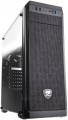 | 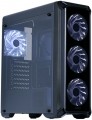 |
|---|---|---|
| Cougar MX330-G black | Zalman i3 Edge black | |
from £90.07 | from £45.99 | |
| User reviews | ||
| TOP sellers | ||
Unlike the MX330 model, which has an acrylic viewing window, the MX330-G has a glass one. | ||
| Features | gaming | |
| Form factor | Midi Tower | Midi Tower |
| Mount | vertical | vertical |
| Motherboard support | ATX | ATX |
| Board placement | vertical | |
| PSU form factor | ATX (regular) | ATX (regular) |
Computer case | ||
| Dimensions (HxWxD) | 473x195x427 mm | 479x204x445 mm |
| Graphics card max lenght | 350 mm | 360 mm |
| Fan max height | 155 mm | 156 mm |
| Weight | 4.7 kg | |
| Material | steel | steel |
| Rubber feet |  | |
| Lighting type | backlit fan | |
| Lighting colour | white | |
| Side panel | removable | removable |
Storage | ||
| PSU |  | |
| PSU mount | bottom | bottom |
| 5.25" bays | 1 | |
| 3.5" bays | 2 | 2 |
| internal 2.5" compartments | 4 | 3 |
| Expansion slots | 7 | 7 |
Cooling | ||
| Installed fans | 1 шт | 4 шт |
| Fans (back) | 1x120mm | 1x120mm |
| Fans (front) | 2x120mm | 3x120mm |
| Fans (top) | 2x120mm | 2x120mm |
| Fan mounts total | 5 | 6 |
| Dust filter | + | + |
Connectors and functions | ||
| Placement | on the front | on top of the case |
| Fan controler | | |
| USB-A 2.0 | 2 pcs | 2 pcs |
| USB-A 5Gbps | 2 pcs | 1 pcs |
| Audio (microphone/headphones) | | |
More features | ||
| Front panel | lattice | |
| Side panel window | + | acrylic |
| More features | CPU cooling mount window | CPU cooling mount window |
| Color | ||
| Added to E-Catalog | september 2018 | september 2018 |


Compare Cougar MX330-G and Zalman i3 Edge
You may be interested in
My comparisons
Cougar MX330-G often compared


Zalman i3 Edge often compared


Glossary
Features
The direction in which the body is facing. This parameter is indicated only for models that have a certain specialization and differ markedly from general-purpose cases.
— Gaming. Cases designed for high-performance gaming computer systems. They usually have numerous openings for expansion slots and bays for drives (see the corresponding paragraphs), as well as advanced options for installing cooling systems — many “seats” for fans, the ability to use liquid cooling (see “Liquid cooling support”) and etc. In addition, they often stand out due to their design: they can be equipped with decorative lighting, transparent windows, etc.
— HTPC. Enclosures for PC multimedia orientation, the so-called Home Theater Personal Computer (HTPC). The characteristic features of such cases are compact size, the presence of additional buttons on the front panel for controlling multimedia (and sometimes a sensor for the remote control) and an advanced design.
— Gaming. Cases designed for high-performance gaming computer systems. They usually have numerous openings for expansion slots and bays for drives (see the corresponding paragraphs), as well as advanced options for installing cooling systems — many “seats” for fans, the ability to use liquid cooling (see “Liquid cooling support”) and etc. In addition, they often stand out due to their design: they can be equipped with decorative lighting, transparent windows, etc.
— HTPC. Enclosures for PC multimedia orientation, the so-called Home Theater Personal Computer (HTPC). The characteristic features of such cases are compact size, the presence of additional buttons on the front panel for controlling multimedia (and sometimes a sensor for the remote control) and an advanced design.
Board placement
The position of the motherboard in the case; it is assumed that the body is in its original position.
The motherboard is most conveniently placed along the case — this gives the most space for it (and "motherboards", we recall, are large in size). And since the most popular nowadays are vertical-layout cases (mainly certain types of “towers”), the boards in them are arranged vertically. The horizontal arrangement can be found much less frequently — in separate Mini-Towers and "cubes" (Cube Case), where the height is not much greater than the width, as well as desktops designed for horizontal placement.
The motherboard is most conveniently placed along the case — this gives the most space for it (and "motherboards", we recall, are large in size). And since the most popular nowadays are vertical-layout cases (mainly certain types of “towers”), the boards in them are arranged vertically. The horizontal arrangement can be found much less frequently — in separate Mini-Towers and "cubes" (Cube Case), where the height is not much greater than the width, as well as desktops designed for horizontal placement.
Graphics card max lenght
The maximum length of a graphics card that can be installed in this case.
Modern mid-range and top-end video cards with high performance often differ in considerable length, which is why such a card can not fit into any case. So before collecting components, it is worth evaluating the length of the proposed graphics card and choosing a case in which it is guaranteed to fit. This forethought is useful anyway, but it's especially true if you're building a system that requires a powerful graphics adapter, such as a high-end gaming PC or 3D design workstation.
Modern mid-range and top-end video cards with high performance often differ in considerable length, which is why such a card can not fit into any case. So before collecting components, it is worth evaluating the length of the proposed graphics card and choosing a case in which it is guaranteed to fit. This forethought is useful anyway, but it's especially true if you're building a system that requires a powerful graphics adapter, such as a high-end gaming PC or 3D design workstation.
Fan max height
The highest cooler height allowed for this case.
In this case, we mean a cooler used to cool the processor — such a component is found in the vast majority of modern PCs. Height is measured relative to the motherboard.
In this case, we mean a cooler used to cool the processor — such a component is found in the vast majority of modern PCs. Height is measured relative to the motherboard.
Lighting type
The type of illumination provided in the body design.
The backlight plays mainly a decorative role, it gives the computer an original appearance, which is appreciated by fans of external tuning. Lighting can be mounted separately, but it is easier to purchase a case where it was originally provided. The types of illumination can be as follows:
— Illuminated fan. One or more coolers are illuminated, facing the side or top surface of the case.
— Cases with backlight. Separate parts of the body are illuminated, usually from the inside, in such a way that the illumination can be seen through a transparent window / windows or a lattice surface. Sometimes external lighting can be provided.
There are cases in which both types of illumination are provided simultaneously. And for office needs , cases without backlight are suitable.
The backlight plays mainly a decorative role, it gives the computer an original appearance, which is appreciated by fans of external tuning. Lighting can be mounted separately, but it is easier to purchase a case where it was originally provided. The types of illumination can be as follows:
— Illuminated fan. One or more coolers are illuminated, facing the side or top surface of the case.
— Cases with backlight. Separate parts of the body are illuminated, usually from the inside, in such a way that the illumination can be seen through a transparent window / windows or a lattice surface. Sometimes external lighting can be provided.
There are cases in which both types of illumination are provided simultaneously. And for office needs , cases without backlight are suitable.
Lighting colour
For more on decorative lighting in general, see Light Type above. Here we note that it can have different shades, and sometimes several options are indicated in the characteristics at once. If these options are listed through "and" (for example, "red, blue and green") — this means that this model contains all the specified colours, and the user can switch between them at his discretion. If the shades are listed through “or” (for example, “red, blue or green”), this means that this model is available in several versions that differ in the colour of the backlight.
Special mention is the "RGB" option. This is the name of the most advanced backlight, the shade of which can be chosen at your discretion. However the original RGB backlighting is capable of simultaneously displaying only one of several basic colours (white, yellow, green, red, blue or purple); nevertheless, even these possibilities are enough to customize the appearance of the case and apply various effects (such as backlight synchronization — see below).
And relatively recently, an even more advanced type of adjustable systems has appeared — ARGB backlight. The key difference between ARGB and classic RGB is the possibility of simultaneous operation of diodes of different colours. In other words, classic RGB lighting can display only one colour at a time, while ARGB can display several colours, which provides additional effects. Also, ARGB lighting is connecte...d using a 3pin 5v connector, while regular RGB uses a 4pin 12v connection. It can be represented by various types of illumination. So, ARGB is often integrated into the cooling system, the front panel and magnetic LED strips, which the user can mount at his discretion. To control the backlight, a special controller is usually provided, and buttons or controls for switching the illumination operation modes are placed on the interface panel. In some cases, the backlight is controlled by the motherboard, through a special connector. Many ARGB systems support the ability to fine-tune through specialized software.
Special mention is the "RGB" option. This is the name of the most advanced backlight, the shade of which can be chosen at your discretion. However the original RGB backlighting is capable of simultaneously displaying only one of several basic colours (white, yellow, green, red, blue or purple); nevertheless, even these possibilities are enough to customize the appearance of the case and apply various effects (such as backlight synchronization — see below).
And relatively recently, an even more advanced type of adjustable systems has appeared — ARGB backlight. The key difference between ARGB and classic RGB is the possibility of simultaneous operation of diodes of different colours. In other words, classic RGB lighting can display only one colour at a time, while ARGB can display several colours, which provides additional effects. Also, ARGB lighting is connecte...d using a 3pin 5v connector, while regular RGB uses a 4pin 12v connection. It can be represented by various types of illumination. So, ARGB is often integrated into the cooling system, the front panel and magnetic LED strips, which the user can mount at his discretion. To control the backlight, a special controller is usually provided, and buttons or controls for switching the illumination operation modes are placed on the interface panel. In some cases, the backlight is controlled by the motherboard, through a special connector. Many ARGB systems support the ability to fine-tune through specialized software.
5.25" bays
The number of 5.25" form factor bays provided in the case design. Such bays are made only external, that is, they can be accessed from the outside without opening the case (unlike 3.5", see the corresponding glossary items). Today, 5.25" bays are mainly used for installing optical disk drives, internal hard drives in removable pocket adapters (Mobile Rack), and sometimes additional fans. Also, 3.5" devices can be installed in such bays using special adapters. ". Most cases are equipped with 1 5.25" bay or two bays. But there are models with 3 or more bays, as well as cases without external bays.
internal 2.5" compartments
The number of internal 2.5" bays provided in the case design.
Such bays are mainly used for installing internal hard drives and SSD modules; The 2.5" form factor was originally created as "laptop" form factor, but recently it has been increasingly used in components for full-size PCs. At the same time, when evaluating the number of these bays, note that drives are recommended to be installed through a slot; so in Ideally, the number of bays should be twice the planned number of drives.
Also note that some cases use combined bays: initially they have a size of 3.5", but if desired, they can be converted to 2.5". These bays count towards both 3.5-inch and 2.5-inch slots. In fact, this means that the total number of available slots is not always equal to the sum of the number of both. For example, a case with 10 3.5" bays and 6 2.5" bays can have 4 combined bays, and the total number of slots in this case will not be 16, but only 12.
Such bays are mainly used for installing internal hard drives and SSD modules; The 2.5" form factor was originally created as "laptop" form factor, but recently it has been increasingly used in components for full-size PCs. At the same time, when evaluating the number of these bays, note that drives are recommended to be installed through a slot; so in Ideally, the number of bays should be twice the planned number of drives.
Also note that some cases use combined bays: initially they have a size of 3.5", but if desired, they can be converted to 2.5". These bays count towards both 3.5-inch and 2.5-inch slots. In fact, this means that the total number of available slots is not always equal to the sum of the number of both. For example, a case with 10 3.5" bays and 6 2.5" bays can have 4 combined bays, and the total number of slots in this case will not be 16, but only 12.
Installed fans
The more fans are included in the design, all else being equal — the more intense the cooling will be and the more powerful (and, consequently, "hotter") components can be placed in the case without the risk of overheating. For everyday tasks, a case with one, two, three, or four factory fans is quite sufficient. At the same time, when comparing, it is worth considering not only the number but also the operating characteristics of the fans (diameter, speed). It should also be noted that cases are available for purchase without fans but with open slots for fans, allowing you to supplement the cooling system and improve its performance if necessary.