
Comparison Cougar MX330-G black vs Cougar MX330 black
Add to comparison | 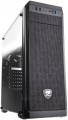 | 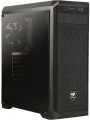 |
|---|---|---|
| Cougar MX330-G black | Cougar MX330 black | |
from £90.07 | from £197.18 | |
| User reviews | ||
| TOP sellers | ||
Unlike the MX330 model, which has an acrylic viewing window, the MX330-G has a glass one. | Unlike the MX330-G, which has a glass viewing window, the MX330 has an acrylic viewing window. | |
| Features | gaming | gaming |
| Form factor | Midi Tower | Midi Tower |
| Mount | vertical | vertical |
| Motherboard support | ATX | ATX |
| Board placement | vertical | |
| PSU form factor | ATX (regular) | ATX (regular) |
Computer case | ||
| Dimensions (HxWxD) | 473x195x427 mm | 473x195x427 mm |
| Graphics card max lenght | 350 mm | 350 mm |
| Fan max height | 155 mm | 155 mm |
| Material | steel | steel |
| Rubber feet |  | |
| Side panel | removable | removable |
Storage | ||
| PSU |  | |
| PSU mount | bottom | bottom |
| 5.25" bays | 1 | 1 |
| 3.5" bays | 2 | 2 |
| internal 2.5" compartments | 4 | 4 |
| Expansion slots | 7 | 7 |
Cooling | ||
| Installed fans | 1 шт | 1 шт |
| Fans (back) | 1x120mm | 1x120mm |
| Fans (front) | 2x120mm | 2x120mm |
| Fans (top) | 2x120mm | 2x120mm |
| Fan mounts total | 5 | 5 |
| Dust filter | + | + |
| Liquid cooling system support | | |
Liquid cooling system | ||
| Liquid cooling (rear) | 120 mm | |
| Liquid cooling (front) | 240mm | |
| Liquid cooling (top) | 120mm | |
| Liquid cooling mounts | 3 | |
Connectors and functions | ||
| Placement | on the front | on the front |
| USB-A 2.0 | 2 pcs | 2 pcs |
| USB-A 5Gbps | 2 pcs | 2 pcs |
| Audio (microphone/headphones) | | |
More features | ||
| Front panel | lattice | lattice |
| Side panel window | + | + |
| More features | CPU cooling mount window | CPU cooling mount window |
| Color | ||
| Added to E-Catalog | september 2018 | february 2018 |


Compare Cougar MX330-G and MX330
You may be interested in
Cougar MX330-G often compared


Cougar MX330 often compared

Glossary
Board placement
The position of the motherboard in the case; it is assumed that the body is in its original position.
The motherboard is most conveniently placed along the case — this gives the most space for it (and "motherboards", we recall, are large in size). And since the most popular nowadays are vertical-layout cases (mainly certain types of “towers”), the boards in them are arranged vertically. The horizontal arrangement can be found much less frequently — in separate Mini-Towers and "cubes" (Cube Case), where the height is not much greater than the width, as well as desktops designed for horizontal placement.
The motherboard is most conveniently placed along the case — this gives the most space for it (and "motherboards", we recall, are large in size). And since the most popular nowadays are vertical-layout cases (mainly certain types of “towers”), the boards in them are arranged vertically. The horizontal arrangement can be found much less frequently — in separate Mini-Towers and "cubes" (Cube Case), where the height is not much greater than the width, as well as desktops designed for horizontal placement.
Liquid cooling system support
This feature is indicated for housings that normally allow the installation of liquid cooling systems(LCS). Such systems are extremely efficient, but complex and expensive, so they are mainly used in high-performance PCs, for which traditional coolers are no longer enough. Note that theoretically, liquid cooling can be installed in almost any case; however, if support for such cooling is not initially provided in the design, this can be very difficult. So if you initially plan to use LSS, you should choose a case for which support for this function is directly claimed.
Liquid cooling (rear)
Size of the mounting space for the liquid cooling system provided on the back of the case.
In cases supporting liquid cooling systems, water cooling radiators are installed in the same slots as traditional fans. In other words, either a fan (or fans) or a liquid cooling radiator can be fitted into the same space. The size of the mounting space for a liquid cooling system is indicated by a single digit — the length (on the larger side); the width can be determined based on this information. The point is that modern liquid cooling radiators typically use fans of one of the standard sizes — 120 mm or 140 mm; and if there are several of such fans, they are arranged in a row. As a result, the length of the radiator becomes a multiple, and the width is equal to one of these numbers: for example, 280 mm is 2x140 mm with a width of 140 mm, and 360 mm is 3x120 mm with a width of 120 mm.
Note that the same nuances are relevant here as for air cooling: a larger fan occupies more space and is more expensive, but it is considered more advanced as it can operate efficiently at lower speeds — which reduces noise levels and vibrations.
In cases supporting liquid cooling systems, water cooling radiators are installed in the same slots as traditional fans. In other words, either a fan (or fans) or a liquid cooling radiator can be fitted into the same space. The size of the mounting space for a liquid cooling system is indicated by a single digit — the length (on the larger side); the width can be determined based on this information. The point is that modern liquid cooling radiators typically use fans of one of the standard sizes — 120 mm or 140 mm; and if there are several of such fans, they are arranged in a row. As a result, the length of the radiator becomes a multiple, and the width is equal to one of these numbers: for example, 280 mm is 2x140 mm with a width of 140 mm, and 360 mm is 3x120 mm with a width of 120 mm.
Note that the same nuances are relevant here as for air cooling: a larger fan occupies more space and is more expensive, but it is considered more advanced as it can operate efficiently at lower speeds — which reduces noise levels and vibrations.
Liquid cooling (front)
The size of the mounting space for the liquid cooling system provided on the front side of the case.
In cases with support for LCS, water-cooling radiators are installed in the same slots as traditional fans. In other words, either a fan (or fans) or an LCS radiator can be installed in the same mounting space. The size of the mounting space for LCS is specified by a single number — the length (on the longer side); the width can be determined based on these data. The fact is that modern LCS radiators usually use fans of one of the standard sizes — either 120 mm or 140 mm; and if there are several such fans, they are arranged in a row. As a result, the radiator length is a multiple, and the width is equal to one of these numbers: for example, 280 mm is 2x140 mm with a width of 140 mm, and 360 mm is 3x120 mm with a width of 120 mm. Generally, a front radiator size of 240 mm or less is considered relatively small, 280 mm is medium, 360 mm is large, and in some models, it reaches 420 mm and even 480 mm.
Note that the same nuances apply here as for air cooling: a larger fan occupies more space and costs more, but it is considered more advanced because it can work efficiently at a lower speed — reducing noise and vibrations.
Liquid cooling (top)
The size of the mounting space for the liquid cooling system provided on the top side of the case.
In cases supporting LCS, water cooling radiators are installed in the same slots as traditional fans. In other words, a fan (or fans) or an LCS radiator can be installed in the same mounting space. The size of the mounting space for LCS is specified by a single number — the length (on the longer side); the width can be determined based on this information. The fact is, modern LCS radiators typically use fans of one of the standard sizes — 120 mm or 140 mm; and if there are several such fans, they are arranged in a row. As a result, the length of the radiator is a multiple, and the width is equal to one of these numbers: for example, 280 mm means 2x140 mm with a width of 140 mm, and 360 mm means 3x120 mm with a width of 120 mm. Overall, an upper radiator size of 240 mm and below is considered relatively small, 280 mm is medium, 360 mm is large, and in some models, it reaches 420 mm and even 480 mm.
Note that the same nuances apply here as for air cooling: a larger fan takes up more space and costs more, but is considered more advanced since it can work effectively at a lower speed — which reduces noise and vibrations.
In cases supporting LCS, water cooling radiators are installed in the same slots as traditional fans. In other words, a fan (or fans) or an LCS radiator can be installed in the same mounting space. The size of the mounting space for LCS is specified by a single number — the length (on the longer side); the width can be determined based on this information. The fact is, modern LCS radiators typically use fans of one of the standard sizes — 120 mm or 140 mm; and if there are several such fans, they are arranged in a row. As a result, the length of the radiator is a multiple, and the width is equal to one of these numbers: for example, 280 mm means 2x140 mm with a width of 140 mm, and 360 mm means 3x120 mm with a width of 120 mm. Overall, an upper radiator size of 240 mm and below is considered relatively small, 280 mm is medium, 360 mm is large, and in some models, it reaches 420 mm and even 480 mm.
Note that the same nuances apply here as for air cooling: a larger fan takes up more space and costs more, but is considered more advanced since it can work effectively at a lower speed — which reduces noise and vibrations.
Liquid cooling mounts
The total number of spaces available for liquid cooling systems in the case, in other words, the maximum number of LCS radiators that can be installed in the case. These radiators are usually placed one per side of the case, so several radiators are often located on different sides: for example, 3 LCS spaces can be located at the rear, top, and front.
When evaluating the number of mounting slots (of all types), it's important to consider that fans and LCS radiators usually use the same mounting locations.
When evaluating the number of mounting slots (of all types), it's important to consider that fans and LCS radiators usually use the same mounting locations.