
Comparison Fractal Design Node 304 white vs Fractal Design Core 500 black
Add to comparison | 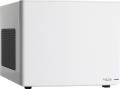 | 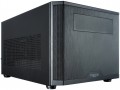 |
|---|---|---|
| Fractal Design Node 304 white | Fractal Design Core 500 black | |
from £84.97 | from £58.97 | |
| User reviews | ||
| TOP sellers | ||
Supports installation of video cards up to 310mm in length and a CPU cooler up to 165mm in height. 6 slots for storage devices. Three stock coolers. Low noise level. | ||
| Features | gaming | |
| Form factor | Cube Case | Cube Case |
| Mount | horizontal | vertical |
| Motherboard support | mini-ITX | mini-ITX |
| PSU form factor | ATX (regular) | ATX (regular) |
Computer case | ||
| Dimensions (HxWxD) | 210x250x374 mm | 213x250x380 mm |
| Graphics card max lenght | 310 mm | 310 mm |
| Fan max height | 165 mm | 170 mm |
| Weight | 4.9 kg | 4.4 kg |
| Material | steel | steel |
| Rubber feet |  | |
| Side panel | U-shaped cover | U-shaped cover |
Storage | ||
| PSU |  | |
| PSU mount | bottom | bottom |
| 5.25" bays | 1 | |
| 3.5" bays | 6 | 3 |
| internal 2.5" compartments | 3 | |
| Expansion slots | 2 | 2 |
Cooling | ||
| Installed fans | 3 шт | 1 шт |
| Fans (back) | 1x140mm | 1x140mm |
| Fans (front) | 2x92mm | |
| Fans (top) | 2x140mm | |
| Fan mounts total | 3 | 3 |
| Dust filter | + | + |
| Liquid cooling system support | | |
Connectors and functions | ||
| Placement | on the side wall | on top of the case |
| Fan controler | | |
| USB-A 5Gbps | 2 pcs | 2 pcs |
| Audio (microphone/headphones) | | |
More features | ||
| Front panel | lattice | |
| Color | ||
| Added to E-Catalog | september 2019 | february 2016 |


Compare Fractal Design Node 304 and Core 500
You may be interested in
Fractal Design Node 304 often compared

Fractal Design Core 500 often compared


Glossary
Features
The direction in which the body is facing. This parameter is indicated only for models that have a certain specialization and differ markedly from general-purpose cases.
— Gaming. Cases designed for high-performance gaming computer systems. They usually have numerous openings for expansion slots and bays for drives (see the corresponding paragraphs), as well as advanced options for installing cooling systems — many “seats” for fans, the ability to use liquid cooling (see “Liquid cooling support”) and etc. In addition, they often stand out due to their design: they can be equipped with decorative lighting, transparent windows, etc.
— HTPC. Enclosures for PC multimedia orientation, the so-called Home Theater Personal Computer (HTPC). The characteristic features of such cases are compact size, the presence of additional buttons on the front panel for controlling multimedia (and sometimes a sensor for the remote control) and an advanced design.
— Gaming. Cases designed for high-performance gaming computer systems. They usually have numerous openings for expansion slots and bays for drives (see the corresponding paragraphs), as well as advanced options for installing cooling systems — many “seats” for fans, the ability to use liquid cooling (see “Liquid cooling support”) and etc. In addition, they often stand out due to their design: they can be equipped with decorative lighting, transparent windows, etc.
— HTPC. Enclosures for PC multimedia orientation, the so-called Home Theater Personal Computer (HTPC). The characteristic features of such cases are compact size, the presence of additional buttons on the front panel for controlling multimedia (and sometimes a sensor for the remote control) and an advanced design.
Mount
Mounting method, nominally assumed by the body design.
— Vertical. Enclosures of this type, when installed, take up much more space in height than in width. This option is standard for all Towers (see "Form Factor"). It is convenient in that it requires relatively little free space on the floor or other support for installation. Many of these cases are designed primarily for floor or similar placement (for example, in a special compartment of a computer desk, under the table top), although there are other options — desktop installation and even mounting on the back of a monitor.
— Horizontal. Cases arranged horizontally. This is the standard installation method for most "desktops" (see "Form Factor"). Actually, such a layout is convenient just when placing a computer on a table — in particular, the monitor can be placed directly on the case, or, in some cases, next to the case.
— Vertical and horizontal. Universal housings that can be placed both vertically and horizontally, depending on specific conditions. This eliminates the hassle of installation to a certain extent — the universal model can be adjusted to the characteristics of any workplace. At the same time, this option is found both among miniature cases and among full-size ones.
Note that although purely technically installing the case in a “non-native” way (for example, v...ertically on its side) is not particularly difficult, it is still not recommended to do this. After all, the design itself was initially optimized for one or another situation — suffice it to say that this is connected, in particular, with the efficiency of cooling systems.
— Vertical. Enclosures of this type, when installed, take up much more space in height than in width. This option is standard for all Towers (see "Form Factor"). It is convenient in that it requires relatively little free space on the floor or other support for installation. Many of these cases are designed primarily for floor or similar placement (for example, in a special compartment of a computer desk, under the table top), although there are other options — desktop installation and even mounting on the back of a monitor.
— Horizontal. Cases arranged horizontally. This is the standard installation method for most "desktops" (see "Form Factor"). Actually, such a layout is convenient just when placing a computer on a table — in particular, the monitor can be placed directly on the case, or, in some cases, next to the case.
— Vertical and horizontal. Universal housings that can be placed both vertically and horizontally, depending on specific conditions. This eliminates the hassle of installation to a certain extent — the universal model can be adjusted to the characteristics of any workplace. At the same time, this option is found both among miniature cases and among full-size ones.
Note that although purely technically installing the case in a “non-native” way (for example, v...ertically on its side) is not particularly difficult, it is still not recommended to do this. After all, the design itself was initially optimized for one or another situation — suffice it to say that this is connected, in particular, with the efficiency of cooling systems.
Fan max height
The highest cooler height allowed for this case.
In this case, we mean a cooler used to cool the processor — such a component is found in the vast majority of modern PCs. Height is measured relative to the motherboard.
In this case, we mean a cooler used to cool the processor — such a component is found in the vast majority of modern PCs. Height is measured relative to the motherboard.
5.25" bays
The number of 5.25" form factor bays provided in the case design. Such bays are made only external, that is, they can be accessed from the outside without opening the case (unlike 3.5", see the corresponding glossary items). Today, 5.25" bays are mainly used for installing optical disk drives, internal hard drives in removable pocket adapters (Mobile Rack), and sometimes additional fans. Also, 3.5" devices can be installed in such bays using special adapters. ". Most cases are equipped with 1 5.25" bay or two bays. But there are models with 3 or more bays, as well as cases without external bays.
3.5" bays
The number of internal 3.5" form factor bays provided in the design of the case. Such bays, in accordance with the name, are intended for internal components, mainly hard drives and some SSD modules; to access them, the case must be disassembled.
Theoretically, the number of bays corresponds to the maximum number of drives that can be installed in the chassis. However, in fact, the best option is to install drives through a single slot to ensure efficient cooling. Accordingly, it is best to select a case in such a way that the number of internal 3.5" bays is twice the expected number of hard drives.
Theoretically, the number of bays corresponds to the maximum number of drives that can be installed in the chassis. However, in fact, the best option is to install drives through a single slot to ensure efficient cooling. Accordingly, it is best to select a case in such a way that the number of internal 3.5" bays is twice the expected number of hard drives.
internal 2.5" compartments
The number of internal 2.5" bays provided in the case design.
Such bays are mainly used for installing internal hard drives and SSD modules; The 2.5" form factor was originally created as "laptop" form factor, but recently it has been increasingly used in components for full-size PCs. At the same time, when evaluating the number of these bays, note that drives are recommended to be installed through a slot; so in Ideally, the number of bays should be twice the planned number of drives.
Also note that some cases use combined bays: initially they have a size of 3.5", but if desired, they can be converted to 2.5". These bays count towards both 3.5-inch and 2.5-inch slots. In fact, this means that the total number of available slots is not always equal to the sum of the number of both. For example, a case with 10 3.5" bays and 6 2.5" bays can have 4 combined bays, and the total number of slots in this case will not be 16, but only 12.
Such bays are mainly used for installing internal hard drives and SSD modules; The 2.5" form factor was originally created as "laptop" form factor, but recently it has been increasingly used in components for full-size PCs. At the same time, when evaluating the number of these bays, note that drives are recommended to be installed through a slot; so in Ideally, the number of bays should be twice the planned number of drives.
Also note that some cases use combined bays: initially they have a size of 3.5", but if desired, they can be converted to 2.5". These bays count towards both 3.5-inch and 2.5-inch slots. In fact, this means that the total number of available slots is not always equal to the sum of the number of both. For example, a case with 10 3.5" bays and 6 2.5" bays can have 4 combined bays, and the total number of slots in this case will not be 16, but only 12.
Installed fans
The more fans are included in the design, all else being equal — the more intense the cooling will be and the more powerful (and, consequently, "hotter") components can be placed in the case without the risk of overheating. For everyday tasks, a case with one, two, three, or four factory fans is quite sufficient. At the same time, when comparing, it is worth considering not only the number but also the operating characteristics of the fans (diameter, speed). It should also be noted that cases are available for purchase without fans but with open slots for fans, allowing you to supplement the cooling system and improve its performance if necessary.
Fans (front)
The number of fan slots on the front of the case, and the size of the fans these slots are designed for. The presence of the fans themselves in the kit should be specified separately.
The larger the fan, the more advanced it is considered: a large diameter allows you to work efficiently at relatively low speeds, which reduces the noise level and energy consumption. Case fans are available in several standard diameters; specifically for the front panel, the size up to 92 mm is considered relatively small, 120 mm — medium, 140 mm — large, and in the most advanced solutions, fans of 180 mm or even more can be installed.
Also note that most often the holes for installing fans are designed for one specific size, however, there are also “multi-size” seats, for 2-3 options. Moreover, these options may differ both in diameter and in quantity: for example, it may be possible to install two 140 mm fans or three 120 mm fans.
The larger the fan, the more advanced it is considered: a large diameter allows you to work efficiently at relatively low speeds, which reduces the noise level and energy consumption. Case fans are available in several standard diameters; specifically for the front panel, the size up to 92 mm is considered relatively small, 120 mm — medium, 140 mm — large, and in the most advanced solutions, fans of 180 mm or even more can be installed.
Also note that most often the holes for installing fans are designed for one specific size, however, there are also “multi-size” seats, for 2-3 options. Moreover, these options may differ both in diameter and in quantity: for example, it may be possible to install two 140 mm fans or three 120 mm fans.
Fans (top)
The number of fan slots on the top side of the case, and the size of the fans these slots are designed for. The presence of the fans themselves in the kit should be specified separately.
The larger the fan, the more advanced it is considered: a large diameter allows you to work efficiently at relatively low speeds, which reduces the noise level and energy consumption. Case fans are available in several standard diameters, and the seats under them can be designed for both one and several sizes — for example, 120 / 140 mm. At the same time, in some models, the available number of seats also depends on the chosen size: for example, there are gaming cases where you can install either one 180 mm fan or four 120 mm fans at once.
The larger the fan, the more advanced it is considered: a large diameter allows you to work efficiently at relatively low speeds, which reduces the noise level and energy consumption. Case fans are available in several standard diameters, and the seats under them can be designed for both one and several sizes — for example, 120 / 140 mm. At the same time, in some models, the available number of seats also depends on the chosen size: for example, there are gaming cases where you can install either one 180 mm fan or four 120 mm fans at once.