
Comparison Frontier Thor black vs Gamemax Pardo white
Add to comparison | 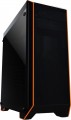 | 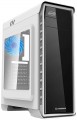 |
|---|---|---|
| Frontier Thor black | Gamemax Pardo white | |
| Outdated Product | Outdated Product | |
| User reviews | ||
| TOP sellers | ||
The main difference from the Elysium model is the side window. | ||
| Features | gaming | gaming |
| Form factor | Midi Tower | Midi Tower |
| Mount | vertical | vertical |
| Motherboard support | ATX | ATX |
| PSU form factor | ATX (regular) | ATX (regular) |
Computer case | ||
| Dimensions (HxWxD) | 460x185x435 mm | 470x185x400 mm |
| Graphics card max lenght | 380 mm | 380 mm |
| Fan max height | 160 mm | 158 mm |
| Weight | 4.5 kg | 4.7 kg |
| Material | steel | steel |
| Side panel | removable | removable |
Storage | ||
| PSU |  | |
| PSU mount | bottom | bottom |
| 5.25" bays | 1 | |
| 3.5" bays | 2 | 2 |
| internal 2.5" compartments | 2 | 2 |
| Expansion slots | 7 | 7 |
Cooling | ||
| Installed fans | 1 шт | |
| Fans (back) | 1x120mm | 1x120mm |
| Fans (front) | 2x120mm | 3x120mm |
| Fans (top) | 2x120mm | 2x120mm |
| Fan mounts total | 5 | 6 |
| Dust filter | + | + |
| Liquid cooling system support |  | |
Liquid cooling system | ||
| Liquid cooling (front) | 240mm | |
| Liquid cooling (top) | 240mm | |
| Liquid cooling mounts | 2 | |
Connectors and functions | ||
| Placement | on top of the case | on top of the case |
| Fan controler | | |
| USB-A 2.0 | 2 pcs | 2 pcs |
| USB-A 5Gbps | 2 pcs | 1 pcs |
| Audio (microphone/headphones) | | |
More features | ||
| Front panel | lattice | glass |
| Side panel window | + | acrylic |
| More features | hidden wiring CPU cooling mount window | hidden wiring CPU cooling mount window |
| Color | ||
| Added to E-Catalog | april 2020 | september 2019 |


Compare Frontier Thor and Gamemax Pardo
You may be interested in
Gamemax Pardo often compared

Glossary
Fan max height
The highest cooler height allowed for this case.
In this case, we mean a cooler used to cool the processor — such a component is found in the vast majority of modern PCs. Height is measured relative to the motherboard.
In this case, we mean a cooler used to cool the processor — such a component is found in the vast majority of modern PCs. Height is measured relative to the motherboard.
5.25" bays
The number of 5.25" form factor bays provided in the case design. Such bays are made only external, that is, they can be accessed from the outside without opening the case (unlike 3.5", see the corresponding glossary items). Today, 5.25" bays are mainly used for installing optical disk drives, internal hard drives in removable pocket adapters (Mobile Rack), and sometimes additional fans. Also, 3.5" devices can be installed in such bays using special adapters. ". Most cases are equipped with 1 5.25" bay or two bays. But there are models with 3 or more bays, as well as cases without external bays.
Installed fans
The more fans are included in the design, all else being equal — the more intense the cooling will be and the more powerful (and, consequently, "hotter") components can be placed in the case without the risk of overheating. For everyday tasks, a case with one, two, three, or four factory fans is quite sufficient. At the same time, when comparing, it is worth considering not only the number but also the operating characteristics of the fans (diameter, speed). It should also be noted that cases are available for purchase without fans but with open slots for fans, allowing you to supplement the cooling system and improve its performance if necessary.
Fans (front)
The number of fan slots on the front of the case, and the size of the fans these slots are designed for. The presence of the fans themselves in the kit should be specified separately.
The larger the fan, the more advanced it is considered: a large diameter allows you to work efficiently at relatively low speeds, which reduces the noise level and energy consumption. Case fans are available in several standard diameters; specifically for the front panel, the size up to 92 mm is considered relatively small, 120 mm — medium, 140 mm — large, and in the most advanced solutions, fans of 180 mm or even more can be installed.
Also note that most often the holes for installing fans are designed for one specific size, however, there are also “multi-size” seats, for 2-3 options. Moreover, these options may differ both in diameter and in quantity: for example, it may be possible to install two 140 mm fans or three 120 mm fans.
The larger the fan, the more advanced it is considered: a large diameter allows you to work efficiently at relatively low speeds, which reduces the noise level and energy consumption. Case fans are available in several standard diameters; specifically for the front panel, the size up to 92 mm is considered relatively small, 120 mm — medium, 140 mm — large, and in the most advanced solutions, fans of 180 mm or even more can be installed.
Also note that most often the holes for installing fans are designed for one specific size, however, there are also “multi-size” seats, for 2-3 options. Moreover, these options may differ both in diameter and in quantity: for example, it may be possible to install two 140 mm fans or three 120 mm fans.
Fan mounts total
The total number of places for installing fans provided in the chassis design.
The more performant the system, the more components it includes — the more powerful cooling it will need; therefore, the number of places for fans, usually, is directly related to the size and purpose of the case. It is also worth considering that with the same number, the installation location of individual fans may be different — behind, on the side, on top, etc.
The more performant the system, the more components it includes — the more powerful cooling it will need; therefore, the number of places for fans, usually, is directly related to the size and purpose of the case. It is also worth considering that with the same number, the installation location of individual fans may be different — behind, on the side, on top, etc.
Liquid cooling system support
This feature is indicated for housings that normally allow the installation of liquid cooling systems(LCS). Such systems are extremely efficient, but complex and expensive, so they are mainly used in high-performance PCs, for which traditional coolers are no longer enough. Note that theoretically, liquid cooling can be installed in almost any case; however, if support for such cooling is not initially provided in the design, this can be very difficult. So if you initially plan to use LSS, you should choose a case for which support for this function is directly claimed.
Liquid cooling (front)
The size of the mounting space for the liquid cooling system provided on the front side of the case.
In cases with support for LCS, water-cooling radiators are installed in the same slots as traditional fans. In other words, either a fan (or fans) or an LCS radiator can be installed in the same mounting space. The size of the mounting space for LCS is specified by a single number — the length (on the longer side); the width can be determined based on these data. The fact is that modern LCS radiators usually use fans of one of the standard sizes — either 120 mm or 140 mm; and if there are several such fans, they are arranged in a row. As a result, the radiator length is a multiple, and the width is equal to one of these numbers: for example, 280 mm is 2x140 mm with a width of 140 mm, and 360 mm is 3x120 mm with a width of 120 mm. Generally, a front radiator size of 240 mm or less is considered relatively small, 280 mm is medium, 360 mm is large, and in some models, it reaches 420 mm and even 480 mm.
Note that the same nuances apply here as for air cooling: a larger fan occupies more space and costs more, but it is considered more advanced because it can work efficiently at a lower speed — reducing noise and vibrations.
Liquid cooling (top)
The size of the mounting space for the liquid cooling system provided on the top side of the case.
In cases supporting LCS, water cooling radiators are installed in the same slots as traditional fans. In other words, a fan (or fans) or an LCS radiator can be installed in the same mounting space. The size of the mounting space for LCS is specified by a single number — the length (on the longer side); the width can be determined based on this information. The fact is, modern LCS radiators typically use fans of one of the standard sizes — 120 mm or 140 mm; and if there are several such fans, they are arranged in a row. As a result, the length of the radiator is a multiple, and the width is equal to one of these numbers: for example, 280 mm means 2x140 mm with a width of 140 mm, and 360 mm means 3x120 mm with a width of 120 mm. Overall, an upper radiator size of 240 mm and below is considered relatively small, 280 mm is medium, 360 mm is large, and in some models, it reaches 420 mm and even 480 mm.
Note that the same nuances apply here as for air cooling: a larger fan takes up more space and costs more, but is considered more advanced since it can work effectively at a lower speed — which reduces noise and vibrations.
In cases supporting LCS, water cooling radiators are installed in the same slots as traditional fans. In other words, a fan (or fans) or an LCS radiator can be installed in the same mounting space. The size of the mounting space for LCS is specified by a single number — the length (on the longer side); the width can be determined based on this information. The fact is, modern LCS radiators typically use fans of one of the standard sizes — 120 mm or 140 mm; and if there are several such fans, they are arranged in a row. As a result, the length of the radiator is a multiple, and the width is equal to one of these numbers: for example, 280 mm means 2x140 mm with a width of 140 mm, and 360 mm means 3x120 mm with a width of 120 mm. Overall, an upper radiator size of 240 mm and below is considered relatively small, 280 mm is medium, 360 mm is large, and in some models, it reaches 420 mm and even 480 mm.
Note that the same nuances apply here as for air cooling: a larger fan takes up more space and costs more, but is considered more advanced since it can work effectively at a lower speed — which reduces noise and vibrations.
Liquid cooling mounts
The total number of spaces available for liquid cooling systems in the case, in other words, the maximum number of LCS radiators that can be installed in the case. These radiators are usually placed one per side of the case, so several radiators are often located on different sides: for example, 3 LCS spaces can be located at the rear, top, and front.
When evaluating the number of mounting slots (of all types), it's important to consider that fans and LCS radiators usually use the same mounting locations.
When evaluating the number of mounting slots (of all types), it's important to consider that fans and LCS radiators usually use the same mounting locations.