
Comparison Apple MacBook Pro 16 2019 [MVVJ2] vs Apple MacBook Pro 15 2016 [MLH32]
Add to comparison | 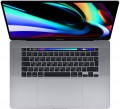 | 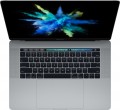 |
|---|---|---|
| Apple MacBook Pro 16 2019 [MVVJ2] | Apple MacBook Pro 15 2016 [MLH32] | |
| Compare prices 9 | Compare prices 1 | |
| TOP sellers | ||
| Type | laptop | laptop |
Screen | ||
| Screen size | 16 " | 15.4 " |
| Screen type | IPS | IPS |
| Surface treatment | glossy | glossy |
| Screen resolution | 3072x1920 (16:10) | 2880x1800 (16:10) |
| Refresh rate | 60 Hz | 60 Hz |
| Brightness | 500 nt | 460 nt |
| Contrast | 1460 :1 | |
| Light sensor |  | |
CPU | ||
| Series | Core i7 | Core i7 |
| Model | 9750H | 6700HQ |
| Processor code name | Coffee Lake (9th Gen) | |
| Processor cores | 6 | 4 |
| Total threads | 12 | |
| CPU speed | 2.6 GHz | 2.6 GHz |
| TurboBoost / TurboCore frequency | 4.5 GHz | 3.5 GHz |
| Test 3DMark06 | 10944 points | 7092 points |
| Test Passmark CPU Mark | 13550 points | 8115 points |
| SuperPI 1M | 8.35 с | 10.9 с |
RAM | ||
| RAM | 16 GB | 16 GB |
| RAM type | DDR4 | DDR3 |
| RAM memory frequency | 2666 MHz | 2133 MHz |
| Amount of RAM slots | built-in | built-in |
Graphics card | ||
| Graphics card type | dedicated | dedicated |
| Graphics card series | AMD Radeon | AMD Radeon |
| Graphics card model | Pro 5300M | Pro 450 |
| Video memory | 4 GB | 2 GB |
| Video card memory type | GDDR6 | GDDR5 |
| Test 3DMark06 | 24189 points | |
| Test 3DMark Vantage P | 14245 points | |
Storage | ||
| Drive type | SSD | SSD |
| Drive capacity | 512 GB | 256 GB |
Connections | ||
| Card reader |  | |
| USB-C 10Gbps | 4 pcs | 4 pcs |
| Thunderbolt interface | x4 v3 | x4 v3 |
| Alternate Mode | | |
| Monitors connection | 4 | |
| Wi-Fi | Wi-Fi 5 (802.11ac) | Wi-Fi 5 (802.11ac) |
| Bluetooth | v5.0 | |
Multimedia | ||
| Webcam | 1280x720 (HD) | 1280x720 (HD) |
| Camera shutter | | |
| Speakers | 6 pcs | 2 pcs |
| Security | fingerprint scanner | fingerprint scanner |
Keyboard | ||
| Backlight | white | white |
| Key design | island type | island type |
| Num block | | |
| Input device | touchpad | touchpad |
| Touch Bar | | |
Battery | ||
| Battery capacity | 100 W*h | 76 W*h |
| Operating time | 11 h | 10 h |
| Power Delivery via USB-C | | |
| Fast charge | | |
General | ||
| Preinstalled OS | MacOS | MacOS |
| Material | aluminum | aluminum |
| Dimensions (WxDxT) | 358x246x16 mm | 349.3x240.7x15.5 mm |
| Weight | 2 kg | 1.83 kg |
| Color | ||
| Added to E-Catalog | november 2019 | october 2016 |

Compare Apple MacBook Pro 16 (2019) and MacBook Pro 15 (2016)
You may be interested in
My comparisons
Apple MacBook Pro 16 (2019) often compared


Apple MacBook Pro 15 (2016) often compared


Glossary
Screen size
Diagonal size of laptop display.
The larger the screen, the more convenient the laptop for watching high-definition movies, modern games, working with large-format graphic materials, etc. Large screens are especially important for multimedia and gaming models. On the other hand, the diagonal of the display directly affects the size and cost of the entire device. So if portability is key, it makes sense to pay attention to relatively small solutions; especially since most modern laptops have video outputs like HDMI or DisplayPort and allow connection of large-format external monitors.
In light of all this, the actual maximum for laptops these days is 17"(17.3"); however larger devices (18") reappeared at the beginning of 2023. The standard option for general purpose laptops is 15"(15.6"), less often 16", a diagonal of 13"(13.3") or 14" is considered small by the standards of such And smaller screens can be found mainly in specific compact varieties of laptops — ultrabooks, 2 in 1, transformers, netbooks; among such devices there are solutions for 12 ", 11" and even 10" or less.
The larger the screen, the more convenient the laptop for watching high-definition movies, modern games, working with large-format graphic materials, etc. Large screens are especially important for multimedia and gaming models. On the other hand, the diagonal of the display directly affects the size and cost of the entire device. So if portability is key, it makes sense to pay attention to relatively small solutions; especially since most modern laptops have video outputs like HDMI or DisplayPort and allow connection of large-format external monitors.
In light of all this, the actual maximum for laptops these days is 17"(17.3"); however larger devices (18") reappeared at the beginning of 2023. The standard option for general purpose laptops is 15"(15.6"), less often 16", a diagonal of 13"(13.3") or 14" is considered small by the standards of such And smaller screens can be found mainly in specific compact varieties of laptops — ultrabooks, 2 in 1, transformers, netbooks; among such devices there are solutions for 12 ", 11" and even 10" or less.
Screen resolution
The resolution of the screen installed in the laptop — that is, the size of the screen in pixels horizontally and vertically.
Higher resolution, on the one hand, gives a sharper, more detailed image; on the other hand, it increases the cost of the laptop. The latter is connected not only with the cost of the displays themselves, but also with the fact that in order to work effectively at high resolutions, you need the appropriate filling (primarily a graphics card). This is especially true in games; so if you are looking for a laptop with a high-resolution screen that can effectively "run" modern games — you should pay attention not only to the characteristics of the display, but also to other data (the type and parameters of the graphics card, test results, the ability to work with certain games — see everything below). On the other hand, if the device is planned to be used for simple tasks such as working with documents, surfing the Internet and watching videos, you can not pay much attention to the “hardware” parameters: anyway, they are selected so that the laptop is guaranteed to be able to cope with such tasks on full resolution of the "native" screen.
As for specific numbers, the resolution options that are relevant today can be divided into 3 groups: Full HD (1080), Quad HD and UltraHD 4K. Here is a more detailed description of them:
...— Full HD (1080). Initially, the Full HD standard provides a frame size of 1920x1080, and it is this resolution that is most often used in laptop screens from this category. However, in addition to this, other resolution options are also included in this format, where the vertical size is at least 1080 pixels, but does not reach 1440 pixels. Examples include 1920x1200 and 2560x1080. In general, Full HD displays provide a good balance between cost, image quality and laptop hardware requirements. Because of this, nowadays they are extremely widespread; matrices of this standard can be found even in low-cost devices, although they are mainly used in more advanced technology.
— Quad HD. A transitional option between the popular Full HD 1080 (see above) and the high-end and expensive UltraHD 4K. The vertical size of such screens starts from 1440 pixels and can reach 2000 pixels. Note that QuadHD resolutions are especially popular in Apple laptops; most often, such devices have 2560x1600 screens, although there are other options.
— Ultra HD 4K. The most advanced standard used in modern laptops. The vertical size of such screens is at least 2160 dots (up to 2400 in some configurations); the classic resolution of a modern UltraHD matrix is 3840x2160, but there are other values. Anyway, a 4K display allows for high image quality, however, it costs accordingly — including due to the corresponding requirements for a graphics adapter; in addition, to work with high resolutions, it can be more convenient to connect an external monitor to the laptop. Thus, such screens are used relatively rarely, and mainly among premium laptops.
Higher resolution, on the one hand, gives a sharper, more detailed image; on the other hand, it increases the cost of the laptop. The latter is connected not only with the cost of the displays themselves, but also with the fact that in order to work effectively at high resolutions, you need the appropriate filling (primarily a graphics card). This is especially true in games; so if you are looking for a laptop with a high-resolution screen that can effectively "run" modern games — you should pay attention not only to the characteristics of the display, but also to other data (the type and parameters of the graphics card, test results, the ability to work with certain games — see everything below). On the other hand, if the device is planned to be used for simple tasks such as working with documents, surfing the Internet and watching videos, you can not pay much attention to the “hardware” parameters: anyway, they are selected so that the laptop is guaranteed to be able to cope with such tasks on full resolution of the "native" screen.
As for specific numbers, the resolution options that are relevant today can be divided into 3 groups: Full HD (1080), Quad HD and UltraHD 4K. Here is a more detailed description of them:
...— Full HD (1080). Initially, the Full HD standard provides a frame size of 1920x1080, and it is this resolution that is most often used in laptop screens from this category. However, in addition to this, other resolution options are also included in this format, where the vertical size is at least 1080 pixels, but does not reach 1440 pixels. Examples include 1920x1200 and 2560x1080. In general, Full HD displays provide a good balance between cost, image quality and laptop hardware requirements. Because of this, nowadays they are extremely widespread; matrices of this standard can be found even in low-cost devices, although they are mainly used in more advanced technology.
— Quad HD. A transitional option between the popular Full HD 1080 (see above) and the high-end and expensive UltraHD 4K. The vertical size of such screens starts from 1440 pixels and can reach 2000 pixels. Note that QuadHD resolutions are especially popular in Apple laptops; most often, such devices have 2560x1600 screens, although there are other options.
— Ultra HD 4K. The most advanced standard used in modern laptops. The vertical size of such screens is at least 2160 dots (up to 2400 in some configurations); the classic resolution of a modern UltraHD matrix is 3840x2160, but there are other values. Anyway, a 4K display allows for high image quality, however, it costs accordingly — including due to the corresponding requirements for a graphics adapter; in addition, to work with high resolutions, it can be more convenient to connect an external monitor to the laptop. Thus, such screens are used relatively rarely, and mainly among premium laptops.
Brightness
The maximum brightness that a laptop screen can provide.
The brighter the ambient light, the brighter the laptop screen should be, otherwise the image on it may be difficult to read. And vice versa: in dim ambient light, high brightness is unnecessary — it greatly burdens the eyes (however, in this case, modern laptops provide brightness control). Thus, the higher this indicator, the more versatile the screen is, the wider the range of conditions in which it can be effectively used. The downside of these benefits is an increase in price and energy consumption.
As for specific values, many modern laptops have a brightness of 250 – 300 nt and even lower. This is quite enough for working under artificial lighting of medium intensity, but in bright natural light, visibility may already be a problem. For use in sunny weather (especially outdoors), it is desirable to have a brightness margin of at least 300 – 350 nt. And in the most advanced models, this parameter can be 350 – 400 nt and even more.
The brighter the ambient light, the brighter the laptop screen should be, otherwise the image on it may be difficult to read. And vice versa: in dim ambient light, high brightness is unnecessary — it greatly burdens the eyes (however, in this case, modern laptops provide brightness control). Thus, the higher this indicator, the more versatile the screen is, the wider the range of conditions in which it can be effectively used. The downside of these benefits is an increase in price and energy consumption.
As for specific values, many modern laptops have a brightness of 250 – 300 nt and even lower. This is quite enough for working under artificial lighting of medium intensity, but in bright natural light, visibility may already be a problem. For use in sunny weather (especially outdoors), it is desirable to have a brightness margin of at least 300 – 350 nt. And in the most advanced models, this parameter can be 350 – 400 nt and even more.
Contrast
The contrast of the screen installed in the laptop.
Contrast is the largest difference in brightness between the lightest white and darkest black that can be achieved on a single screen. It is written as a fraction, for example, 560:1; while the larger the first number, the higher the contrast, the more advanced the screen is and the better the image quality can be achieved on it. This is especially noticeable with large differences in brightness within a single frame: with low contrast, individual details located in the darkest or brightest parts of the picture may be lost, increasing the contrast allows you to eliminate this phenomenon to a certain extent. The flip side of these benefits is an increase in cost.
Separately, we emphasize that in this case only static contrast is indicated — the difference provided within one frame in normal operation, at constant brightness and without the use of special technologies. For advertising purposes, some manufacturers may also provide data on the so-called dynamic contrast — it can be measured in very impressive numbers (seven-digit or more). However, you should focus primarily on static contrast — this is the basic characteristic of any display.
As for specific values, even in the most advanced screens, this indicator does not exceed 2000: 1. But in general, modern laptops have a rather low contrast ratio — it is assumed that for tasks that require more advanced image characteristics, it is more...reasonable to use an external screen (monitor or TV).
Contrast is the largest difference in brightness between the lightest white and darkest black that can be achieved on a single screen. It is written as a fraction, for example, 560:1; while the larger the first number, the higher the contrast, the more advanced the screen is and the better the image quality can be achieved on it. This is especially noticeable with large differences in brightness within a single frame: with low contrast, individual details located in the darkest or brightest parts of the picture may be lost, increasing the contrast allows you to eliminate this phenomenon to a certain extent. The flip side of these benefits is an increase in cost.
Separately, we emphasize that in this case only static contrast is indicated — the difference provided within one frame in normal operation, at constant brightness and without the use of special technologies. For advertising purposes, some manufacturers may also provide data on the so-called dynamic contrast — it can be measured in very impressive numbers (seven-digit or more). However, you should focus primarily on static contrast — this is the basic characteristic of any display.
As for specific values, even in the most advanced screens, this indicator does not exceed 2000: 1. But in general, modern laptops have a rather low contrast ratio — it is assumed that for tasks that require more advanced image characteristics, it is more...reasonable to use an external screen (monitor or TV).
Model
The specific model of the processor installed in the laptop, or rather, the processor index within its series (see above). Knowing the full name of the processor (series and model), you can find detailed information on it (up to practical reviews) and clarify its capabilities.
Processor code name
The code name of the processor installed in the laptop.
This parameter primarily characterizes the generation to which the processor belongs and the microarchitecture used in it. At the same time, chips belonging to the same microarchitecture/generation may have different code names; in such cases, they differ by other parameters—overall positioning, belonging to specific series (see above), presence/absence of certain specific features, etc.
Currently, Intel processors have the following code names: Coffee Lake, Comet Lake, Ice Lake, Tiger Lake, Jasper Lake, Alder Lake, Raptor Lake (13 Gen), Alder Lake-N, Raptor Lake Refresh (14 Gen), Meteor Lake (Series 1), Raptor Lake (Series 1), Arrow Lake (Series 2), Lunar Lake (Series 2), Raptor Lake (Series 2), Panther Lake (Series 3). For AMD, the list looks like this: Zen 2 Renoir, Zen 2 Lucienne, Zen 3 Cezanne..., Zen 3 Barcelo, Zen 3+ Rembrandt, Zen 3+ Rembrandt R, Zen 2 Mendocino, Zen 3 Barcelo R, Zen 4 Dragon Range, Zen 4 Phoenix, Zen 4 Hawk Point, Zen 5 Strix Point, Zen 5 Strix Halo, Zen 5 Krackan Point, Zen 5 Gorgon Point. Detailed data on different code names can be found in specialized sources.
This parameter primarily characterizes the generation to which the processor belongs and the microarchitecture used in it. At the same time, chips belonging to the same microarchitecture/generation may have different code names; in such cases, they differ by other parameters—overall positioning, belonging to specific series (see above), presence/absence of certain specific features, etc.
Currently, Intel processors have the following code names: Coffee Lake, Comet Lake, Ice Lake, Tiger Lake, Jasper Lake, Alder Lake, Raptor Lake (13 Gen), Alder Lake-N, Raptor Lake Refresh (14 Gen), Meteor Lake (Series 1), Raptor Lake (Series 1), Arrow Lake (Series 2), Lunar Lake (Series 2), Raptor Lake (Series 2), Panther Lake (Series 3). For AMD, the list looks like this: Zen 2 Renoir, Zen 2 Lucienne, Zen 3 Cezanne..., Zen 3 Barcelo, Zen 3+ Rembrandt, Zen 3+ Rembrandt R, Zen 2 Mendocino, Zen 3 Barcelo R, Zen 4 Dragon Range, Zen 4 Phoenix, Zen 4 Hawk Point, Zen 5 Strix Point, Zen 5 Strix Halo, Zen 5 Krackan Point, Zen 5 Gorgon Point. Detailed data on different code names can be found in specialized sources.
Processor cores
The number of cores in the laptop CPU.
The core is a part of the CPU designed to process one thread of instructions (and sometimes more, for such models, see "Number of threads"). Nowadays, in laptops you can find dual-core, quad-core, six-core, eight-core, ten-core, 12-core, 14-core CPUs. Also note that recently configurations with different types of cores as part of a single CPU are gaining popularity. Such chips are built on a hybrid architecture that combines high performance and energy-efficient cores. They operate at different clock speeds, have different amounts of pre-installed cache memory and are designed to solve different problems. In particular, such CPUs are found in Intel CPUs (from the 12th generation) and Apple.
Theoretically, more cores means higher performance, especially in parallel computing tasks or when processing multiple resource-intensive tasks at the same time. However, in practice this is true only all else being equal – that is, with a similar microarchitecture, clock frequency, cache volumes and other key parameters. Modern CPUs can vary greatly on these parameters – in itself, a greater number of cores does not mean superiority. This is especially true for dual- and quad-core chips: a mobil...e-level CPU (for example, Snapdragon, see "CPU series") with 4 cores may well be inferior in capabilities to a dual-core desktop series chip (like Core i3 or i5, which are often used in universal laptops with the "optimal" set of specifications for different tasks). When evaluating CPUs with two or four cores, it is necessary to look, first of all, at the general set of characteristics. But the presence of six, eight or more cores is almost certainly a sign of a powerful CPU. Such equipment is typical mainly for advanced gaming and professional laptops.
The core is a part of the CPU designed to process one thread of instructions (and sometimes more, for such models, see "Number of threads"). Nowadays, in laptops you can find dual-core, quad-core, six-core, eight-core, ten-core, 12-core, 14-core CPUs. Also note that recently configurations with different types of cores as part of a single CPU are gaining popularity. Such chips are built on a hybrid architecture that combines high performance and energy-efficient cores. They operate at different clock speeds, have different amounts of pre-installed cache memory and are designed to solve different problems. In particular, such CPUs are found in Intel CPUs (from the 12th generation) and Apple.
Theoretically, more cores means higher performance, especially in parallel computing tasks or when processing multiple resource-intensive tasks at the same time. However, in practice this is true only all else being equal – that is, with a similar microarchitecture, clock frequency, cache volumes and other key parameters. Modern CPUs can vary greatly on these parameters – in itself, a greater number of cores does not mean superiority. This is especially true for dual- and quad-core chips: a mobil...e-level CPU (for example, Snapdragon, see "CPU series") with 4 cores may well be inferior in capabilities to a dual-core desktop series chip (like Core i3 or i5, which are often used in universal laptops with the "optimal" set of specifications for different tasks). When evaluating CPUs with two or four cores, it is necessary to look, first of all, at the general set of characteristics. But the presence of six, eight or more cores is almost certainly a sign of a powerful CPU. Such equipment is typical mainly for advanced gaming and professional laptops.
Total threads
The number of threads supported by the laptop processor.
A thread is a sequence of instructions executed by a processor. Initially, each processor core was designed for one such sequence, and the number of threads was equal to the number of cores. However, in modern CPUs, multithreading technologies are increasingly being used, which allow loading each core with two instruction sequences at once. Such technologies have different names for different manufacturers, but the principle of their operation is the same: during the inevitable pauses in the execution of one of the threads, the kernel does not idle, but works with a different sequence. Accordingly, the total number of threads in such processors is twice the number of cores; such a scheme of work significantly increases productivity (although, of course, it also affects the cost).
A thread is a sequence of instructions executed by a processor. Initially, each processor core was designed for one such sequence, and the number of threads was equal to the number of cores. However, in modern CPUs, multithreading technologies are increasingly being used, which allow loading each core with two instruction sequences at once. Such technologies have different names for different manufacturers, but the principle of their operation is the same: during the inevitable pauses in the execution of one of the threads, the kernel does not idle, but works with a different sequence. Accordingly, the total number of threads in such processors is twice the number of cores; such a scheme of work significantly increases productivity (although, of course, it also affects the cost).
TurboBoost / TurboCore frequency
Processor clock speed achieved in TurboBoost or TurboCore "overclocking" mode.
Turbo Boost and Turbo Core technologies are used by different manufacturers (Intel and AMD, respectively), but they have the same principle of operation: load distribution from more loaded processor cores to less loaded ones to improve performance. The "overclocking" mode is characterized by an increased clock frequency, and it is indicated in this case.
For more information about clock speed in general, see the relevant paragraph above.
Turbo Boost and Turbo Core technologies are used by different manufacturers (Intel and AMD, respectively), but they have the same principle of operation: load distribution from more loaded processor cores to less loaded ones to improve performance. The "overclocking" mode is characterized by an increased clock frequency, and it is indicated in this case.
For more information about clock speed in general, see the relevant paragraph above.