
Comparison Galaxy Innovations Uni 2 Plus Plus vs Galaxy Innovations Uni 2 Plus
Add to comparison | 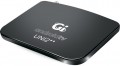 | 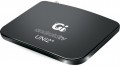 |
|---|---|---|
| Galaxy Innovations Uni 2 Plus Plus | Galaxy Innovations Uni 2 Plus | |
| Outdated Product | Outdated Product | |
| TOP sellers | ||
| Type | Media Player | Media Player |
| Operating system | Android (AOSP) | Android (AOSP) |
Connectivity and interfaces | ||
| Wi-Fi | + | Wi-Fi 4 (802.11n) |
| Miracast |  | |
| IPTV support | | |
Connectors | ||
| HDMI | 1 | 1 |
| USB-A 2.0 | 2 pcs | 2 pcs |
| LAN | 100 Mbps | 100 Mbps |
| AV output | | |
Hardware | ||
| CPU | Amlogic S905D | |
| CPU frequency | 1.5 GHz | 1.5 GHz |
| RAM | 2 GB | 2 GB |
| Built-in memory | 16 GB | 8 GB |
| Ultra HD 4K support | | |
| HDR support | HDR10 | HDR10 |
General | ||
| Remote control | + | + |
| Dimensions (WxHxD) | 130x15x100 mm | 130x15x100 mm |
| Added to E-Catalog | november 2019 | november 2019 |


Compare Galaxy Innovations Uni 2 Plus Plus and Uni 2 Plus
You may be interested in
Galaxy Innovations Uni 2 Plus Plus often compared

Galaxy Innovations Uni 2 Plus often compared


Glossary
Wi-Fi
— Wi-Fi — a technology used for wireless connection to computer networks and for direct connections between devices. In media players and tuners, it can be used both to access the Internet or a local network through a wireless router and to connect to a smartphone, tablet, etc. The AirPlay, Chromecast, and Miracast functions are also based on this technology. The specific set of Wi-Fi capabilities should be clarified separately; here, we will note that this item may also specify the particular supported version of this connection. The main current options are:
- Wi-Fi 6. A version that makes it possible to share the radio spectrum among clients more efficiently, transmit more data over the same interval, and reduce lag—critical for 4K/8K streaming, IPTV, and fast navigation through a media library. OFDMA and MU-MIMO technologies in the uplink/downlink reduce competition with neighboring devices, 1024-QAM increases peak speed, and WPA3 improves security; in everyday use, this means a more stable picture on 5 GHz even in a multi-story building and fewer “freezes” when content is loaded and applications are installed simultaneously. Compared with Wi-Fi 5, the improvement is especially noticeable in congested networks and when working with Wi-Fi 6 Mesh routers; however, the actual speed depends on the access point quality, channel width, and signal strength. For streaming from a NAS and online services, Wi-Fi 6 is often more than sufficient, while for occasional extremely large files, it is sensible to retain the wired LAN option.
- Wi-Fi 5...(802.11ac). Uses the 5 GHz band (less congested than the 2.4 GHz band used in earlier versions), which contributes to reliability and lower latency; speeds can reach 6.77 Gbit/s with multiple antennas and 1.69 Gbit/s with one antenna.
- Wi-Fi 4 (802.11n). The predecessor to the Wi-Fi 5 described above, and the first standard to introduce the 5 GHz band—here, it is used alongside the traditional 2.4 GHz band and is not supported by some devices with Wi-Fi 4. Data transfer speeds are up to 600 Mbit/s.
CPU
The model of the CPU installed in the media player.
This information is mainly of reference value: the processor is selected in such a way as to provide certain practical characteristics (maximum resolution, support for certain standards, embedded applications, etc.). So when choosing, you should focus primarily on these specifications. However, if you wish, knowing the processor model, you can find detailed data on it and evaluate the capabilities of the media centre to work with resource-consuming applications. This can be useful, in particular, if you choose an Android model (see above) and plan to use additional software intensively — the set of applications for this OS is very extensive, and some of them are quite demanding on system resources.
Also note that CPU data is often specified for advertising purposes — to emphasize that the device has a fairly advanced chip from a well-known brand. Among the most common brands of such processors are Allwinner, Amlogic, Rockchip, Realtek.
This information is mainly of reference value: the processor is selected in such a way as to provide certain practical characteristics (maximum resolution, support for certain standards, embedded applications, etc.). So when choosing, you should focus primarily on these specifications. However, if you wish, knowing the processor model, you can find detailed data on it and evaluate the capabilities of the media centre to work with resource-consuming applications. This can be useful, in particular, if you choose an Android model (see above) and plan to use additional software intensively — the set of applications for this OS is very extensive, and some of them are quite demanding on system resources.
Also note that CPU data is often specified for advertising purposes — to emphasize that the device has a fairly advanced chip from a well-known brand. Among the most common brands of such processors are Allwinner, Amlogic, Rockchip, Realtek.
Built-in memory
The volume ofits own storage installed in the media player.
In this case, storage means permanent memory available to the user — the storage that you can fill with movies, music, applications, etc. The larger the volume of such storage, the more convenient it is for the user; on the other hand, this parameter significantly affects the cost of the entire device. In addition, it should noted that external media are also quite suitable for films and other multimedia content — flash drives, portable HDDs, drives installed in a slot (see below), optical discs, etc. So specifically look for a model with a capacious storage makes sense in two main cases. The first is if you want to keep an extensive collection of content in the media player, so as not to bother once again with connecting flash drives, loading disks, etc. it is best to put it in the built-in memory, and often this is the only possible option).
As for specific volumes, the capacity up to 4 GB is considered very limited nowadays; such a storage is not enough even for a movie in HD 720p, its purpose is mainly to store a small set of applications. 8 GB and 16 GB are also relatively small, but this already allows you to work with a fairly extensive set of software and store individual movies in HD resolutions. And if you initially intend to store a large amount of content on the device, you should d...efinitely pay attention to models with a capacity of 32 GB or more.
In this case, storage means permanent memory available to the user — the storage that you can fill with movies, music, applications, etc. The larger the volume of such storage, the more convenient it is for the user; on the other hand, this parameter significantly affects the cost of the entire device. In addition, it should noted that external media are also quite suitable for films and other multimedia content — flash drives, portable HDDs, drives installed in a slot (see below), optical discs, etc. So specifically look for a model with a capacious storage makes sense in two main cases. The first is if you want to keep an extensive collection of content in the media player, so as not to bother once again with connecting flash drives, loading disks, etc. it is best to put it in the built-in memory, and often this is the only possible option).
As for specific volumes, the capacity up to 4 GB is considered very limited nowadays; such a storage is not enough even for a movie in HD 720p, its purpose is mainly to store a small set of applications. 8 GB and 16 GB are also relatively small, but this already allows you to work with a fairly extensive set of software and store individual movies in HD resolutions. And if you initially intend to store a large amount of content on the device, you should d...efinitely pay attention to models with a capacity of 32 GB or more.