
Comparison monitors
Save List
Add to comparison | 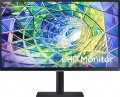 |
|---|---|
| Samsung S27A800UN 27 " black | |
from £317.09 | |
| TOP sellers | |
| Product type | monitor |
| Size | 27 " |
Screen | |
| Panel type | IPS |
| Surface treatment | anti-glare |
| Resolution | 3840x2160 (16:9) |
| FPS | 60 Hz |
| Pixel size | 0.16 mm |
| Response time (GtG) | 5 ms |
| Vertical viewing angle | 178 ° |
| Horizontal viewing angle | 178 ° |
| Brightness | 300 cd/m² |
| Static contrast | 1 000:1 |
| Colour depth | 10-bit (1.07B Colors) |
| Colour space (sRGB) | 99 % |
| HDR | + |
| TÜV Rheinland certificate |  |
Connection | |
| Video transmission | DisplayPort v1.2 HDMI v2.0 USB-C (DP Alt Mode) |
| Power Delivery | |
| Power PD | 90 W |
| USB-A hub | 3x5Gbps |
| Fast charge | |
| Connectors (optional) | mini-Jack output (3.5 mm) |
Features | |
| Features | light sensor PBP (Picture by Picture) Flicker-Free |
| Portrait pivot | |
| Screen swivel | |
| Height adjustment | |
| Speakers | |
General | |
| Wall mount | VESA 100x100mm |
| Power consumption | 30 W |
| Energy class (new) | G |
| Dimensions (WxHxD) | 616x552x196 mm |
| Weight | 6.7 kg |
| Color | |
| Added to E-Catalog | february 2022 |


You may be interested in
My comparisons
Glossary
Product type
— Monitor. In this case, we mean monitors designed mainly for classic use — as a screen for a personal computer. Their functionality can be quite diverse — from entry-level screens with 1-2 inputs for connection to multifunctional models with built-in speakers, TV tuners, remote controls, etc. The same applies to the diagonal. Most traditional monitors are in the 22-30" range (these sizes are currently considered optimal for screens whose distance is determined by the width of the desktop), but there are also large-format devices whose diagonal can exceed 32".
— Portable monitor. A separate caste of monitors designed to connect to laptops. They are distinguished by small diagonal sizes, not exceeding 18", a thin format and the absence of a stand, as a result of which they look like tablets.
— Game monitor. Monitors considered optimal for gaming. These are not necessarily devices specially designed for this application (although there are some); however, all gaming monitors have a number of features that gamers will surely appreciate. Firstly, the resolution (see below) in such models is not lower than Full HD. Secondly, the matrices have a low response time — less than 5 ms, which allows high-quality display of dynamic scenes; and the frame rate often reaches 120 Hz or even more (although there are quite modest values). Thirdly, devices of this type often have special gaming (see below...) and similar features — in particular, most gaming monitors are compatible with FreeSync and/or G-Sync technologies (see "Features").
— LCD panel. One of the key features that distinguish LCD panels from conventional monitors is the wide variety of connectors: in addition to video outputs, it includes auxiliary ports such as LAN or RS-232 (see "Connectors (Optional)"). It is also believed that the LCD panel must be hung on the wall without fail, but this has its own specifics. Many devices of this type are really made only for wall installation, and some models can be combined into a video wall that broadcasts one image to several screens. But besides this, there are solutions equipped with stands and allowing desktop use (and sometimes even originally designed for it). At the same time, the first variety, "purely wall-mounted", can have almost any diagonal — including modest 21 – 22 "; but the dimensions of "desktop" panels start at 32", moreover, they most often have advanced matrices like IPS. Anyway, such screens are used mainly in rather specific areas. So, wall mounting is convenient for organizing information boards at stations, airports, shopping centers, for use at exhibition stands, conference rooms, etc. Desktop models are useful for those for whom large size and high image quality are of key importance . Also among them there are many devices with touch screens, which further expands the user experience.
— Plasma panel. These types of devices are similar in many ways to the LCD panels described above, but they also have some key differences. The main one is the technology used for the screen: instead of a liquid crystal matrix, plasma panels use cells filled with a special gas and covered with a luminous substance — a phosphor. This technology provides very high image quality, with deep colour reproduction and contrast. At the same time, it is not easy to create a small plasma cell, which is why the pixels on this type of screens have more stringent restrictions on the minimum size. As a result, plasma panels, in principle, are never small — 42 "is considered almost the minimum size for such a screen. In addition, the reverse side of the described advantages is also a slightly shorter service life and higher cost than LCD matrices. As a result," plasma" has not received much distribution, such devices are bought mainly not for "public", but for personal use — for example, as a home theater screen or as equipment for an advanced gamer.
— Video wall. Models designed to build video walls. Such a wall is an array of numerous closely arranged screens that can work in concert and produce a large overall image; each screen is responsible for its own fragment of the picture. Such designs are used, in particular, at concerts and other public events, where there are no longer enough separate screens. The main feature of monitors for video walls is a very thin frame — due to this, the boundaries between the segments are almost invisible, and the image is perceived as a whole.
— Information display. Narrow-purpose equipment, assuming a stationary method of installation. Such displays are mounted on the wall, built into special niches or openings. They are intended to work as digital signage, broadcast advertising materials, play various video content. Individual instances of information displays can support touch control, have a pre-installed Smart operating system and other "smart" features. As a rule, specialized proprietary software is used to control the operation of such equipment.
— Portable monitor. A separate caste of monitors designed to connect to laptops. They are distinguished by small diagonal sizes, not exceeding 18", a thin format and the absence of a stand, as a result of which they look like tablets.
— Game monitor. Monitors considered optimal for gaming. These are not necessarily devices specially designed for this application (although there are some); however, all gaming monitors have a number of features that gamers will surely appreciate. Firstly, the resolution (see below) in such models is not lower than Full HD. Secondly, the matrices have a low response time — less than 5 ms, which allows high-quality display of dynamic scenes; and the frame rate often reaches 120 Hz or even more (although there are quite modest values). Thirdly, devices of this type often have special gaming (see below...) and similar features — in particular, most gaming monitors are compatible with FreeSync and/or G-Sync technologies (see "Features").
— LCD panel. One of the key features that distinguish LCD panels from conventional monitors is the wide variety of connectors: in addition to video outputs, it includes auxiliary ports such as LAN or RS-232 (see "Connectors (Optional)"). It is also believed that the LCD panel must be hung on the wall without fail, but this has its own specifics. Many devices of this type are really made only for wall installation, and some models can be combined into a video wall that broadcasts one image to several screens. But besides this, there are solutions equipped with stands and allowing desktop use (and sometimes even originally designed for it). At the same time, the first variety, "purely wall-mounted", can have almost any diagonal — including modest 21 – 22 "; but the dimensions of "desktop" panels start at 32", moreover, they most often have advanced matrices like IPS. Anyway, such screens are used mainly in rather specific areas. So, wall mounting is convenient for organizing information boards at stations, airports, shopping centers, for use at exhibition stands, conference rooms, etc. Desktop models are useful for those for whom large size and high image quality are of key importance . Also among them there are many devices with touch screens, which further expands the user experience.
— Plasma panel. These types of devices are similar in many ways to the LCD panels described above, but they also have some key differences. The main one is the technology used for the screen: instead of a liquid crystal matrix, plasma panels use cells filled with a special gas and covered with a luminous substance — a phosphor. This technology provides very high image quality, with deep colour reproduction and contrast. At the same time, it is not easy to create a small plasma cell, which is why the pixels on this type of screens have more stringent restrictions on the minimum size. As a result, plasma panels, in principle, are never small — 42 "is considered almost the minimum size for such a screen. In addition, the reverse side of the described advantages is also a slightly shorter service life and higher cost than LCD matrices. As a result," plasma" has not received much distribution, such devices are bought mainly not for "public", but for personal use — for example, as a home theater screen or as equipment for an advanced gamer.
— Video wall. Models designed to build video walls. Such a wall is an array of numerous closely arranged screens that can work in concert and produce a large overall image; each screen is responsible for its own fragment of the picture. Such designs are used, in particular, at concerts and other public events, where there are no longer enough separate screens. The main feature of monitors for video walls is a very thin frame — due to this, the boundaries between the segments are almost invisible, and the image is perceived as a whole.
— Information display. Narrow-purpose equipment, assuming a stationary method of installation. Such displays are mounted on the wall, built into special niches or openings. They are intended to work as digital signage, broadcast advertising materials, play various video content. Individual instances of information displays can support touch control, have a pre-installed Smart operating system and other "smart" features. As a rule, specialized proprietary software is used to control the operation of such equipment.
Size
Diagonal size of the monitor matrix, in inches.
This parameter is one of the most important for any screen — it determines the total size of its working area. In general, it is believed that larger monitors are more comfortable: a large screen allows you to see a large fragment of text, images, etc. without having to scroll the "picture". On the other hand, the diagonal directly affects the dimensions, weight and cost of the monitor. In addition, it is worth remembering that screens with the same diagonal can have different aspect ratios and different specializations: for example, widescreen models are convenient for playing games and watching movies, while classic 4:3 or 5:4 solutions are preferable for working with documents. Now there are monitors of different diagonals on the market, among them the most popular are: 19–20", 22", 23 – 24", 25 – 26", 27 – 28", 29 – 30", 32", 34" and more.
This parameter is one of the most important for any screen — it determines the total size of its working area. In general, it is believed that larger monitors are more comfortable: a large screen allows you to see a large fragment of text, images, etc. without having to scroll the "picture". On the other hand, the diagonal directly affects the dimensions, weight and cost of the monitor. In addition, it is worth remembering that screens with the same diagonal can have different aspect ratios and different specializations: for example, widescreen models are convenient for playing games and watching movies, while classic 4:3 or 5:4 solutions are preferable for working with documents. Now there are monitors of different diagonals on the market, among them the most popular are: 19–20", 22", 23 – 24", 25 – 26", 27 – 28", 29 – 30", 32", 34" and more.
Panel type
The panel type determines the technology used to build a monitor’s screen and how it renders color, contrast, viewing angles, black levels, and response time. This parameter has a noticeable impact on how the monitor is used.
— TN+film. A TN+film panel is designed for fast pixel response and is found in inexpensive or older gaming monitors. It is chosen when minimal latency is important, for example in fast-paced online games, but it falls behind IPS, VA, and OLED in color reproduction and viewing angles.
— *VA. A VA panel is characterized by high static contrast, so dark scenes look deeper than on most IPS monitors. This is a good choice for movies, gaming, evening work, and multimedia, especially if rich black levels are important without switching to OLED. The main drawback of VA is possible smearing of dark objects in motion, so for shooters and fast-paced games, it is better to consider not only the stated milliseconds but also real-world reviews of the specific model.
— IPS. An IPS panel maintains color and brightness well when viewed from different angles, making it suitable for workspaces, study, gaming, and amateur image editing. It is one of the most balanced options when you need an everyday monitor without a clear bias toward movies or esports. In terms of black depth, IPS usually loses to VA and OLED, so in a dark room, black may look...more like dark gray.
— OLED .An OLED panel consists of self-emissive pixels that can switch off completely to display black. As a result, the monitor delivers maximum contrast, very fast response, and expressive HDR, which is especially noticeable in games, movies, and dark scenes. The limitation of OLED is the risk of burn-in from static elements such as taskbars, logos, and software interfaces, so these models require more careful use for continuous office work.
In addition, the main panel types can be enhanced, namely by being equipped with miniature LEDs or an additional quantum-dot layer.
— Mini LED. An enhanced backlighting system for LCD monitors in which a large number of small LEDs are used instead of conventional LEDs. This backlighting allows individual areas of the screen to be dimmed more precisely, so HDR scenes look more contrast-rich and blacks appear deeper than on ordinary IPS or VA monitors with basic backlighting. For example, Mini LED is especially useful for gaming, movies, and HDR content, but quality depends heavily on the number of dimming zones and the settings of the specific model.
— Quantum dots (QD). Quantum-dot technology adds a special color layer to the screen, making red, green, and other saturated shades purer. It can be found in different types of monitors: QD-IPS, QD-VA, QD-OLED. In practice, this is useful for HDR, gaming, movies, and image editing where a wide color gamut is important, but the QD label itself does not guarantee accurate factory calibration.
— TN+film. A TN+film panel is designed for fast pixel response and is found in inexpensive or older gaming monitors. It is chosen when minimal latency is important, for example in fast-paced online games, but it falls behind IPS, VA, and OLED in color reproduction and viewing angles.
— *VA. A VA panel is characterized by high static contrast, so dark scenes look deeper than on most IPS monitors. This is a good choice for movies, gaming, evening work, and multimedia, especially if rich black levels are important without switching to OLED. The main drawback of VA is possible smearing of dark objects in motion, so for shooters and fast-paced games, it is better to consider not only the stated milliseconds but also real-world reviews of the specific model.
— IPS. An IPS panel maintains color and brightness well when viewed from different angles, making it suitable for workspaces, study, gaming, and amateur image editing. It is one of the most balanced options when you need an everyday monitor without a clear bias toward movies or esports. In terms of black depth, IPS usually loses to VA and OLED, so in a dark room, black may look...more like dark gray.
— OLED .An OLED panel consists of self-emissive pixels that can switch off completely to display black. As a result, the monitor delivers maximum contrast, very fast response, and expressive HDR, which is especially noticeable in games, movies, and dark scenes. The limitation of OLED is the risk of burn-in from static elements such as taskbars, logos, and software interfaces, so these models require more careful use for continuous office work.
In addition, the main panel types can be enhanced, namely by being equipped with miniature LEDs or an additional quantum-dot layer.
— Mini LED. An enhanced backlighting system for LCD monitors in which a large number of small LEDs are used instead of conventional LEDs. This backlighting allows individual areas of the screen to be dimmed more precisely, so HDR scenes look more contrast-rich and blacks appear deeper than on ordinary IPS or VA monitors with basic backlighting. For example, Mini LED is especially useful for gaming, movies, and HDR content, but quality depends heavily on the number of dimming zones and the settings of the specific model.
— Quantum dots (QD). Quantum-dot technology adds a special color layer to the screen, making red, green, and other saturated shades purer. It can be found in different types of monitors: QD-IPS, QD-VA, QD-OLED. In practice, this is useful for HDR, gaming, movies, and image editing where a wide color gamut is important, but the QD label itself does not guarantee accurate factory calibration.
Surface treatment
Modern monitors can use displays with both glossy and matte screen surfaces. A matte surface is in some cases more preferable due to the fact that on a glossy screen, when exposed to bright light, noticeable glare appears, sometimes interfering with viewing. On the other hand, glossy screens offer better picture quality, higher brightness, and richer colours.
Due to the development of technology, monitors with a special anti-glare coating have appeared on the market, which, while maintaining all the advantages of a glossy screen, creates significantly less visible glare in bright ambient light.
Due to the development of technology, monitors with a special anti-glare coating have appeared on the market, which, while maintaining all the advantages of a glossy screen, creates significantly less visible glare in bright ambient light.
Resolution
The native resolution of the monitor. Ideally, the resolution of the video signal should be the same, then the quality of the image on the screen will be maximum.
In general, the higher the resolution, the higher the detail and the more advanced the screen is, but the more expensive it will cost (ceteris paribus) and the more power the graphics card will need to work properly at that resolution. As for specific values, they are quite diverse in modern monitors, but all resolutions can be divided into several general categories:
— HD (720). Screens suitable for HD video with a resolution of 1280x720. Note that this category also includes models with a resolution of 1024x768 — this figure is somewhat less than necessary to display HD in its original size, but the quality of the HD picture on such a screen still turns out to be quite high. The most popular option among HD monitors is 1366x768, there are also models 1280x768, 1280x800 and non-widescreen (5:3) 1280x1024.
— Full HD (1080). Full HD monitors. The classic, most popular version of this resolution is 1920x1080 ( 16:9 format), however, there are other options among monitors, including such specific ones as ultra-widescreen (32:9) 3840x1080, as well as 1600x1200 (a 1920x1080 frame “does not fit into it”) ” in width, but this resolution is still commonly r...eferred to as Full HD). To date, Full HD is a good compromise between image quality, screen cost and graphics card requirements. As a result, it is this format that is most popular among modern monitors.
— Quad HD. A kind of intermediate option between the popular Full HD and advanced demanding Ultra HD 4K. It covers resolutions from 1920x1440 to 3200x2400, although most modern Quad HD monitors fit into a narrower range — from 2560x1440 to 3840x1600. Such a screen can be a good option for those who “Full HD is not enough, but 4K is a lot.”
— Ultra HD (4K). This standard assumes a horizontal frame size of approximately 4000 pixels, but specific resolutions may vary. Popular options found in monitors include 3840x2160, 4096x2160, and 4096x2304. Overall, UHD 4K gives you 4 times more pixels on screen than Full HD; such resolutions are typical for high-end monitors and are most often combined with a large diagonal — from 27 "(although there are exceptions).
— Ultra HD (5K). An even more advanced standard than UHD 4K, which assumes a horizontal frame size of about 5000 pixels — for example, 5120x2160. It is used extremely rarely, mainly in top professional screens.
— 8K. Further, after 5K, the development of HD standards, which provides for a frame with a horizontal size of about 8000 — for example, one of the 8K resolution options in monitors is 7680x4320. Allows you to get extremely clear and detailed images, but such high-resolution monitors are very expensive, and it is not so easy to find a signal source in such a resolution. Therefore, only single models of 8K monitors are currently on the market.
In general, the higher the resolution, the higher the detail and the more advanced the screen is, but the more expensive it will cost (ceteris paribus) and the more power the graphics card will need to work properly at that resolution. As for specific values, they are quite diverse in modern monitors, but all resolutions can be divided into several general categories:
— HD (720). Screens suitable for HD video with a resolution of 1280x720. Note that this category also includes models with a resolution of 1024x768 — this figure is somewhat less than necessary to display HD in its original size, but the quality of the HD picture on such a screen still turns out to be quite high. The most popular option among HD monitors is 1366x768, there are also models 1280x768, 1280x800 and non-widescreen (5:3) 1280x1024.
— Full HD (1080). Full HD monitors. The classic, most popular version of this resolution is 1920x1080 ( 16:9 format), however, there are other options among monitors, including such specific ones as ultra-widescreen (32:9) 3840x1080, as well as 1600x1200 (a 1920x1080 frame “does not fit into it”) ” in width, but this resolution is still commonly r...eferred to as Full HD). To date, Full HD is a good compromise between image quality, screen cost and graphics card requirements. As a result, it is this format that is most popular among modern monitors.
— Quad HD. A kind of intermediate option between the popular Full HD and advanced demanding Ultra HD 4K. It covers resolutions from 1920x1440 to 3200x2400, although most modern Quad HD monitors fit into a narrower range — from 2560x1440 to 3840x1600. Such a screen can be a good option for those who “Full HD is not enough, but 4K is a lot.”
— Ultra HD (4K). This standard assumes a horizontal frame size of approximately 4000 pixels, but specific resolutions may vary. Popular options found in monitors include 3840x2160, 4096x2160, and 4096x2304. Overall, UHD 4K gives you 4 times more pixels on screen than Full HD; such resolutions are typical for high-end monitors and are most often combined with a large diagonal — from 27 "(although there are exceptions).
— Ultra HD (5K). An even more advanced standard than UHD 4K, which assumes a horizontal frame size of about 5000 pixels — for example, 5120x2160. It is used extremely rarely, mainly in top professional screens.
— 8K. Further, after 5K, the development of HD standards, which provides for a frame with a horizontal size of about 8000 — for example, one of the 8K resolution options in monitors is 7680x4320. Allows you to get extremely clear and detailed images, but such high-resolution monitors are very expensive, and it is not so easy to find a signal source in such a resolution. Therefore, only single models of 8K monitors are currently on the market.
FPS
The maximum frame rate supported by the monitor at the recommended (maximum) resolution.
The higher the frame rate, the smoother the movement on the screen will look, the less noticeable jerks and blurring will be on it. Of course, the actual image quality also depends on the video signal, but for normal viewing of video at a high frame rate, the monitor must also support it.
When choosing this option, keep in mind that at lower resolutions than the maximum, the supported frame rate may be higher. For example, a model with a 1920x1080 matrix and a claimed frame rate of 60 Hz at a reduced resolution can give 75 Hz; but the 75Hz frame rate is only listed in the specs if it is supported at the monitor's native (maximum) resolution.
Also note that a high frame rate is especially important for gaming models (see "Type"). In most of them, this figure is 120 Hz and higher; monitors with a frequency of 144 Hz are considered the best option in terms of price and quality, however, there are also higher values — 165 Hz, 180 Hz and 240 Hz. And monitors at 100 Hz can be both inexpensive gaming models and advanced home ones.
You can evaluate all the frame rates at which this...monitor is capable of operating by the vertical frequency claimed in the specifications (see below).
The higher the frame rate, the smoother the movement on the screen will look, the less noticeable jerks and blurring will be on it. Of course, the actual image quality also depends on the video signal, but for normal viewing of video at a high frame rate, the monitor must also support it.
When choosing this option, keep in mind that at lower resolutions than the maximum, the supported frame rate may be higher. For example, a model with a 1920x1080 matrix and a claimed frame rate of 60 Hz at a reduced resolution can give 75 Hz; but the 75Hz frame rate is only listed in the specs if it is supported at the monitor's native (maximum) resolution.
Also note that a high frame rate is especially important for gaming models (see "Type"). In most of them, this figure is 120 Hz and higher; monitors with a frequency of 144 Hz are considered the best option in terms of price and quality, however, there are also higher values — 165 Hz, 180 Hz and 240 Hz. And monitors at 100 Hz can be both inexpensive gaming models and advanced home ones.
You can evaluate all the frame rates at which this...monitor is capable of operating by the vertical frequency claimed in the specifications (see below).
Pixel size
The size of one dot (pixel) on a monitor screen. This parameter is related to the maximum resolution of the monitor and its diagonal size — the higher the resolution, the smaller the pixel size (with the same diagonal) and vice versa, the larger the diagonal, the larger the size of one pixel (with the same resolution). The smaller the size of one pixel, the clearer the image will be displayed by the monitor, the less grainy it will be noticeable, which is especially important on large monitors. On the other hand, a small pixel size creates discomfort when working with fine details and text — this mainly applies to monitors with a small diagonal.
Response time (GtG)
The time each individual pixel on the monitor takes to switch from one state to another. The lower the response time, the faster the matrix responds to the control signal, resulting in less delay and better image quality in dynamic scenes.
Note that in this case, the gray-to-gray method is used (the time it takes to switch from 10% gray to 90% gray). Pay attention to this parameter if the monitor is specifically purchased for fast-paced games, movie watching, or other applications involving quick screen movements. However, there’s no need to chase the fastest models. It’s not often possible to discern the difference between 1 ms and 5 ms. For most scenarios, monitors with a 4 ms response time will suffice. In any case, it’s best to rely on live impressions for a true comparison.
Note that in this case, the gray-to-gray method is used (the time it takes to switch from 10% gray to 90% gray). Pay attention to this parameter if the monitor is specifically purchased for fast-paced games, movie watching, or other applications involving quick screen movements. However, there’s no need to chase the fastest models. It’s not often possible to discern the difference between 1 ms and 5 ms. For most scenarios, monitors with a 4 ms response time will suffice. In any case, it’s best to rely on live impressions for a true comparison.
Vertical viewing angle
This parameter determines in which sector in the vertical plane relative to the monitor screen the user's eyes must be in order to see pure, undistorted colours on the screen. For example, a viewing angle of 170° means that the width of such a sector is 170°; the middle of the field of view, usually, is a line perpendicular to the screen. The larger the vertical viewing angle, the higher or lower relative to eye level you can place the monitor without tilting it.