Plugable Technologies 5-in-1 USB C Hub Multiport Adapter for MacBook Pro 14/16 Inch Macbook Air M2 - USB-C 40Gbps Port Compa
 | When you make a purchase through links on our site, we may receive a affiliate commission. Buy! Plugable Technologies 5-in-1 USB C Hub Multiport Adapter for MacBook Pro 14/16 Inch Macbook Air M2 - USB-C 40Gbps Port CompaQuzo.co.ukDelivery: to United Kingdom Report |
Buy Plugable Technologies 5-in-1 USB C Hub Multiport Adapter for MacBook Pro 14/16 Inch Macbook Air M2 - USB-C 40Gbps Port Compa
When you make a purchase through links on our site, we may receive a affiliate commission.
Plugable Technologies 5-in-1 USB C Hub Multiport Adapter for MacBook Pro 14/16 Inch Macbook Air M2 - USB-C 40Gbps Port Compa | £49.37 | | |||
Add 5 ports with space for MagSafe
Your MacBook was designed to just work. So when you add an accessory you expect the same. And thats what you get with the Plugable USB-C 5-in-1 Hub (AMS-5IN1E) designed for Apple MagSafe.
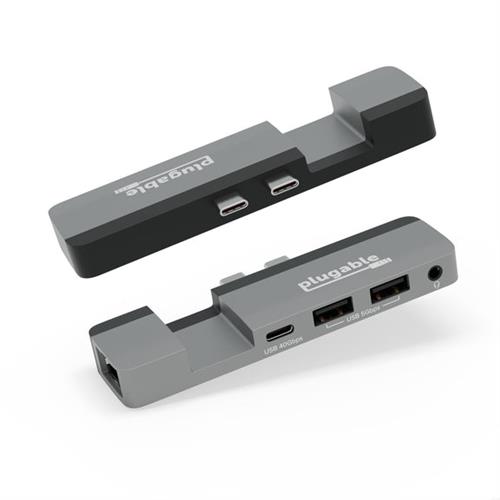
With no drivers to download or software to install this adapter for MacBook pro and MacBook Air is ready for easy expansion. Just plug the AMS-5IN1E into the two USB-C ports on the side of your Mac for quick access to 2x USB 3.0 ports (5Gbps) perfect for a keyboard or legacy accessory. The full-featured USB-C port (40Gbps) can do anything youd expect from one of your Macs USB-C ports including extending your display up to 6K 60Hz. And of course take advantage of the Gigabit Ethernet port for a strong stable connection. It even has a combination audio port for good measure.
Compatible with M1 / M2 / M3 MacBook Pro as well as the M2 MacBook Air.
Precision engineered to be a clip-on MacBook Air and MacBook Pro USB C hub its designed to fit snug so it wont work with a laptop case.
For MacBook
This MacBook Pro hub is designed for the 14 and 16 MacBook Pro and the M2 MacBook Air to add extra ports without sacrificing your MagSafe connection.
5-in-1
MacBook adapter multiport expansion with 2x USB 3.0 1x USB-C (40Gbps) combination audio jack Gigabit Ethernet.
Plug and Play
Just connect the USB-C hub to your Mac. No drivers or installation required.
Compatibility
Compatible with M1/M2/M3 MacBook Pro and M2 Air systems with Apple Silicon CPUs and USB-C/USB4 ports. Not compatible with laptop covers.
Your MacBook was designed to just work. So when you add an accessory you expect the same. And thats what you get with the Plugable USB-C 5-in-1 Hub (AMS-5IN1E) designed for Apple MagSafe.
With no drivers to download or software to install this adapter for MacBook pro and MacBook Air is ready for easy expansion. Just plug the AMS-5IN1E into the two USB-C ports on the side of your Mac for quick access to 2x USB 3.0 ports (5Gbps) perfect for a keyboard or legacy accessory. The full-featured USB-C port (40Gbps) can do anything youd expect from one of your Macs USB-C ports including extending your display up to 6K 60Hz. And of course take advantage of the Gigabit Ethernet port for a strong stable connection. It even has a combination audio port for good measure.
Compatible with M1 / M2 / M3 MacBook Pro as well as the M2 MacBook Air.
Precision engineered to be a clip-on MacBook Air and MacBook Pro USB C hub its designed to fit snug so it wont work with a laptop case.
For MacBook
This MacBook Pro hub is designed for the 14 and 16 MacBook Pro and the M2 MacBook Air to add extra ports without sacrificing your MagSafe connection.
5-in-1
MacBook adapter multiport expansion with 2x USB 3.0 1x USB-C (40Gbps) combination audio jack Gigabit Ethernet.
Plug and Play
Just connect the USB-C hub to your Mac. No drivers or installation required.
Compatibility
Compatible with M1/M2/M3 MacBook Pro and M2 Air systems with Apple Silicon CPUs and USB-C/USB4 ports. Not compatible with laptop covers.
The product description is generated based on data from online stores. Before purchasing be sure to verify all information directly with the seller.

New USB Labels: How to Avoid Confusion in Speeds, Cables, and ConnectorsThe USB-IF organization has finally updated the USB port labels. Let's figure out what has changed.

Useful gadgets for programmers that increase efficiencyUSB hub, widescreen monitor, comfortable chair and other useful gadgets for coders and IT industry workers
How to place an order?How to add store?
Remember that the online store is responsible for the accuracy of information regarding price, warranty, and delivery!
We recommendCompare using chart →

hub with card reader, connection USB-C, 5Gbps, ports: USB-A 2 pcs, USB-C 2 pcs, HDMI, LAN, card reader: SD, microSD, functions: Power Delivery, Alt Mode
USB hub, connection USB-C, 5Gbps, ports: USB-A 4 pcs, USB-C 1 pcs, HDMI, DisplayPort, LAN, functions: external power supply, Power Delivery
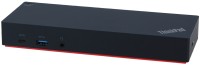
USB hub, connection USB-A and USB-C, 5Gbps, ports: USB-A 5 pcs, USB-C 2 pcs, HDMI, DisplayPort, LAN, functions: external power supply
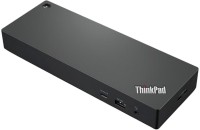
USB hub, connection USB-C, 10Gbps, ports: USB-A 4 pcs, USB-C 2 pcs, HDMI, DisplayPort, LAN, functions: external power supply, Power Delivery
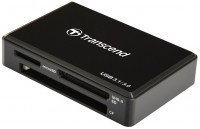
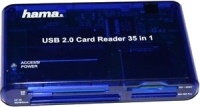
card reader, connection USB-A, 2.0, card reader: SD, miniSD, microSD, CF, MS, M2, xD, MMC, MMCmicro