
Asus PB328Q 32 " black
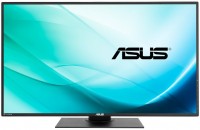 | Outdated Product Product type: monitor; Size ("): 32; Panel type: *VA; Treatment: matte; Resolution: 2560x1440 (16:9); Response time GtG (ms): 4; Viewing angle vert.: 178; Horizontal viewing angle: 178; Brightness (cd/m²): 300; Dynamic Contrast: 100 000 000:1; Colour depth: 8-bit + FRC (1.07B Colors); Video transmission: VGA |


 |
Asus PB328Q 32 " black
Screen size:32 "
Resolution:2560x1440 (16:9)
Panel:*VA, response 4 ms
Frequency:60 Hz
Brightness:300 cd/m²
Functions:PBP
Connectors:DisplayPort, HDMI, DVI-D, VGA
All specifications
Specifications PB328Q
|
| ||||||||||||||||||||||||||||||||||||||||||||||||||||||||||||||||||||||||||||||||||


The information in the model description is for reference purposes.
Always clarify the specifications and configuration of the product with the online store manager before purchasing.
Catalog Asus 2026 - new arrivals, bestsellers, and the most relevant models Asus.
Always clarify the specifications and configuration of the product with the online store manager before purchasing.
Catalog Asus 2026 - new arrivals, bestsellers, and the most relevant models Asus.

How to Choose a Gaming MonitorWe understand matrix types, suitable resolution, FreeSync and other important aspects when choosing a gaming monitor
Monitor matrices types: TN+film, IPS, VA, OLED, QLED and QD-OLEDCurrent types of monitor matrices, their pros and cons, as well as recommendations for selection
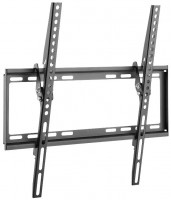
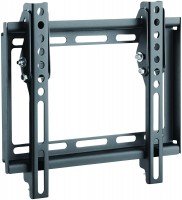
AccessoriesAll accessories for Asus PB328Q →




1. Design 2. Convenience of adjustment, tilt, rotation 3. Non-touch buttons 4. Frequency 75Hz 5. Excellent color reproduction of high-contrast texts and graphics 1. Low-contrast text is hard to read. 2. Low contrast images become distorted. 3. Low contrast images and text printed via a printer differ from the display on the monitor. 4. When the background is darker than the text, the text appears to have a shadow. 5. ASUS acknowledges the presence of all the aforementioned "effects" and considers this quality standard for the ASUS pb328q monitor. * All tests were conducted on appropriate equipment, with HDMI/DVI/DisplayPort connections and at the physical resolution. just bought Asus PB328Q i recommend it don't buy |
Add Review
Additional features monitor Asus PB328Q:
- The PBP (Picture-by-Picture) function allows you to work simultaneously in two windows from two different signal sources
- PiP (Picture-in-Picture) function - picture-in-picture
SimilarCompare using chart →
gaming, 24.5 ", 1920x1080 (16:9), IPS, response 0.5 ms, 320 Hz, 16.7M Colors, sRGB 99 %, HDMI, v 2.1, DisplayPort, ХАБ: USB-A 2x5Gbps, AMD FreeSync Premium, NVIDIA G-Sync Compatible, VESA Adaptive-Sync, HDR
gaming, 27 ", 2560x1440 (16:9), QD-OLED, response 0.03 ms, 360 Hz, 10-bit (1.07B Colors), DCI-P3 99 %, HDMI, v 2.1, DisplayPort, ХАБ: USB-A 2x5Gbps, AMD FreeSync Premium Pro, VESA Adaptive-Sync, HDR
gaming, smart, 34 ", 3440x1440 (21:9), curved 1800R, QD-OLED, response 0.03 ms, 175 Hz, 10-bit (1.07B Colors), DCI-P3 99 %, HDMI, v 2.1, DisplayPort, Bluetooth, Wi-Fi, ХАБ: USB-A 2x5Gbps, speakers, AMD FreeSync Premium Pro, HDR
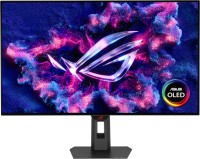
gaming, 31.5 ", 4K, 3840x2160 (16:9), OLED (WOLED), response 0.03 ms, 240 Hz, 480 Hz (Full HD), 10-bit (1.07B Colors), DCI-P3 99 %, HDMI, v 2.1, DisplayPort, USB-C (DP Alt Mode), Power Delivery, ХАБ: USB-A 3x5Gbps, KVM-switch, AMD FreeSync Premium Pro, NVIDIA G-Sync Compatible, HDR, TÜV Rheinland
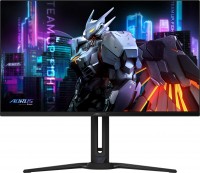
gaming, 31.5 ", 4K, 3840x2160 (16:9), QD-OLED, response 0.03 ms, 240 Hz, 10-bit (1.07B Colors), DCI-P3 99 %, HDMI, v 2.1, DisplayPort, USB-C (DP Alt Mode), Power Delivery, ХАБ: USB-A 2x5Gbps, KVM-switch, speakers, AMD FreeSync Premium Pro, HDR, TÜV Rheinland

gaming, 24.5 ", 1920x1080 (16:9), IPS, response 1 ms, 310 Hz, 16.7M Colors, sRGB 99 %, HDMI, DisplayPort, speakers, AMD FreeSync Premium, NVIDIA G-Sync Compatible, VESA Adaptive-Sync, HDR, TÜV Rheinland
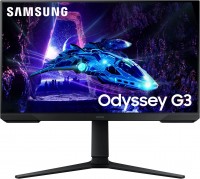
gaming, 23.8 ", 1920x1080 (16:9), *VA, MPRT 1 ms, 180 Hz, 16.7M Colors, sRGB 95 %, HDMI, DisplayPort, AMD FreeSync, HDR

gaming, 24.5 ", 1920x1080 (16:9), IPS, response 1 ms, MPRT 0.3 ms, 400 Hz, 16.7M Colors, sRGB 121 %, DCI-P3 92 %, HDMI, DisplayPort, ХАБ: USB-A 4x5Gbps, NVIDIA G-Sync Compatible, VESA Adaptive-Sync, HDR, TÜV Rheinland
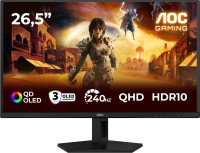
gaming, 26.5 ", 2560x1440 (16:9), QD-OLED, response 0.03 ms, 240 Hz, sRGB 147.6 %, DCI-P3 99.1 %, HDMI, DisplayPort, NVIDIA G-Sync Compatible, VESA Adaptive-Sync, HDR, TÜV Rheinland
for graphics, 27 ", 4K, 3840x2160 (16:9), IPS, response 5 ms, 120 Hz, 1.07B Colors, sRGB 100 %, DCI-P3 99 %, HDMI, v 2.1, DisplayPort, USB-C (Thunderbolt v4), Power Delivery, LAN, ХАБ: USB-A 5x10Gbps, USB-C 2x10Gbps, KVM-switch, VESA Adaptive-Sync, HDR, CalMAN Verified, TÜV Rheinland

gaming, 27 ", 4K, 3840x2160 (16:9), IPS, response 1 ms, 160 Hz, 320 Hz (Full HD), 1.07B Colors, sRGB 125 %, DCI-P3 95 %, HDMI, v 2.1, DisplayPort, USB-C (DP Alt Mode), Power Delivery, ХАБ: USB-A 3x5Gbps, KVM-switch, speakers, AMD FreeSync Premium, NVIDIA G-Sync Compatible, VESA Adaptive-Sync, HDR, TÜV Rheinland
gaming, 27 ", 2560x1440 (16:9), IPS, response 1 ms, MPRT 0.5 ms, 180 Hz, 8-bit + FRC (1.07B Colors), sRGB 125 %, DCI-P3 93.5 %, HDMI, DisplayPort, AMD FreeSync, NVIDIA G-Sync Compatible, VESA Adaptive-Sync, HDR
https://yadi.sk/i/grLkmDTCr8q2Q
https://yadi.sk/i/fCblzuYsr8q4c
https://yadi.sk/i/XnlkuM4pr8qJX
When choosing this monitor, I was confident in the quality of a self-respecting company's product. But as it turned out, it was in vain.
I do NOT recommend the ASUS pb328q monitor to anyone. Also, if you are planning to purchase any monitors of this brand, I advise you to examine them more carefully before finalizing the deal, as it will be quite difficult to prove a product defect otherwise.