
Dell P2014H 20 "
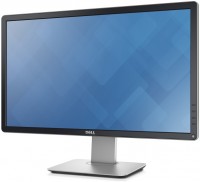 | Outdated Product Product type: monitor; Size ("): 20; Panel type: IPS; Treatment: matte; Resolution: 1600x900 (16:9); Response time GtG (ms): 8; Viewing angle vert.: 178; Horizontal viewing angle: 178; Brightness (cd/m²): 250; Static contrast: 1 000:1; Dynamic Contrast: 2 000 000:1; Video transmission: VGA |


Dell P2014H 20 "
Screen size:20 "
Resolution:1600x900 (16:9)
Panel:IPS, response 8 ms
Contrast:1 000:1
Brightness:250 cd/m²
Connectors:DVI-D, VGA
All specifications
Specifications P2014H
|
| ||||||||||||||||||||||||||||||||||||||||||||||||||||||||||||||||||


E-Catalog UK editor, Monitors
Dmytro Prokopenko, edited 19.08.2026
The information in the model description is for reference purposes.
Always clarify the specifications and configuration of the product with the online store manager before purchasing.
Catalog Dell 2026 - new arrivals, bestsellers, and the most relevant models Dell.
Always clarify the specifications and configuration of the product with the online store manager before purchasing.
Catalog Dell 2026 - new arrivals, bestsellers, and the most relevant models Dell.

Series Dell P Series (home/office)Compare using chart →
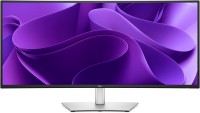
34.1 ", 3440x1440 (21:9), curved 3800R, IPS, response 5 ms, 100 Hz, 1.07B Colors, sRGB 99 %, HDMI, v 2.1, DisplayPort, USB-C (DP Alt Mode), Power Delivery, LAN, HUB: USB-A 3x5Gbps, USB-C 1x5Gbps, KVM switch, TÜV Rheinland
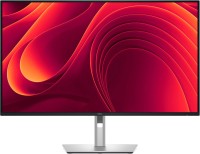
31.5 ", 4K, 3840x2160 (16:9), IPS, response 5 ms, 100 Hz, 1.07B Colors, sRGB 99 %, HDMI, v 2.1, DisplayPort, USB-C (DP Alt Mode), Power Delivery, LAN, HUB: USB-A 3x5Gbps, USB-C 1x5Gbps, TÜV Rheinland
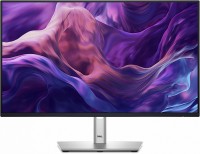
23.8 ", 1920x1080 (16:9), IPS, response 8 ms, 100 Hz, 16.7M Colors, sRGB 99 %, VGA, HDMI, DisplayPort, HUB: USB-A 3x5Gbps, USB-C 1x5Gbps, TÜV Rheinland
23.8 ", 2560x1440 (16:9), IPS, response 5 ms, 100 Hz, 16.7M Colors, sRGB 99 %, HDMI, v 2.1, DisplayPort, HUB: USB-A 3x5Gbps, USB-C 1x5Gbps, TÜV Rheinland
27 ", 2560x1440 (16:9), IPS, response 5 ms, 100 Hz, 16.7M Colors, sRGB 99 %, HDMI, v 2.1, DisplayPort, USB-C (DP Alt Mode), Power Delivery, LAN, HUB: USB-A 3x5Gbps, USB-C 1x5Gbps, TÜV Rheinland
27 ", 4K, 3840x2160 (16:9), IPS, response 5 ms, 100 Hz, 1.07B Colors, sRGB 99 %, HDMI, v 2.1, DisplayPort, USB-C (DP Alt Mode), Power Delivery, LAN, HUB: USB-A 3x5Gbps, USB-C 1x5Gbps, TÜV Rheinland

24.1 ", 1920x1200 (16:10), IPS, response 5 ms, 100 Hz, 6-bit + FRC (16.7M Colors), sRGB 99 %, HDMI, DisplayPort, HUB: USB-A 3x5Gbps, USB-C 1x5Gbps, TÜV Rheinland
27 ", 2560x1440 (16:9), IPS, response 5 ms, 100 Hz, 16.7M Colors, sRGB 99 %, HDMI, v 2.1, DisplayPort, HUB: USB-A 3x5Gbps, USB-C 1x5Gbps, TÜV Rheinland

31.5 ", 2560x1440 (16:9), IPS, response 5 ms, 100 Hz, 1.07B Colors, sRGB 99 %, HDMI, v 2.1, DisplayPort, USB-C (DP Alt Mode), Power Delivery, LAN, HUB: USB-A 3x5Gbps, USB-C 1x5Gbps, TÜV Rheinland

23.8 ", 1920x1080 (16:9), IPS, response 5 ms, 120 Hz, 6-bit + FRC (16.7M Colors), sRGB 99 %, HDMI, v 2.1, DisplayPort, USB-C (DP Alt Mode), Power Delivery, LAN, HUB: USB-A 2x5Gbps, USB-C 2x5Gbps, TÜV Rheinland
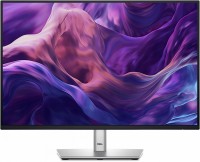
24.1 ", 1920x1200 (16:10), IPS, response 8 ms, 100 Hz, 16.7M Colors, sRGB 99 %, VGA, HDMI, DisplayPort, HUB: USB-A 3x5Gbps, USB-C 1x5Gbps, TÜV Rheinland
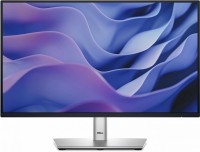
21.5 ", 1920x1080 (16:9), IPS, response 8 ms, 100 Hz, 16.7M Colors, sRGB 99 %, VGA, HDMI, DisplayPort, HUB: USB-A 3x5Gbps, USB-C 1x5Gbps, TÜV Rheinland

27 ", 2560x1440 (16:9), IPS, response 5 ms, 100 Hz, 16.7M Colors, sRGB 99 %, HDMI, v 2.1, DisplayPort, USB-C (DP Alt Mode), Power Delivery, LAN, HUB: USB-A 3x5Gbps, USB-C 1x5Gbps, KVM switch, speakers, webcam, TÜV Rheinland
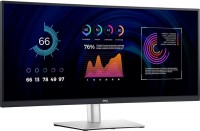
34.14 ", 3440x1440 (21:9), curved 3800R, IPS, response 5 ms, 60 Hz, 10-bit (1.07B Colors), sRGB 99 %, HDMI, DisplayPort, USB-C (DP Alt Mode), Power Delivery, LAN, HUB: USB-A 4x5Gbps, KVM switch, TÜV Rheinland

34 ", 3440x1440 (21:9), curved 3800R, IPS, response 5 ms, 100 Hz, 10-bit (1.07B Colors), sRGB 99 %, HDMI, v 2.1, DisplayPort, USB-C (DP Alt Mode), Power Delivery, LAN, HUB: USB-A 3x5Gbps, USB-C 1x5Gbps, KVM switch, speakers, webcam, TÜV Rheinland

27 ", 1920x1080 (16:9), IPS, response 5 ms, 120 Hz, 16.7M Colors, sRGB 99 %, HDMI, v 2.1, DisplayPort, USB-C (DP Alt Mode), Power Delivery, LAN, HUB: USB-A 2x5Gbps, USB-C 2x5Gbps, TÜV Rheinland
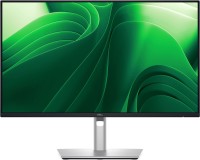
23.8 ", 2560x1440 (16:9), IPS, response 5 ms, 100 Hz, 16.7M Colors, sRGB 99 %, HDMI, v 2.1, DisplayPort, USB-C (DP Alt Mode), Power Delivery, LAN, HUB: USB-A 3x5Gbps, USB-C 1x5Gbps, TÜV Rheinland

23.8 ", 1920x1080 (16:9), IPS, response 5 ms, 120 Hz, 6-bit + FRC (16.7M Colors), sRGB 99 %, HDMI, DisplayPort, HUB: USB-A 2x5Gbps, USB-C 2x5Gbps, TÜV Rheinland
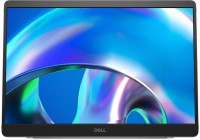
portable, 14 ", 1920x1200 (16:10), IPS, response 7 ms, 60 Hz, 16.7M Colors, sRGB 100 %, USB-C (DP Alt Mode), Power Delivery, TÜV Rheinland

34 ", 3440x1440 (21:9), curved 3800R, IPS, response 5 ms, 100 Hz, 10-bit (1.07B Colors), sRGB 99 %, HDMI, v 2.1, DisplayPort, USB-C (DP Alt Mode), Power Delivery, LAN, HUB: USB-A 3x5Gbps, USB-C 1x5Gbps, KVM switch, webcam, TÜV Rheinland
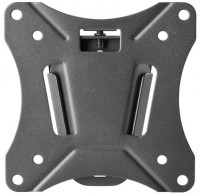
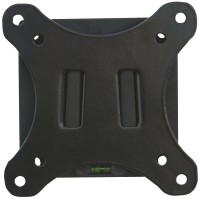
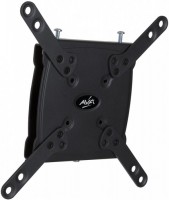
AccessoriesAll accessories for Dell P2014H →







Model overview based on user reviews
The Dell P2314H 23" monitor is praised for its convenient stand and top-notch assembly. It features an AH-IPS panel with excellent viewing angles and minimal glow, making it suitable for design and pre-press work. However, some users have experienced issues such as blurring in rapidly changing images and a damaged screen matrix upon delivery, highlighting the importance of checking the product upon receipt. Despite these concerns, the monitor's stability and position adjustment capabilities are highly regarded, and it comes with an official three-year warranty. Overall, it is a reliable choice for those needing a secondary monitor, though potential buyers should be cautious about possible defects.
Pros
Cons
I am engaged in design and pre-press preparation. I needed a second small monitor for my 30-inch Dell UltraSharp U3014. Obviously I bought another Dell. Thirty is in normal (landscape) orientation, but this one is on the right in portrait. A good matrix made using IPS technology. It looks decent next to the U3014, although the gradients on it look worse, yes. The viewing angles are excellent, there is a glow, but it is insignificant. There is slight crystallinity and does not interfere with work. There is a small flicker, but only at zero brightness. For workers the meaning disappears. The eyes are not affected at all. The foot, like all Dell monitors, is great. In terms of stability and position adjustment capabilities, this is simply a standard for other manufacturers. USB hub However, after turning the screen to portrait orientation, it became more difficult to use the hub - the connectors were at the top and you had to reach for them. There are all currently possible interfaces for connecting 6 DisplayPort, VGA, DVI-D. I connected via DisplayPort using the cable that came with the monitor. Official three-year warranty. In my opinion, no one gives a longer guarantee. In a rapidly changing picture, there can be some blurring. The "ghosting test" confirmed these impressions – either the overdrive is poorly adjusted or the panel is like that. Fortunately, I work exclusively with static images, so this aspect is not crucial. The price could have been lower. Competitors convincingly demonstrate this. use Dell P2014H month or more |
I decided to replace my old Samsung 940FN 19-inch at home with a new big 16x9 monitor. A friend of mine wouldn't stop going on about Dells, but I was a bit skeptical about their supposed advantages. A couple of hours with a Dell U2412M changed everything, and for home, I chose the P2414H. In any business, first impressions matter, and everything was fine here. The large and heavy box subtly suggests that you didn't buy just a flimsy piece of plastic on a wobbly stand but a real PRODUCT. It's the signature Dell design I've come across in their laptops before. It's got that slightly rugged, subtly textured black plastic, with straight or nearly straight angles and plain mechanical buttons. No "smiles," fancy legs, decorative colored lines, or touch-sensitive embellishments. It’s utilitarian, functional, and without any unnecessary frills. The AH-IPS panel is frankly good, with excellent colors and viewing angles that delight the eye. Of course, there's a GLOW effect. IPS panels don't come without it. But it's faint and doesn't interfere at all. The backlighting is more or less uniform, with minimal light bleeding at the corners (I specifically looked for the bleeding at night in a dimly lit room). The crystalline effect is present but very faint, requiring a closer look to notice. There's no PWM effect. Apparently, the developers have raised the PWM frequency somewhat. The stand is monumental and functional. It alone weighs about the same as an average budget 21.5-inch monitor in full assembly. The monitor sits on it like it's cemented. It’s height adjustable and allows the screen to rotate 90 degrees on the horizontal plane and 75 degrees in both directions on the vertical plane. It also features a small cable-management window. USB HUB. I use it, and thanks to the monitor's stability, it's convenient to work with. It's got a rich input set with DVI, DisplayPort, and VGA. You can connect it to any, including old, video card. The price is perhaps its only serious drawback. use Dell P2414H week |
I recommend everyone to check the product when purchasing monitors or TVs, in the presence of the courier. Simply power on the device or use diagnostic utilities to check for dead pixels or subpixels. Traveling around the city to return an item to the service center is much more burdensome. In my case, I have to hope for an exchange or a refund. Convenient stand, HDMI cable included. The assembly is top notch. I couldn't evaluate this monitor because I received a unit with a damaged screen matrix :( I took it to the service center, and they accepted the monitor. The verdict hasn't been announced yet, it's been 2 weeks... I hope for a positive outcome.  Aleksandr: just bought Dell P2314H Aleksandr: just bought Dell P2314H |
Add Review
Dell P2014H configurations
| Price for Dell P2014H | ||||
|---|---|---|---|---|
 | Dell P2314H 23 " | from £79.00 | 1 offer | |
 | Dell P2414H 24 " | from £90.00 | 1 offer | |
 | Dell P2714H 27 " | from £120.00 | 1 offer | |
SimilarCompare using chart →
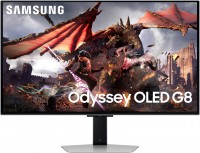
gaming, smart, 32 ", 4K, 3840x2160 (16:9), QD-OLED, response 0.03 ms, 240 Hz, 10-bit (1.07B Colors), DCI-P3 99 %, HDMI, v 2.1, DisplayPort, Bluetooth, Wi-Fi, HUB: USB-A 2x5Gbps, speakers, AMD FreeSync Premium Pro, VESA Adaptive-Sync, HDR

gaming, 31.5 ", 4K, 3840x2160 (16:9), WOLED, response 0.03 ms, 165 Hz, 330 Hz (Full HD), 10-bit (1.07B Colors), DCI-P3 99 %, HDMI, v 2.1, DisplayPort, USB-C (DP Alt Mode), Power Delivery, HUB: USB-A 3x5Gbps, KVM switch, AMD FreeSync Premium Pro, NVIDIA G-Sync Compatible, HDR, TÜV Rheinland
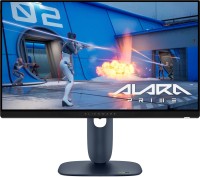
gaming, 24.5 ", 1920x1080 (16:9), IPS, response 0.5 ms, 320 Hz, 16.7M Colors, sRGB 99 %, HDMI, v 2.1, DisplayPort, HUB: USB-A 2x5Gbps, AMD FreeSync Premium, NVIDIA G-Sync Compatible, VESA Adaptive-Sync, HDR

gaming, 31.5 ", 4K, 3840x2160 (16:9), IPS, response 0.5 ms, 160 Hz, 320 Hz (Full HD), 8-bit + FRC (1.07B Colors), sRGB 131 %, DCI-P3 99 %, HDMI, v 2.1, DisplayPort, HUB: USB-A 2x2.0, VESA Adaptive-Sync, HDR, TÜV Rheinland

gaming, 31.5 ", 4K, 3840x2160 (16:9), QD-OLED, response 0.03 ms, 240 Hz, 10-bit (1.07B Colors), DCI-P3 99 %, HDMI, v 2.1, DisplayPort, USB-C (DP Alt Mode), Power Delivery, HUB: USB-A 2x5Gbps, KVM switch, speakers, AMD FreeSync Premium Pro, NVIDIA G-Sync Compatible, HDR
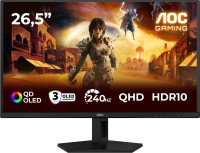
gaming, 26.5 ", 2560x1440 (16:9), QD-OLED, response 0.03 ms, 240 Hz, sRGB 147.6 %, DCI-P3 99.1 %, HDMI, DisplayPort, NVIDIA G-Sync Compatible, VESA Adaptive-Sync, HDR, TÜV Rheinland

gaming, 27 ", 2560x1440 (16:9), QD-IPS, response 1 ms, 200 Hz, 1.07B Colors, sRGB 150 %, DCI-P3 99 %, HDMI, DisplayPort, USB-C (DP Alt Mode), Power Delivery, HUB: USB-A 2x5Gbps, KVM switch, NVIDIA G-Sync Compatible, VESA Adaptive-Sync, HDR, TÜV Rheinland

gaming, 27 ", 4K, 3840x2160 (16:9), IPS, response 1 ms, 160 Hz, 320 Hz (Full HD), 1.07B Colors, sRGB 125 %, DCI-P3 95 %, HDMI, v 2.1, DisplayPort, USB-C (DP Alt Mode), Power Delivery, HUB: USB-A 3x5Gbps, KVM switch, speakers, AMD FreeSync Premium, NVIDIA G-Sync Compatible, VESA Adaptive-Sync, HDR, TÜV Rheinland

gaming, 27 ", 2560x1440 (16:9), WOLED, response 0.03 ms, 240 Hz, 10-bit (1.07B Colors), DCI-P3 99 %, HDMI, v 2.1, DisplayPort, USB-C (DP Alt Mode), AMD FreeSync Premium, NVIDIA G-Sync Compatible, HDR, TÜV Rheinland

gaming, 27 ", 4K, 3840x2160 (16:9), Mini LED IPS, response 1 ms, 160 Hz, 320 Hz (Full HD), 8-bit + FRC (1.07B Colors), sRGB 151.8 %, DCI-P3 98 %, HDMI, v 2.1, DisplayPort, HUB: USB-A 4x5Gbps, NVIDIA G-Sync Compatible, VESA Adaptive-Sync, HDR
gaming, 27 ", 2560x1440 (16:9), QD-OLED, response 0.03 ms, 180 Hz, 1.07B Colors, DCI-P3 99 %, HDMI, DisplayPort, AMD FreeSync, NVIDIA G-Sync Compatible, HDR, Pantone Validated

26.5 ", 2560x1440 (16:9), QD-OLED, response 0.03 ms, 240 Hz, 10-bit (1.07B Colors), DCI-P3 99 %, HDMI, v 2.1, DisplayPort, speakers, AMD FreeSync Premium, HDR