
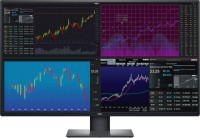
Dell UltraSharp U4320Q 43 " black
 | When you make a purchase through links on our site, we may receive a affiliate commission. Buy! 42,5-inch Dell U4320Q 3840 x 2160 LCD Monitor Grey Grey U4320Q refurbished 6781865106037BackMarket.co.ukDelivery: in United Kingdom Report |

Dell UltraSharp U4320Q 43 " black
Screen size:43 "
Resolution:3840x2160 (16:9)
Panel:IPS, response 5 ms
Frequency:60 Hz
Contrast:1 000:1
Brightness:350 cd/m²
Functions:PBP, Flicker-Free
Connectors:USB-C (DP Alt Mode) • DisplayPort v1.4 • 2xHDMI v2.0
All specifications
Specifications UltraSharp U4320Q
|
| ||||||||||||||||||||||||||||||||||||||||||||||||||||||||||||||||||||||||||||||||||


The information in the model description is for reference purposes.
Always clarify the specifications and configuration of the product with the online store manager before purchasing.
Catalog Dell 2026 - new arrivals, bestsellers, and the most relevant models Dell.
Always clarify the specifications and configuration of the product with the online store manager before purchasing.
Catalog Dell 2026 - new arrivals, bestsellers, and the most relevant models Dell.

Series Dell U Series (premium)Compare using chart →
for graphics, 27 ", 4K, 3840x2160 (16:9), IPS, response 5 ms, 120 Hz, 1.07B Colors, sRGB 100 %, DCI-P3 99 %, HDMI, v 2.1, DisplayPort, USB-C (Thunderbolt v4), Power Delivery, LAN, HUB: USB-A 5x10Gbps, USB-C 2x10Gbps, KVM switch, VESA Adaptive-Sync, HDR, CalMAN Verified, TÜV Rheinland
for graphics, 31.5 ", 4K, 3840x2160 (16:9), IPS, response 5 ms, 120 Hz, 1.07B Colors, sRGB 100 %, DCI-P3 99 %, HDMI, v 2.1, DisplayPort, USB-C (Thunderbolt v4), Power Delivery, LAN, HUB: USB-A 5x10Gbps, USB-C 2x10Gbps, KVM switch, VESA Adaptive-Sync, HDR, CalMAN Verified, TÜV Rheinland
for graphics, 27 ", 2560x1440 (16:9), IPS, response 8 ms, 120 Hz, 1.07B Colors, sRGB 100 %, DCI-P3 98 %, HDMI, v 2.1, DisplayPort, HUB: USB-A 3x5Gbps, USB-C 1x5Gbps, CalMAN Verified, TÜV Rheinland
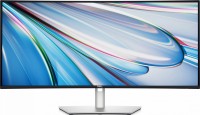
for graphics, 34 ", 3440x1440 (21:9), curved 1900R, IPS, response 8 ms, 120 Hz, 8-bit + FRC (1.07B Colors), sRGB 100 %, DCI-P3 98 %, HDMI, DisplayPort, USB-C (Thunderbolt v4), Power Delivery, LAN, HUB: USB-A 5x5Gbps, USB-C 2x5Gbps, KVM switch, speakers, CalMAN Verified, TÜV Rheinland
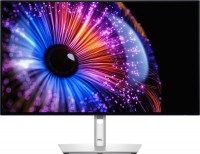
for graphics, 27 ", 2560x1440 (16:9), IPS, response 8 ms, 120 Hz, 10-bit (1.07B Colors), sRGB 100 %, DCI-P3 98 %, HDMI, v 2.1, DisplayPort, USB-C (Thunderbolt v4), Power Delivery, LAN, HUB: USB-A 4x5Gbps, USB-C 1x5Gbps, KVM switch, CalMAN Verified, TÜV Rheinland

51.5 ", 6144x2560 (21:9), curved 4200R, IPS, response 5 ms, 120 Hz, 1.07B Colors, sRGB 100 %, DCI-P3 99 %, HDMI, v 2.1, DisplayPort, USB-C (Thunderbolt v4), Power Delivery, LAN, HUB: USB-A 5x10Gbps, USB-C 2x10Gbps, KVM switch, speakers, VESA Adaptive-Sync
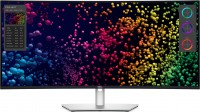
39.7 ", 5K, 4K, 5120x2160 (21:9), curved 2500R, IPS, response 5 ms, 120 Hz, 8-bit + FRC (1.07B Colors), sRGB 100 %, DCI-P3 99 %, HDMI, v 2.1, DisplayPort, USB-C (Thunderbolt v4), Power Delivery, LAN, HUB: USB-A 5x5Gbps, USB-C 2x5Gbps, KVM switch, speakers, HDR, TÜV Rheinland
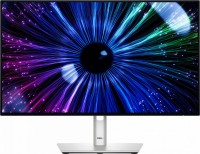
23.8 ", 1920x1080 (16:9), IPS, response 8 ms, 120 Hz, 8-bit (16.7M Colors), sRGB 100 %, DCI-P3 85 %, HDMI, DisplayPort, USB-C (DP Alt Mode), Power Delivery, LAN, HUB: USB-A 4x5Gbps, USB-C 1x5Gbps, KVM switch, TÜV Rheinland
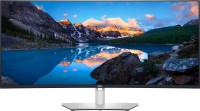
40 ", 5K, 4K, 5120x2160 (21:9), curved 2500R, IPS, response 5 ms, 60 Hz, 10-bit (1.07B Colors), sRGB 100 %, DCI-P3 98 %, HDMI, DisplayPort, USB-C (Thunderbolt v3), LAN, HUB: USB-A 4x10Gbps, USB-C 1x10Gbps, KVM switch, speakers

for graphics, 31.5 ", 4K, 3840x2160 (16:9), QD-OLED, response 0.03 ms, 120 Hz, 10-bit (1.07B Colors), sRGB 100 %, DCI-P3 99 %, HDMI, v 2.1, DisplayPort, USB-C (Thunderbolt v4), Power Delivery, LAN, HUB: USB-A 3x10Gbps, USB-C 2x10Gbps, KVM switch, VESA Adaptive-Sync, HDR, TÜV Rheinland
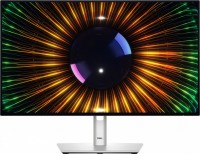
23.8 ", 1920x1080 (16:9), IPS, response 8 ms, 120 Hz, 8-bit (16.7M Colors), sRGB 100 %, DCI-P3 85 %, HDMI, DisplayPort, HUB: USB-A 3x5Gbps, USB-C 1x5Gbps, TÜV Rheinland

42.5 ", 4K, 3840x2160 (16:9), IPS, response 5 ms, 60 Hz, 10-bit (1.07B Colors), sRGB 95 %, HDMI, v 2.1, DisplayPort, USB-C (DP Alt Mode), Power Delivery, LAN, HUB: USB-A 4x10Gbps, USB-C 1x10Gbps, KVM switch, speakers
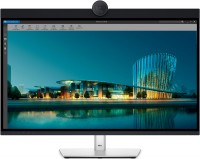
31.5 ", 6K, 6144x3456 (16:9), IPS, response 5 ms, 60 Hz, 10-bit (1.07B Colors), sRGB 100 %, DCI-P3 99 %, HDMI, v 2.1, mini DisplayPort, USB-C (Thunderbolt v4), Power Delivery, LAN, HUB: USB-A 5x10Gbps, USB-C 2x10Gbps, speakers, webcam, HDR
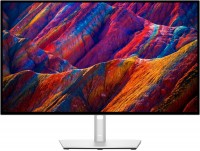
27 ", 4K, 3840x2160 (16:9), IPS, response 5 ms, 60 Hz, 1.07B Colors, sRGB 100 %, DCI-P3 98 %, HDMI, DisplayPort, USB-C (DP Alt Mode), Power Delivery, LAN, HUB: USB-A 4x5Gbps, KVM switch
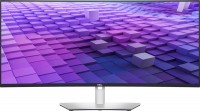
37.5 ", 3840x1600 (21:9), curved 2300R, IPS, response 5 ms, 60 Hz, sRGB 100 %, DCI-P3 98 %, HDMI, v 2.1, DisplayPort, USB-C (DP Alt Mode), Power Delivery, LAN, HUB: USB-A 5x5Gbps, speakers
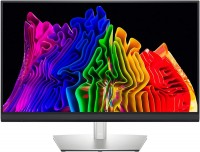
for graphics, 32 ", 4K, 3840x2160 (16:9), Mini LED IPS, response 6 ms, 60 Hz, 10-bit (1.07B Colors), sRGB 93 %, DCI-P3 100 %, HDMI, DisplayPort, USB-C (Thunderbolt v3), HUB: USB-A 2x5Gbps, HDR, CalMAN Verified
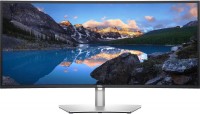
34 ", 3440x1440 (21:9), curved 1900R, IPS, response 5 ms, 60 Hz, 8-bit + FRC (1.07B Colors), sRGB 100 %, DCI-P3 95 %, HDMI, DisplayPort, USB-C (DP Alt Mode), Power Delivery, LAN, HUB: USB-A 4x5Gbps, speakers
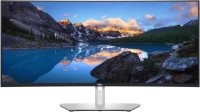
38 ", 3840x1600 (21:9), curved Curved screen, IPS, response 5 ms, 60 Hz, sRGB 100 %, DCI-P3 95 %, HDMI, DisplayPort, USB-C (DP Alt Mode), Power Delivery, HUB: USB-A 4x5Gbps, speakers
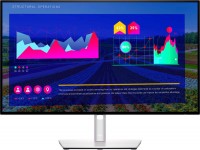
27 ", 2560x1440 (16:9), IPS, response 5 ms, 60 Hz, sRGB 100 %, DCI-P3 95 %, HDMI, DisplayPort, USB-C (DP Alt Mode), HUB: USB-A 3x5Gbps
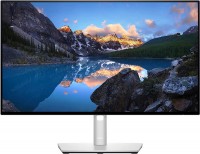
24 ", 1920x1080 (16:9), IPS, 60 Hz, sRGB 100 %, DCI-P3 85 %, HDMI, DisplayPort, USB-C (DP Alt Mode)
AccessoriesAll accessories for Dell UltraSharp U4320Q →






Model overview based on user reviews
The Dell U4320Q monitor offers a huge 43-inch 4K screen with an IPS panel, providing vibrant colors and wide viewing angles. It features an anti-glare surface and supports flicker-free technology, enhancing viewing comfort. Users appreciate its solid construction and the availability of multiple ports, including USB-C with Power Delivery. However, some users have noted that the monitor uses a BGR subpixel layout, which can cause blurry fonts and make it challenging to achieve clarity through settings. While one user praised the monitor as a great model, another advised against purchasing due to the subpixel issue. Overall, the Dell U4320Q is a feature-rich monitor, but potential buyers should consider the subpixel layout's impact on text clarity.
Pros
Cons
Huge screen, lots of ports, solid construction. No.  Vadym Vasylevskyi: use Dell UltraSharp U4320Q more than year Vadym Vasylevskyi: use Dell UltraSharp U4320Q more than year |
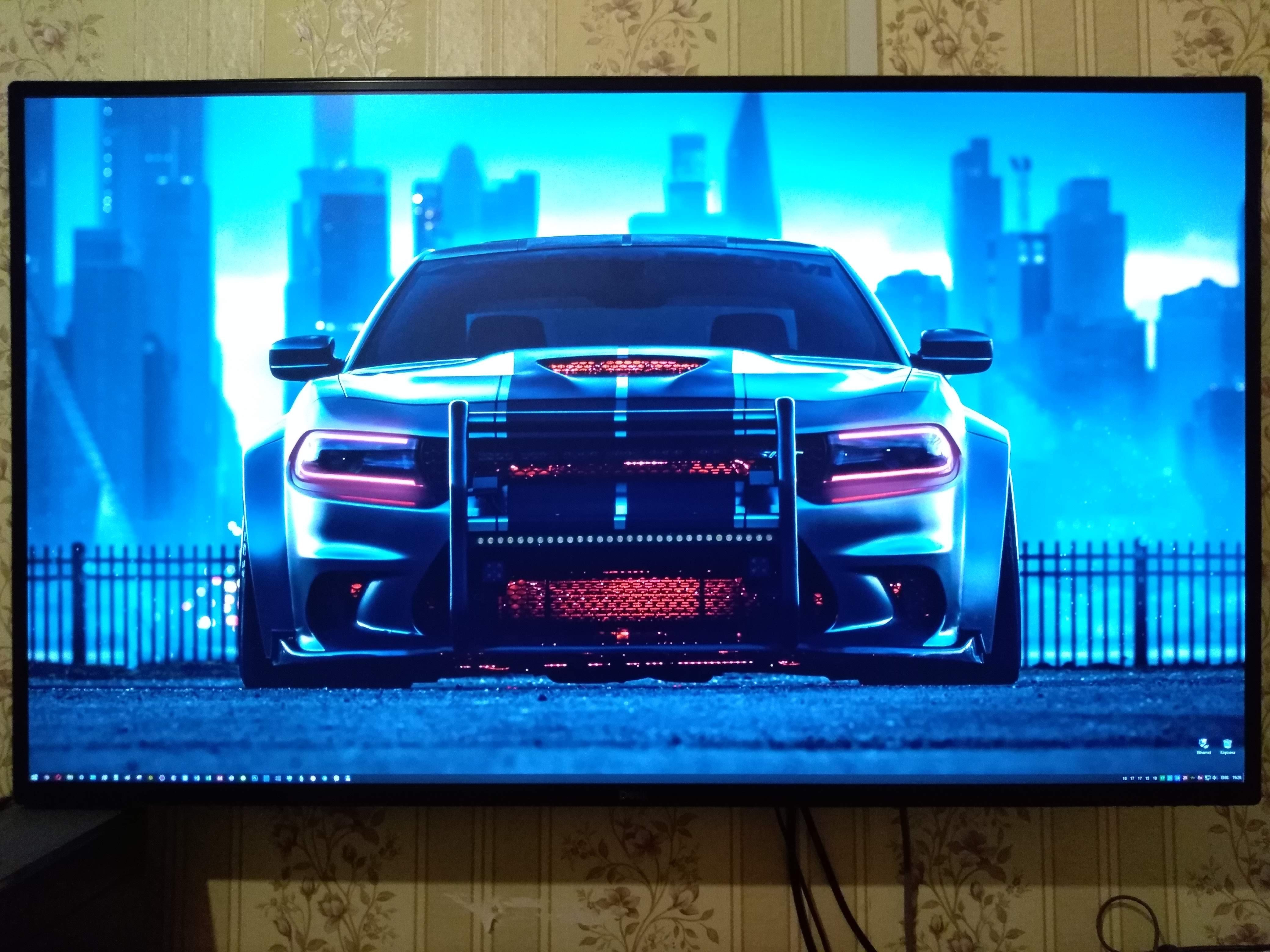
I don't recommend buying Huge 4K screen. IPS. No PWM (flicker free), built-in speakers (although it is not written about them anywhere in the description) BGR is the order of subpixels in the matrix (like TVs), instead of the traditional RGB. The fonts are blurry. It is impossible to achieve clarity with the settings.  Artem Gurinov: use Dell UltraSharp U4320Q few months Artem Gurinov: use Dell UltraSharp U4320Q few months |

Add Review
SimilarCompare using chart →
gaming, smart, 32 ", 4K, 3840x2160 (16:9), QD-OLED, response 0.03 ms, 240 Hz, 10-bit (1.07B Colors), DCI-P3 99 %, HDMI, v 2.1, DisplayPort, Bluetooth, Wi-Fi, HUB: USB-A 2x5Gbps, speakers, AMD FreeSync Premium Pro, VESA Adaptive-Sync, HDR

gaming, 31.5 ", 4K, 3840x2160 (16:9), WOLED, response 0.03 ms, 165 Hz, 330 Hz (Full HD), 10-bit (1.07B Colors), DCI-P3 99 %, HDMI, v 2.1, DisplayPort, USB-C (DP Alt Mode), Power Delivery, HUB: USB-A 3x5Gbps, KVM switch, AMD FreeSync Premium Pro, NVIDIA G-Sync Compatible, HDR, TÜV Rheinland
gaming, 24.5 ", 1920x1080 (16:9), IPS, response 0.5 ms, 320 Hz, 16.7M Colors, sRGB 99 %, HDMI, v 2.1, DisplayPort, HUB: USB-A 2x5Gbps, AMD FreeSync Premium, NVIDIA G-Sync Compatible, VESA Adaptive-Sync, HDR

gaming, 31.5 ", 4K, 3840x2160 (16:9), IPS, response 0.5 ms, 160 Hz, 320 Hz (Full HD), 8-bit + FRC (1.07B Colors), sRGB 131 %, DCI-P3 99 %, HDMI, v 2.1, DisplayPort, HUB: USB-A 2x2.0, VESA Adaptive-Sync, HDR, TÜV Rheinland

gaming, 31.5 ", 4K, 3840x2160 (16:9), QD-OLED, response 0.03 ms, 240 Hz, 10-bit (1.07B Colors), DCI-P3 99 %, HDMI, v 2.1, DisplayPort, USB-C (DP Alt Mode), Power Delivery, HUB: USB-A 2x5Gbps, KVM switch, speakers, AMD FreeSync Premium Pro, NVIDIA G-Sync Compatible, HDR
gaming, 26.5 ", 2560x1440 (16:9), QD-OLED, response 0.03 ms, 240 Hz, sRGB 147.6 %, DCI-P3 99.1 %, HDMI, DisplayPort, NVIDIA G-Sync Compatible, VESA Adaptive-Sync, HDR, TÜV Rheinland

gaming, 27 ", 2560x1440 (16:9), QD-IPS, response 1 ms, 200 Hz, 1.07B Colors, sRGB 150 %, DCI-P3 99 %, HDMI, DisplayPort, USB-C (DP Alt Mode), Power Delivery, HUB: USB-A 2x5Gbps, KVM switch, NVIDIA G-Sync Compatible, VESA Adaptive-Sync, HDR, TÜV Rheinland
for graphics, 27 ", 4K, 3840x2160 (16:9), IPS, response 5 ms, 120 Hz, 1.07B Colors, sRGB 100 %, DCI-P3 99 %, HDMI, v 2.1, DisplayPort, USB-C (Thunderbolt v4), Power Delivery, LAN, HUB: USB-A 5x10Gbps, USB-C 2x10Gbps, KVM switch, VESA Adaptive-Sync, HDR, CalMAN Verified, TÜV Rheinland

gaming, 27 ", 4K, 3840x2160 (16:9), IPS, response 1 ms, 160 Hz, 320 Hz (Full HD), 1.07B Colors, sRGB 125 %, DCI-P3 95 %, HDMI, v 2.1, DisplayPort, USB-C (DP Alt Mode), Power Delivery, HUB: USB-A 3x5Gbps, KVM switch, speakers, AMD FreeSync Premium, NVIDIA G-Sync Compatible, VESA Adaptive-Sync, HDR, TÜV Rheinland

gaming, 27 ", 2560x1440 (16:9), WOLED, response 0.03 ms, 240 Hz, 10-bit (1.07B Colors), DCI-P3 99 %, HDMI, v 2.1, DisplayPort, USB-C (DP Alt Mode), AMD FreeSync Premium, NVIDIA G-Sync Compatible, HDR, TÜV Rheinland

gaming, 42.5 ", 4K, 3840x2160 (16:9), *VA, MPRT 0.3 ms, 144 Hz, 8-bit + FRC (1.07B Colors), HDMI, v 2.1, DisplayPort, HUB: USB-A 4x5Gbps, speakers, VESA Adaptive-Sync, HDR

gaming, 27 ", 4K, 3840x2160 (16:9), Mini LED IPS, response 1 ms, 160 Hz, 320 Hz (Full HD), 8-bit + FRC (1.07B Colors), sRGB 151.8 %, DCI-P3 98 %, HDMI, v 2.1, DisplayPort, HUB: USB-A 4x5Gbps, NVIDIA G-Sync Compatible, VESA Adaptive-Sync, HDR