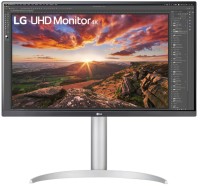
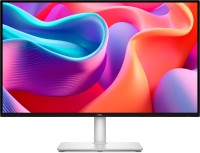
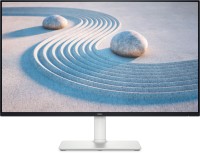
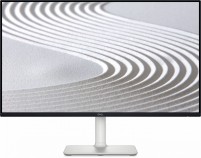
Dell Plus S2725QC 27 " white (210-BQWS)
 |

Monitor for comfortable work and entertainment, providing high 4K resolution — 3840x2160 pixels. The screen model features an IPS panel with reduced blue light emission ensured by the ComfortView Plus system. This is achieved without compromising color accuracy — the Dell Plus S2725QC display covers about 99% of the sRGB spectrum. The peak brightness of the screen backlight is approximately 350 cd/m², the panel's refresh rate is 120 Hz, and its response time is measured at 4 ms.
This makes the monitor suitable for gaming. To avoid tearing and frame drops in video signal transmission, the model incorporates support for AMD FreeSync Premium adaptive sync technology. The monitor is equipped with two HDMI v 2.1 ports, one USB type C with DisplayPort Alt Mode, an additional USB hub (2x USB-A 5Gbps (3.2 gen1) and 1x USB-C 5Gbps (3.2 gen1) with fast charging function at 65W). Additionally, the monitor has 2 x 5W stereo speakers and an ergonomic stand with adjustable screen height, tilt angles, rotation, and quick orientation change capability.
|
| ||||||||||||||||||||||||||||||||||||||||||||||||||||||||||||||||||||||||||||||||||||||||||||||||||||


Always clarify the specifications and configuration of the product with the online store manager before purchasing.
Catalog Dell 2026 - new arrivals, bestsellers, and the most relevant models Dell.

Buy Dell Plus S2725QC 27 " white
All prices 7 →| £276.50 |  | ||||
Dell DELL-S2725QC | £295.49 |  | |||
DELL 27 Plus 4K Monitor S2725QC 27inch UHD IPS LED 2xHDMI DELL-S2725QC | £297.89 |  | |||
Dell Plus S2725QC - LED monitor - 4K - 27" New DELL-S2725QC | £312.00 |  | |||
DELL Plus S2725QC computer monitor 68.6 cm (27") 3840 x 2160 pixe 210-BQWS | £344.10 |  | |||
DELL Plus S2725QC computer monitor 68.6 cm (27") 3840 x 2160 pixe | £344.10 |  | |||
DELL Plus S2725QC computer monitor 68.6 cm (27") 3840 x 2160 pixels 4K Ultra HD LCD Silver DELL-S2725QC | £366.12 |  | |||




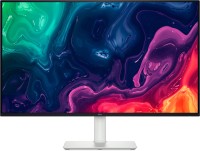

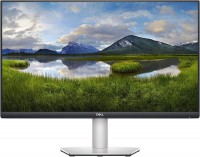




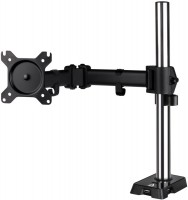

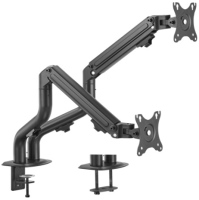
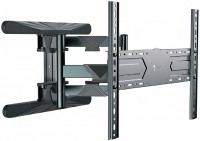

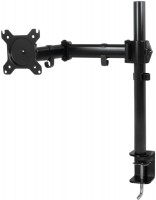
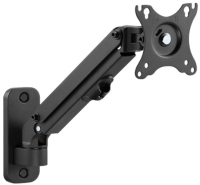




Good monitor. I use it with the Air M4 and PS5—it’s really appealing. (Resolution set via BetterDisplay—2304×1296, font reads well. Browser scale at 110%.) I use the standard color profile. I detected no dead pixels. 120 Hz looks excellent. The 10W acoustics sound decent (for editing, series, and movies) but are a bit weak for music. The acoustics are very loud—I use only 3% volume at home. Brightness is sufficient; I hardly raise it above 50%. I reduced contrast to 65%. I use it with a bracket—everything fit onto the bolts provided with the monitor (which were already screwed in). The settings menu is convenient, parameters are easy to adjust, and shortcut customization is available (joystick left, right, up, down). I configured it for my preferences and now there’s no need to access the menu. The LED can be turned off when the monitor is in use, but it cannot be completely turned off (it stays lit when the monitor is off). Conveniently, you can disable Power Delivery when the system is shut down. When using with the PS5, the difference after 2K isn't particularly noticeable. VRR is available; I turned off HDR (I really don’t get why it’s needed here with 350 cd/m² brightness). Tested on a PC with Windows. Set the scale to 170%—everything looks normal, programs display correctly, but, for instance, in Photoshop the interface remained too small, requiring reinstallation. I'm very satisfied with the monitor. I considered many models and almost opted for the Studio Display, but then this one became available for purchase. Color display, refresh rate, Power Delivery, menu — everything is at a high level. This is the only monitor on the market now with 4K, a frequency of 120+ Hz, Power Delivery, and decent speakers. Flimsy and inconvenient hub at the bottom of the monitor, held on by a thread. Overall, the build is not bad, but it's better to hide this hub immediately and not use it at all. The package only includes a 1-meter Thunderbolt cable — not even an HDMI was included. If possible, mount the monitor on a bracket right away — the stand is quite large in size.  Tony: use Dell Plus S2725QC less than month Tony: use Dell Plus S2725QC less than month |