
Dell UltraSharp U4924DW 49 "
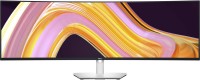 |

Dell UltraSharp U4924DW 49 "
Screen size:49 "
Resolution:5120x1440 (32:9)
Panel:IPS, response 5 ms
Frequency:60 Hz
Contrast:2 000:1
Brightness:350 cd/m²
Functions:PBP, Flicker-Free
Connectors:USB-C (DP Alt Mode) • DisplayPort v1.4 • 2xHDMI v2.1, LAN
2 USB-C connectors for connecting peripherals
All specifications
Specifications UltraSharp U4924DW
|
| ||||||||||||||||||||||||||||||||||||||||||||||||||||||||||||||||||||||||||||||||||||||||||


The information in the model description is for reference purposes.
Always clarify the specifications and configuration of the product with the online store manager before purchasing.
Catalog Dell 2026 - new arrivals, bestsellers, and the most relevant models Dell.
Always clarify the specifications and configuration of the product with the online store manager before purchasing.
Catalog Dell 2026 - new arrivals, bestsellers, and the most relevant models Dell.

Buy Dell UltraSharp U4924DW 49 "
All prices 13 →When you make a purchase through links on our site, we may receive a affiliate commission.
| £947.99 |  | ||||
Dell UltraSharp U4924DW 49" 5K Ultra HD IPS 60Hz 5ms Height Adjustable Curved Monitor with Speakers DELL-U4924DW | £1,000.03 |  | |||
Dell UltraSharp U4924DW 49 IPS 5K Dual QHD UltraWide Curved USB-C Monitor Black,Silver DELL-U4924DW | £999.97 |  | |||
DELL UltraSharp U4924DW computer monitor 124.5 cm (49") 5120 x 14 | £1,001.11 |  | |||
DELL UltraSharp U4924DW computer monitor 124.5 cm (49") 5120 x 14 DELL-U4924DW | £1,001.11 |  | |||
8 more offer(s)
Series Dell U Series (premium)Compare using chart →
for graphics, 27 ", 4K, 3840x2160 (16:9), IPS, response 5 ms, 120 Hz, 1.07B Colors, sRGB 100 %, DCI-P3 99 %, HDMI, v 2.1, DisplayPort, USB-C (Thunderbolt v4), Power Delivery, LAN, HUB: USB-A 5x10Gbps, USB-C 2x10Gbps, KVM switch, VESA Adaptive-Sync, HDR, CalMAN Verified, TÜV Rheinland
for graphics, 31.5 ", 4K, 3840x2160 (16:9), IPS, response 5 ms, 120 Hz, 1.07B Colors, sRGB 100 %, DCI-P3 99 %, HDMI, v 2.1, DisplayPort, USB-C (Thunderbolt v4), Power Delivery, LAN, HUB: USB-A 5x10Gbps, USB-C 2x10Gbps, KVM switch, VESA Adaptive-Sync, HDR, CalMAN Verified, TÜV Rheinland
for graphics, 27 ", 2560x1440 (16:9), IPS, response 8 ms, 120 Hz, 1.07B Colors, sRGB 100 %, DCI-P3 98 %, HDMI, v 2.1, DisplayPort, HUB: USB-A 3x5Gbps, USB-C 1x5Gbps, CalMAN Verified, TÜV Rheinland
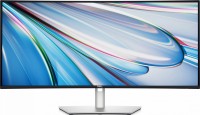
for graphics, 34 ", 3440x1440 (21:9), curved 1900R, IPS, response 8 ms, 120 Hz, 8-bit + FRC (1.07B Colors), sRGB 100 %, DCI-P3 98 %, HDMI, DisplayPort, USB-C (Thunderbolt v4), Power Delivery, LAN, HUB: USB-A 5x5Gbps, USB-C 2x5Gbps, KVM switch, speakers, CalMAN Verified, TÜV Rheinland
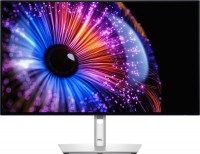
for graphics, 27 ", 2560x1440 (16:9), IPS, response 8 ms, 120 Hz, 10-bit (1.07B Colors), sRGB 100 %, DCI-P3 98 %, HDMI, v 2.1, DisplayPort, USB-C (Thunderbolt v4), Power Delivery, LAN, HUB: USB-A 4x5Gbps, USB-C 1x5Gbps, KVM switch, CalMAN Verified, TÜV Rheinland

51.5 ", 6144x2560 (21:9), curved 4200R, IPS, response 5 ms, 120 Hz, 1.07B Colors, sRGB 100 %, DCI-P3 99 %, HDMI, v 2.1, DisplayPort, USB-C (Thunderbolt v4), Power Delivery, LAN, HUB: USB-A 5x10Gbps, USB-C 2x10Gbps, KVM switch, speakers, VESA Adaptive-Sync
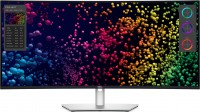
39.7 ", 5K, 4K, 5120x2160 (21:9), curved 2500R, IPS, response 5 ms, 120 Hz, 8-bit + FRC (1.07B Colors), sRGB 100 %, DCI-P3 99 %, HDMI, v 2.1, DisplayPort, USB-C (Thunderbolt v4), Power Delivery, LAN, HUB: USB-A 5x5Gbps, USB-C 2x5Gbps, KVM switch, speakers, HDR, TÜV Rheinland
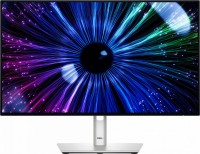
23.8 ", 1920x1080 (16:9), IPS, response 8 ms, 120 Hz, 8-bit (16.7M Colors), sRGB 100 %, DCI-P3 85 %, HDMI, DisplayPort, USB-C (DP Alt Mode), Power Delivery, LAN, HUB: USB-A 4x5Gbps, USB-C 1x5Gbps, KVM switch, TÜV Rheinland

for graphics, 31.5 ", 4K, 3840x2160 (16:9), QD-OLED, response 0.03 ms, 120 Hz, 10-bit (1.07B Colors), sRGB 100 %, DCI-P3 99 %, HDMI, v 2.1, DisplayPort, USB-C (Thunderbolt v4), Power Delivery, LAN, HUB: USB-A 3x10Gbps, USB-C 2x10Gbps, KVM switch, VESA Adaptive-Sync, HDR, TÜV Rheinland

42.5 ", 4K, 3840x2160 (16:9), IPS, response 5 ms, 60 Hz, 10-bit (1.07B Colors), sRGB 95 %, HDMI, v 2.1, DisplayPort, USB-C (DP Alt Mode), Power Delivery, LAN, HUB: USB-A 4x10Gbps, USB-C 1x10Gbps, KVM switch, speakers
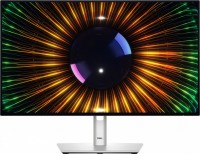
23.8 ", 1920x1080 (16:9), IPS, response 8 ms, 120 Hz, 8-bit (16.7M Colors), sRGB 100 %, DCI-P3 85 %, HDMI, DisplayPort, HUB: USB-A 3x5Gbps, USB-C 1x5Gbps, TÜV Rheinland
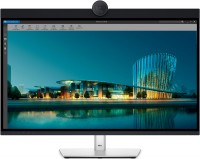
31.5 ", 6K, 6144x3456 (16:9), IPS, response 5 ms, 60 Hz, 10-bit (1.07B Colors), sRGB 100 %, DCI-P3 99 %, HDMI, v 2.1, mini DisplayPort, USB-C (Thunderbolt v4), Power Delivery, LAN, HUB: USB-A 5x10Gbps, USB-C 2x10Gbps, speakers, webcam, HDR
49 ", 5120x1440 (32:9), curved Curved screen, IPS, response 5 ms, 60 Hz, 8-bit + FRC (1.07B Colors), sRGB 100 %, DCI-P3 98 %, HDMI, v 2.1, DisplayPort, USB-C (DP Alt Mode), Power Delivery, LAN, HUB: USB-A 4x5Gbps, KVM switch, speakers
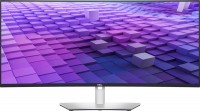
37.5 ", 3840x1600 (21:9), curved 2300R, IPS, response 5 ms, 60 Hz, sRGB 100 %, DCI-P3 98 %, HDMI, v 2.1, DisplayPort, USB-C (DP Alt Mode), Power Delivery, LAN, HUB: USB-A 5x5Gbps, speakers
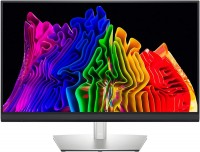
for graphics, 32 ", 4K, 3840x2160 (16:9), Mini LED IPS, response 6 ms, 60 Hz, 10-bit (1.07B Colors), sRGB 93 %, DCI-P3 100 %, HDMI, DisplayPort, USB-C (Thunderbolt v3), HUB: USB-A 2x5Gbps, HDR, CalMAN Verified
34 ", 3440x1440 (21:9), curved 1900R, IPS, response 5 ms, 60 Hz, 8-bit + FRC (1.07B Colors), sRGB 100 %, DCI-P3 95 %, HDMI, DisplayPort, USB-C (DP Alt Mode), Power Delivery, LAN, HUB: USB-A 4x5Gbps, speakers
38 ", 3840x1600 (21:9), curved Curved screen, IPS, response 5 ms, 60 Hz, sRGB 100 %, DCI-P3 95 %, HDMI, DisplayPort, USB-C (DP Alt Mode), Power Delivery, HUB: USB-A 4x5Gbps, speakers
27 ", 2560x1440 (16:9), IPS, response 5 ms, 60 Hz, sRGB 100 %, DCI-P3 95 %, HDMI, DisplayPort, USB-C (DP Alt Mode), HUB: USB-A 3x5Gbps
24 ", 1920x1080 (16:9), IPS, 60 Hz, sRGB 100 %, DCI-P3 85 %, HDMI, DisplayPort, USB-C (DP Alt Mode)
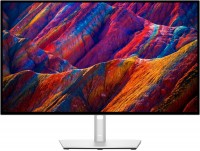
27 ", 4K, 3840x2160 (16:9), IPS, response 5 ms, 60 Hz, 1.07B Colors, sRGB 100 %, DCI-P3 98 %, HDMI, DisplayPort, USB-C (DP Alt Mode), Power Delivery, LAN, HUB: USB-A 4x5Gbps, KVM switch

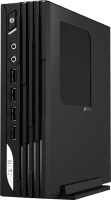
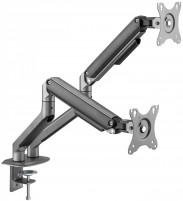
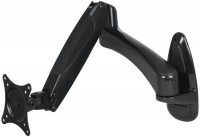


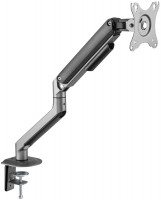


SimilarCompare using chart →
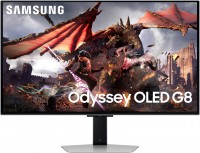
gaming, smart, 32 ", 4K, 3840x2160 (16:9), QD-OLED, response 0.03 ms, 240 Hz, 10-bit (1.07B Colors), DCI-P3 99 %, HDMI, v 2.1, DisplayPort, Bluetooth, Wi-Fi, HUB: USB-A 2x5Gbps, speakers, AMD FreeSync Premium Pro, VESA Adaptive-Sync, HDR

gaming, 31.5 ", 4K, 3840x2160 (16:9), WOLED, response 0.03 ms, 165 Hz, 330 Hz (Full HD), 10-bit (1.07B Colors), DCI-P3 99 %, HDMI, v 2.1, DisplayPort, USB-C (DP Alt Mode), Power Delivery, HUB: USB-A 3x5Gbps, KVM switch, AMD FreeSync Premium Pro, NVIDIA G-Sync Compatible, HDR, TÜV Rheinland
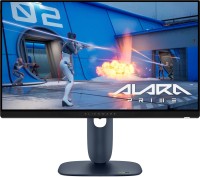
gaming, 24.5 ", 1920x1080 (16:9), IPS, response 0.5 ms, 320 Hz, 16.7M Colors, sRGB 99 %, HDMI, v 2.1, DisplayPort, HUB: USB-A 2x5Gbps, AMD FreeSync Premium, NVIDIA G-Sync Compatible, VESA Adaptive-Sync, HDR

gaming, 31.5 ", 4K, 3840x2160 (16:9), IPS, response 0.5 ms, 160 Hz, 320 Hz (Full HD), 8-bit + FRC (1.07B Colors), sRGB 131 %, DCI-P3 99 %, HDMI, v 2.1, DisplayPort, HUB: USB-A 2x2.0, VESA Adaptive-Sync, HDR, TÜV Rheinland

gaming, 31.5 ", 4K, 3840x2160 (16:9), QD-OLED, response 0.03 ms, 240 Hz, 10-bit (1.07B Colors), DCI-P3 99 %, HDMI, v 2.1, DisplayPort, USB-C (DP Alt Mode), Power Delivery, HUB: USB-A 2x5Gbps, KVM switch, speakers, AMD FreeSync Premium Pro, NVIDIA G-Sync Compatible, HDR
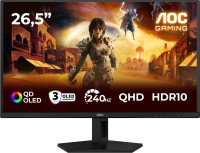
gaming, 26.5 ", 2560x1440 (16:9), QD-OLED, response 0.03 ms, 240 Hz, sRGB 147.6 %, DCI-P3 99.1 %, HDMI, DisplayPort, NVIDIA G-Sync Compatible, VESA Adaptive-Sync, HDR, TÜV Rheinland

gaming, 27 ", 2560x1440 (16:9), IPS, response 1 ms, 220 Hz, 10-bit (1.07B Colors), sRGB 133 %, DCI-P3 97 %, HDMI, v 2.1, DisplayPort, USB-C (DP Alt Mode), Power Delivery, AMD FreeSync Premium, NVIDIA G-Sync Compatible, VESA Adaptive-Sync, HDR, TÜV Rheinland

gaming, 27 ", 2560x1440 (16:9), QD-IPS, response 1 ms, 200 Hz, 1.07B Colors, sRGB 150 %, DCI-P3 99 %, HDMI, DisplayPort, USB-C (DP Alt Mode), Power Delivery, HUB: USB-A 2x5Gbps, KVM switch, NVIDIA G-Sync Compatible, VESA Adaptive-Sync, HDR, TÜV Rheinland
for graphics, 27 ", 4K, 3840x2160 (16:9), IPS, response 5 ms, 120 Hz, 1.07B Colors, sRGB 100 %, DCI-P3 99 %, HDMI, v 2.1, DisplayPort, USB-C (Thunderbolt v4), Power Delivery, LAN, HUB: USB-A 5x10Gbps, USB-C 2x10Gbps, KVM switch, VESA Adaptive-Sync, HDR, CalMAN Verified, TÜV Rheinland

gaming, 27 ", 4K, 3840x2160 (16:9), IPS, response 1 ms, 160 Hz, 320 Hz (Full HD), 1.07B Colors, sRGB 125 %, DCI-P3 95 %, HDMI, v 2.1, DisplayPort, USB-C (DP Alt Mode), Power Delivery, HUB: USB-A 3x5Gbps, KVM switch, speakers, AMD FreeSync Premium, NVIDIA G-Sync Compatible, VESA Adaptive-Sync, HDR, TÜV Rheinland

gaming, 27 ", 2560x1440 (16:9), WOLED, response 0.03 ms, 240 Hz, 10-bit (1.07B Colors), DCI-P3 99 %, HDMI, v 2.1, DisplayPort, USB-C (DP Alt Mode), AMD FreeSync Premium, NVIDIA G-Sync Compatible, HDR, TÜV Rheinland

gaming, 42.5 ", 4K, 3840x2160 (16:9), *VA, MPRT 0.3 ms, 144 Hz, 8-bit + FRC (1.07B Colors), HDMI, v 2.1, DisplayPort, HUB: USB-A 4x5Gbps, speakers, VESA Adaptive-Sync, HDR