
Genius Traveler 525
 |


Genius Traveler 525 | |||||||||||||||||||||||||||||||||||||||
|
| ||||||||||||||||||||||||||||||||||||||


The information in the model description is for reference purposes.
Always clarify the specifications and configuration of the product with the online store manager before purchasing.
Catalog Genius 2026 - new arrivals, bestsellers, and the most relevant models Genius.
Always clarify the specifications and configuration of the product with the online store manager before purchasing.
Catalog Genius 2026 - new arrivals, bestsellers, and the most relevant models Genius.
How to choose a gaming mouseWe'll look at grip types, sensor sensitivity, pushbutton switches, and other important nuances
How to choose a mouse for games, office tasks and creative workLet's explore the nuances of the computer mouse market together and find the perfect options that match your requirements
AccessoriesAll accessories for Genius Traveler 525 →








Model overview based on user reviews
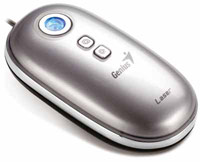
Genius Traveler 525 is a compact wired laser mouse with a distinctive design and an unusual optical scroll. The scroll and middle button are often praised for precise operation, especially in graphics and CAD, while the small shape suits users with smaller hands. However, the unified button panel requires adjustment and may cause accidental simultaneous clicks. Opinions on comfort vary, and some users report cursor jitter or scroll glitches depending on the surface and unit.
Pros
Cons
Ask Question
Additional features mouse Genius Traveler 525:
Genius introduces the innovative Genius Traveler 515 Laser laser mouse. A distinctive feature of the mouse is the lack of a traditional scroll wheel. In its place is an optical touchpad for 4-way scrolling.
OptoWheel technology allows you to view documents both vertically and horizontally, as well as scroll up to 100 pages per second. The scrolling touchpad provides the user with complete freedom in games, as well as when working with documents and applications.
In addition, the mouse has two additional features designed for Microsoft Vista users to make it easier to access Flip 3D and Smart IE features. The "Flip 3D" key allows you to open the 3D mode to switch between applications, and the "Smart IE Search" key is designed to search for the necessary information on the Internet by keywords.
- OptoWheel technology - the touchpad is used as an alternative to the conventional scroll wheel
Genius introduces the innovative Genius Traveler 515 Laser laser mouse. A distinctive feature of the mouse is the lack of a traditional scroll wheel. In its place is an optical touchpad for 4-way scrolling.
OptoWheel technology allows you to view documents both vertically and horizontally, as well as scroll up to 100 pages per second. The scrolling touchpad provides the user with complete freedom in games, as well as when working with documents and applications.
In addition, the mouse has two additional features designed for Microsoft Vista users to make it easier to access Flip 3D and Smart IE features. The "Flip 3D" key allows you to open the 3D mode to switch between applications, and the "Smart IE Search" key is designed to search for the necessary information on the Internet by keywords.
We recommendCompare using chart →
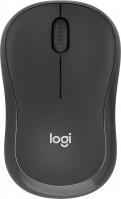

gaming mouse, radio / Bluetooth / wired, Multi-Device, with memory, buttons: 6, programmable, + wheel, 4D, свитчи: optical, Razer Gen-3, up to 90 mln, RGB backlight, sensor 18000 DPI, battery, up to 180 h
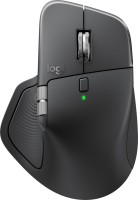
Bluetooth/radio, BT v 5, Multi-Device, buttons: quiet, 7, programmable, + wheel, sensor 8000 DPI, battery, 650 mAh, up to 70 days
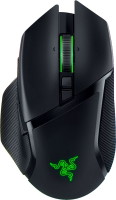
gaming mouse, radio / Bluetooth / wired, USB-A, with memory, buttons: 6, programmable, + wheel, 4D, свитчи: optical, Razer Gen-3, up to 90 mln, RGB backlight, sensor 30000 DPI, battery, up to 150 h
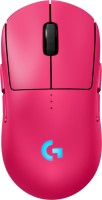
gaming mouse, radio / wired, USB-A, with memory, buttons: 6, programmable, + wheel, свитчи: optical, Logitech Lightforce, RGB backlight, sensor 32000 DPI, wireless charger, battery, up to 95 h
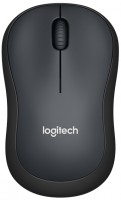
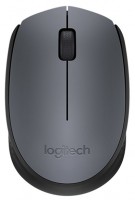
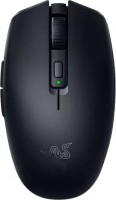
gaming mouse, Bluetooth/radio, Multi-Device, with memory, buttons: 5, programmable, + wheel, свитчи: mechanical, Razer Gen-2, sensor 18000 DPI, 1xAA
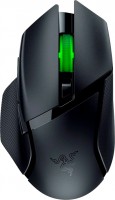
gaming mouse, Bluetooth/radio, Multi-Device, with memory, buttons: 6, programmable, + wheel, свитчи: mechanical, Razer Gen-2, up to 60 mln, RGB backlight, sensor 18000 DPI, 1xAA
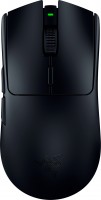
gaming mouse, radio, with memory, buttons: 5, programmable, + wheel, sensor 30000 DPI, 1xAA
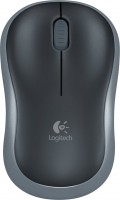
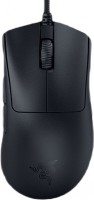
gaming mouse, wired, USB-A, with memory, buttons: 4, programmable, + wheel, свитчи: optical, Razer Gen-3, sensor 30000 DPI