LG UltraWide 29BF550B 29 " white (29BF550B-W)
 | Expecting restock Product type: monitor; Size ("): 29; Panel type: IPS; Treatment: anti-glare; Resolution: 2560x1080 (21:9); Response time GtG (ms): 5; Viewing angle vert.: 178; Horizontal viewing angle: 178; Brightness (cd/m²): 250; Static contrast: 1 000:1; Colour depth: 6-bit + FRC (16.7M Colors); HDR |


We recommend products in stockMonitors LG →

29 ", 2560x1080 (21:9), IPS, response 5 ms, MPRT 1 ms, 100 Hz, 6-bit + FRC (16.7M Colors), sRGB 99 %, HDMI, DisplayPort, AMD FreeSync, HDR
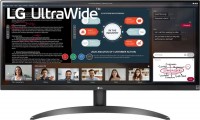
29 ", 2560x1080 (21:9), IPS, response 5 ms, 75 Hz, 6-bit + FRC (16.7M Colors), sRGB 99 %, HDMI, AMD FreeSync, HDR

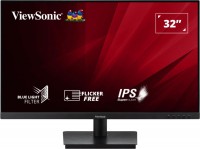
31.5 ", 1920x1080 (16:9), IPS, response 4 ms, 75 Hz, 8-bit (16.7M Colors), sRGB 104 %, VGA, HDMI, speakers, VESA Adaptive-Sync
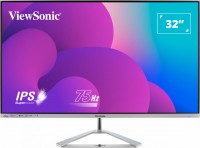
31.5 ", 1920x1080 (16:9), IPS, response 4 ms, 75 Hz, 8-bit (16.7M Colors), sRGB 104 %, VGA, HDMI, DisplayPort, speakers
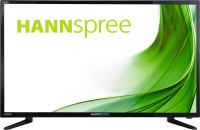
31.5 ", 1920x1080 (16:9), IPS, response 8 ms, 60 Hz, VGA, HDMI, HUB: USB-A 2x2.0, speakers
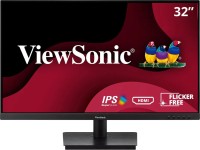
31.5 ", 1920x1080 (16:9), IPS, response 4 ms, 75 Hz, 8-bit (16.7M Colors), VGA, HDMI, speakers, VESA Adaptive-Sync
smart, 31.5 ", 1920x1080 (16:9), IPS, response 8 ms, 60 Hz, 6-bit + FRC (16.7M Colors), HDMI, Bluetooth, Wi-Fi, HUB: USB-A 2x2.0, speakers, HDR
LG UltraWide 29BF550B 29 " white
Screen size:29 "
Resolution:2560x1080 (21:9)
Panel:IPS, response 5 ms
Frequency:100 Hz
Contrast:1 000:1
Brightness:250 cd/m²
Functions:HDR, PBP, Flicker-Free
Connectors:USB-C (DP Alt Mode) • DisplayPort v1.4 • HDMI v1.4
All specifications
Specifications UltraWide 29BF550B
|
| ||||||||||||||||||||||||||||||||||||||||||||||||||||||||||||||||||||||||||||||||||||||


E-Catalog UK editor, Monitors
Dmytro Prokopenko, edited 01.09.2026
The information in the model description is for reference purposes.
Always clarify the specifications and configuration of the product with the online store manager before purchasing.
Always clarify the specifications and configuration of the product with the online store manager before purchasing.
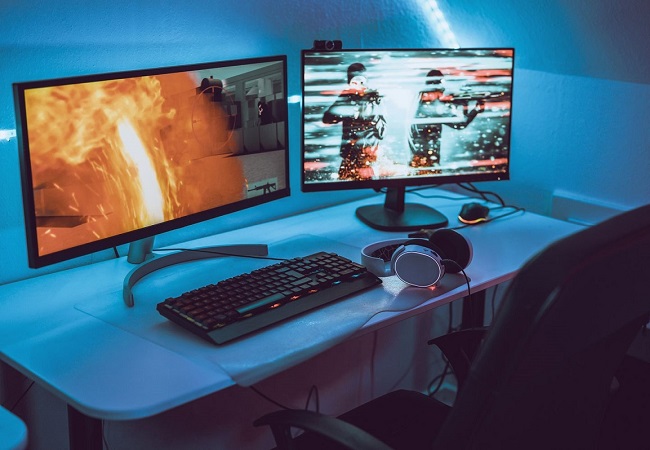
Series LG UltraWide (ultrawide 21:9)Compare using chart →
29 ", 2560x1080 (21:9), IPS, response 5 ms, MPRT 1 ms, 100 Hz, 6-bit + FRC (16.7M Colors), sRGB 99 %, HDMI, DisplayPort, AMD FreeSync, HDR

49 ", 5120x1440 (32:9), curved 3800R, IPS, response 5 ms, MPRT 1 ms, 144 Hz, 8-bit (16.7M Colors), DCI-P3 98 %, HDMI, DisplayPort, USB-C (DP Alt Mode), Power Delivery, HUB: USB-A 2x5Gbps, KVM switch, speakers, AMD FreeSync Premium, NVIDIA G-Sync Compatible, VESA Adaptive-Sync, HDR, TÜV Rheinland

37.5 ", 3840x1600 (21:9), curved 2300R, IPS, response 1 ms, 144 Hz, 8-bit + FRC (1.07B Colors), DCI-P3 98 %, HDMI, v 2.1, DisplayPort, USB-C (DP Alt Mode), Power Delivery, LAN, HUB: USB-A 4x5Gbps, USB-C 1x5Gbps, KVM switch, speakers, AMD FreeSync Premium Pro, NVIDIA G-Sync Compatible, VESA Adaptive-Sync, HDR
29 ", 2560x1080 (21:9), IPS, response 5 ms, 75 Hz, 6-bit + FRC (16.7M Colors), sRGB 99 %, HDMI, AMD FreeSync, HDR

34 ", 3440x1440 (21:9), curved 3800R, IPS, response 5 ms, 100 Hz, 1.07B Colors, sRGB 99 %, HDMI, DisplayPort, USB-C (DP Alt Mode), Power Delivery, LAN, HUB: USB-A 3x5Gbps, USB-C 1x5Gbps, KVM switch, speakers, HDR
35 ", 3440x1440 (21:9), curved 1800R, *VA, response 5 ms, 100 Hz, sRGB 99 %, HDMI, DisplayPort, USB-C (DP Alt Mode), Power Delivery, HUB: USB-A 2x5Gbps, speakers, AMD FreeSync, HDR
34 ", 3440x1440 (21:9), curved 1800R, *VA, response 5 ms, 100 Hz, 16.7M Colors, sRGB 99 %, HDMI, DisplayPort, HDR
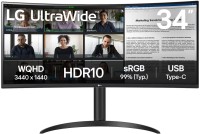
34 ", 3440x1440 (21:9), curved 1800R, *VA, response 5 ms, 100 Hz, 16.7M Colors, sRGB 99 %, HDMI, DisplayPort, USB-C (DP Alt Mode), Power Delivery, HUB: USB-A 2x5Gbps, HDR
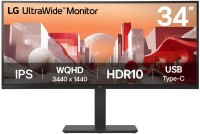
34 ", 3440x1440 (21:9), curved 3800R, IPS, response 5 ms, 60 Hz, 1.07B Colors, sRGB 99 %, HDMI, DisplayPort, USB-C (DP Alt Mode), Power Delivery, LAN, HUB: USB-A 4x5Gbps, KVM switch, speakers, HDR
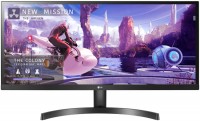
34 ", 2560x1080 (21:9), IPS, response 5 ms, 75 Hz, 6-bit + FRC (16.7M Colors), sRGB 99 %, HDMI, AMD FreeSync, HDR
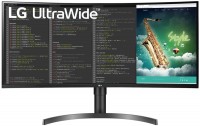
35 ", 3440x1440 (21:9), curved Curved screen, *VA, response 5 ms, 100 Hz, 8-bit (16.7M Colors), sRGB 99 %, HDMI, DisplayPort, USB-C (DP Alt Mode), Power Delivery, HUB: USB-A 2x5Gbps, speakers, AMD FreeSync, HDR
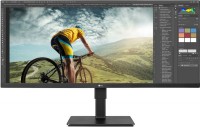
34 ", 2560x1080 (21:9), IPS, response 5 ms, 60 Hz, 8-bit (16.7M Colors), sRGB 99 %, HDMI, DisplayPort, speakers, AMD FreeSync, HDR

34 ", 3440x1440 (21:9), curved 1800R, *VA, response 5 ms, 144 Hz, 1.07B Colors, sRGB 99 %, HDMI, DisplayPort, USB-C (DP Alt Mode), Power Delivery, HUB: USB-A 2x5Gbps, KVM switch, AMD FreeSync Premium, HDR
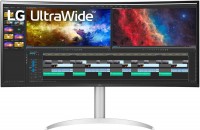
37.5 ", 3840x1600 (21:9), curved Curved screen, response 5 ms, 75 Hz, DCI-P3 95 %, HDMI, DisplayPort, USB-C (DP Alt Mode), Power Delivery, HUB: USB-A 3x5Gbps, speakers, HDR

34 ", 3440x1440 (21:9), curved 1800R, *VA, response 5 ms, 120 Hz, 16.7M Colors, sRGB 99 %, HDMI, DisplayPort, AMD FreeSync Premium, HDR
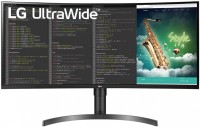
35 ", 3440x1440 (21:9), curved 1800R, *VA, response 5 ms, 100 Hz, 16.7M Colors, sRGB 99 %, HDMI, DisplayPort, USB-C (DP Alt Mode), Power Delivery, HUB: USB-A 2x5Gbps, speakers, AMD FreeSync, HDR

34 ", 3440x1440 (21:9), curved 1800R, *VA, response 5 ms, 144 Hz, 1.07B Colors, sRGB 99 %, HDMI, DisplayPort, KVM switch, AMD FreeSync Premium, VESA Adaptive-Sync, HDR
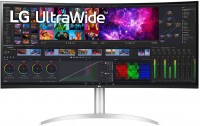
39.7 ", 5K, 4K, 5120x2160 (21:9), curved 2500R, IPS, response 5 ms, 72 Hz, 8-bit + FRC (1.07B Colors), DCI-P3 98 %, HDMI, DisplayPort, USB-C (Thunderbolt v4), Power Delivery, HUB: USB-A 2x5Gbps, speakers, AMD FreeSync, HDR, TÜV Rheinland
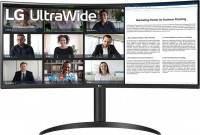
34 ", 3440x1440 (21:9), curved 1800R, *VA, response 5 ms, 100 Hz, 8-bit (16.7M Colors), sRGB 99 %, HDMI, DisplayPort, Power Delivery, HUB: USB-A 2x5Gbps, AMD FreeSync, HDR
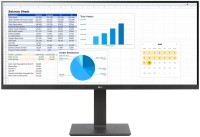
34 ", 2560x1080 (21:9), IPS, response 5 ms, 75 Hz, 6-bit + FRC (16.7M Colors), sRGB 99 %, HDMI, DisplayPort, speakers, AMD FreeSync, HDR
AccessoriesAll accessories for LG UltraWide 29BF550B →