
Motospeed CK62
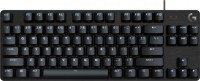
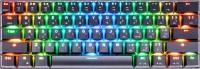 | Outdated Product An extremely compact mechanical keyboard, positioned by the manufacturer in the lower segment of the mid-price range. The dimensions of the model are 290x100x40 mm, while the layout consists of 61 buttons. This is a rechargeable keyboard with a Bluetooth wireless module. If necessary, you can connect to a computer using a 1.5 m long connecting cord. Wired connection interface: USB Type C and USB Type A. The cord is equipped with a flexible fabric braid. The lower part of the body is supplemented with a metal plate. The Motospeed CK62 mechanical computer keyboard is equipped with a bright backlight with a set of decorative RGB effects. There are 19 operating modes available for the backlight, including the ability to adjust the brightness and flicker intensity. The keys are based on Outemu...Blue switches. The durability of the buttons is at the level of 50 million clicks. The cabor is equipped with a built-in battery, which uses a 1300 mAh battery. For convenience, an LED indicator of the battery charge is provided. The indicator is also present in the main system buttons. The shortened layout is distinguished by a large number of multifunction buttons, which are activated through a combination with Fn. The wireless connection is implemented using Bluetooth version 3.0. The device weighs 512 g. |


Motospeed CK62 | |||||||||||||||||||||||||||||||||||||||||||||||||||||||||||||||||||||||||||||
|
| ||||||||||||||||||||||||||||||||||||||||||||||||||||||||||||||||||||||||||||


An extremely compact mechanical keyboard, positioned by the manufacturer in the lower segment of the mid-price range. The dimensions of the model are 290x100x40 mm, while the layout consists of 61 buttons. This is a rechargeable keyboard with a Bluetooth wireless module. If necessary, you can connect to a computer using a 1.5 m long connecting cord. Wired connection interface: USB Type C and USB Type A.
The cord is equipped with a flexible fabric braid. The lower part of the body is supplemented with a metal plate. The Motospeed CK62 mechanical computer keyboard is equipped with a bright backlight with a set of decorative RGB effects. There are 19 operating modes available for the backlight, including the ability to adjust the brightness and flicker intensity. The keys are based on Outemu Blue switches.
The durability of the buttons is at the level of 50 million clicks. The cabor is equipped with a built-in battery, which uses a 1300 mAh battery. For convenience, an LED indicator of the battery charge is provided. The indicator is also present in the main system buttons. The shortened layout is distinguished by a large number of multifunction buttons, which are activated through a combination with Fn. The wireless connection is implemented using Bluetooth version 3.0. The device weighs 512 g.
Always clarify the specifications and configuration of the product with the online store manager before purchasing.
Catalog Motospeed 2026 - new arrivals, bestsellers, and the most relevant models Motospeed.





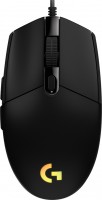
1. Ukrainian layout 2. Backlighting - many customization options (effect display speed, brightness, 19 modes, including single-color) 3. Stylish appearance 4. Support for Android devices and MacOS 5. Informative battery charge indicator - two backlight modes (50% - blinks 3 times per second for 10 seconds every 10 minutes, and at 0% - 5 times per second continuously) 1. The Backspace key has a lot of wiggle (looseness, which makes it the loudest when pressed), although in a Youtube review, the Space bar on the white CK62 was similarly wiggly (I don’t have any complaints about it). The rest of the keys have minimal wiggle or none at all (which suits me). 2. There is no driver for the CK62 on the official Motospeed website, but there is a driver for the CK61, although it doesn’t fit (it doesn’t recognize the keyboard). However, there is no need for it if you are using it on OS Windows or MacOS, as you can remap keys using the free program AutoHotKey. If you use it on mobile devices, it's not a problem either; typing is convenient in mode "3" (FN+3). Since the up arrow key in mode "3" replaces the key responsible for the period/question mark, you should do the following: Don’t switch to any mode, type a period (.), then switch to mode "3" (FN+3), hold SHIFT and press the left arrow (this way you will highlight the period) and press CTRL+C - now you can paste the period using CTRL+V and the keyboard is ready for typing in "3" mode (with arrow keys). In the English layout, the issue won't be the period but the question mark. I also recommend purchasing O-rings - silicone rings, and placing two under each key. This will significantly reduce noise, and the keys will have less travel and be less loose.  Igor: use Motospeed CK62 less than month Igor: use Motospeed CK62 less than month |
You can buy Switches are better to take blue N/A use Motospeed CK62 few months |


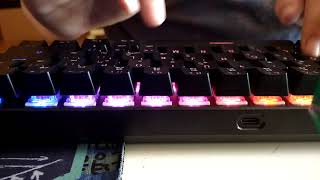





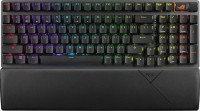
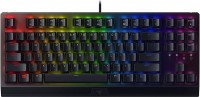

1. Familiarize yourself with different switches - try them out in the store or watch videos on YouTube like "Switches in Gaming Mechanical Keyboards! Which one to choose?". This keyboard comes with either Outemu Blue or Outemu Red, and O.Black and O.Brown are sold separately in a package.
2. Since the CK62 is a "60%" type (ultra-compact), many keys (which are initially absent) will be available only by switching modes, which takes time - each switch requires a 5 second wait. However, this limitation can be bypassed (an alternative switch):
1) Find the video "Motospeed CK62 Mechanical Keyboard Review + Layer FIX!" on YouTube and scroll down to the description (below the video) - there is a link "Auto Hotkey Script" - download the "CK62 Layers.AHK" file from there.
2) Download the AutoHotKey program (installation instructions are available on YouTube).
3) Right-click on the previously downloaded "CK62 Layers.AHK" file and click "Compile Script" in the context menu - a file-program with a green icon will be created in the same location. Right-click on this file and go to "Properties"-"Compatibility" and check "Run this program as an administrator". Add this file to startup (instructions available on YouTube). Now, by running this file, you will be able to use all available keys without needing to switch between modes - you just need to hold down the CAPSLOCK key and press the desired key - "1" will become "F1", and so forth.