
Samsung NX5
 | Outdated Product Sensor size: APS-C (23x15.5 mm); Effective MP number: 14.6; Manual focus; Image stabilization: optical; White balance measuring; Auto bracketing; Viewfinder: electronic; Continuous shooting (fps): 3; Screen ("): 3; Memory cards types: SD, SDHC; External flash connect; Power source: battery |


We recommend products in stockDigital Cameras Samsung →
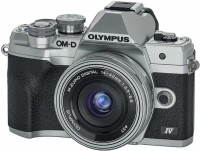
mirrorless, lens kits, 20 MP, screen: 3 '', oscillating, touch, ultra HD (4K) video, lens: 3 x, focal: 14 - 42 mm, 383 g

mirrorless, only body, 20 MP, screen: 3 '', oscillating, touch, ultra HD (4K) video, 383 g
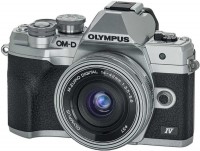
mirrorless, lens kits, 2 lenses, 20 MP, screen: 3 '', oscillating, touch, ultra HD (4K) video, 383 g
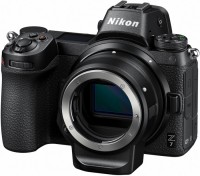
mirrorless, only body, 46 MP, screen: 3.2 '', oscillating, touch, ultra HD (4K) video, 675 g
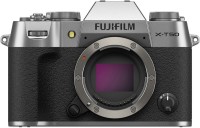
mirrorless, only body, 40 MP, screen: 3 '', oscillating, touch, ultra HD (4K) video, 438 g
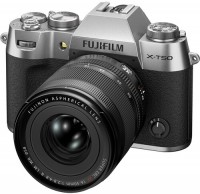
mirrorless, lens kits, 40 MP, screen: 3 '', oscillating, touch, ultra HD (4K) video, 438 g
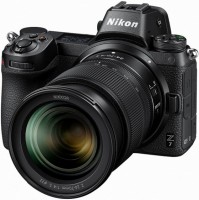
mirrorless, lens kits, 46 MP, screen: 3.2 '', oscillating, touch, ultra HD (4K) video, lens: 2.9 x, focal: 24-70 mm, 675 g
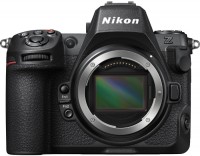
mirrorless, only body, 46 MP, screen: 3.2 '', oscillating, touch, ultra HD (4K) video, video above 4K, 910 g
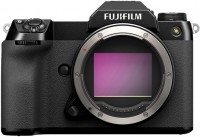
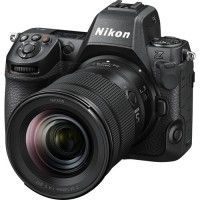
mirrorless, lens kits, 46 MP, screen: 3.2 '', oscillating, touch, ultra HD (4K) video, video above 4K, lens: 2.9 x, focal: 24 - 70 mm, 910 g
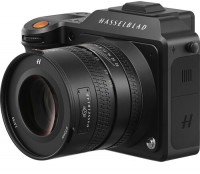

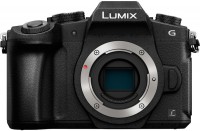
mirrorless, only body, 16 MP, screen: 3 '', oscillating, touch, ultra HD (4K) video, 505 g
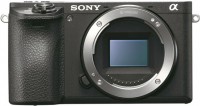
mirrorless, only body, 24 MP, screen: 3 '', oscillating, touch, ultra HD (4K) video, 404 g
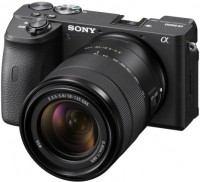
Samsung NX5
Panel:APS-C (23x15.5 mm), 14.6 MPix
Snapshot size:4592x3056 px
ISO range:100-3200
Burst shooting:3 fps
Screen:3 ''
All specifications
Specifications NX5
|
| ||||||||||||||||||||||||||||||||||||||||||||||||||||||||||||||||||||||||||||||||||||||||||||||||||||||||||||||||||||||||||||||||||||||


The information in the model description is for reference purposes.
Always clarify the specifications and configuration of the product with the online store manager before purchasing.
Catalog Samsung 2026 - new arrivals, bestsellers, and the most relevant models Samsung.
Always clarify the specifications and configuration of the product with the online store manager before purchasing.
Catalog Samsung 2026 - new arrivals, bestsellers, and the most relevant models Samsung.

AccessoriesAll accessories for Samsung NX5 →


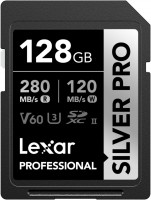
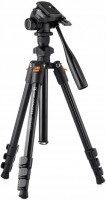

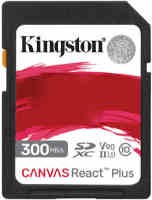


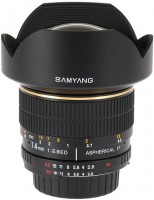

Overview of Samsung NX-5 Digital Camera:
Sensor:
Samsung NX-5 is equipped with a 14-megapixel APS-C format CMOS sensor. One of the main distinguishing features of this model is the use of a larger sensor (23.4 x 15.6 mm), which will positively affect image quality.
Dust Removal and Image Sensor Cleaning System: The ultrasonic dust removal system makes the sensor in the Samsung NX-5 camera vibrate 60,000 times per second.
NX Lens and Flash System:
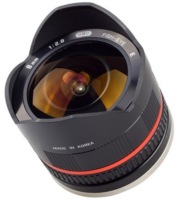
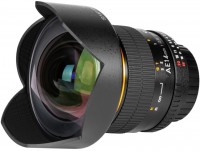
The Samsung Nx-5 is equipped with an NX mount system designed for attaching two branded lenses: a 30mm F2 fixed lens or an 18-55 mm F3.5 – 5.6. One is provided in the standard package.
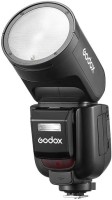
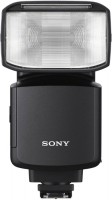
Lenses from other manufacturers can be installed via a special MA9NXK adapter of the K-mount type, however, focusing will be manual only. The built-in flash of the Samsung NX-5 has a guide number of 11 – in other words, its power is not very high. Fortunately, the camera is equipped with a "hot shoe" connector for connecting an external flash. Two models are currently offered – Samsung SEF 20A with a guide number of 20 and Samsung SEF 42A with a guide number of 42. The built-in flash can be used as intended or in strobe mode – for quick focus in low-light conditions. Under normal conditions, focusing is also aided by a very bright built-in assist LED.
Display:
The three-inch display is made with LCD technology (230,000 dots). The number of parameters displayed on the screen is comprehensive: file size, compression, flash operation, color preset, stabilization operation, burst shooting mode, autofocus mode, white balance settings (with correction), sensor sensitivity, as well as metering method and the icon indicating user color settings. At the bottom, the current shooting mode is displayed, autofocus confirmation, flash charge, shutter speed and aperture values, exposure compensation scale (in full manual mode, a deviation from the calculated exposure is indicated with an arrow), autofocus – auto exposure lock indicator, and of course, the number of remaining shots until the memory card fills up and the battery charge indicator.
Viewfinder:
The camera has an electronic viewfinder. The image can be displayed either on the main monitor or in the viewfinder, with switching occurring automatically as there is no dedicated button for this. Below the viewfinder, there is a sensor that activates when a face approaches the eyepiece.
Information in the viewfinder completely duplicates the information on the monitor.
File Formats:
RAW (SRW), JPEG (EXIF 2.21), DCF, DPOF 1.1, PictBridge 1.0 The camera supports shooting in RAW format, which allows for maximum potential in terms of image quality. The package includes Samsung RAW Converter software, which converts RAW files to JPEG. RAW files can be saved together with JPEG files, and since there are three levels of compression for the latter, there are a total of seven options for file saving modes.
Modes and Functions:
Manual Mode:
In manual mode, the camera has an original functional capability. If you continue to turn the wheel after reaching the maximum shutter speed of 30 seconds, the Bulb mode will activate, allowing for very long exposures with the shutter button held down, and a stopwatch will appear on the screen indicating the exposure duration in minutes and seconds.
Continuous Shooting:
The Samsung NX-5 camera has two modes of continuous shooting: continuous and burst. Continuous shooting proceeds at full resolution at 3 frames per second with no series length limit. Burst shooting proceeds at a crazy speed of 30 frames per second, but at a resolution of 1472 x 976 (less than one and a half megapixels) and in a single cycle, i.e., 30 frames – and stop, then a pause to save the images.
Bracketing:
The camera offers extended bracketing capabilities. In addition to regular exposure bracketing, there is bracketing for white balance and color schemes. Moreover, you can also set up the bracketing step, sequence of frames in the series, and white balance bracketing step.
Smart Range (HDR):
The Smart Range function has practical importance. It expands the camera's dynamic range, allowing it to simultaneously render both the brightest and darkest areas within a single frame. The Smart Range function is especially useful in combating overexposure in the sky. When enabled, the minimum sensitivity is limited to ISO 200.
Picture Wizard Function:
The "Picture Wizard" function allows for adjusting four image parameters: color tone (shift), saturation, sharpness, and contrast. There are nine modes available – standard, high, portrait, landscape, forest, retro, cool, calm, classic (black and white), plus three user modes.
Scene Program Modes:
Children, macro, text, sunset, sunrise, backlight, fireworks, beach/snow, and perfect shot (in this scene, you can choose one of three settings for face tone and one of three levels of face retouching). As for macro, it's worth noting that it does not reduce the minimum focusing distance. For true macro, special macro lenses are needed.
SMART Mode:
SMART mode, or intelligent mode, works as follows: the camera recognizes various ambient conditions and accordingly selects optimal settings. The result is accompanied by an icon in the lower left corner. The automation does not just select one of the scene programs but evaluates the situation comprehensively, so complex modes like "Landscape with backlight" or "Macro text shooting" can be set. This program will be helpful for beginner photographers.
Video Mode:
Samsung NX-5 can shoot videos in resolutions of 1280x720, 640x480, or 320x240 pixels, with two quality (compression levels) options in each case. Video recording can be done in both automatic mode and aperture priority mode – which gives control over the depth of field while shooting. The aperture can even be changed during shooting; however, while doing this, firstly, the clicks from the control wheel rotation are recorded, and secondly, brightness fluctuation may occur, since the automation does not instantly adjust to changes in lighting. The dimming function allows video clips to start and/or end not abruptly but with smooth brightness increase or fade-out. During video recording, the color schemes can be customized using the picture wizard. Sound recording is done in mono format. There is no option to connect an external microphone, but there is a filter compensating for wind noise. The Samsung NX-5 does not have a dedicated button for video recording – start and stop recording use the regular shutter button.
Photo Playback Mode:
A feature of the playback mode is the ability to apply a range of functions to the photographs directly on the camera:
Advantages and Disadvantages of Samsung NEX-5:
Advantages:
Sensor:
Samsung NX-5 is equipped with a 14-megapixel APS-C format CMOS sensor. One of the main distinguishing features of this model is the use of a larger sensor (23.4 x 15.6 mm), which will positively affect image quality.
Dust Removal and Image Sensor Cleaning System: The ultrasonic dust removal system makes the sensor in the Samsung NX-5 camera vibrate 60,000 times per second.
NX Lens and Flash System:
The Samsung Nx-5 is equipped with an NX mount system designed for attaching two branded lenses: a 30mm F2 fixed lens or an 18-55 mm F3.5 – 5.6. One is provided in the standard package.
Lenses from other manufacturers can be installed via a special MA9NXK adapter of the K-mount type, however, focusing will be manual only. The built-in flash of the Samsung NX-5 has a guide number of 11 – in other words, its power is not very high. Fortunately, the camera is equipped with a "hot shoe" connector for connecting an external flash. Two models are currently offered – Samsung SEF 20A with a guide number of 20 and Samsung SEF 42A with a guide number of 42. The built-in flash can be used as intended or in strobe mode – for quick focus in low-light conditions. Under normal conditions, focusing is also aided by a very bright built-in assist LED.
Display:
The three-inch display is made with LCD technology (230,000 dots). The number of parameters displayed on the screen is comprehensive: file size, compression, flash operation, color preset, stabilization operation, burst shooting mode, autofocus mode, white balance settings (with correction), sensor sensitivity, as well as metering method and the icon indicating user color settings. At the bottom, the current shooting mode is displayed, autofocus confirmation, flash charge, shutter speed and aperture values, exposure compensation scale (in full manual mode, a deviation from the calculated exposure is indicated with an arrow), autofocus – auto exposure lock indicator, and of course, the number of remaining shots until the memory card fills up and the battery charge indicator.
Viewfinder:
The camera has an electronic viewfinder. The image can be displayed either on the main monitor or in the viewfinder, with switching occurring automatically as there is no dedicated button for this. Below the viewfinder, there is a sensor that activates when a face approaches the eyepiece.
Information in the viewfinder completely duplicates the information on the monitor.
File Formats:
RAW (SRW), JPEG (EXIF 2.21), DCF, DPOF 1.1, PictBridge 1.0 The camera supports shooting in RAW format, which allows for maximum potential in terms of image quality. The package includes Samsung RAW Converter software, which converts RAW files to JPEG. RAW files can be saved together with JPEG files, and since there are three levels of compression for the latter, there are a total of seven options for file saving modes.
Modes and Functions:
Manual Mode:
In manual mode, the camera has an original functional capability. If you continue to turn the wheel after reaching the maximum shutter speed of 30 seconds, the Bulb mode will activate, allowing for very long exposures with the shutter button held down, and a stopwatch will appear on the screen indicating the exposure duration in minutes and seconds.
Continuous Shooting:
The Samsung NX-5 camera has two modes of continuous shooting: continuous and burst. Continuous shooting proceeds at full resolution at 3 frames per second with no series length limit. Burst shooting proceeds at a crazy speed of 30 frames per second, but at a resolution of 1472 x 976 (less than one and a half megapixels) and in a single cycle, i.e., 30 frames – and stop, then a pause to save the images.
Bracketing:
The camera offers extended bracketing capabilities. In addition to regular exposure bracketing, there is bracketing for white balance and color schemes. Moreover, you can also set up the bracketing step, sequence of frames in the series, and white balance bracketing step.
Smart Range (HDR):
The Smart Range function has practical importance. It expands the camera's dynamic range, allowing it to simultaneously render both the brightest and darkest areas within a single frame. The Smart Range function is especially useful in combating overexposure in the sky. When enabled, the minimum sensitivity is limited to ISO 200.
Picture Wizard Function:
The "Picture Wizard" function allows for adjusting four image parameters: color tone (shift), saturation, sharpness, and contrast. There are nine modes available – standard, high, portrait, landscape, forest, retro, cool, calm, classic (black and white), plus three user modes.
Scene Program Modes:
Children, macro, text, sunset, sunrise, backlight, fireworks, beach/snow, and perfect shot (in this scene, you can choose one of three settings for face tone and one of three levels of face retouching). As for macro, it's worth noting that it does not reduce the minimum focusing distance. For true macro, special macro lenses are needed.
SMART Mode:
SMART mode, or intelligent mode, works as follows: the camera recognizes various ambient conditions and accordingly selects optimal settings. The result is accompanied by an icon in the lower left corner. The automation does not just select one of the scene programs but evaluates the situation comprehensively, so complex modes like "Landscape with backlight" or "Macro text shooting" can be set. This program will be helpful for beginner photographers.
Video Mode:
Samsung NX-5 can shoot videos in resolutions of 1280x720, 640x480, or 320x240 pixels, with two quality (compression levels) options in each case. Video recording can be done in both automatic mode and aperture priority mode – which gives control over the depth of field while shooting. The aperture can even be changed during shooting; however, while doing this, firstly, the clicks from the control wheel rotation are recorded, and secondly, brightness fluctuation may occur, since the automation does not instantly adjust to changes in lighting. The dimming function allows video clips to start and/or end not abruptly but with smooth brightness increase or fade-out. During video recording, the color schemes can be customized using the picture wizard. Sound recording is done in mono format. There is no option to connect an external microphone, but there is a filter compensating for wind noise. The Samsung NX-5 does not have a dedicated button for video recording – start and stop recording use the regular shutter button.
Photo Playback Mode:
A feature of the playback mode is the ability to apply a range of functions to the photographs directly on the camera:
- The "Backlight Compensation" function brightens the image, improving the rendition of faces that turned out dark when shooting against the light.
- You can change the image size (resolution).
- The "Photo Style Selector" function allows altering the color and tone rendition of an image. There are seven presets – soft, high (high saturation), forest, autumn, fog, overcast, and classic.
- The "Face Retouching" function smooths out minor skin imperfections, with three levels of intensity.
- The image can be rotated 90 degrees to the left or right, flipped upside down (useful when shooting reflections in water, for example), as well as mirrored (this can also be helpful to enhance composition and add maximum expressiveness to a photo).
| NX10 | NX5 | |
| Display Type | AMOLED, 614,000 dots | LCD, 230,000 dots |
| Display Resolution | 640x480 pixels | 320x240 pixels |
| Viewfinder | 100% frame coverage Magnification approx. 0.86x Eyepiece 20.2 mm |
98% frame coverage Magnification approx. 0.83x Eyepiece 17 mm |
| Weight | 353 g | 345 g |
Advantages and Disadvantages of Samsung NEX-5:
Advantages:
- Excellent design and build quality.
- Comfortable grip for a camera of this size.
- Interchangeable lenses offer optimal choice.
- Ability to fit K-Mount type lenses with an adapter (but without autofocus).
- 14-megapixel APS-C CMOS sensor.
- Ultrasonic sensor cleaning system for dust removal.
- Wide autofocus area selection.
- Socket for connecting external flash.
- A lamp (not flash) is used for autofocus illumination.
- Continuous shooting at 3 frames/sec and ultra-fast 30 frames/sec (at 1472x976 resolution).
- Useful Smart Range function for extended dynamic range.
- RAW format support and simultaneous RAW+JPEG saving (with varying JPEG compression levels).
- HD video recording at 1280x720 (though sound is mono).
- HDMI output available.
- Inputs for external power supply and wired remote control.
- Access to battery and memory card is preserved when mounted on a tripod.
- Long battery life, considering its small size.
- Limited set of Samsung NX standard lenses (although quick development is promised).
- Special lenses needed for macro photography.
- Non-rotating display.
- In playback mode, always goes to the last shot taken (cannot switch to the last viewed).
- Cannot scroll through images in enlarged scale or display two frames on the screen in viewing mode.
- Sound during video recording is monophonic.
- Strong "jelly effect" with vertical lines during video recording.
- Large RAW files (~25 MB) – resulting in long writing time to the card.