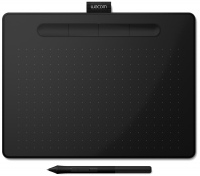
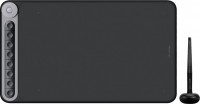
Wacom Cintiq Pro 16 (DTH-1620)
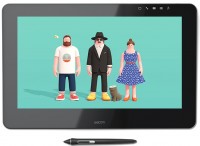 | When you make a purchase through links on our site, we may receive a affiliate commission. Buy! Wacom Cintiq Pro 16 Graphics Tablet 4K Resolution for Professional Designers and Artists 156" Multi-Touch Screen 98 Adobe RGAmazon.co.ukDelivery: in United Kingdom Report |

Wacom Cintiq Pro 16 | ||||||||||||||||||||||||||||||||||||||||||||||||||||||||||||||||||||||||||||||||||||||
|
| |||||||||||||||||||||||||||||||||||||||||||||||||||||||||||||||||||||||||||||||||||||


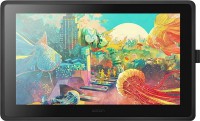
High-detail interactive professional graphic tablet with a 15.6" IPS screen in UltraHD/4K resolution (working area 345x194 mm), excellent color reproduction, anti-glare glass working surface, ergonomic passive Pro Pen 2, and convenient touch controls. Designed specifically for demanding users who want to work directly on the screen with a pen. Positioned as a high-end product aimed at digital content industry professionals, optimized for tasks where impeccable precision, lag-free performance, and rapid real-time visualization of results are critically important.
The Wacom Cintiq Pro 16 graphic tablet is perfect for artists and illustrators, 3D modelers using software such as ZBrush, Blender, Autodesk Maya, retouchers, VFX specialists, video editors, industrial designers, and architects. Wacom's Optical Bonding technology minimizes the distance between the pen tip and the actual cursor for precise contouring. The tablet screen is protected by etched tempered glass, eliminating glare and creating controlled friction when in contact with the pen tip. Gesture support for zooming, rotating, and panning speeds up navigation, allowing one hand to control the canvas while the other draws. The Wacom Color Manager calibrator (sold separately) ensures reference-quality color reproduction.

Always clarify the specifications and configuration of the product with the online store manager before purchasing.
Catalog Wacom 2026 - new arrivals, bestsellers, and the most relevant models Wacom.
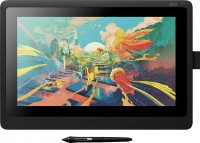


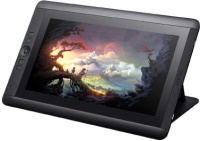
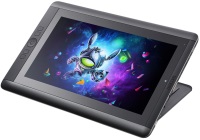
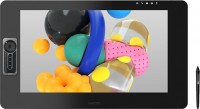
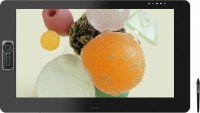
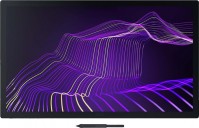
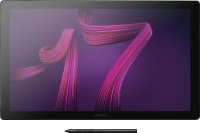
Too small, of course. This year Wacom will release the 24 and crazy 32 inches announced six months ago, it’s better to wait for them. I ordered 16 when it was not yet on sale in Russia, but this brought quite a bit of trouble. If you buy a new one in the USA, be prepared to look for adapters and other wires to transfer data to the display, unless you have a Mac or a new laptop. The pen actually has much more pressure levels than previous models (by the way, old pens also work with it) The brightness settings are odd (I couldn't make it brighter, at least not like the main monitor), as well as the color rendering settings, with inconvenient calibration. The response delay is, as always, noticeable when drawing small details. It's difficult to "sync" with another monitor of a different format in "extended" mode. Data transmission cables for the display will likely need to be purchased separately for a regular computer. use Wacom Cintiq Pro 16 few months |