
Comparison ZTE MF286 vs Huawei E5577
Add to comparison | 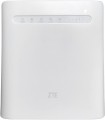 | 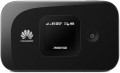 |
|---|---|---|
| ZTE MF286 | Huawei E5577 | |
| Compare prices 1 | from £64.95 | |
| User reviews | ||
| TOP sellers | ||
Works both from the accumulator, and from a network. There is a LAN port (4 pcs). IPv6, DLNA, SMS, VoIP, WPS, DMZ, NAT, IP Filter, WEP Encryption, WPA, WPA2, MAC Filtering. | Informative display. Mobile application with localization. Possibility to connect 2 additional antennas. Slot for a memory card. | |
| Device type | portable router | portable router |
| Wi-Fi | ||
| Connected devices, up to | 64 | 11 |
| Effective range | 70 m | 10 m |
Connection | ||
| Communication generation | 2G 3G 4G (LTE) | 2G 3G 4G (LTE) |
| 4G (LTE) | Cat.6 (300/50 Mbps) | Cat.4 (150/50 Mbps) |
| Transmission technology | GPRS EDGE W-CDMA HSUPA HSDPA HSPA+ LTE | GPRS EDGE W-CDMA HSUPA HSDPA HSPA+ LTE |
| Ports | LAN (RJ45) | microUSB |
Features | ||
| External antenna connector |  |  |
| MIMO antenna connection | | |
| Memory card slot | | |
| SIM card slot | | |
| R-UIM card slot | | |
| Display | | |
General | ||
| Built-in battery | | |
| Battery capacity | 3000 mAh | 1500 mAh |
| Operating time (internet browsing) | 3 h | 6 h |
| Operating time (standby) | 300 h | |
| Dimensions | 180x170x30 mm | 93.5x57x14.4 mm |
| Weight | 448 g | 82 g |
| Added to E-Catalog | january 2020 | october 2016 |


Compare ZTE MF286 and Huawei E5577
Price comparison
You may be interested in
ZTE MF286 often compared


Huawei E5577 often compared


Glossary
Connected devices, up to
The largest number of devices that can be simultaneously connected to the modem via Wi-Fi (see "Connection").
The presence of this limitation is due to the fact that processing network requests from several devices at once requires a fairly large amount of computing resources, and there are not so many of them in miniature electronics like wireless modems. However, even inexpensive models can support about 5 – 6 devices, which is more than enough for most cases; and in more advanced modems, this number can reach 10.
The presence of this limitation is due to the fact that processing network requests from several devices at once requires a fairly large amount of computing resources, and there are not so many of them in miniature electronics like wireless modems. However, even inexpensive models can support about 5 – 6 devices, which is more than enough for most cases; and in more advanced modems, this number can reach 10.
Effective range
The greatest distance at which the modem's built-in router is capable of providing communication via the Wi-Fi interface (see "Connection").
It should be taken into account that in fact the range strongly depends on a number of factors that are not related to the main specs of the modem: the presence of interference and obstacles in the signal path, the specs of the Wi-Fi module of the connected device, the battery charge in this device or the modem itself, etc. Therefore, the actual range indicators can be noticeably lower than the claimed ones: for example, when working through a wall, they are noticeably reduced. However, this spec quite clearly describes the overall range of the device, and comparisons of different models on it are quite acceptable.
Also note that it does not always make sense to purchase a device with a maximum range — although a long range provides additional convenience, it requires high transmitter power, which significantly increases the size and price of the modem. Therefore, when choosing, it is worth proceeding primarily from the intended scenarios of use. For example, if you need a 3G connection to access the Internet on the road from your tablet, a range of several metres will be enough. But for installation in a large private house, it makes sense to look for a model with increased effective range.
It should be taken into account that in fact the range strongly depends on a number of factors that are not related to the main specs of the modem: the presence of interference and obstacles in the signal path, the specs of the Wi-Fi module of the connected device, the battery charge in this device or the modem itself, etc. Therefore, the actual range indicators can be noticeably lower than the claimed ones: for example, when working through a wall, they are noticeably reduced. However, this spec quite clearly describes the overall range of the device, and comparisons of different models on it are quite acceptable.
Also note that it does not always make sense to purchase a device with a maximum range — although a long range provides additional convenience, it requires high transmitter power, which significantly increases the size and price of the modem. Therefore, when choosing, it is worth proceeding primarily from the intended scenarios of use. For example, if you need a 3G connection to access the Internet on the road from your tablet, a range of several metres will be enough. But for installation in a large private house, it makes sense to look for a model with increased effective range.
4G (LTE)
The 4G (LTE) mobile connection speed supported by the modem.
All modern LTE equipment is assigned one or another category (Cat.3, Cat.4, Cat.6, Cat.7, Cat.9, Cat.12, Cat.13, Cat.16, Cat.18, Cat.19, Cat.20, Cat.22), on which the transmission speed directly depends. This paragraph specifies both this category and specific speed indicators, moreover, in two parameters — for reception and for transmission. The transmission speed is always much lower, but given the specifics of mobile Internet access, this is usually not critical.
Note that equipment with different speed categories will be quite compatible with each other, however, the throughput will be limited by the capabilities of the slower device. It is also worth saying that this paragraph indicates the theoretical maximum; practical amounts can be noticeably lower (depending on the quality of the network coverage and the features of specific electronics). However, a modem with a higher speed category will perform faster in fact.
All modern LTE equipment is assigned one or another category (Cat.3, Cat.4, Cat.6, Cat.7, Cat.9, Cat.12, Cat.13, Cat.16, Cat.18, Cat.19, Cat.20, Cat.22), on which the transmission speed directly depends. This paragraph specifies both this category and specific speed indicators, moreover, in two parameters — for reception and for transmission. The transmission speed is always much lower, but given the specifics of mobile Internet access, this is usually not critical.
Note that equipment with different speed categories will be quite compatible with each other, however, the throughput will be limited by the capabilities of the slower device. It is also worth saying that this paragraph indicates the theoretical maximum; practical amounts can be noticeably lower (depending on the quality of the network coverage and the features of specific electronics). However, a modem with a higher speed category will perform faster in fact.
Ports
— USB plug. The presence in the design of the modem of its own USB plug, which allows you to connect the device to a computer directly. Such a connection provides a device with a USB port with Internet access, and the power necessary for the operation of the modem is also supplied via USB.
— microUSB. A smaller version of the USB connector (see above), used primarily in Wi-Fi modems (see "Type") that can work autonomously and do not require a constant connection to another device. At the same time, in 3G/4G modems, microUSB usually looks like a socket, not a plug, and a special cable is used to connect. This interface usually plays the role of a general-purpose service connector: the battery is charged through it, and it is also connected to a PC or other device to manage settings, update firmware, etc.
— USB. Wired interface, the most common and universal modern standard used to connect peripheral equipment to various electronic devices, ranging from computers to smartphones and even wireless modems. In this case, the full-size version of the USB connector is meant. It is usually installed in classic modems (see "Type") and has the form of a plug, with which the modem is connected to a control device (PC, laptop, tablet, etc.). Power is usually supplied through the same connector.
— USB-C.... Connector, in its functional features similar to the paragraph above. With the exception of the symmetrical form factor and the use of more modern technologies.
— LAN (RJ45). Classic wired connection via a cable with an RJ-45 connector. Also known as "LAN". Nowadays, it is one of the most common methods of wired Internet connection, and is also widely used in local networks. With it, you can connect a laptop or PC directly to the modem via a cable and not bother with a Wi-Fi connection. In addition, such a connection can be faster (depending on the speed of the LAN).
— ExpressCard. A connection interface mainly used in laptops. Peripheral devices of this standard, including wireless modems, have the form of cards, when connected, they are installed in a special slot in the device. It should be taken into account that there are two ExpressCard form factors — 54 mm and 34 mm, and 34 mm cards can be used without restrictions with 54 mm slots, but not vice versa. Therefore, when choosing such a modem, it is worth clarifying the correspondence of its form factor to the planned slot. However, this standard is gradually disappearing from the scene, being replaced by more advanced interfaces — in particular, USB 3.0.
— microUSB. A smaller version of the USB connector (see above), used primarily in Wi-Fi modems (see "Type") that can work autonomously and do not require a constant connection to another device. At the same time, in 3G/4G modems, microUSB usually looks like a socket, not a plug, and a special cable is used to connect. This interface usually plays the role of a general-purpose service connector: the battery is charged through it, and it is also connected to a PC or other device to manage settings, update firmware, etc.
— USB. Wired interface, the most common and universal modern standard used to connect peripheral equipment to various electronic devices, ranging from computers to smartphones and even wireless modems. In this case, the full-size version of the USB connector is meant. It is usually installed in classic modems (see "Type") and has the form of a plug, with which the modem is connected to a control device (PC, laptop, tablet, etc.). Power is usually supplied through the same connector.
— USB-C.... Connector, in its functional features similar to the paragraph above. With the exception of the symmetrical form factor and the use of more modern technologies.
— LAN (RJ45). Classic wired connection via a cable with an RJ-45 connector. Also known as "LAN". Nowadays, it is one of the most common methods of wired Internet connection, and is also widely used in local networks. With it, you can connect a laptop or PC directly to the modem via a cable and not bother with a Wi-Fi connection. In addition, such a connection can be faster (depending on the speed of the LAN).
— ExpressCard. A connection interface mainly used in laptops. Peripheral devices of this standard, including wireless modems, have the form of cards, when connected, they are installed in a special slot in the device. It should be taken into account that there are two ExpressCard form factors — 54 mm and 34 mm, and 34 mm cards can be used without restrictions with 54 mm slots, but not vice versa. Therefore, when choosing such a modem, it is worth clarifying the correspondence of its form factor to the planned slot. However, this standard is gradually disappearing from the scene, being replaced by more advanced interfaces — in particular, USB 3.0.
External antenna connector
The presence of a connector for an external removable antenna in the modem design. The meaning of all external antennas is described above; here we note that the connector makes it possible to use rather large antennas with the modem, which significantly exceed the capabilities of stock antennas (both internal and external non-removable ones). In addition, the user can choose the antenna at his discretion.
MIMO antenna connection
The ability to connect the MIMO antenna (the antenna itself, usually, must be purchased separately).
MIMO technology is used in Wi-Fi communications, as well as in 4G LTE networks (starting with Cat.2). Its general principle is to split the transmitted signal into several transmitting and receiving antennas; at the same time, each of the transmitting antennas broadcasts a signal to all receiving antennas at once (or at least to several of them). This format of operation allows more efficient use of the frequency range, increases the actual data transfer rate, and also increases resistance to interference. But antennas for MIMO are rather bulky, in the case of modems it is difficult to make them built-in; and such feature is required not so often. Therefore, separate external antennas are used to work with this technology.
Note that even in portable Wi-Fi hotspots (see "Type"), this feature is used exclusively for 4G/LTE; Wi-Fi connection is provided by built-in antennas.
MIMO technology is used in Wi-Fi communications, as well as in 4G LTE networks (starting with Cat.2). Its general principle is to split the transmitted signal into several transmitting and receiving antennas; at the same time, each of the transmitting antennas broadcasts a signal to all receiving antennas at once (or at least to several of them). This format of operation allows more efficient use of the frequency range, increases the actual data transfer rate, and also increases resistance to interference. But antennas for MIMO are rather bulky, in the case of modems it is difficult to make them built-in; and such feature is required not so often. Therefore, separate external antennas are used to work with this technology.
Note that even in portable Wi-Fi hotspots (see "Type"), this feature is used exclusively for 4G/LTE; Wi-Fi connection is provided by built-in antennas.
Memory card slot
The presence of a slot for memory card in the design of the modem. Memory cards are very popular in modern electronics as removable storage media; in wireless modems, there are two main options for working with them. The first one provides use as an external card reader, for exchanging information between the card and the device to which the modem is connected via USB (see below); Simply put, installing a card turns the modem into a "flash drive" with removable storage. And in models with Wi-Fi (see "Type"), it may also be possible to work as a server that provides access to the contents of the memory card to all wireless devices connected to the modem. As for the types of cards, the most common support for the microSD standard is that they are small enough to be easily combined with compact wireless modem cases. Note that even within the same standard of memory cards there are several varieties, and before buying it's worth to clarify which of them the device is compatible with.
R-UIM card slot
The presence of a slot for an R-UIM card in the modem design. The purpose of such cards is similar to the SIM cards described above, but they are used in networks based on CDMA (and, accordingly, in modems with EV-DO support, see "Transmission Technologies"). Note that, unlike devices for GSM and UMTS networks, for CDMA modems a slot for this type of card is not a mandatory element of equipment — many such devices are tied to the network by changing the firmware, which is why operators of such communication may not use R-UIM at all. Therefore, although in general the use of cards is simpler and more convenient for the user than flashing, however, the choice of the presence or absence of an R-UIM slot depends on the requirements of the network with which the modem is planned to be used.
Display
The presence of a display in the design of the modem. Even the simplest screens used in modern modems are very versatile and capable of displaying almost any service information about the operation of the device (and sometimes not only purely service information). Due to this, this feature provides much more opportunities to inform the user than various indicators. At the same time, we note that this feature is found only in Wi-Fi modems (see above) designed for stand-alone use. This is due to the fact that in models that are connected to another device via USB, the screen of the external device is used for displaying this information, and it simply does not make sense to equip the modem with its own display.