
Comparison Philips 65OLED818 vs Philips 65OLED754
Add to comparison | 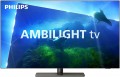 |  |
|---|---|---|
| Philips 65OLED818 | Philips 65OLED754 | |
from £3,649.94 | from £1,538.51 | |
| User reviews | ||
| TOP sellers | ||
Three-sided Ambilight. Processor P5 Perfect Picture Engine. Voice assistants Google Assistant, Amazon Alexa. | ||
| Size | 65 " | 65 " |
| Operating system | Google TV (Android TV) | Smart TV (proprietary system) |
| CPU | Philips P5 Perfect Picture | Philips P5 Perfect Picture |
Display | ||
| Matrix | OLED | OLED |
| Screen surface | anti-glare | anti-glare |
| Resolution | 3840x2160 px | 3840x2160 px |
| Upscaling | up to 4K | up to 4K |
| Frame rate | 100/120 Hz | 50/60 Hz |
| HDR support | HDR10+, Dolby Vision | |
| IMAX Enhanced |  |  |
| AMD compatible | AMD FreeSync Premium | |
| NVIDIA compatible | G-Sync Compatible | |
Multimedia | ||
| Sound power | 70 W | 40 W |
| Number of speakers | 4 | 2 |
| Subwoofer | | |
| Audio decoders | Dolby Atmos, DTS | Dolby Atmos, DTS |
| Digital tuner | DVB-T2 (terrestrial) DVB-C (cable) DVB-S (satellite) DVB-S2 (satellite) | DVB-T2 (terrestrial) DVB-C (cable) DVB-S (satellite) DVB-S2 (satellite) |
| Picture-in-picture | | |
Features | ||
| Features | Wi-Fi 5 (802.11ac) Google Cast (Chromecast) Bluetooth v5.0 Ambilight voice control Google Assistant | Wi-Fi 4 (802.11n) Ambilight voice control Amazon Alexa Google Assistant |
Connectors | ||
| HDMI | 4 | 4 |
| HDMI version | v 2.1 | |
| HDMI technologies | VRR, ALLM | |
| Additional inputs | USB-A 3 pcs LAN | 1xUSB-A 2.0 LAN component composite AV input |
| Outputs | mini-Jack (3.5 mm) headphones optical | mini-Jack (3.5 mm) headphones optical |
General | ||
| RAM | 3 GB | |
| Built-in memory | 16 GB | 16 GB |
| Wall mount | VESA 300x300 mm | VESA 300x300 mm |
| Stand shape | 1 leg on the platform | 2 separate legs |
| Power consumption | 183 W | |
| Energy efficiency class | B | |
| Dimensions (WxHxD) | 1444x896x280 mm | 1449x841x280 mm |
| Dimensions without stand (WxHxD) | 1444x831x68 mm | 1449x830x49 mm |
| Weight | 26.8 | 28.5 |
| Color | ||
| Added to E-Catalog | june 2023 | september 2019 |


Compare Philips 65OLED818 and 65OLED754
You may be interested in
My comparisons
Philips 65OLED818 often compared


Glossary
Operating system
— Smart TV (own system). The operating system of the TV is represented by the manufacturer's proprietary software shell. Usually, such operating systems have an attractive and understandable menu, similar to a traditional Smart TV. A proprietary operating system is developed by the manufacturer for the hardware resources of a particular TV model or a whole line. But, as practice shows, compared to the classic Smart TV, the functionality of its own system often has significant limitations, and the system itself, in fact, is a stripped-down version of a full-fledged Smart TV.
— Smart TV (Android AOSP). This type of operating system is a modification of the popular Android OS, mainly notable for being open source. It is a versatile operating system that gives the user much more freedom to create changes and customizations within the system itself. At the same time, the installation and stability of certain applications on this platform are not guaranteed, and the overall system management was not specially “tailored” for large screens, which may cause some inconvenience. First of all, such solutions will arouse interest among users who understand the features of the Android OS, like to customize and control everything for themselves, and have time for this.
— Android TV. TVs of this type boast full-fledged Android TV software, specially adapted to work on...large screens. In accordance with the name, it is a kind of Android OS, specially “sharpened” for TVs / projectors, etc. In addition to the common features of all “Androids” (such as the ability to install additional applications, including even games), it has a number of special features: optimized interface, integration with smartphones (including the ability to use them as a remote control), voice search, etc. Thanks to this, TVs with this feature are significantly superior in functionality to models with a “regular” Smart TV. Of course, a dedicated processor, graphics subsystem and memory are provided for the operation of a multifunctional OS, and the presence of such hardware resources is reflected in the total cost of the TV. Given the same optical design, models with Android TV will cost more than classic devices with a simple multi-line menu.
— Google TV. Rebranding of the Android TV platform for TVs and smart set-top boxes, or rather, a new shell on top of the operating system under the sign of the “green droid”, introduced since 2021. Among the innovations, it has a redesigned user interface, an improved knowledge base that more efficiently distributes content by genre and collects search information from the entire list of installed applications and subscriptions. The voice assistant now understands the needs of the audience better and provides a detailed list of what was found. A separate tab in the interface contains live broadcasts of current events, whether it be sports events or a rocket launch to Mars. Among other things, the aspects that involve the use of TV as a command post for managing a single ecosystem of a “smart” home have been improved in the system.
Frame rate
The true panel frequency of a TV without marketing enhancements and interpolation; today there are two classes: 50/60 Hz and 100/120 Hz. The pair of 50 and 60 Hz exists due to historical video signal standards (Europe 25/50, USA/Asia 30/60), with modern TVs typically accepting both. It is reasonable to consider the 100/120 Hz pair as one: it is the same high-end hardware platform, simply operating in multiples of its "native" content (100 Hz for 50 Hz sources, 120 Hz for 60 Hz). This class provides smoother motion in sports and 24p movies (at 120 Hz — in a multiple of 5:5 without stuttering) and unlocks 4K@120 Hz/VRR for gaming; 50/60 Hz remains the basic option for TV and streaming without gaming ambitions.
HDR support
TV support for high dynamic range technology — HDR.
This technology is designed to expand the range of brightness reproduced by the TV; Simply put, an HDR model will display brighter whites and darker blacks than a regular TV. In fact, this means a significant improvement in colour quality. On the one hand, HDR provides a very "live" image, close to what the human eye sees, with an abundance of shades and tones that a normal screen cannot convey; on the other hand, this technology allows to achieve very bright and rich colours.
However for the full use of this feature, you need not only an HDR TV, but also content (movies, TV broadcasts, etc.) that was originally created for HDR. Also note that there are several different HDR technologies that are not compatible with each other. Therefore, when buying a TV with this feature, it is highly advisable to clarify which version of HDR it supports (HDR10, HDR10 + or Dolby Vision). And the following are found:
— HDR10. Historically the first of the consumer HDR formats, less advanced than the options described below but extremely widespread. In particular, HDR10 is supported by almost all streaming services that provide HDR content, and it is also common for Blu-ray discs. Allows to work with a colour depth of 10 bits (hence the name). At the same time, devices of this format are also compatible wi...th content in HDR10+, although its quality will be limited by the capabilities of the original HDR10.
— HDR10+. An improved version of HDR10. With the same colour depth (10 bits), it uses the so-called dynamic metadata, which allows transmitting information about the colour depth not only for groups of several frames, but also for individual frames. This results in an additional improvement in colour reproduction.
– Dolby Vision. An advanced standard used particularly in professional cinematography. Allows to achieve a colour depth of 12 bits, uses the dynamic metadata described above, and also makes it possible to transmit two image options at once in one video stream — HDR and standard (SDR). At the same time, Dolby Vision is based on the same technology as HDR10, so in modern video technology this format is usually combined with HDR10 or HDR10+.
This technology is designed to expand the range of brightness reproduced by the TV; Simply put, an HDR model will display brighter whites and darker blacks than a regular TV. In fact, this means a significant improvement in colour quality. On the one hand, HDR provides a very "live" image, close to what the human eye sees, with an abundance of shades and tones that a normal screen cannot convey; on the other hand, this technology allows to achieve very bright and rich colours.
However for the full use of this feature, you need not only an HDR TV, but also content (movies, TV broadcasts, etc.) that was originally created for HDR. Also note that there are several different HDR technologies that are not compatible with each other. Therefore, when buying a TV with this feature, it is highly advisable to clarify which version of HDR it supports (HDR10, HDR10 + or Dolby Vision). And the following are found:
— HDR10. Historically the first of the consumer HDR formats, less advanced than the options described below but extremely widespread. In particular, HDR10 is supported by almost all streaming services that provide HDR content, and it is also common for Blu-ray discs. Allows to work with a colour depth of 10 bits (hence the name). At the same time, devices of this format are also compatible wi...th content in HDR10+, although its quality will be limited by the capabilities of the original HDR10.
— HDR10+. An improved version of HDR10. With the same colour depth (10 bits), it uses the so-called dynamic metadata, which allows transmitting information about the colour depth not only for groups of several frames, but also for individual frames. This results in an additional improvement in colour reproduction.
– Dolby Vision. An advanced standard used particularly in professional cinematography. Allows to achieve a colour depth of 12 bits, uses the dynamic metadata described above, and also makes it possible to transmit two image options at once in one video stream — HDR and standard (SDR). At the same time, Dolby Vision is based on the same technology as HDR10, so in modern video technology this format is usually combined with HDR10 or HDR10+.
IMAX Enhanced
The IMAX Enhanced Seal of Conformity is awarded to televisions that meet the video device certification requirements of IMAX Corporation. It applies to streaming and Blu-Ray content shot with IMAX cameras or processed using special DMR (Digital Media Remastering) software. To qualify for IMAX Enhanced certification, your TV must have 4K resolution, 10-bit color, support HDR10 and HDR10+, and DTS:X audio. As a result, viewers get the opportunity to enjoy the immersive effect of an IMAX cinema at home.
AMD compatible
TV compatibility with special frame synchronization technologies used in AMD graphics cards.
You should pay attention to this parameter if you plan to use the TV as a gaming monitor for a PC or laptop with an AMD graphics adapter. Special timing technologies are used to match the screen refresh rate to the frame rate of the incoming video signal. Such a need arises for the reason that the frame rate issued by the graphics card can “float” when the load on the video adapter changes (this is especially true for demanding games); and if this frequency does not match the screen refresh rate – tears and other unwanted artifacts appear on the image.
The AMD technology used to eliminate this effect is called FreeSync. Nowadays, it is presented on the market in three versions — the original FreeSync and two extended ones:
– AMD FreeSync Premium Pro. The most advanced and functional version, formerly known as AMD FreeSync 2 HDR. In addition to refresh rate sync, it also includes support for HDR (see above), output at a frame rate of at least 120 Hz at Full HD resolution, as well as low frame rate compensation (LFC). The essence of LFC is that when the frame rate of the original video signal falls below the minimum frequency supported by the screen, the same frame is displayed on the screen several times, which allows to maintain the maximum smoothness of the “picture”.
— AMD FreeSync Premium. A somewhat s...implified version compared to FreeSync Premium Pro. It does not provide working with HDR, otherwise it is completely similar.
You should pay attention to this parameter if you plan to use the TV as a gaming monitor for a PC or laptop with an AMD graphics adapter. Special timing technologies are used to match the screen refresh rate to the frame rate of the incoming video signal. Such a need arises for the reason that the frame rate issued by the graphics card can “float” when the load on the video adapter changes (this is especially true for demanding games); and if this frequency does not match the screen refresh rate – tears and other unwanted artifacts appear on the image.
The AMD technology used to eliminate this effect is called FreeSync. Nowadays, it is presented on the market in three versions — the original FreeSync and two extended ones:
– AMD FreeSync Premium Pro. The most advanced and functional version, formerly known as AMD FreeSync 2 HDR. In addition to refresh rate sync, it also includes support for HDR (see above), output at a frame rate of at least 120 Hz at Full HD resolution, as well as low frame rate compensation (LFC). The essence of LFC is that when the frame rate of the original video signal falls below the minimum frequency supported by the screen, the same frame is displayed on the screen several times, which allows to maintain the maximum smoothness of the “picture”.
— AMD FreeSync Premium. A somewhat s...implified version compared to FreeSync Premium Pro. It does not provide working with HDR, otherwise it is completely similar.
NVIDIA compatible
Televisions with G-Sync Compatible support are models certified by NVIDIA to work correctly with the adaptive synchronization technology. They synchronize the screen's refresh rate with the frame rate of the GeForce graphics card, eliminating screen tearing and stuttering. Unlike "true" G-Sync modules, the VESA Adaptive-Sync standard (or AMD FreeSync) is used here, but tested and approved by NVIDIA. These televisions are particularly popular among gamers: when connecting a PC or gaming console, the picture becomes smoother and more responsive, which is crucial in dynamic games and at high graphic settings.
Sound power
The nominal power of the sound produced by the TV's sound system.
The larger the screen and the greater the estimated distance to the viewer, the more powerful the sound system must be in order to be heard normally. Manufacturers take this moment into account, moreover, most often they also provide a solid volume margin. So if a TV is bought for home viewing in a quiet, calm environment, you can not pay much attention to the sound power: it is guaranteed to be enough for such a usage. It makes sense to specifically look for models with high-power speakers for a noisy environment — for example, a cafe or other public space. Detailed recommendations on this matter can be found in special sources, but here we note that even in such cases, connecting external speakers can be a good alternative.
The larger the screen and the greater the estimated distance to the viewer, the more powerful the sound system must be in order to be heard normally. Manufacturers take this moment into account, moreover, most often they also provide a solid volume margin. So if a TV is bought for home viewing in a quiet, calm environment, you can not pay much attention to the sound power: it is guaranteed to be enough for such a usage. It makes sense to specifically look for models with high-power speakers for a noisy environment — for example, a cafe or other public space. Detailed recommendations on this matter can be found in special sources, but here we note that even in such cases, connecting external speakers can be a good alternative.
Number of speakers
The number of speakers installed in the TV.
Theoretically, one speaker is enough to work with sound, but most entry-level and mid-range models (as well as many premium devices) provide two speakers — for stereo operation, which allows to achieve some surround sound effect. And more than two speakers usually means the TV has enhanced audio capabilities such as a subwoofer or soundbar (see below).
Theoretically, one speaker is enough to work with sound, but most entry-level and mid-range models (as well as many premium devices) provide two speakers — for stereo operation, which allows to achieve some surround sound effect. And more than two speakers usually means the TV has enhanced audio capabilities such as a subwoofer or soundbar (see below).
Picture-in-picture
The ability to display on the TV screen "pictures" from several sources at once. Usually, in the picture-in-picture mode, a small window is displayed in the background of the main image (or several such windows), which is displayed in full screen, in it you can see an additional image. One of the most popular ways to use this “multitasking” is to skip commercial breaks in TV broadcasts: for this time, you can switch the main image to a more interesting channel, and leave the ad in the auxiliary window to not miss the end of the commercial and continue watching. It is worth considering, however, that the images for each window must come from different sources — in other words, it will not work to turn on two channels at the same time from one tuner.