
Comparison Hator Gravity X TKL vs Hator Gravity TKL
Add to comparison |  | 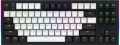 |
|---|---|---|
| Hator Gravity X TKL | Hator Gravity TKL | |
| Outdated Product | Outdated Product | |
| User reviews | ||
| TOP sellers | ||
| Connection | wired | wired |
| Cable length | 1.8 m | 1.8 m |
| Type | for game | for game |
| Form factor | 80% (TKL, without Numpad) | 80% (TKL, without Numpad) |
| Layout | ANSI | ANSI |
Keyboard | ||
| Key profile | high | high |
| Key type | classic type | classic type |
| Switch technology | mechanical | mechanical |
| Switches | Hator Aurum Orange rev.2.0 (Linear) | Hator Aurum Orange rev.2.0 (Linear) |
| Actuation force | 50 g | |
| Trigger path | 1.9 mm | |
| Total travel | 4 mm | |
| Switch resource | 70 million clicks | 70 million clicks |
| Polling rate | 1000 Hz (1 ms) | 1000 Hz (1 ms) |
| Hot Swap |  |  |
| Additional keys | 2 | |
| Anti-Ghosting | | |
| #KRO | N-KRO | N-KRO |
| Fn key | | |
Features | ||
| Cyrillic colour | transparent | transparent |
| Application of symbols (Latin) | double-shot | double-shot |
| Application of symbols (Cyrillic) | double-shot | double-shot |
| Volume control | fn | wheel |
| Game mode | | |
| Lighting | RGB | RGB |
| Lighting effects | + | + |
Connection and power supply | ||
| Cable | USB-A removable braided | USB-A removable braided |
| Port on the device | USB C | USB C |
General | ||
| Skeleton keyboard | | |
| Inner metal plate | | |
| Plate mounting | Gasket Mount | |
| Case noise reduction | 2 layers | |
| Size | 364x136x35 mm | 364x136x35 mm |
| Weight | 740 g | 755 g |
| Added to E-Catalog | october 2024 | october 2024 |


Compare Hator Gravity X TKL and Gravity TKL
Keyboards Hator Gravity X TKL and Hator Gravity TKL share similar features such as wired connection, compact format, and mechanical Hator Aurum Orange rev.2.0 switches. However, the main difference lies in the volume control method: on the Gravity X TKL, it is done via the Fn key, whereas the Gravity TKL has a dedicated control wheel. Additionally, the Gravity TKL offers two extra keys and a Hot Swap function, which are not available on the Gravity X TKL. The weight of both keyboards differs slightly: the Gravity X TKL weighs 740 g, while the Gravity TKL is 755 g. Both models feature RGB backlighting and have the same dimensions.
You may be interested in
My comparisons
Hator Gravity X TKL often compared


Hator Gravity TKL often compared


Glossary
Actuation force
The force required for the complete actuation of the switch under the key. This parameter is measured in grams and directly affects the feel of typing or gaming. Light switches with a force of about 35 – 45 grams require minimal pressure and are suitable for fast typing, while heavier ones — 55 – 80 grams — provide a precise response and prevent accidental presses. Actuation force is considered one of the key characteristics of mechanical keyboards, as it determines user comfort and individual preferences.
Trigger path
The distance a key travels from its original position to the point where a keystroke is registered, usually measured in millimeters. The smaller the value, the sooner the command is executed, which is particularly useful in fast-paced games; however, a setting that is too sensitive may increase the number of accidental presses. Mechanical and optical keyboards often have a fixed actuation point, while magnetic switches frequently allow for adjustment within a specified range.
This parameter should not be confused with the total key travel, which includes further movement to the bottom.
This parameter should not be confused with the total key travel, which includes further movement to the bottom.
Total travel
The total distance that a key travels from its top position to the switch base. Usually, the total travel ranges from 3.5 to 4 mm for classic mechanical keys and can be less in low-profile models. This factor affects the depth of the press and overall feel of operation: a short travel allows for quicker responses and reduces fatigue, while a longer travel provides a distinct tactile feedback and the sensation of a "full" click. The choice of optimal total travel depends on the typing style and preferences of the user.
Hot Swap
"Hot" replacement of mechanical keyboard switches without the procedure of disassembling and soldering the manipulator. Hot Swap technology allows you to change one switch for another in a matter of seconds. This is convenient both when the switches fail, and when using the keyboard in different scenarios. Most often, the technology is used in advanced gaming devices.
Additional keys
The number of additional keys provided in the design of the keyboard.
Such keys do not belong to the standard layout and are intended for quick access to specific functions or individual applications — for example, to control the media player or open mail with one click. This function is convenient because commands from additional keys are usually recognized by the system regardless of what is on the screen — thanks to this, for example, you do not have to close the text editor to switch tracks in the player.
Note that in this case we are talking about individual keys that have a strictly defined purpose and corresponding markings. Programmable buttons, the Fn key (see below) and the functions of the main keys implemented through Fn are not taken into account in this paragraph.
Such keys do not belong to the standard layout and are intended for quick access to specific functions or individual applications — for example, to control the media player or open mail with one click. This function is convenient because commands from additional keys are usually recognized by the system regardless of what is on the screen — thanks to this, for example, you do not have to close the text editor to switch tracks in the player.
Note that in this case we are talking about individual keys that have a strictly defined purpose and corresponding markings. Programmable buttons, the Fn key (see below) and the functions of the main keys implemented through Fn are not taken into account in this paragraph.
Volume control
Volume control methodprovided in the keyboard (if such a possibility is provided at all).
— Through Fn. Adjustment using the Fn key (see above): increasing and decreasing the volume is carried out by simultaneously pressing Fn and one of the main keys of the keyboard (usually from the F1 — F12 row), The main advantage of this control is that it allows you not to overload the keyboard with additional controls — this, in turn, has a positive effect on the dimensions and cost. The disadvantage is the need to simultaneously press two keys, which is not always convenient.
— Additional keys. Control with additional keys specially designed for working with volume. A very convenient and practical option: additional keys are usually clearly labeled, while they take up less space and are cheaper than a wheel or a touch slider (see below).
— Wheel. Control by means of a mechanical wheel, the rotation of which up and down or left and right provides a change in volume. A fairly user-friendly option — visual, intuitive and accessible even blindly. At the same time, the wheel can take up quite a lot of space, and it significantly affects the cost of the keyboard.
— Touch slider. Management using a touch surface, the movement of a finger in one direction or another. The sensor takes up minimal space, looks neat...and generally fits well with the overall design of the keyboard, but it is not cheap. Therefore, this option is extremely rare, mainly in high-end gaming or multimedia keyboards.
— Through Fn. Adjustment using the Fn key (see above): increasing and decreasing the volume is carried out by simultaneously pressing Fn and one of the main keys of the keyboard (usually from the F1 — F12 row), The main advantage of this control is that it allows you not to overload the keyboard with additional controls — this, in turn, has a positive effect on the dimensions and cost. The disadvantage is the need to simultaneously press two keys, which is not always convenient.
— Additional keys. Control with additional keys specially designed for working with volume. A very convenient and practical option: additional keys are usually clearly labeled, while they take up less space and are cheaper than a wheel or a touch slider (see below).
— Wheel. Control by means of a mechanical wheel, the rotation of which up and down or left and right provides a change in volume. A fairly user-friendly option — visual, intuitive and accessible even blindly. At the same time, the wheel can take up quite a lot of space, and it significantly affects the cost of the keyboard.
— Touch slider. Management using a touch surface, the movement of a finger in one direction or another. The sensor takes up minimal space, looks neat...and generally fits well with the overall design of the keyboard, but it is not cheap. Therefore, this option is extremely rare, mainly in high-end gaming or multimedia keyboards.
Plate mounting
The method used to secure the plate that holds the switches inside the keyboard case. The mounting design affects key stiffness, vibration transmission, and sound profile, although the final typing feel also depends on the plate, case, and dampening layer materials.
— Gasket Mount. The plate is separated from the case by elastic gaskets that soften key presses and reduce vibration transfer to the case. This design is suitable for extended typing and users who prefer a softer feel, but the degree of flex and volume depend on the implementation of the specific keyboard.
— Top Mount. The plate is secured with screws to the top of the case, providing a firmer and more uniform response across the keyboard. It is well suited for gaming and fast typing, when consistent keypress feedback is important, although vibrations are usually transferred to the case more strongly.
— Bottom Mount. The plate is secured to the bottom part of the case, while the top frame does not participate in clamping it. This design keeps the plate firmly in place and can provide a less rigid response than Top Mount, but the feel and sound depend heavily on the placement of the mounting points and the case materials.
— Gasket Mount. The plate is separated from the case by elastic gaskets that soften key presses and reduce vibration transfer to the case. This design is suitable for extended typing and users who prefer a softer feel, but the degree of flex and volume depend on the implementation of the specific keyboard.
— Top Mount. The plate is secured with screws to the top of the case, providing a firmer and more uniform response across the keyboard. It is well suited for gaming and fast typing, when consistent keypress feedback is important, although vibrations are usually transferred to the case more strongly.
— Bottom Mount. The plate is secured to the bottom part of the case, while the top frame does not participate in clamping it. This design keeps the plate firmly in place and can provide a less rigid response than Top Mount, but the feel and sound depend heavily on the placement of the mounting points and the case materials.
Case noise reduction
A system of internal dampening layers that absorbs vibrations and reduces case rumble, ping, and hollow resonance when keys are pressed. The layers can be positioned between the plate and PCB, beneath the switches, or on the bottom of the case, making the sound softer and less harsh, which is especially noticeable during fast typing. Effectiveness depends not only on the number of layers, but also on their material, thickness, and placement.