
Comparison ZTE AC3633 vs Huawei EC315
Add to comparison | 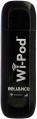 | 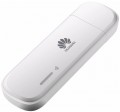 |
|---|---|---|
| ZTE AC3633 | Huawei EC315 | |
from $22.23 up to $31.80 | from $41.40 up to $64.92 | |
| User reviews | ||
| TOP sellers | ||
| Device type | USB modem | USB modem |
| Wi-Fi | Wi-Fi 3 (802.11g) | |
| Connected devices, up to | 8 | 5 |
| Effective range | 20 m | 10 m |
Connection | ||
| Communication generation | 3G | 3G |
| Ports | USB | USB |
Features | ||
| External antenna connector |  | |
| Memory card slot | | |
| R-UIM card slot | | |
| GPS | |  |
General | ||
| Dimensions | 91x29x13 mm | 90.6x28.6x12.6 mm |
| Weight | 42 g | 50 g |
| Added to E-Catalog | august 2016 | january 2015 |


Compare ZTE AC3633 and Huawei EC315
You may be interested in
My comparisons
ZTE AC3633 often compared


Huawei EC315 often compared


Glossary
Wi-Fi
Wi-Fi generation and frequency bands over which the modem shares mobile internet. The 2.4 GHz frequency provides greater range and penetrates walls better, 5 GHz usually offers higher speeds and less interference, while 6 GHz provides additional free channels but requires compatible devices and penetrates obstacles less effectively. At the same time, newer Wi-Fi does not speed up the mobile network itself: the final speed also depends on the modem’s capabilities, the operator’s coverage, and the connected equipment.
— Wi-Fi 3 (802.11g). An outdated standard operating in the 2.4 GHz band with a theoretical speed of up to 54 Mbps. Suitable for basic internet access, but it can noticeably limit the speed of a modern LTE connection.
— Wi-Fi 4 (2.4 GHz). A widespread 802.11n standard with good range and broad compatibility. Suitable for everyday use, although the single 2.4 GHz band is more susceptible to interference and may limit the capabilities of fast LTE or 5G.
— Wi-Fi 5 (2.4 + 5 GHz). A dual-band option that allows 2.4 GHz to be used for better coverage or 5 GHz for higher speeds and less congested spectrum. This is a balanced solution for home use, travel, and connecting multiple devices simultaneously.
— Wi-Fi 6 (2.4 + 5 GHz). A modern 802.11ax standard that distributes traffic among connected devices more efficiently and operates...more stably under load. Well suited for sharing fast LTE or 5G with several smartphones, laptops, and other equipment.
— Wi-Fi 6 (2.4 GHz). A version of Wi-Fi 6 operating exclusively on the 2.4 GHz frequency. It combines modern traffic management mechanisms with good coverage range, but falls short of dual-band models in speed and resistance to interference.
— Wi-Fi 6E (2.4 + 5 + 6 GHz). A tri-band evolution of Wi-Fi 6 with the additional 6 GHz frequency, where there is usually less interference and more free channels are available. The benefits of the new band are realized only with compatible equipment, while other devices connect via 2.4 or 5 GHz.
— Wi-Fi 7 (2.4 + 5 GHz). The latest generation of wireless communication without support for the 6 GHz band. It provides more efficient data transmission and can use several bands simultaneously, but does not support the widest 320 MHz channels available to tri-band models.
— Wi-Fi 7 (2.4 + 5 + 6 GHz). A tri-band version of Wi-Fi 7 designed for maximum throughput and minimal latency. When supported by the modem and connected device, it can use several bands simultaneously and channels up to 320 MHz wide in the 6 GHz frequency.
— Wi-Fi 3 (802.11g). An outdated standard operating in the 2.4 GHz band with a theoretical speed of up to 54 Mbps. Suitable for basic internet access, but it can noticeably limit the speed of a modern LTE connection.
— Wi-Fi 4 (2.4 GHz). A widespread 802.11n standard with good range and broad compatibility. Suitable for everyday use, although the single 2.4 GHz band is more susceptible to interference and may limit the capabilities of fast LTE or 5G.
— Wi-Fi 5 (2.4 + 5 GHz). A dual-band option that allows 2.4 GHz to be used for better coverage or 5 GHz for higher speeds and less congested spectrum. This is a balanced solution for home use, travel, and connecting multiple devices simultaneously.
— Wi-Fi 6 (2.4 + 5 GHz). A modern 802.11ax standard that distributes traffic among connected devices more efficiently and operates...more stably under load. Well suited for sharing fast LTE or 5G with several smartphones, laptops, and other equipment.
— Wi-Fi 6 (2.4 GHz). A version of Wi-Fi 6 operating exclusively on the 2.4 GHz frequency. It combines modern traffic management mechanisms with good coverage range, but falls short of dual-band models in speed and resistance to interference.
— Wi-Fi 6E (2.4 + 5 + 6 GHz). A tri-band evolution of Wi-Fi 6 with the additional 6 GHz frequency, where there is usually less interference and more free channels are available. The benefits of the new band are realized only with compatible equipment, while other devices connect via 2.4 or 5 GHz.
— Wi-Fi 7 (2.4 + 5 GHz). The latest generation of wireless communication without support for the 6 GHz band. It provides more efficient data transmission and can use several bands simultaneously, but does not support the widest 320 MHz channels available to tri-band models.
— Wi-Fi 7 (2.4 + 5 + 6 GHz). A tri-band version of Wi-Fi 7 designed for maximum throughput and minimal latency. When supported by the modem and connected device, it can use several bands simultaneously and channels up to 320 MHz wide in the 6 GHz frequency.
Connected devices, up to
The largest number of devices that can be simultaneously connected to the modem via Wi-Fi (see "Connection").
The presence of this limitation is due to the fact that processing network requests from several devices at once requires a fairly large amount of computing resources, and there are not so many of them in miniature electronics like wireless modems. However, even inexpensive models can support about 5 – 6 devices, which is more than enough for most cases; and in more advanced modems, this number can reach 10.
The presence of this limitation is due to the fact that processing network requests from several devices at once requires a fairly large amount of computing resources, and there are not so many of them in miniature electronics like wireless modems. However, even inexpensive models can support about 5 – 6 devices, which is more than enough for most cases; and in more advanced modems, this number can reach 10.
Effective range
The greatest distance at which the modem's built-in router is capable of providing communication via the Wi-Fi interface (see "Connection").
It should be taken into account that in fact the range strongly depends on a number of factors that are not related to the main specs of the modem: the presence of interference and obstacles in the signal path, the specs of the Wi-Fi module of the connected device, the battery charge in this device or the modem itself, etc. Therefore, the actual range indicators can be noticeably lower than the claimed ones: for example, when working through a wall, they are noticeably reduced. However, this spec quite clearly describes the overall range of the device, and comparisons of different models on it are quite acceptable.
Also note that it does not always make sense to purchase a device with a maximum range — although a long range provides additional convenience, it requires high transmitter power, which significantly increases the size and price of the modem. Therefore, when choosing, it is worth proceeding primarily from the intended scenarios of use. For example, if you need a 3G connection to access the Internet on the road from your tablet, a range of several metres will be enough. But for installation in a large private house, it makes sense to look for a model with increased effective range.
It should be taken into account that in fact the range strongly depends on a number of factors that are not related to the main specs of the modem: the presence of interference and obstacles in the signal path, the specs of the Wi-Fi module of the connected device, the battery charge in this device or the modem itself, etc. Therefore, the actual range indicators can be noticeably lower than the claimed ones: for example, when working through a wall, they are noticeably reduced. However, this spec quite clearly describes the overall range of the device, and comparisons of different models on it are quite acceptable.
Also note that it does not always make sense to purchase a device with a maximum range — although a long range provides additional convenience, it requires high transmitter power, which significantly increases the size and price of the modem. Therefore, when choosing, it is worth proceeding primarily from the intended scenarios of use. For example, if you need a 3G connection to access the Internet on the road from your tablet, a range of several metres will be enough. But for installation in a large private house, it makes sense to look for a model with increased effective range.
GPS
The presence of a GPS module in the design of the modem. This module allows you to track the current geographic coordinates of the device; but the options for working with coordinate data can be different. The most popular way to use such models is to use them as an external GPS module for a laptop or other device.