
Comparison Cougar Deathfire EX vs Cougar Vantar
Add to comparison | 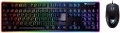 | 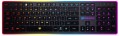 |
|---|---|---|
| Cougar Deathfire EX | Cougar Vantar | |
from £68.32 | Compare prices 1 | |
| User reviews | ||
| TOP sellers | ||
Mouse polling rate 1000 Hz. | Antighosting (simultaneous pressing of 19 specific keys) | |
| In box | keyboard and mouse | |
| Connection | wired | wired |
| Cable length | 1.6 m | |
| Type | for game | for game |
| Form factor | 100% (full size) | 100% (full size) |
| Layout | KS | ANSI |
Keyboard | ||
| Key profile | high | low |
| Key type | classic type | classic type |
| Switch technology | mechanical-membrane | scissor |
| Anti-Ghosting |  | |
| #KRO | 19-KRO | 19-KRO |
| Fn key | | |
Features | ||
| Volume control | fn | fn |
| Game mode |  | |
| Lighting | multicolor | multicolor |
Connection and power supply | ||
| Cable | USB-A | USB-A |
General | ||
| Skeleton keyboard | | |
| Size | 445x132x20 mm | |
| Weight | 800 g | |
Mouse | ||
| Sensor | optical | |
| Number of buttons | 5 | |
| Scroll wheels | 1 | |
| DPI switch | | |
| Sensor resolution | 2000 DPI | |
| Weight | 100 g | |
| Color | ||
| Added to E-Catalog | september 2017 | february 2017 |



Compare Cougar Deathfire EX and Vantar
Price comparison
You may be interested in
Cougar Deathfire EX often compared

Cougar Vantar often compared


Glossary
In box
In addition to pure keyboards, there are keyboard + mouse sets on the modern market. Usually, these are wireless devices with a radio channel connection (see "Connection type"), but there are also wired sets. Anyway, buying a set may be more convenient than buying each item separately: for example, when connected via radio, the keyboard and mouse from one set will use one adapter to work. On the other hand, a complete mouse may not be suitable, and sometimes it's easier to choose a "rodent" separately.
Cable length
The length of the cable that the keyboard is equipped with for wired connection (see "Connection type").
When choosing this parameter, you should first of all take into account the distance from the device to the connection port: a cable that is too short may simply not reach the connector, and a cable that is too long may get confused at hand and create inconvenience. As for specific values, the reference length is 1.8 m. However, there are cables both shorter and longer.
When choosing this parameter, you should first of all take into account the distance from the device to the connection port: a cable that is too short may simply not reach the connector, and a cable that is too long may get confused at hand and create inconvenience. As for specific values, the reference length is 1.8 m. However, there are cables both shorter and longer.
Layout
The layout describes the physical geometry of the keys and their standard arrangement: the shape of Enter and Shift, the presence of additional keys, the width of the space bar, and consequently, compatibility with keycap sets and typing familiarity. The standards hardly affect productivity in software and gaming — comfort and how easy it is to find suitable keycaps/cases are more important. The following types are found:
— ANSI (American). A distinctive feature of the American layout is the single-row Enter key; it is the only popular layout where this key occupies one row, not two. Additionally, unlike the European ISO, the Shift keys on ANSI keyboards have the same width, and the Alt key has the same function. The backslash “\” is usually placed above the Enter and can be longer.
— ISO (European). One characteristic feature of the European layout is the Enter key, which occupies two rows and is slightly wider at the top. Also, the modifier keys are asymmetrical: the Shift keys differ in size (the left one is shorter than the right), and the Alts differ in function (the right Alt is marked as “Alt Gr” and is used for typing special characters of European languages). From the similar in many ways "Japanese" JIS layout, the ISO layout differs by the placement of the backslash “\” — it is standardly located near the left Shift (in some models, it is duplicated near the Enter). As a result,...the left Shift is shorter than usual; this can be inconvenient, especially for new users.
— KS (Korean). The “Korean” layout can be distinguished by the characteristic shape of the Enter key: it occupies two rows and is longer at the bottom than at the top. Another feature is the backslash “\”, which is located to the left of the Backspace, resulting in a shorter Backspace than in other layouts.
— JIS (Japanese). A layout much like the European ISO: it has the same two-row Enter with an increased length of the upper half. In many models, the right Alt is labeled “Alt Gr” and is designed for typing special symbols. The main differences lie in two aspects: the length of the left Shift (it is standard in JIS, not shortened) and the placement of the backslash “\” (it is standardly installed to the left of the lower half of the Enter, where some ISO keyboards have a second, additional backslash).
— ANSI (American). A distinctive feature of the American layout is the single-row Enter key; it is the only popular layout where this key occupies one row, not two. Additionally, unlike the European ISO, the Shift keys on ANSI keyboards have the same width, and the Alt key has the same function. The backslash “\” is usually placed above the Enter and can be longer.
— ISO (European). One characteristic feature of the European layout is the Enter key, which occupies two rows and is slightly wider at the top. Also, the modifier keys are asymmetrical: the Shift keys differ in size (the left one is shorter than the right), and the Alts differ in function (the right Alt is marked as “Alt Gr” and is used for typing special characters of European languages). From the similar in many ways "Japanese" JIS layout, the ISO layout differs by the placement of the backslash “\” — it is standardly located near the left Shift (in some models, it is duplicated near the Enter). As a result,...the left Shift is shorter than usual; this can be inconvenient, especially for new users.
— KS (Korean). The “Korean” layout can be distinguished by the characteristic shape of the Enter key: it occupies two rows and is longer at the bottom than at the top. Another feature is the backslash “\”, which is located to the left of the Backspace, resulting in a shorter Backspace than in other layouts.
— JIS (Japanese). A layout much like the European ISO: it has the same two-row Enter with an increased length of the upper half. In many models, the right Alt is labeled “Alt Gr” and is designed for typing special symbols. The main differences lie in two aspects: the length of the left Shift (it is standard in JIS, not shortened) and the placement of the backslash “\” (it is standardly installed to the left of the lower half of the Enter, where some ISO keyboards have a second, additional backslash).
Key profile
The distance that the key travels when pressed — from the initial position to touching the contacts and sending the "command". Indicated as high or low. Keyboards with low key travel(3 mm or less) are considered to be more comfortable for fast input (such as fast typing). However, the best option largely depends on the habits and preferences of a particular user.
Switch technology
— Membrane. The name of this type is due to the fact that the contacts under each key are made in the form of two membranes — conductive disks on a flexible film. The return of the keys to their original position after pressing is ensured by the elasticity of the membranes. This design is characterized by low cost and low noise level; in addition, such keyboards are quite resistant to liquid spills (although this is still not recommended). Of the shortcomings, it is worth noting the relatively low durability — 3-4 times lower than that of mechanical ones. In addition, as the keys of this type wear out, the force required to press decreases, they begin to “fall through” under the fingers (“fatigue effect”).
— Mechanical. In this design, springs are used to return the key to its original position after being pressed. Mechanical keyboards are considered more advanced than membrane keyboards: they are more reliable and durable, almost do not lose properties as they wear out, and give a clear tactile feedback. The overall noise level is often higher than that of membrane ones, however, many attribute a characteristic click with each press to the advantages of such models; in addition, completely silent mechanical switches are also available. But of the unequivocal disadvantages, one can name the high cost and sensitivity to spilling liquid (although a mechanical keyboard can also be made waterproof).
...
— Optical-mechanical. A variation of the mechanical keyboards described above, in which each key is equipped not with a traditional pair of contacts, but with an optical switch in the form of a sensor that receives an infrared beam; when you press the key, this beam is blocked, which serves as a signal for operation. One of the key advantages of such switches is a very high response speed (fractions of a millisecond); this moment is not critical for domestic use, but it can be fundamental for gamers-enthusiasts and e-sportsmen. In addition, the absence of electrical contacts that are prone to wear and oxidize has a positive effect on durability. And although initially the “optics” are more complicated than classic systems with contacts, however, in gaming keyboards, optical-mechanical switches are often even cheaper than pure “mechanics”. And the fact that this option is relatively rare is primarily due to the fact that optical technology appeared not so long ago and is only gaining popularity.
— Membrane + mechanical. A layout in which most of the keys have a membrane design, and some, the most "responsible" ones, are mechanical. About the features of both options, see above, and a similar combination of them is found mainly in gaming keyboards. In this case, the "mechanics" are usually used on the traditional combination of WASD plus on the surrounding keys Q, E, R and F.
— Mechanical-membrane. A hybrid design that combines elements of mechanical and membrane keyboards (see above for more on both). In this case, these features are combined in each individual key. Usually, under each button in such keyboards there is a membrane, however, inside this membrane is not just a pair of contacts, but a mechanical spring system. Thus, this design combines the advantages of both options. At the same time, mechanical-membrane systems are very expensive. Therefore, their main scope is high-end gaming keyboards, and even among such devices this option is quite rare.
— Scissor. A slightly modified version of membrane keyboards (see the relevant paragraph), in which the flexible membrane on each key is supplemented by a two-piece mechanism fastened together in the form of scissors. One of the main features of scissor keyboards is the low key travel (noticeably lower than that of membrane keyboards). Also, this design is less demanding on accuracy, it allows you to achieve a clear pressing regardless of where the finger hit — in the centre or on the edge of the key. The service life of the "scissors" is large; they are more difficult to clean, however, they become dirty much more slowly than "membranes". Among the disadvantages of this option, a slightly increased noise level during operation can be noted — due to the clicking of scissor mechanisms.
— Mechanical. In this design, springs are used to return the key to its original position after being pressed. Mechanical keyboards are considered more advanced than membrane keyboards: they are more reliable and durable, almost do not lose properties as they wear out, and give a clear tactile feedback. The overall noise level is often higher than that of membrane ones, however, many attribute a characteristic click with each press to the advantages of such models; in addition, completely silent mechanical switches are also available. But of the unequivocal disadvantages, one can name the high cost and sensitivity to spilling liquid (although a mechanical keyboard can also be made waterproof).
...
— Optical-mechanical. A variation of the mechanical keyboards described above, in which each key is equipped not with a traditional pair of contacts, but with an optical switch in the form of a sensor that receives an infrared beam; when you press the key, this beam is blocked, which serves as a signal for operation. One of the key advantages of such switches is a very high response speed (fractions of a millisecond); this moment is not critical for domestic use, but it can be fundamental for gamers-enthusiasts and e-sportsmen. In addition, the absence of electrical contacts that are prone to wear and oxidize has a positive effect on durability. And although initially the “optics” are more complicated than classic systems with contacts, however, in gaming keyboards, optical-mechanical switches are often even cheaper than pure “mechanics”. And the fact that this option is relatively rare is primarily due to the fact that optical technology appeared not so long ago and is only gaining popularity.
— Membrane + mechanical. A layout in which most of the keys have a membrane design, and some, the most "responsible" ones, are mechanical. About the features of both options, see above, and a similar combination of them is found mainly in gaming keyboards. In this case, the "mechanics" are usually used on the traditional combination of WASD plus on the surrounding keys Q, E, R and F.
— Mechanical-membrane. A hybrid design that combines elements of mechanical and membrane keyboards (see above for more on both). In this case, these features are combined in each individual key. Usually, under each button in such keyboards there is a membrane, however, inside this membrane is not just a pair of contacts, but a mechanical spring system. Thus, this design combines the advantages of both options. At the same time, mechanical-membrane systems are very expensive. Therefore, their main scope is high-end gaming keyboards, and even among such devices this option is quite rare.
— Scissor. A slightly modified version of membrane keyboards (see the relevant paragraph), in which the flexible membrane on each key is supplemented by a two-piece mechanism fastened together in the form of scissors. One of the main features of scissor keyboards is the low key travel (noticeably lower than that of membrane keyboards). Also, this design is less demanding on accuracy, it allows you to achieve a clear pressing regardless of where the finger hit — in the centre or on the edge of the key. The service life of the "scissors" is large; they are more difficult to clean, however, they become dirty much more slowly than "membranes". Among the disadvantages of this option, a slightly increased noise level during operation can be noted — due to the clicking of scissor mechanisms.
Game mode
The presence in the keyboard of a special game mode.
This function is found exclusively in models of the corresponding specialization (see "Intended use"). Enabling Game Mode disables some of the keys and keyboard shortcuts used by the system, such as the Windows Start menu button and the context menu button. Thanks to this, you do not have to worry that an accidental key press will call a system function and interrupt the game.
In many models, you can customize a specific set of keys that are deactivated in the game mode.
This function is found exclusively in models of the corresponding specialization (see "Intended use"). Enabling Game Mode disables some of the keys and keyboard shortcuts used by the system, such as the Windows Start menu button and the context menu button. Thanks to this, you do not have to worry that an accidental key press will call a system function and interrupt the game.
In many models, you can customize a specific set of keys that are deactivated in the game mode.
Skeleton keyboard
Keyboards made in a Skeleton case.
The main difference between such cases and the classical ones is that the mechanism of each key is not hidden at the base of the keyboard, but, on the contrary, rises somewhat above it. Due to this, the keys can be easily removed and put back into place, which makes it much easier to clean from dust and dirt. And in gaming keyboards of this type, the kit often includes interchangeable buttons that differ in colour and texture from the main ones. Actually, almost all models with this feature are specifically gaming (see "By Direction").
The main difference between such cases and the classical ones is that the mechanism of each key is not hidden at the base of the keyboard, but, on the contrary, rises somewhat above it. Due to this, the keys can be easily removed and put back into place, which makes it much easier to clean from dust and dirt. And in gaming keyboards of this type, the kit often includes interchangeable buttons that differ in colour and texture from the main ones. Actually, almost all models with this feature are specifically gaming (see "By Direction").
Sensor
The principle of operation of the mouse supplied with the keyboard.
— Optical. The principle of operation of optical mice is to use an LED that illuminates the surface under the mouse, and a photo sensor that “observes” the illuminated surface and tracks movements. This technology is quite reliable and inexpensive; at the same time, traditional optical mice, although they are inferior to laser and BlueTrack mice in terms of accuracy, however, they work more than satisfactorily on standard surfaces (rodent pad, tabletop). In addition, various specific technologies can be used in the design to increase accuracy and allow working on unusual surfaces.
— Laser. The development of the idea of the optical mice described above: the principle of operation is the same, however, for illumination, in accordance with the name, a more intense light source is used — a laser. Thanks to this, laser mice are more accurate and behave better in non-standard conditions — on fleecy, polished surfaces, etc. — however, they are more expensive.
— BlueTrack. Microsoft proprietary technology (however, used by other manufacturers), which provides a number of improvements for optical mice (see above): a bright blue LED (hence the name), high-quality coated lenses, a large sensor, etc. Thanks to this, such mice are significantly superior to conventional optical mice both in accuracy and in the variety of surfaces with which they are compa...tible. The disadvantage of this traditional option is the high cost.
— Optical. The principle of operation of optical mice is to use an LED that illuminates the surface under the mouse, and a photo sensor that “observes” the illuminated surface and tracks movements. This technology is quite reliable and inexpensive; at the same time, traditional optical mice, although they are inferior to laser and BlueTrack mice in terms of accuracy, however, they work more than satisfactorily on standard surfaces (rodent pad, tabletop). In addition, various specific technologies can be used in the design to increase accuracy and allow working on unusual surfaces.
— Laser. The development of the idea of the optical mice described above: the principle of operation is the same, however, for illumination, in accordance with the name, a more intense light source is used — a laser. Thanks to this, laser mice are more accurate and behave better in non-standard conditions — on fleecy, polished surfaces, etc. — however, they are more expensive.
— BlueTrack. Microsoft proprietary technology (however, used by other manufacturers), which provides a number of improvements for optical mice (see above): a bright blue LED (hence the name), high-quality coated lenses, a large sensor, etc. Thanks to this, such mice are significantly superior to conventional optical mice both in accuracy and in the variety of surfaces with which they are compa...tible. The disadvantage of this traditional option is the high cost.
Number of buttons
The number of buttons in the design of the mouse, which is included in the kit. The minimum number of such buttons to work in most modern operating systems is two, and a larger number, usually, means that the mouse has additional functions. For example, the third key can be used to change the resolution of the mouse sensor on the fly, for the function of double or triple click (the latter is used in games for shooting in short bursts); a pair of buttons on the side under the thumb is usually configured for the "back" and "forward" functions in the browser, etc. And in gaming mice, there can be more than a dozen additional buttons for the fastest access to various game functions.