
Comparison Microsoft ARC Touch Bluetooth Mouse vs Microsoft ARC Touch Mouse
Add to comparison | 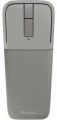 | 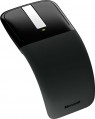 |
|---|---|---|
| Microsoft ARC Touch Bluetooth Mouse | Microsoft ARC Touch Mouse | |
| Compare prices 1 | Compare prices 2 | |
| User reviews | ||
| TOP sellers | ||
Touch trackpad. Blue track sensor. | ||
| Product type | mouse | mouse |
| Connection | Bluetooth | radio |
| Bluetooth version | v4.0 | |
| Sensor | optical, BlueTrack | optical, BlueTrack |
| Type | notebook | |
Sensor and control | ||
| Sensor resolution | 1000 DPI | 1200 DPI |
| Touchpad |  | |
| Number of buttons | 3 | 4 |
Connection and power supply | ||
| Power source | 2xAAA | 2xAAA |
| Battery life | 6 months | |
General | ||
| Suitable for left-handers | | |
| Left handed | |  |
| In box | USB-A dongle | |
| Size (LxWxH) | 130x57x14 mm | 123x59x37 mm |
| Weight | 82 g | 88 g |
| Color | ||
| Added to E-Catalog | september 2015 | february 2011 |


Compare Microsoft ARC Touch Bluetooth Mouse and ARC Touch Mouse
Price comparison
You may be interested in
Microsoft ARC Touch Mouse often compared

Glossary
Connection
The type of connection used by the mouse.
All types of mouse connection can be divided into wired and wireless. There are also combined models that allow both methods; however, for a number of reasons, they have not received much distribution.
Wired mice can vary in connector type; however, the universal standard nowadays is USB, other options are much less common (see "Cable" for them). Anyway, such mice are much cheaper than wireless counterparts, moreover, they do not require batteries / accumulators and have an almost unlimited lifespan. On the other hand, the wire restricts mobility and can be inconvenient when connecting, especially if the computer is located far away or in a hard-to-reach place.
Wireless devices, in turn, can connect via radio, Bluetooth, or Wi-Fi ; in some models, two options are combined — at the user's choice, (usually radio and Bluetooth). Regardless of the interface used, all such models are more convenient than wired ones due, in fact, to the absence of a cable; and their range is at least a few metres, so a wireless mouse can also work as a kind of remote control. At the same time, a wireless connection is more expensive than a wired connection, and besides, it requires autonomous power supply — as a result, the per...iod of continuous operation of the mouse is limited.
As for the different types of wireless connection, here are their features:
— Radio. To connect over the air, usually, a wireless adapter is used, which is connected to the USB port of the computer. This method is convenient in that it can be used with any computer, including systems that do not have built-in Bluetooth or Wi-Fi modules. The disadvantages of this option include the fact that the adapter requires a free connector; as a result, with a small number of USB ports, difficulties can arise. However, this moment, if necessary, can be easily corrected by connecting a USB hub; so it is this connection method that is most popular among modern wireless mice.
— Bluetooth. The main advantage of this connection method is that many modern devices — laptops, most monoblock computers, smart TVs, etc. — have built-in Bluetooth modules. Thus, you can connect the mouse to such equipment directly, without occupying hardware connectors. And for PCs not equipped with internal Bluetooth modules, appropriate adapters are available (which may even be included with the mouse). In addition, some advanced models with such a connection are able to remember several Bluetooth devices at the same time and switch between them literally “with the touch of a button”. The Bluetooth communication range is at least 10 m with line of sight.
— Wi-Fi. A rather specific option, which is extremely rare — in certain models of laptop mice (see "In the direction"). In many respects it is similar to Bluetooth — in particular, it is designed mainly to work with built-in modules and allows you to use a mouse without occupying hardware connectors. At the same time, the range of communication via Wi-Fi is much greater. On the other hand, this advantage is not of fundamental importance, and on the technical side, the creation of Wi-Fi mice is associated with certain difficulties. That is why this type of connection has not received distribution.
All types of mouse connection can be divided into wired and wireless. There are also combined models that allow both methods; however, for a number of reasons, they have not received much distribution.
Wired mice can vary in connector type; however, the universal standard nowadays is USB, other options are much less common (see "Cable" for them). Anyway, such mice are much cheaper than wireless counterparts, moreover, they do not require batteries / accumulators and have an almost unlimited lifespan. On the other hand, the wire restricts mobility and can be inconvenient when connecting, especially if the computer is located far away or in a hard-to-reach place.
Wireless devices, in turn, can connect via radio, Bluetooth, or Wi-Fi ; in some models, two options are combined — at the user's choice, (usually radio and Bluetooth). Regardless of the interface used, all such models are more convenient than wired ones due, in fact, to the absence of a cable; and their range is at least a few metres, so a wireless mouse can also work as a kind of remote control. At the same time, a wireless connection is more expensive than a wired connection, and besides, it requires autonomous power supply — as a result, the per...iod of continuous operation of the mouse is limited.
As for the different types of wireless connection, here are their features:
— Radio. To connect over the air, usually, a wireless adapter is used, which is connected to the USB port of the computer. This method is convenient in that it can be used with any computer, including systems that do not have built-in Bluetooth or Wi-Fi modules. The disadvantages of this option include the fact that the adapter requires a free connector; as a result, with a small number of USB ports, difficulties can arise. However, this moment, if necessary, can be easily corrected by connecting a USB hub; so it is this connection method that is most popular among modern wireless mice.
— Bluetooth. The main advantage of this connection method is that many modern devices — laptops, most monoblock computers, smart TVs, etc. — have built-in Bluetooth modules. Thus, you can connect the mouse to such equipment directly, without occupying hardware connectors. And for PCs not equipped with internal Bluetooth modules, appropriate adapters are available (which may even be included with the mouse). In addition, some advanced models with such a connection are able to remember several Bluetooth devices at the same time and switch between them literally “with the touch of a button”. The Bluetooth communication range is at least 10 m with line of sight.
— Wi-Fi. A rather specific option, which is extremely rare — in certain models of laptop mice (see "In the direction"). In many respects it is similar to Bluetooth — in particular, it is designed mainly to work with built-in modules and allows you to use a mouse without occupying hardware connectors. At the same time, the range of communication via Wi-Fi is much greater. On the other hand, this advantage is not of fundamental importance, and on the technical side, the creation of Wi-Fi mice is associated with certain difficulties. That is why this type of connection has not received distribution.
Bluetooth version
It is worth noting that any version of Bluetooth is able to pair devices with each other. And even if both devices have a different version, the connection will occur on the lowest of them — the protocols are interchangeable.
Type
The direction the mouse is facing. Specified only for models with additional specialization or design features — namely, for laptop, gaming and vertical mice. Here are their main features:
— Laptop. Mice well suited for use with laptops. Most of these models have compact dimensions — the length of the case in them is less than 110 mm, and often less than 100 mm. This makes it easy to transport along with the laptop. And larger devices are considered laptops if such specialization is somehow indicated by the manufacturer. In addition, this category includes most models with a Bluetooth connection (see "Connection type") — such a module is found in almost any modern laptop. And wired laptop mice can be equipped with a wire winding system that allows you to adjust the length of the cable for different situations and twist it compactly for transportation.
— Game. Mice designed primarily for use in computer games and intended for gamers — including professional e-sportsmen (although the price category and capabilities of different models, of course, may vary). Such devices are often made in a characteristic "aggressive" design, with unusual patterns, logos, coloured backlighting (in some models — with effects), etc. On the functional side, gaming mice are distinguished primarily by increased sensor accuracy, as well as the presence of various specialized feat...ures — such as additional buttons with the ability to “attach” certain game actions or even a sequence of actions to them, a triple-click (“queue”) button, a sniper button, DPI switching (see below), weight adjustment, etc. Note that narrow the specialization of such models can be different: there are both universal gaming mice and devices optimized for a specific genre (shooters, RPGs, etc.) or even a specific game.
— Ergonomic (vertical). Mice of a specific design: the surface on which the hand is placed during work is not located horizontally in such models, but with an inclination to the right (in left-handed models — to the left). As a result, the body height is noticeably greater than that of traditional models — hence the name "vertical". And the user's hand actually covers such a case from two sides: on one side (on an inclined surface) there is a palm, on the other (in a special recess) — a thumb. This position of the hand is considered more natural and comfortable than the classic horizontal position, it reduces the load on the joints and ligaments, thus reducing fatigue and the likelihood of carpal tunnel syndrome and other disorders. Vertical models are well suited for those who have to work at the computer for a long time — except that it may take some time to get used to the unusual shape after a traditional mouse.
— Laptop. Mice well suited for use with laptops. Most of these models have compact dimensions — the length of the case in them is less than 110 mm, and often less than 100 mm. This makes it easy to transport along with the laptop. And larger devices are considered laptops if such specialization is somehow indicated by the manufacturer. In addition, this category includes most models with a Bluetooth connection (see "Connection type") — such a module is found in almost any modern laptop. And wired laptop mice can be equipped with a wire winding system that allows you to adjust the length of the cable for different situations and twist it compactly for transportation.
— Game. Mice designed primarily for use in computer games and intended for gamers — including professional e-sportsmen (although the price category and capabilities of different models, of course, may vary). Such devices are often made in a characteristic "aggressive" design, with unusual patterns, logos, coloured backlighting (in some models — with effects), etc. On the functional side, gaming mice are distinguished primarily by increased sensor accuracy, as well as the presence of various specialized feat...ures — such as additional buttons with the ability to “attach” certain game actions or even a sequence of actions to them, a triple-click (“queue”) button, a sniper button, DPI switching (see below), weight adjustment, etc. Note that narrow the specialization of such models can be different: there are both universal gaming mice and devices optimized for a specific genre (shooters, RPGs, etc.) or even a specific game.
— Ergonomic (vertical). Mice of a specific design: the surface on which the hand is placed during work is not located horizontally in such models, but with an inclination to the right (in left-handed models — to the left). As a result, the body height is noticeably greater than that of traditional models — hence the name "vertical". And the user's hand actually covers such a case from two sides: on one side (on an inclined surface) there is a palm, on the other (in a special recess) — a thumb. This position of the hand is considered more natural and comfortable than the classic horizontal position, it reduces the load on the joints and ligaments, thus reducing fatigue and the likelihood of carpal tunnel syndrome and other disorders. Vertical models are well suited for those who have to work at the computer for a long time — except that it may take some time to get used to the unusual shape after a traditional mouse.
Sensor resolution
Resolution of the sensor responsible for tracking mouse movements on the work surface. Specified in DPI — dots per inch.
The physical meaning of DPI as a whole is as follows. The sensor of a modern mouse works on the same principle as the camera matrix, and consists of pixels. And DPI is the number of pixels that fall on 1 inch of the underlying surface (length or width), "visible" by the sensor.
It is believed that more DPI means a more advanced sensor and mouse in general; nowadays, models for 3500 – 5000 DPI, 12000 DPI, 16000 DPI even more are not uncommon. In a way, it is — high resolution contributes to accuracy. However, the only thing that is directly determined by this indicator is the speed at which the cursor moves across the screen: the higher the resolution of the sensor, the greater the number of pixels that the cursor will move when the mouse itself moves a certain distance. At the same time, it is worth recalling that too high a speed is even more undesirable than too low. So the real need for high DPI ( 1000 and above) arises mainly when working on large screens (4K resolution and more); for more modest displays (HD and Full HD), smaller values are often enough.
The physical meaning of DPI as a whole is as follows. The sensor of a modern mouse works on the same principle as the camera matrix, and consists of pixels. And DPI is the number of pixels that fall on 1 inch of the underlying surface (length or width), "visible" by the sensor.
It is believed that more DPI means a more advanced sensor and mouse in general; nowadays, models for 3500 – 5000 DPI, 12000 DPI, 16000 DPI even more are not uncommon. In a way, it is — high resolution contributes to accuracy. However, the only thing that is directly determined by this indicator is the speed at which the cursor moves across the screen: the higher the resolution of the sensor, the greater the number of pixels that the cursor will move when the mouse itself moves a certain distance. At the same time, it is worth recalling that too high a speed is even more undesirable than too low. So the real need for high DPI ( 1000 and above) arises mainly when working on large screens (4K resolution and more); for more modest displays (HD and Full HD), smaller values are often enough.
Number of buttons
The number of buttons provided in the design of the mouse. However, the term "buttons" can also refer to specific hardware solutions — for example, a solid touch area used in many Apple mice counts as two buttons, because. it is divided into two working areas. But the clickable wheels, as well as the power button, are not taken into account in this calculation.
The minimum number of buttons for modern mice and other similar manipulators is two : this is the number that is necessary for comfortable work in most modern operating systems. If there are more than two keys, this means that there are additional buttons responsible for specific actions. So, even relatively inexpensive devices can be equipped with 3 – 4 buttons ; in addition to the 2 main buttons, they can have, for example, 2 side thumb keys, or 1 double/triple click button (see below). Solutions for 5 – 6 buttons are extremely popular nowadays; among them are many gaming mice, where the mentioned thumb buttons are supplemented with a double / triple click, a sniper button and/or a DPI switch (see also below about these functions). And in the most multifunctional models, 7 – 8 buttons and even more can be installed. In some cases, this number exceeds a dozen and a half; such mice are usually gaming devices designed for RPGs and other simil...ar genres where it is important to have a wide range of actions at your fingertips.
The minimum number of buttons for modern mice and other similar manipulators is two : this is the number that is necessary for comfortable work in most modern operating systems. If there are more than two keys, this means that there are additional buttons responsible for specific actions. So, even relatively inexpensive devices can be equipped with 3 – 4 buttons ; in addition to the 2 main buttons, they can have, for example, 2 side thumb keys, or 1 double/triple click button (see below). Solutions for 5 – 6 buttons are extremely popular nowadays; among them are many gaming mice, where the mentioned thumb buttons are supplemented with a double / triple click, a sniper button and/or a DPI switch (see also below about these functions). And in the most multifunctional models, 7 – 8 buttons and even more can be installed. In some cases, this number exceeds a dozen and a half; such mice are usually gaming devices designed for RPGs and other simil...ar genres where it is important to have a wide range of actions at your fingertips.
Battery life
Battery life of the mouse operating on replaceable power elements (see "Power") with one set of batteries.
The mentioned operating time is quite approximate: it is specified for an average usage mode. Actual battery life may be either less or more than stated, depending on the usage characteristics; moreover, the quality of the battery brand also greatly affects the operating time. Nevertheless, it is a fairly reliable indicator, which can be used to evaluate and compare different models: the difference in the stated operating time generally corresponds to the difference in actual battery life when using batteries of similar quality.
It is worth mentioning that modern battery-operated mice have fairly substantial battery life, measured in months; in the longest-lasting models, the stated operating time is about 36 months (or 3 years).
The mentioned operating time is quite approximate: it is specified for an average usage mode. Actual battery life may be either less or more than stated, depending on the usage characteristics; moreover, the quality of the battery brand also greatly affects the operating time. Nevertheless, it is a fairly reliable indicator, which can be used to evaluate and compare different models: the difference in the stated operating time generally corresponds to the difference in actual battery life when using batteries of similar quality.
It is worth mentioning that modern battery-operated mice have fairly substantial battery life, measured in months; in the longest-lasting models, the stated operating time is about 36 months (or 3 years).
Left handed
The Left-Handed filter helps quickly find mice that don't force left-handed users to adapt to non-ergonomic designs: these models have the right body geometry and logical button placement, making handling as natural as it is for right-handed users with standard models. This category includes several different designs. Firstly, there are models made exclusively for the left hand, where the body and side buttons are mirrored, so everything presses naturally. Secondly, it includes symmetrical mice without additional side buttons: they are universal, do not press on the fingers, and are ideal for those who value simplicity and comfort without extra elements. Thirdly, there are symmetrical options without side buttons but with additional buttons on top — a compromise when extra buttons are needed without anchoring to the right side of the body. Lastly, symmetrical mice with buttons on both sides fall here: a left-hander gets the same quick actions as a right-hander, but it's worth remembering that different models have different implementations of button deactivation/remapping, which affects convenience.
In box
— USB receiver. A device that is found only in models with wireless connectivity. Such a receiver is connected to the USB port of a computer or laptop, and communication is carried out through it. This is the way all mice with a radio connection work, for them the presence of a USB receiver in the kit is almost mandatory. At the same time, this accessory is also found in the Bluetooth model — in them it plays the role of an adapter for equipment that is not equipped with its own Bluetooth modules.
— Replaceable legs. Legs are small protrusions on the bottom surface of the case, on which the mouse rests, standing on the work surface. They reduce resistance, allowing the device to slide freely in any direction, and also compensate for minor irregularities to a certain extent. However, due to constant friction, the legs are subject to heavy wear, over time they wear out or may come off. Thus, modern mice may come with interchangeable legs; such a complete set means that regular overlays can be easily removed by the user.
— Interchangeable side panels. A feature found primarily in game models (see "By Direction"). At the same time, the purpose of removable panels can be different. So, in some models, they are used to fine-tune the width or overall shape to the user's hand. In other devices, rearranging the panel allows you to change the functionality — for example, install four side button...s instead of two, providing additional features in games (and return the panel with two classic side buttons back while surfing the Internet and other everyday tasks). Such nuances should be clarified in each case separately.
— Replaceable top panels. Additional components that can be installed in place of the standard top of the mouse to change its appearance or ergonomics. Their support is implemented in some models of gaming mice (see “Direction”). Replaceable top panels provide the ability to customize the mouse to suit individual ergonomic preferences, and they also serve as a stylistic element in the design of the manipulator.
— Rug. Mice that use the mouse pad as a power source are required (see "Power"), but this accessory can also be supplied with more traditional models. In the latter case, it is worth clarifying what material the pad is made of, what dimensions and design features it has — these points may not meet the user's requirements, in many cases it is more convenient to buy an underarm pad separately.
— Case. The cover will be appropriate if you need to regularly move the mouse from place to place (for example, for frequent competitions or with a work laptop). In a protective case, your “rodent” will not be afraid of external damage to which a mouse can be subjected even while in the personal compartment of a backpack.
— Additional switches (mics) — for example, spare switches of the same type as regular ones, or interchangeable ones that differ in characteristics.
— Interchangeable side buttons. Separate side buttons that can replace regular ones. These may be keys of a different shape or spare parts of a similar design.
— Stickers. Decorative stickers that allow you to personalize your device, giving it an original look.
— Additional cable. A replacement wire that differs from the main one in length and/or other characteristics (for example, the presence / absence of a braid).
— Headphones. Gaming computer headphones supplied with mice of the corresponding specialization (see "By Direction").
— Replaceable legs. Legs are small protrusions on the bottom surface of the case, on which the mouse rests, standing on the work surface. They reduce resistance, allowing the device to slide freely in any direction, and also compensate for minor irregularities to a certain extent. However, due to constant friction, the legs are subject to heavy wear, over time they wear out or may come off. Thus, modern mice may come with interchangeable legs; such a complete set means that regular overlays can be easily removed by the user.
— Interchangeable side panels. A feature found primarily in game models (see "By Direction"). At the same time, the purpose of removable panels can be different. So, in some models, they are used to fine-tune the width or overall shape to the user's hand. In other devices, rearranging the panel allows you to change the functionality — for example, install four side button...s instead of two, providing additional features in games (and return the panel with two classic side buttons back while surfing the Internet and other everyday tasks). Such nuances should be clarified in each case separately.
— Replaceable top panels. Additional components that can be installed in place of the standard top of the mouse to change its appearance or ergonomics. Their support is implemented in some models of gaming mice (see “Direction”). Replaceable top panels provide the ability to customize the mouse to suit individual ergonomic preferences, and they also serve as a stylistic element in the design of the manipulator.
— Rug. Mice that use the mouse pad as a power source are required (see "Power"), but this accessory can also be supplied with more traditional models. In the latter case, it is worth clarifying what material the pad is made of, what dimensions and design features it has — these points may not meet the user's requirements, in many cases it is more convenient to buy an underarm pad separately.
— Case. The cover will be appropriate if you need to regularly move the mouse from place to place (for example, for frequent competitions or with a work laptop). In a protective case, your “rodent” will not be afraid of external damage to which a mouse can be subjected even while in the personal compartment of a backpack.
— Additional switches (mics) — for example, spare switches of the same type as regular ones, or interchangeable ones that differ in characteristics.
— Interchangeable side buttons. Separate side buttons that can replace regular ones. These may be keys of a different shape or spare parts of a similar design.
— Stickers. Decorative stickers that allow you to personalize your device, giving it an original look.
— Additional cable. A replacement wire that differs from the main one in length and/or other characteristics (for example, the presence / absence of a braid).
— Headphones. Gaming computer headphones supplied with mice of the corresponding specialization (see "By Direction").
Weight
The total weight of the mouse. For models with a wired connection, usually, it is indicated without cable, and for devices with weight adjustment (see above) — without weights.
This parameter is important primarily for professional gaming applications, although it is often relevant for ordinary users. Theoretically, less weight promotes speed and reduces fatigue. At the same time, in fact, much depends on the personal habits and preferences of the user: a mouse that is too light may “not be felt in the hands” and not give familiar feedback. Therefore, although most mice have a lower weight limit of 60 – 80 g, however, even among professional gaming models there are much more massive devices — 120 – 140 g or more. The lightest variety of "rodents" is laptop (see "In the direction"), among them devices come across and less than 60 g.
Also note that the weight to some extent depends on the size and “tricked out” of the device, but there is no unambiguous dependence here: models similar in size and functionality can differ markedly in weight.
This parameter is important primarily for professional gaming applications, although it is often relevant for ordinary users. Theoretically, less weight promotes speed and reduces fatigue. At the same time, in fact, much depends on the personal habits and preferences of the user: a mouse that is too light may “not be felt in the hands” and not give familiar feedback. Therefore, although most mice have a lower weight limit of 60 – 80 g, however, even among professional gaming models there are much more massive devices — 120 – 140 g or more. The lightest variety of "rodents" is laptop (see "In the direction"), among them devices come across and less than 60 g.
Also note that the weight to some extent depends on the size and “tricked out” of the device, but there is no unambiguous dependence here: models similar in size and functionality can differ markedly in weight.