
Comparison M-AUDIO Code 49 vs Behringer Motor 49
Add to comparison | 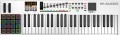 | 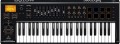 |
|---|---|---|
| M-AUDIO Code 49 | Behringer Motor 49 | |
from £159.75 | Outdated Product | |
| TOP sellers | ||
| Keys | 49 шт | 49 шт |
| Key size | full size | full size |
| Mechanics | active (dynamic) | active (dynamic) |
| Rigidity | semi-weighted | semi-weighted |
| Aftertouch |  | |
Control | ||
| Pitch controller | | |
| Modulation controller | | |
| Octave shift | | |
| Keyboard split | | |
| Arpeggiator |  | |
| Transport control | | |
| Pads | 16 | 8 |
| Faders | 9 | 9 |
| Regulators (encoders) | 8 | 8 |
Connections | ||
| MIDI in | | |
| MIDI out | | |
| MIDI thru | | |
| USB to host (type B) | | |
| Connectable pedals | 2 шт | 2 шт |
General | ||
| Programming function | | |
| Display | monochrome | monochrome |
| Dimensions (WxHxD) | 860x71x255 mm | |
| Weight | 4.5 kg | |
| Color | ||
| Added to E-Catalog | february 2018 | february 2018 |


Compare M-AUDIO Code 49 and Behringer Motor 49
You may be interested in
M-AUDIO Code 49 often compared


Glossary
Arpeggiator
The presence of an arpeggiator in the keyboard.
The name of this function comes from "arpeggio" — a technique for playing chords, in which notes are not played all at once, but in turn. Accordingly, the arpeggiator is a function that allows you to play a taken chord in the arpeggio technique: the musician presses all the keys at once, and the keyboard plays them in turn. This effect can also be achieved manually, but in some cases the arpeggiator turns out to be more convenient: it plays notes at a clearly defined speed and interval, can accompany them with various effects, and provides other additional features. These features vary depending on the model, but some instruments allow you to create entire songs with the arpeggiator by simply pressing a sequence of chords.
The name of this function comes from "arpeggio" — a technique for playing chords, in which notes are not played all at once, but in turn. Accordingly, the arpeggiator is a function that allows you to play a taken chord in the arpeggio technique: the musician presses all the keys at once, and the keyboard plays them in turn. This effect can also be achieved manually, but in some cases the arpeggiator turns out to be more convenient: it plays notes at a clearly defined speed and interval, can accompany them with various effects, and provides other additional features. These features vary depending on the model, but some instruments allow you to create entire songs with the arpeggiator by simply pressing a sequence of chords.
Pads
The number of pads provided in the design of the keyboard.
Pads are auxiliary controls in the form of characteristic pads, usually square. The pads respond to touch, each of them can be tied to a specific sound or even a sequence of sounds. One of the most popular ways to use pads is to play drums or other rhythmic instruments.
Pads are auxiliary controls in the form of characteristic pads, usually square. The pads respond to touch, each of them can be tied to a specific sound or even a sequence of sounds. One of the most popular ways to use pads is to play drums or other rhythmic instruments.
MIDI thru
The output to which the MIDI signals received at the MIDI In input are output (see the relevant paragraph). The key feature of this output is that the signals are output to it unchanged, regardless of the impact of the musician on the keyboard. In other words, if the MIDI Out input receives signals from both MIDI In and the keyboard itself, then MIDI Thru receives only signals from MIDI In.
MIDI Thru can come in handy when using the keyboard in large musical complexes where there are other sources of MIDI signal — in some cases it is convenient to use the keyboard as an intermediate link for these signals.
MIDI Thru can come in handy when using the keyboard in large musical complexes where there are other sources of MIDI signal — in some cases it is convenient to use the keyboard as an intermediate link for these signals.