
Comparison M-AUDIO Code 49 vs Alesis VI49
Add to comparison | 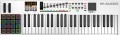 | 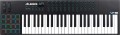 |
|---|---|---|
| M-AUDIO Code 49 | Alesis VI49 | |
from £159.75 | from £138.00 | |
| TOP sellers | ||
16 touch sensitive pads. The location of the pads. 12 rotary controls. 36 buttons for MIDI mapping. Subscription to Melodics, Ableton Live Lite as a gift. Keyboard with aftertouch. | ||
| Keys | 49 шт | 49 шт |
| Key size | full size | full size |
| Mechanics | active (dynamic) | active (dynamic) |
| Rigidity | semi-weighted | semi-weighted |
| Aftertouch |  | |
Control | ||
| Pitch controller | | |
| Modulation controller | | |
| Octave shift | | |
| Keyboard split | |  |
| Transport control | | |
| Pads | 16 | 16 |
| Faders | 9 | |
| Regulators (encoders) | 8 | 12 |
Connections | ||
| MIDI in | | |
| MIDI out | | |
| USB to host (type B) | | |
| Connectable pedals | 2 шт | 1 шт |
General | ||
| Programming function | | |
| Display | monochrome | monochrome |
| Dimensions (WxHxD) | 860x71x255 mm | 935x115x315 mm |
| Weight | 4.5 kg | 5 kg |
| Color | ||
| Added to E-Catalog | february 2018 | february 2018 |


Compare M-AUDIO Code 49 and Alesis VI49
You may be interested in
M-AUDIO Code 49 often compared


Alesis VI49 often compared


Glossary
Keyboard split
The presence in the device of the function of splitting the keyboard.
This function, as the name suggests, allows you to divide the keyboard into two parts, each of which will have a different timbre. Thus, on one device, you can play the part of two instruments at once (for example, add the sound of a string orchestra to the violin) or accompany the part of the instrument with various effects (siren, klaxon, thunder, etc.). Some models allow you to select the position of the border between the keyboard zones.
This function, as the name suggests, allows you to divide the keyboard into two parts, each of which will have a different timbre. Thus, on one device, you can play the part of two instruments at once (for example, add the sound of a string orchestra to the violin) or accompany the part of the instrument with various effects (siren, klaxon, thunder, etc.). Some models allow you to select the position of the border between the keyboard zones.
Faders
The number of faders provided in the design of the keyboard.
A fader is a slider control. The simplest kind of such controls is the volume setting; if there is one fader in the design, most likely it is responsible for the volume. If there are more controls, other functions can be tied to them, respectively — in particular, changing the settings in the recording programme on the computer to which the keyboard is connected.
A fader is a slider control. The simplest kind of such controls is the volume setting; if there is one fader in the design, most likely it is responsible for the volume. If there are more controls, other functions can be tied to them, respectively — in particular, changing the settings in the recording programme on the computer to which the keyboard is connected.
Regulators (encoders)
The number of encoder controlsprovided in the design of the keyboard.
Such a knob looks like a rotary knob, with which you can control various functions of the device to which the keyboard is connected — for example, turn the virtual knobs in the programme for recording and sound processing. At the same time, we note that a full-fledged encoder is capable of rotating 360 ° and turning to any angle in any direction, however, keyboards can also contain knobs with a limited rotation sector — they can also be called encoders. None of these options has a clear advantage: in some cases, an unlimited turning sector is more convenient, in others, a limited one.
Such a knob looks like a rotary knob, with which you can control various functions of the device to which the keyboard is connected — for example, turn the virtual knobs in the programme for recording and sound processing. At the same time, we note that a full-fledged encoder is capable of rotating 360 ° and turning to any angle in any direction, however, keyboards can also contain knobs with a limited rotation sector — they can also be called encoders. None of these options has a clear advantage: in some cases, an unlimited turning sector is more convenient, in others, a limited one.
MIDI in
Input for receiving MIDI signals from an external device such as an optional keyboard or other controller, sequencer, etc. For MIDI signals, see “MIDI Out”; here we note that such signals received at the MIDI In input can be mixed with signals from the keyboard and output via MIDI Out or another interface of a similar purpose, or they can be sent unchanged to the MIDI Thru output. It is worth looking for a device with this input if you plan to build a complex from several MIDI signal sources and intend to use the keyboard as an intermediate link in such a system.
Connectable pedals
The maximum number of pedals that can be connected to the keyboard at the same time.
Pedals are used as additional controls to change various keyboard settings. The “classic of the genre” in this sense is the sustain pedal (see “Sustain”) — if the device has one connector for pedals, then this will almost certainly be the input for just such a pedal. Keyboards are produced, where there are 2 or more such inputs — in addition to sustain, you can connect pedals to them for other adjustments and effects (in particular, changing the volume).
Pedals are used as additional controls to change various keyboard settings. The “classic of the genre” in this sense is the sustain pedal (see “Sustain”) — if the device has one connector for pedals, then this will almost certainly be the input for just such a pedal. Keyboards are produced, where there are 2 or more such inputs — in addition to sustain, you can connect pedals to them for other adjustments and effects (in particular, changing the volume).