
Comparison Tenda AC10U vs Tenda AC6
Add to comparison | 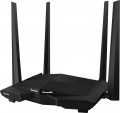 | 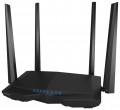 |
|---|---|---|
| Tenda AC10U | Tenda AC6 | |
from £42.40 | from £48.17 | |
| User reviews | ||
| TOP sellers | ||
Wi-Fi standard 802.11ac. Gigabit Ethernet ports. Processor 1 GHz. USB port. USB modems are supported in the latest firmware versions. | Dual band Wi-Fi. Four external antennas. Support for MU-MIMO and Beamforming+ technologies. Smart mode. Remote control via mobile app. | |
| Product type | router | router |
| Data input (WAN-port) | Ethernet (RJ45) Wi-Fi 3G modem (USB) 4G (LTE) modem (USB) | Ethernet (RJ45) Wi-Fi |
Wireless Wi-Fi connection | ||
| Wi-Fi standards | Wi-Fi 3 (802.11g) Wi-Fi 4 (802.11n) Wi-Fi 5 (802.11ac) | Wi-Fi 3 (802.11g) Wi-Fi 4 (802.11n) Wi-Fi 5 (802.11ac) |
| Frequency band | 2.4GHz 5 GHz | 2.4GHz 5 GHz |
| Operating ranges | dual-band (2.4 GHz and 5 GHz) | dual-band (2.4 GHz and 5 GHz) |
| Wireless speed 2.4 GHz | 300 Mbps | 300 Mbps |
| Wireless speed 5 GHz | 867 Mbps | 867 Mbps |
Connection and LAN | ||
| WAN | 1 port 1 Gbps | 1 port 100 Mbps |
| LAN | 3 ports 1 Gbps | 3 ports 100 Mbps |
| USB-A 2.0 | 1 pcs | |
Antenna and transmitter | ||
| Number of antennas | 4 | 4 |
| Antenna type | external | external |
| MU-MIMO |  | |
| Gain | 5 dBi | 5 dBi |
| 2.4 GHz antennas | 2 | |
| 5 GHz antennas | 2 | |
| 2.4 / 5 GHz antennas | 4 | |
| Transmitter power | 23 dBm | 23 dBm |
| Signal strength 2.4 GHz | 20 dBm | |
| Signal strength 5 GHz | 23 dBm | |
Hardware | ||
| CPU | Realtek RTL8197FS | |
| Clock Speed | 1 GHz | |
| RAM | 64 MB | |
| Flash memory | 16 MB | |
Functions | ||
| Features | NAT bridge mode repeater Beamforming firewall | NAT bridge mode repeater Beamforming firewall |
| More features | DHCP server FTP server file server VPN DDNS DMZ | DHCP server VPN DDNS DMZ |
Security | ||
| Safety standards | WPA WEP WPA2 | WPA WEP WPA2 |
General | ||
| Dimensions | 220x142x49 mm | 220x142x49 mm |
| Weight | 810 g | |
| Color | ||
| Added to E-Catalog | september 2018 | february 2017 |


Compare Tenda AC10U and AC6
When comparing the routers Tenda AC10U and Tenda AC6, several key points can be highlighted. Both devices support dual-band Wi-Fi with a maximum speed of 300 Mbps on 2.4 GHz and 867 Mbps on 5 GHz, however, the AC10U offers a more powerful processor and additional features such as MU-MIMO and Beamforming+, improving connection quality. While the AC6 has similar technology support, its LAN ports are limited to 100 Mbps, which may be a disadvantage for users with high speed requirements. Users note that the AC10U provides a more stable connection and better handles load in multi-user scenarios.
You may be interested in
Tenda AC10U often compared


Tenda AC6 often compared


Glossary
Data input (WAN-port)
Methods for connecting to the Internet (or other external network, such as in bridge mode) supported by the device.
The classic, most common version of such a connection nowadays is LAN (Ethernet), but this is not limited to this. A wired connection can also be made via ADSL or SFP fiber, and wirelessly via mobile networks (using a SIM card, SIM card 5G or an external modem for 3G or 4G), as well as via Wi-Fi. Here is a more detailed description of each option:
— Ethernet (RJ45). Classic wired connection via a network cable via an RJ-45 connector. Also known as "LAN", although this designation is not entirely correct. Nowadays, it is one of the most common methods of wired Internet connection, and is also widely used in local networks. This is due to the fact that the speed of Ethernet is actually limited only by the capabilities of network controllers; at the same time, even the simplest modules support up to 100 Mbps, and in advanced equipment this value can reach 10 Gbps.
— ADSL. A technology primarily used for wired Internet connections over existing landline telephone lines. This is its main advantage — you can use ready-made lines without fiddling with laying numerous addi...tional wires; at the same time, ADSL works independently of telephone calls and does not interfere with them. At the same time, the speed of such a connection is noticeably lower than via Ethernet — even in advanced equipment it does not exceed 24 Mbps. In addition, ADSL traffic is distributed asymmetrically: full speed is achieved only when working for reception, data transmission speed is much lower, which creates problems for video communication and some other tasks. So nowadays, ADSL is gradually being replaced by more advanced standards, although the complete disappearance of this technology is still far away.
— Wi-Fi. Connect to an external data source via Wi-Fi. By definition, this format of operation is used by Wi-Fi adapters (see "Device type"), as well as by most MESH equipment. (However, if the MESH system package includes both nodes and the main control device for them, then the WAN input can be specified for the control device, and often this is not Wi-Fi). Also, this type of data input can be provided in other types of equipment — in particular, routers and access points (for example, to work in bridge or repeater mode).
— 3G modem (USB). Internet connection via 3G mobile network using a separate external modem connected to the USB port. Most often, we are talking about UMTS networks (the development of GSM mobile communications), the most common in Europe and the post-Soviet space; however, it may also be possible to use modems for CDMA networks (EV-DO technology). These nuances, as well as compatibility with specific modem models, need to be clarified separately. However, anyway, 3G may be a good option for situations where a wired Internet connection is difficult or impossible, such as in the private sector. In addition, some Wi-Fi devices with this feature are equipped with autonomous power supplies and can even be used on the go. The data transfer speed of 3G is close to broadband wired connection (from 2 to 70 Mbps with a normal signal, depending on the specific technology); however, it is less than in 4G networks (see below), but 3G coverage is more extensive, and equipment for this standard is cheaper.
— 4G (LTE) modem (USB). Internet connection via 4G mobile network (LTE) using a separate external modem connected to the USB port. The main features are similar to the 3G connection described above, adjusted for the fact that in this case more advanced fourth-generation networks are used. The data transfer rate in such networks reaches about 150 Mbps; they are not as widespread as 3G-connection, but soon we can expect a change in the situation. In addition, it should be noted that in Europe and the post-Soviet space, LTE networks are usually deployed on the basis of 3G UMTS and GSM networks; so in the absence of full-fledged 4G coverage, modems for such networks can work according to the 3G and even GSM standard.
— SIM card. Connecting to the Internet via a mobile network using a mobile operator's SIM card installed directly in the device. The specific type of supported networks depends both on the capabilities of the router and on the conditions of a particular mobile operator; however, all such equipment is compatible with at least 3G networks, and often 4G as well. The features of these networks are described in detail above (you can also read about the advantages of a mobile Internet connection there). This option is convenient because it allows you to do without a separate USB modem — you just need to purchase a SIM card, the cost of which is negligible. In addition, the use of "sim cards" has a positive effect on compactness and ease of carrying. On the other hand, the built-in mobile communication module significantly affects the overall cost — and you will have to pay for it anyway (whereas a model with support for external modems does not have to be bought immediately with a modem, such devices usually allow wired connection). Therefore, you should pay attention to this option if you initially plan to connect to the Internet through mobile networks.
- SIM card (5G). The ability to operate Wi-Fi equipment in high-speed 5G mobile networks with a peak bandwidth of up to 20 Gbps for reception and up to 10 Gbps for data transmission. Implemented via a SIM card with appropriate 5G support. This standard reduces power consumption compared to previous versions, and it also uses a number of complex solutions aimed at improving the reliability and overall quality of communication - in particular, multi-element antenna arrays (Massive MIMO) and beamforming technologies (Beamforming).
— SFP (optics). Connection via fiber optic cable of the SFP standard. Such a connection can be carried out at high speeds (measured in gigabytes per second), and the fiber, unlike the Ethernet cable, is practically insensitive to external interference. On the other hand, the support of this standard is not cheap, and its capabilities are unnecessary for domestic use. Therefore, SFP is found mainly in professional-level Wi-Fi devices.
The classic, most common version of such a connection nowadays is LAN (Ethernet), but this is not limited to this. A wired connection can also be made via ADSL or SFP fiber, and wirelessly via mobile networks (using a SIM card, SIM card 5G or an external modem for 3G or 4G), as well as via Wi-Fi. Here is a more detailed description of each option:
— Ethernet (RJ45). Classic wired connection via a network cable via an RJ-45 connector. Also known as "LAN", although this designation is not entirely correct. Nowadays, it is one of the most common methods of wired Internet connection, and is also widely used in local networks. This is due to the fact that the speed of Ethernet is actually limited only by the capabilities of network controllers; at the same time, even the simplest modules support up to 100 Mbps, and in advanced equipment this value can reach 10 Gbps.
— ADSL. A technology primarily used for wired Internet connections over existing landline telephone lines. This is its main advantage — you can use ready-made lines without fiddling with laying numerous addi...tional wires; at the same time, ADSL works independently of telephone calls and does not interfere with them. At the same time, the speed of such a connection is noticeably lower than via Ethernet — even in advanced equipment it does not exceed 24 Mbps. In addition, ADSL traffic is distributed asymmetrically: full speed is achieved only when working for reception, data transmission speed is much lower, which creates problems for video communication and some other tasks. So nowadays, ADSL is gradually being replaced by more advanced standards, although the complete disappearance of this technology is still far away.
— Wi-Fi. Connect to an external data source via Wi-Fi. By definition, this format of operation is used by Wi-Fi adapters (see "Device type"), as well as by most MESH equipment. (However, if the MESH system package includes both nodes and the main control device for them, then the WAN input can be specified for the control device, and often this is not Wi-Fi). Also, this type of data input can be provided in other types of equipment — in particular, routers and access points (for example, to work in bridge or repeater mode).
— 3G modem (USB). Internet connection via 3G mobile network using a separate external modem connected to the USB port. Most often, we are talking about UMTS networks (the development of GSM mobile communications), the most common in Europe and the post-Soviet space; however, it may also be possible to use modems for CDMA networks (EV-DO technology). These nuances, as well as compatibility with specific modem models, need to be clarified separately. However, anyway, 3G may be a good option for situations where a wired Internet connection is difficult or impossible, such as in the private sector. In addition, some Wi-Fi devices with this feature are equipped with autonomous power supplies and can even be used on the go. The data transfer speed of 3G is close to broadband wired connection (from 2 to 70 Mbps with a normal signal, depending on the specific technology); however, it is less than in 4G networks (see below), but 3G coverage is more extensive, and equipment for this standard is cheaper.
— 4G (LTE) modem (USB). Internet connection via 4G mobile network (LTE) using a separate external modem connected to the USB port. The main features are similar to the 3G connection described above, adjusted for the fact that in this case more advanced fourth-generation networks are used. The data transfer rate in such networks reaches about 150 Mbps; they are not as widespread as 3G-connection, but soon we can expect a change in the situation. In addition, it should be noted that in Europe and the post-Soviet space, LTE networks are usually deployed on the basis of 3G UMTS and GSM networks; so in the absence of full-fledged 4G coverage, modems for such networks can work according to the 3G and even GSM standard.
— SIM card. Connecting to the Internet via a mobile network using a mobile operator's SIM card installed directly in the device. The specific type of supported networks depends both on the capabilities of the router and on the conditions of a particular mobile operator; however, all such equipment is compatible with at least 3G networks, and often 4G as well. The features of these networks are described in detail above (you can also read about the advantages of a mobile Internet connection there). This option is convenient because it allows you to do without a separate USB modem — you just need to purchase a SIM card, the cost of which is negligible. In addition, the use of "sim cards" has a positive effect on compactness and ease of carrying. On the other hand, the built-in mobile communication module significantly affects the overall cost — and you will have to pay for it anyway (whereas a model with support for external modems does not have to be bought immediately with a modem, such devices usually allow wired connection). Therefore, you should pay attention to this option if you initially plan to connect to the Internet through mobile networks.
- SIM card (5G). The ability to operate Wi-Fi equipment in high-speed 5G mobile networks with a peak bandwidth of up to 20 Gbps for reception and up to 10 Gbps for data transmission. Implemented via a SIM card with appropriate 5G support. This standard reduces power consumption compared to previous versions, and it also uses a number of complex solutions aimed at improving the reliability and overall quality of communication - in particular, multi-element antenna arrays (Massive MIMO) and beamforming technologies (Beamforming).
— SFP (optics). Connection via fiber optic cable of the SFP standard. Such a connection can be carried out at high speeds (measured in gigabytes per second), and the fiber, unlike the Ethernet cable, is practically insensitive to external interference. On the other hand, the support of this standard is not cheap, and its capabilities are unnecessary for domestic use. Therefore, SFP is found mainly in professional-level Wi-Fi devices.
WAN
The WAN port characterizes the ability of the device to receive a wired signal. There may be models with both one port and two WAN ports, and in rare cases, more connected providers. Such an expanded number of WAN connectors affects the cost and, accordingly, is found in more part among professional-level routers.
In terms of speed, when choosing a device, the priority is the speed of the output LAN port or Wi-Fi. However, faster WAN ports ( 1 Gbps, 2.5 Gbps, 5 Gbps, 10 Gbps) allow you to divide the load on several outputs at once without reducing speed performance, as may be the case with WAN port 100 Mbps.
In terms of speed, when choosing a device, the priority is the speed of the output LAN port or Wi-Fi. However, faster WAN ports ( 1 Gbps, 2.5 Gbps, 5 Gbps, 10 Gbps) allow you to divide the load on several outputs at once without reducing speed performance, as may be the case with WAN port 100 Mbps.
LAN
In this case, LAN means standard network connectors (known as RJ-45) designed for wired connection of LAN devices — PCs, servers, additional access points, etc. The number of ports corresponds to the number of devices that can be directly connected to wired equipment. way.
In terms of speed, 100 Mbps (Fast Ethernet) and 1 Gbps (Gigabit Ethernet) are the most popular options today. At the same time, thanks to the development of technology, more and more gigabit devices are being produced, although in fact this speed is critical only when transferring large amounts of information. At the same time, some models, in addition to the standard speed of the main LAN ports, may have a 2.5 Gbps, 5 Gbps and even 10 Gbps LAN port with increased bandwidth.
In terms of speed, 100 Mbps (Fast Ethernet) and 1 Gbps (Gigabit Ethernet) are the most popular options today. At the same time, thanks to the development of technology, more and more gigabit devices are being produced, although in fact this speed is critical only when transferring large amounts of information. At the same time, some models, in addition to the standard speed of the main LAN ports, may have a 2.5 Gbps, 5 Gbps and even 10 Gbps LAN port with increased bandwidth.
USB-A 2.0
The number of USB 2.0 ports provided in the device design.
In this case, USB serves as a universal interface for connecting peripheral devices to the router. The specific supported USB devices and their use cases can vary. Examples include working with a flash drive used as storage for FTP mode or file server operation (see "Features/Capabilities"), connection to a printer in print server mode (see there), connection of a 3G modem (see "Data Input (WAN-port)"), and so on.
Specifically, USB 2.0 allows data transfer speeds of up to 480 Mbps. This is noticeably less than more advanced standards (starting with USB 3.2 gen1 described below), and the power supply of such connectors is low. However, even such specifications are often quite sufficient, considering the specifics of Wi-Fi device applications. Additionally, a USB 2.0 port can also connect peripherals with newer versions — as long as the power supply is adequate. Therefore, although this standard is considered outdated, it is still widely used in modern wireless equipment. There are even models that provide for 2 or even more USB 2.0 ports, allowing multiple external devices to be used simultaneously — for example, a 3G modem and a flash drive.
In this case, USB serves as a universal interface for connecting peripheral devices to the router. The specific supported USB devices and their use cases can vary. Examples include working with a flash drive used as storage for FTP mode or file server operation (see "Features/Capabilities"), connection to a printer in print server mode (see there), connection of a 3G modem (see "Data Input (WAN-port)"), and so on.
Specifically, USB 2.0 allows data transfer speeds of up to 480 Mbps. This is noticeably less than more advanced standards (starting with USB 3.2 gen1 described below), and the power supply of such connectors is low. However, even such specifications are often quite sufficient, considering the specifics of Wi-Fi device applications. Additionally, a USB 2.0 port can also connect peripherals with newer versions — as long as the power supply is adequate. Therefore, although this standard is considered outdated, it is still widely used in modern wireless equipment. There are even models that provide for 2 or even more USB 2.0 ports, allowing multiple external devices to be used simultaneously — for example, a 3G modem and a flash drive.
2.4 GHz antennas
The total number of antennas in the router that are responsible for communication in the 2.4 GHz band. For details about the number of antennas, see "Total antennas", about the range — "Frequency range".
5 GHz antennas
The total number of antennas in the router that are responsible for communication in the 5 GHz band. For details about the number of antennas, see "Total antennas", about the range — "Frequency range".
2.4 / 5 GHz antennas
The total number of antennas in the router that can operate on both 5 GHz and 2.4 GHz frequencies. For details about the number of antennas, see "Total antennas", about the range — "Frequency range".
Signal strength 2.4 GHz
The power of the transmitter installed in the equipment when operating in the 2.4 GHz band (see "Frequency Band").
This parameter directly affects the overall power and, accordingly, the communication efficiency. For more on this, see p. "Transmitter power" above, but here we separately emphasize that high power is not always required, and in some cases it is frankly harmful.
This parameter directly affects the overall power and, accordingly, the communication efficiency. For more on this, see p. "Transmitter power" above, but here we separately emphasize that high power is not always required, and in some cases it is frankly harmful.
Signal strength 5 GHz
The power of the transmitter installed in the equipment when operating in the 5 GHz band (see "Frequency Band").
This parameter directly affects the overall power and, accordingly, the communication efficiency. For more on this, see p. "Transmitter power" above, but here we separately emphasize that high power is not always required, and in some cases it is frankly harmful.
This parameter directly affects the overall power and, accordingly, the communication efficiency. For more on this, see p. "Transmitter power" above, but here we separately emphasize that high power is not always required, and in some cases it is frankly harmful.