
Logitech Wireless Mouse M345
 |


We recommend products in stockMice Logitech →
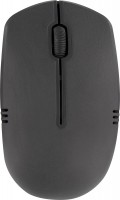
Logitech Wireless Mouse M345 | ||||||||||||||||||||||||||||||||||||||||||||||
|
| |||||||||||||||||||||||||||||||||||||||||||||


The information in the model description is for reference purposes.
Always clarify the specifications and configuration of the product with the online store manager before purchasing.
Catalog Logitech 2026 - new arrivals, bestsellers, and the most relevant models Logitech.
Always clarify the specifications and configuration of the product with the online store manager before purchasing.
Catalog Logitech 2026 - new arrivals, bestsellers, and the most relevant models Logitech.

How to choose a gaming mouseWe'll look at grip types, sensor sensitivity, pushbutton switches, and other important nuances

Branded technologies in computer mice worldWhat technologies are in mice and what benefits they give in particular tasks
Series Logitech M Series (small)Compare using chart →






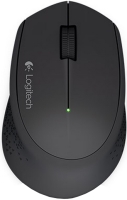
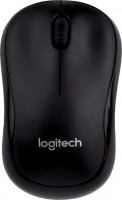

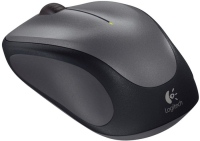

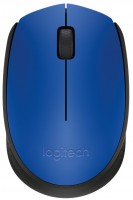














Model overview based on user reviews
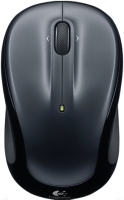
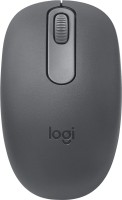
The Logitech Wireless Mouse M345 is a reliable and durable option for those seeking a travel-friendly mouse. It features a long battery life, lasting up to 8-10 months with active use, and works seamlessly on various surfaces, including glass. Users appreciate its high-quality materials and assembly, with no creaks or gaps, and a design that fits comfortably in a laptop bag. The mouse offers a strong connection with its receiver, even through walls, and does not require additional software for operation. However, some users find the scroll wheel too easily rotatable, which can be inconvenient for precise scrolling. Over time, the glide pads may wear, and the scroll wheel might require cleaning. Despite these minor issues, the mouse's stylish design and ease of disassembly for cleaning make it a favored choice for many.
Pros
Cons
For those who are going to buy this mouse! It's nice and unobtrusive to look at in light colors. Light green and violet. Good luck to everyone, take care of yourself long-lived battery inside the mouse when buying i just tuned in so well to sit at the computer, and then bam and the battery died, the mouse cursor jerks around the desktop, but there is no spare battery, I have to go outside to the store, but it's cold there! use Logitech Wireless Mouse M345 more than year |
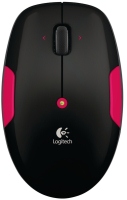
I bought the Logitech Wireless Mouse M345 Pink a month ago to use with my netbook while traveling. I tried to explain in detail all the advantages/disadvantages. - Works on any surface - No glitches (touch wood 3 times :)) - High-quality materials and assembly (no creaks, gaps, etc.) - Optimal design for travel: not flat and not too convex, which means it doesn't bulge too much in the laptop bag pocket - Optimal size for travel: not too big (doesn't take up much space) and not too small (convenient - an average male hand covers the mouse almost completely) - Not heavy - Battery discharge indicator - Miniature receiver that doesn't need to be removed when carrying the laptop in a bag - No need for drivers installation (relevant for netbooks without drives) - Expensive stylish design, beautiful glossy surface - Ability to download software from the manufacturer's website for additional settings - The only significant drawback for me. The scroll wheel is made to rotate very easily, which is presented as an advantage. But personally, for me, it is more often a disadvantage - it does not feel informatively firm, so it is not very convenient to scroll pages, especially small ones. - From an ergonomic point of view, the design is still not optimal (a more convex shape is more comfortable for the hand). - Not exactly a drawback, however: the function of tilting the wheel left/right, IMHO, is useless. - There is no option for a completely black mouse or with silver inserts. - The price is higher than that of analogs.  Andrey: use Logitech Wireless Mouse M345 month or more Andrey: use Logitech Wireless Mouse M345 month or more |
I've been using it for 3 years now. During this time, I burned through 4 batteries with very active use (mainly games. The weight can be adjusted using batteries of different weights. Outwardly it looks like new, if you don’t look from below. Requires cleaning from dust and dirt about once every six months. The battery contacts also oxidize a little because of which, after a month or a month and a half, the mouse may turn off (do not knock it on the table, although this helps, it is better to remove the battery and wipe the contacts with a cloth, after which it will work like new, do not hold the signal receiver close to the mouse itself, they may). Double clicks will appear on RMB. Convenient shape. Good and always reliable connection with the receiver (it hits even through two walls (but at a distance from the receiver of less than ~30 cm, double clicks may appear)). Very durable (threw against a wall many times, etc.), no marks on the plastic after falls or impacts (even now it looks like new, because there is not a single scratch). The logo on top does not wear off over time. Very convenient SCROLL (wheel), I got used to it after two days (since then I can’t use the scrolls of other mice). Beautiful design (I like it). High quality materials. Easy to disassemble (1 screw under the sticker in the battery compartment), making dust cleaning a breeze. Uses battery power very economically (with active use it lasts for 8-10 months). When the battery indicator lights up red, you don’t need to immediately run to look for a new battery, but you can not change it for another month or a month and a half. The sensor works on any surface (I was surprised myself, but even on glass). Does not require additional software for work. After 3 years of use, the mouse hardware works like new, without any double clicks or other common diseases among mice. After three years of active use (never used mouse pads), the glide pads started peeling off underneath (the top left shifted 3 mm down, making it easy to catch on something and accidentally peel off or bend, and there's also a hole worn through it where dirt now accumulates, while the top right pad looks like new, but the bottom left edge peeled off slightly and sometimes catches and bends on uneven surfaces such as fabric with loops). The logo has almost completely worn off between the two top pads underneath, as well as the "on" and "off" labels above the switch. When the switch is in the "off" position, the mouse still often works, requiring the battery to be removed. Over three years, the scroll wheel has become harder to turn (possibly it needs a thorough dust cleaning). Getting used to the mouse takes some time (first to the scroll, about two days, then to the sensor itself). Initially, you might not feel very confident in games or even in simple interface work, but after a week, you won't be able to use any other mouse but this one. use Logitech Wireless Mouse M345 more than year |
Add Review
Additional features mouse Logitech Wireless Mouse M345:
- Battery level indicator