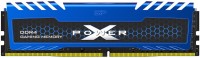
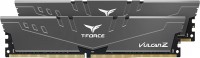
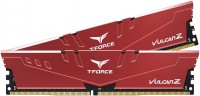
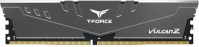
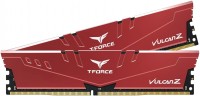
Team Group T-Force Vulcan Z DDR4 2x8GB TLZRD416G3200HC16CDC01
 | Compare prices 2 → When you make a purchase through links on our site, we may receive a affiliate commission.
|
Team Group TLZRD416G3200HC16CDC01 DDR4-3200 CL16 (16-18-18) DDR4-3200 CL16 (16-20-20) | |||||||||||||||||||||||||||||
| |||||||||||||||||||||||||||||
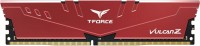
A dual-channel set of high-speed RAM, consisting of two single-sided DDR4 modules (2x8 GB), capable of stable operation at a clock frequency of 3200 MHz. Positioned as a mid-range product from the 2019 T-Force Vulcan family. Designed for demanding gamers and overclocking enthusiasts who can achieve performance gains by overclocking key system components. Designed for use in multi-purpose PCs and gaming systems based on the Intel Core platform (6th to 12th generation) or AMD Ryzen (Zen/Zen2/Zen3) processors.
A significant total amount of memory of 16 GB is enough for all popular gaming projects in 2011-2021 and most resource-intensive applications. The Team Group Vulcan Z DDR4 2x8Gb TLZRD416G3200HC16CDC01 RAM kit is designed for use with motherboards that support XMP 2.0 technology, which will automatically set the performance mode (DDR4-3200, CL16-18-18-38 at 1.35 V). In situations where XMP 2.0 is not supported, the modules will operate in safe mode with a frequency of 2133 MHz and timings of CL15-15-15-36 at 1.2 V. In this case, manual configuration of a number of UEFI BIOS parameters is required to set the claimed parameters. The modules are equipped with low-profile aluminium heat sinks.
Always clarify the specifications and configuration of the product with the online store manager before purchasing.
Catalog Team Group 2026 - new arrivals, bestsellers, and the most relevant models Team Group.
1 1 1 3 |
before buying this memory, read the specifications on which these modules can operate at the stated frequencies. because they do not work on most motherboards at these frequencies. XMP profile also does not work for the above-mentioned reason. my configuration is 2700x b450 TUF PRO gaming so by default it starts at 2100, manually the maximum is 2930, beyond that it does not work with the same timings specified for 3200. price not fully compatible with motherboards for AMD processors. well, a little better with Intel, but not much better.  Seregadp777: use Team Group TLZRD416G3200HC16CDC01 less than month Seregadp777: use Team Group TLZRD416G3200HC16CDC01 less than month |
I bought the 3600 cl18, everything works perfectly. It has a bit of overclocking potential. Without much effort, I set it to 4000MHz and used the cl20 timing scheme taken from the official website for this series - it started up without any problems, so I think it can go even further in my case. Motherboard - ASUS Prime B550M-A. By the way, regarding overclocking - if you enter the main timings and frequency without setting the XMP profile, the memory doesn't start with the claimed specifications. I had the same situation with my old build on DDR3. For its price, the memory is excellent. without the xmp overclocking profile enabled, it is not subject to overclocking Daniil: use Team Group TLZRD416G3600HC18JDC01 less than month |
initially, it was my fault that I placed them in slots A1 B1, while the instructions for the motherboard state that two memory sticks should be placed in A2 B2. As a result, everything started as it should. It turned out that the peculiarity is not with the memory, but most likely with either the motherboard or the processor, or both together. In the end, everything works fine at the stated frequencies. Plus, the price was the lowest on the market for similar products. Overall, I'm satisfied with the purchase. price. speed. timings. you need to read the instructions. This is more for those who assemble a PC for themselves and don’t particularly understand it like me. Seregadp777: use Team Group TLZRD416G3000HC16CDC01 less than month |
Team Group T-Force Vulcan Z DDR4 2x8GB configurations
| Price for Team Group T-Force Vulcan Z DDR4 2x8GB | ||||
|---|---|---|---|---|
 | Team Group T-Force Vulcan Z DDR4 2x8GB TLZRD416G3200HC16CDC01 | from £109.99 | 2 offers | |
 | Team Group T-Force Vulcan Z DDR4 2x8GB TLZGD416G3200HC16FDC01 | from £111.74 | 5 offers | |