
Comparison Razer DeathAdder V2 Pro vs Razer DeathAdder V2
Add to comparison | 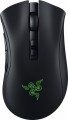 | 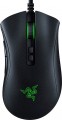 |
|---|---|---|
| Razer DeathAdder V2 Pro | Razer DeathAdder V2 | |
| Compare prices 2 | Compare prices 2 | |
| User reviews | ||
| TOP sellers | ||
Soft detachable braided cable. Razer Focus Plus sensor. Razer HyperSpeed Wireless high-speed connection. | Razer Focus+ sensor. Company switches. Razer Synapse app. | |
| Product type | mouse | mouse |
| Connection | radio / Bluetooth / wired | wired |
| Multi-Device |  |  |
| Sensor | optical | optical |
| Type | for game | for game |
Sensor and control | ||
| Sensor | Razer Focus+ | Razer Focus+ |
| Sensor resolution | 400 – 20000 DPI | 400 – 20000 DPI |
| Max. acceleration | 50 G | 50 G |
| Max. speed | 650 ips | 650 ips |
| Max. polling rate | 1000 Hz (1 ms) | |
| Number of buttons | 6 | 6 |
| Side buttons | | |
| DPI-button | | |
| Switch type | optical | optical |
| Switches | Razer Gen-2 | Razer |
| Switch resource | 70 mln | 70 mln |
| Scroll wheels | 1 | 1 |
Additional features | ||
| Optimal grip | finger, claw | finger, claw |
| Programmable buttons | | |
| Built-in memory | | |
| Lighting | RGB | RGB |
| Lighting effects | Razer Chroma | Razer Chroma |
| Feet material | teflon (PTFE) | teflon (PTFE) |
Connection and power supply | ||
| Cable | USB-A removable braided | USB-A braided |
| Cable length | 2.1 m | 2.1 m |
| Power source | battery | |
| Battery life | 70 h | |
| Port on the device | microUSB | |
General | ||
| In box | USB-A dongle | |
| Size (LxWxH) | 127x62x43 mm | 127x62x43 mm |
| Weight | 88 g | 82 g |
| Color | ||
| Added to E-Catalog | december 2020 | january 2020 |



Compare Razer DeathAdder V2 Pro and DeathAdder V2
Comparing the Razer DeathAdder V2 Pro and the Razer DeathAdder V2, several key differences can be highlighted. The DeathAdder V2 Pro supports both wired and wireless connections, providing greater flexibility in use, while the DeathAdder V2 is exclusively a wired mouse. The battery life of the Pro model reaches up to 70 hours with a wireless connection. Both mice feature the Razer Focus+ sensor with a resolution of up to 20000 DPI and have a similar number of buttons and functionality, including programmable buttons and RGB lighting. Overall, if wireless connectivity and long battery life are important to you, it's worth considering the DeathAdder V2 Pro.
Price comparison
You may be interested in
Razer DeathAdder V2 Pro often compared


Razer DeathAdder V2 often compared


Glossary
Connection
The type of connection used by the mouse.
All types of mouse connection can be divided into wired and wireless. There are also combined models that allow both methods; however, for a number of reasons, they have not received much distribution.
Wired mice can vary in connector type; however, the universal standard nowadays is USB, other options are much less common (see "Cable" for them). Anyway, such mice are much cheaper than wireless counterparts, moreover, they do not require batteries / accumulators and have an almost unlimited lifespan. On the other hand, the wire restricts mobility and can be inconvenient when connecting, especially if the computer is located far away or in a hard-to-reach place.
Wireless devices, in turn, can connect via radio, Bluetooth, or Wi-Fi ; in some models, two options are combined — at the user's choice, (usually radio and Bluetooth). Regardless of the interface used, all such models are more convenient than wired ones due, in fact, to the absence of a cable; and their range is at least a few metres, so a wireless mouse can also work as a kind of remote control. At the same time, a wireless connection is more expensive than a wired connection, and besides, it requires autonomous power supply — as a result, the per...iod of continuous operation of the mouse is limited.
As for the different types of wireless connection, here are their features:
— Radio. To connect over the air, usually, a wireless adapter is used, which is connected to the USB port of the computer. This method is convenient in that it can be used with any computer, including systems that do not have built-in Bluetooth or Wi-Fi modules. The disadvantages of this option include the fact that the adapter requires a free connector; as a result, with a small number of USB ports, difficulties can arise. However, this moment, if necessary, can be easily corrected by connecting a USB hub; so it is this connection method that is most popular among modern wireless mice.
— Bluetooth. The main advantage of this connection method is that many modern devices — laptops, most monoblock computers, smart TVs, etc. — have built-in Bluetooth modules. Thus, you can connect the mouse to such equipment directly, without occupying hardware connectors. And for PCs not equipped with internal Bluetooth modules, appropriate adapters are available (which may even be included with the mouse). In addition, some advanced models with such a connection are able to remember several Bluetooth devices at the same time and switch between them literally “with the touch of a button”. The Bluetooth communication range is at least 10 m with line of sight.
— Wi-Fi. A rather specific option, which is extremely rare — in certain models of laptop mice (see "In the direction"). In many respects it is similar to Bluetooth — in particular, it is designed mainly to work with built-in modules and allows you to use a mouse without occupying hardware connectors. At the same time, the range of communication via Wi-Fi is much greater. On the other hand, this advantage is not of fundamental importance, and on the technical side, the creation of Wi-Fi mice is associated with certain difficulties. That is why this type of connection has not received distribution.
All types of mouse connection can be divided into wired and wireless. There are also combined models that allow both methods; however, for a number of reasons, they have not received much distribution.
Wired mice can vary in connector type; however, the universal standard nowadays is USB, other options are much less common (see "Cable" for them). Anyway, such mice are much cheaper than wireless counterparts, moreover, they do not require batteries / accumulators and have an almost unlimited lifespan. On the other hand, the wire restricts mobility and can be inconvenient when connecting, especially if the computer is located far away or in a hard-to-reach place.
Wireless devices, in turn, can connect via radio, Bluetooth, or Wi-Fi ; in some models, two options are combined — at the user's choice, (usually radio and Bluetooth). Regardless of the interface used, all such models are more convenient than wired ones due, in fact, to the absence of a cable; and their range is at least a few metres, so a wireless mouse can also work as a kind of remote control. At the same time, a wireless connection is more expensive than a wired connection, and besides, it requires autonomous power supply — as a result, the per...iod of continuous operation of the mouse is limited.
As for the different types of wireless connection, here are their features:
— Radio. To connect over the air, usually, a wireless adapter is used, which is connected to the USB port of the computer. This method is convenient in that it can be used with any computer, including systems that do not have built-in Bluetooth or Wi-Fi modules. The disadvantages of this option include the fact that the adapter requires a free connector; as a result, with a small number of USB ports, difficulties can arise. However, this moment, if necessary, can be easily corrected by connecting a USB hub; so it is this connection method that is most popular among modern wireless mice.
— Bluetooth. The main advantage of this connection method is that many modern devices — laptops, most monoblock computers, smart TVs, etc. — have built-in Bluetooth modules. Thus, you can connect the mouse to such equipment directly, without occupying hardware connectors. And for PCs not equipped with internal Bluetooth modules, appropriate adapters are available (which may even be included with the mouse). In addition, some advanced models with such a connection are able to remember several Bluetooth devices at the same time and switch between them literally “with the touch of a button”. The Bluetooth communication range is at least 10 m with line of sight.
— Wi-Fi. A rather specific option, which is extremely rare — in certain models of laptop mice (see "In the direction"). In many respects it is similar to Bluetooth — in particular, it is designed mainly to work with built-in modules and allows you to use a mouse without occupying hardware connectors. At the same time, the range of communication via Wi-Fi is much greater. On the other hand, this advantage is not of fundamental importance, and on the technical side, the creation of Wi-Fi mice is associated with certain difficulties. That is why this type of connection has not received distribution.
Multi-Device
Mouse support for Multi-Device technology.
This technology is found exclusively in models with wireless connectivity (see “Connection type”). It allows you to pair the mouse with several devices simultaneously and quickly switch between them without fiddling with the settings every time; in many models, such switching is carried out literally at the touch of a button. Thanks to this, you can, for example, easily use the mouse with both your home computer and a TV running Android TV, connecting to one or another device as needed.
Note that it would not hurt to clarify the specific features of the Multi-device separately. First of all, this concerns the number of simultaneously supported devices.
This technology is found exclusively in models with wireless connectivity (see “Connection type”). It allows you to pair the mouse with several devices simultaneously and quickly switch between them without fiddling with the settings every time; in many models, such switching is carried out literally at the touch of a button. Thanks to this, you can, for example, easily use the mouse with both your home computer and a TV running Android TV, connecting to one or another device as needed.
Note that it would not hurt to clarify the specific features of the Multi-device separately. First of all, this concerns the number of simultaneously supported devices.
Max. polling rate
The polling rate shows how often the mouse sensor exchanges data with the computer about cursor movement. This parameter is measured in hertz (Hz), with one second being taken as the unit of time for its assessment. The smoothness and speed of cursor movement directly depend on the polling rate of the sensor. Directly connected to it is the mouse response time — this is the time interval required for the signal about the manipulator's movement to reach the display of the cursor position change on the screen. Response time is measured in milliseconds (ms). The higher the mouse's "hertz rate," the lesser the response time it demonstrates. The most common value can be considered 1000 Hz with a response time of 1 millisecond. For competitive games, attention should be paid to faster mice, including 2000 Hz, 4000 Hz, and 8000 Hz. Values below might negatively manifest just in gaming scenarios.
Switches
Mouse switches indicate which specific switches are installed under the main buttons: for example, Omron, Huano, Kailh, TTC, or the manufacturer’s proprietary solutions. They affect the click feel, actuation force, click volume, lifespan, and the likelihood of double-clicking developing over time.
Unlike the general switch type, which refers to the operating principle—mechanical or optical—the brand and model provide a more precise understanding of the build quality. For example, two mice with mechanical switches may feel different when pressed: some will be softer and quieter, while others will be stiffer, louder, and more “gaming-oriented” in feel.
Unlike the general switch type, which refers to the operating principle—mechanical or optical—the brand and model provide a more precise understanding of the build quality. For example, two mice with mechanical switches may feel different when pressed: some will be softer and quieter, while others will be stiffer, louder, and more “gaming-oriented” in feel.
Cable
Additional features of the cable that the mouse is equipped with.
These features may include a winding system, a detachable wire, and a braided wire(however, most modern mice still have a cable without a braid). Here is a more detailed description of all these features.
— Retractable. Wire equipped with a special coil for winding. This feature greatly simplifies transportation: during off-hours, the wire is as compact as possible and does not get tangled, and when used, it can be unwound to the desired length (usually the coil allows this possibility). All this is especially important for laptop mice (see "In direction") — in fact, most models with a wire reel fall into this category.
— Removable. Wire that can be detached from the mouse. Almost all mice with two connection options have this feature — wired and wireless: when working in a wireless format, the cable can be removed so that it does not interfere. However, there are also purely wired devices with such a cable — mostly laptop devices, where the wire is removed for ease of transportation. Also note that most often a universal connector like microUSB is used to connect the cable, so if necessary, the wire can be replaced with another one — for example, a longer one.
— In a braid. The presence of an additional braid on the mouse cable. This feature makes the wire more d...urable, reliable and resistant to bending. On the other hand, braid tends to accumulate dirt and fray when worn; because of this, the wire sheath loses its presentation faster than in mice without a braid. Yes, and such a wire is more expensive than a regular smooth one.
These features may include a winding system, a detachable wire, and a braided wire(however, most modern mice still have a cable without a braid). Here is a more detailed description of all these features.
— Retractable. Wire equipped with a special coil for winding. This feature greatly simplifies transportation: during off-hours, the wire is as compact as possible and does not get tangled, and when used, it can be unwound to the desired length (usually the coil allows this possibility). All this is especially important for laptop mice (see "In direction") — in fact, most models with a wire reel fall into this category.
— Removable. Wire that can be detached from the mouse. Almost all mice with two connection options have this feature — wired and wireless: when working in a wireless format, the cable can be removed so that it does not interfere. However, there are also purely wired devices with such a cable — mostly laptop devices, where the wire is removed for ease of transportation. Also note that most often a universal connector like microUSB is used to connect the cable, so if necessary, the wire can be replaced with another one — for example, a longer one.
— In a braid. The presence of an additional braid on the mouse cable. This feature makes the wire more d...urable, reliable and resistant to bending. On the other hand, braid tends to accumulate dirt and fray when worn; because of this, the wire sheath loses its presentation faster than in mice without a braid. Yes, and such a wire is more expensive than a regular smooth one.
Power source
The type of power used by the wireless mouse (see "Connection Type").
Modern mice can be powered by replaceable cells, by a built-in battery, or by a mousepad. The first option is good because dead batteries can be replaced with fresh ones in a matter of seconds, no need to waste time charging. At the same time, replaceable cells are sold both in the form of disposable batteries and in the form of rechargeable batteries, which gives the user a choice: to buy inexpensive batteries regularly or to spend money on a battery (s) with a charger once. Here are the main sizes of such elements found in modern mice:
— AA. Widely known "finger" batteries. A fairly common option, although less popular than the smaller AAA — in fact, because of the larger size, poorly suited for compact mice. On the other hand, AA cells have higher capacitance. The number of such batteries can be different, most often there are models for 1xAA or 2xAA.
— AAA. "Mini finger" or "little finger" batteries. More compact than AA, due to which they are widely used in modern mice. The capacity of such elements, however, is lower, however, mice do not consume so much energy, and even with 1xAAA power supply, battery life can be calculated not only for months, but for years. Also, there are often models on 2xAAA..., and extremely rarely on 3xAAA.
As for other ways of eating, their features are as follows:
— Accumulator. Own built-in battery is convenient primarily because it is initially included in the package, you do not need to buy it separately. And the further operation of such a mouse does not require additional expenses — it is enough to charge it from time to time. In addition, batteries can be made more compact than replacement cells. There are two main disadvantages of such a power supply, compared with the same batteries. Firstly, this is less battery life — in the most "long-playing" rechargeable mice, the battery life does not exceed 120 days (for batteries, this is a very limited indicator). The second point is the inability to quickly remove and replace the battery. This means that with a dead battery, there is only one option — charging, and it takes time; however, many mice allow use directly in the process of charging. But if the battery fails, at best, the device will have to be carried to the service, at worst, it will be changed entirely.
— From the rug. Quite a specific option: powered by a special pad that transmits energy to the mouse wirelessly. The pad needs to be connected to a computer port (usually USB), so such mice are very conditionally wireless. One of the advantages of such models is that they do not need to monitor the battery status. On the other hand, you can use the mouse only with the supplied mouse pad; if it is missing, the device becomes useless; and freedom of movement is limited by the length of the wire. Thus, mice with such a power supply do not actually have key advantages over wired models, and they are much more expensive. So nowadays, food from the rug is extremely rare.
Modern mice can be powered by replaceable cells, by a built-in battery, or by a mousepad. The first option is good because dead batteries can be replaced with fresh ones in a matter of seconds, no need to waste time charging. At the same time, replaceable cells are sold both in the form of disposable batteries and in the form of rechargeable batteries, which gives the user a choice: to buy inexpensive batteries regularly or to spend money on a battery (s) with a charger once. Here are the main sizes of such elements found in modern mice:
— AA. Widely known "finger" batteries. A fairly common option, although less popular than the smaller AAA — in fact, because of the larger size, poorly suited for compact mice. On the other hand, AA cells have higher capacitance. The number of such batteries can be different, most often there are models for 1xAA or 2xAA.
— AAA. "Mini finger" or "little finger" batteries. More compact than AA, due to which they are widely used in modern mice. The capacity of such elements, however, is lower, however, mice do not consume so much energy, and even with 1xAAA power supply, battery life can be calculated not only for months, but for years. Also, there are often models on 2xAAA..., and extremely rarely on 3xAAA.
As for other ways of eating, their features are as follows:
— Accumulator. Own built-in battery is convenient primarily because it is initially included in the package, you do not need to buy it separately. And the further operation of such a mouse does not require additional expenses — it is enough to charge it from time to time. In addition, batteries can be made more compact than replacement cells. There are two main disadvantages of such a power supply, compared with the same batteries. Firstly, this is less battery life — in the most "long-playing" rechargeable mice, the battery life does not exceed 120 days (for batteries, this is a very limited indicator). The second point is the inability to quickly remove and replace the battery. This means that with a dead battery, there is only one option — charging, and it takes time; however, many mice allow use directly in the process of charging. But if the battery fails, at best, the device will have to be carried to the service, at worst, it will be changed entirely.
— From the rug. Quite a specific option: powered by a special pad that transmits energy to the mouse wirelessly. The pad needs to be connected to a computer port (usually USB), so such mice are very conditionally wireless. One of the advantages of such models is that they do not need to monitor the battery status. On the other hand, you can use the mouse only with the supplied mouse pad; if it is missing, the device becomes useless; and freedom of movement is limited by the length of the wire. Thus, mice with such a power supply do not actually have key advantages over wired models, and they are much more expensive. So nowadays, food from the rug is extremely rare.
Battery life
Battery life of the mouse (see “Power”) on a single charge.
The battery life in this case is rather approximate: it is given for an average usage scenario, and the actual autonomy may turn out to be less or more than stated, depending on the usage patterns. Nevertheless, it is a fairly reliable indicator, allowing different battery models to be evaluated and compared with each other: the difference in the stated battery life usually correlates well with the actual autonomy difference.
The battery life in this case is rather approximate: it is given for an average usage scenario, and the actual autonomy may turn out to be less or more than stated, depending on the usage patterns. Nevertheless, it is a fairly reliable indicator, allowing different battery models to be evaluated and compared with each other: the difference in the stated battery life usually correlates well with the actual autonomy difference.
Port on the device
Connector on the mouse body for detachable cable connection; it is found in both wired models and wireless ones with a battery, where through this port the mouse charges and, if necessary, operates "wired" without delays.
— microUSB. One of the miniature versions of the USB connector, still popular in gadgets despite the emergence of the more advanced USB-C. It has comparatively modest capabilities (specifically, it falls short of USB-C in terms of maximum possible charging power), however, this is rarely critical. Meanwhile, there are a plethora of cables and chargers for microUSB.
— USB-C. The latest (as of the end of 2025) type of USB connector. It is symmetrical, allowing the cable to be inserted either way, eliminating the possibility of incorrect connection. USB-C is more reliable, has an extended lifespan, and supports higher data transfer and charging speed. Additionally, it is compatible with modern devices and is gradually becoming a universal standard, making mice with such a connector more convenient and relevant for users.
— microUSB. One of the miniature versions of the USB connector, still popular in gadgets despite the emergence of the more advanced USB-C. It has comparatively modest capabilities (specifically, it falls short of USB-C in terms of maximum possible charging power), however, this is rarely critical. Meanwhile, there are a plethora of cables and chargers for microUSB.
— USB-C. The latest (as of the end of 2025) type of USB connector. It is symmetrical, allowing the cable to be inserted either way, eliminating the possibility of incorrect connection. USB-C is more reliable, has an extended lifespan, and supports higher data transfer and charging speed. Additionally, it is compatible with modern devices and is gradually becoming a universal standard, making mice with such a connector more convenient and relevant for users.
In box
— USB receiver. A device that is found only in models with wireless connectivity. Such a receiver is connected to the USB port of a computer or laptop, and communication is carried out through it. This is the way all mice with a radio connection work, for them the presence of a USB receiver in the kit is almost mandatory. At the same time, this accessory is also found in the Bluetooth model — in them it plays the role of an adapter for equipment that is not equipped with its own Bluetooth modules.
— Replaceable legs. Legs are small protrusions on the bottom surface of the case, on which the mouse rests, standing on the work surface. They reduce resistance, allowing the device to slide freely in any direction, and also compensate for minor irregularities to a certain extent. However, due to constant friction, the legs are subject to heavy wear, over time they wear out or may come off. Thus, modern mice may come with interchangeable legs; such a complete set means that regular overlays can be easily removed by the user.
— Interchangeable side panels. A feature found primarily in game models (see "By Direction"). At the same time, the purpose of removable panels can be different. So, in some models, they are used to fine-tune the width or overall shape to the user's hand. In other devices, rearranging the panel allows you to change the functionality — for example, install four side button...s instead of two, providing additional features in games (and return the panel with two classic side buttons back while surfing the Internet and other everyday tasks). Such nuances should be clarified in each case separately.
— Replaceable top panels. Additional components that can be installed in place of the standard top of the mouse to change its appearance or ergonomics. Their support is implemented in some models of gaming mice (see “Direction”). Replaceable top panels provide the ability to customize the mouse to suit individual ergonomic preferences, and they also serve as a stylistic element in the design of the manipulator.
— Rug. Mice that use the mouse pad as a power source are required (see "Power"), but this accessory can also be supplied with more traditional models. In the latter case, it is worth clarifying what material the pad is made of, what dimensions and design features it has — these points may not meet the user's requirements, in many cases it is more convenient to buy an underarm pad separately.
— Case. The cover will be appropriate if you need to regularly move the mouse from place to place (for example, for frequent competitions or with a work laptop). In a protective case, your “rodent” will not be afraid of external damage to which a mouse can be subjected even while in the personal compartment of a backpack.
— Additional switches (mics) — for example, spare switches of the same type as regular ones, or interchangeable ones that differ in characteristics.
— Interchangeable side buttons. Separate side buttons that can replace regular ones. These may be keys of a different shape or spare parts of a similar design.
— Stickers. Decorative stickers that allow you to personalize your device, giving it an original look.
— Additional cable. A replacement wire that differs from the main one in length and/or other characteristics (for example, the presence / absence of a braid).
— Headphones. Gaming computer headphones supplied with mice of the corresponding specialization (see "By Direction").
— Replaceable legs. Legs are small protrusions on the bottom surface of the case, on which the mouse rests, standing on the work surface. They reduce resistance, allowing the device to slide freely in any direction, and also compensate for minor irregularities to a certain extent. However, due to constant friction, the legs are subject to heavy wear, over time they wear out or may come off. Thus, modern mice may come with interchangeable legs; such a complete set means that regular overlays can be easily removed by the user.
— Interchangeable side panels. A feature found primarily in game models (see "By Direction"). At the same time, the purpose of removable panels can be different. So, in some models, they are used to fine-tune the width or overall shape to the user's hand. In other devices, rearranging the panel allows you to change the functionality — for example, install four side button...s instead of two, providing additional features in games (and return the panel with two classic side buttons back while surfing the Internet and other everyday tasks). Such nuances should be clarified in each case separately.
— Replaceable top panels. Additional components that can be installed in place of the standard top of the mouse to change its appearance or ergonomics. Their support is implemented in some models of gaming mice (see “Direction”). Replaceable top panels provide the ability to customize the mouse to suit individual ergonomic preferences, and they also serve as a stylistic element in the design of the manipulator.
— Rug. Mice that use the mouse pad as a power source are required (see "Power"), but this accessory can also be supplied with more traditional models. In the latter case, it is worth clarifying what material the pad is made of, what dimensions and design features it has — these points may not meet the user's requirements, in many cases it is more convenient to buy an underarm pad separately.
— Case. The cover will be appropriate if you need to regularly move the mouse from place to place (for example, for frequent competitions or with a work laptop). In a protective case, your “rodent” will not be afraid of external damage to which a mouse can be subjected even while in the personal compartment of a backpack.
— Additional switches (mics) — for example, spare switches of the same type as regular ones, or interchangeable ones that differ in characteristics.
— Interchangeable side buttons. Separate side buttons that can replace regular ones. These may be keys of a different shape or spare parts of a similar design.
— Stickers. Decorative stickers that allow you to personalize your device, giving it an original look.
— Additional cable. A replacement wire that differs from the main one in length and/or other characteristics (for example, the presence / absence of a braid).
— Headphones. Gaming computer headphones supplied with mice of the corresponding specialization (see "By Direction").