
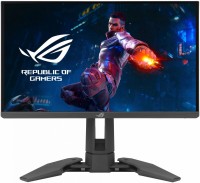
Asus ROG Swift PG329Q-W 32 " white
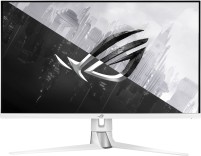 | Outdated Product Product type: gaming; Size ("): 32; Panel type: IPS; Treatment: anti-glare; Resolution: 2560x1440 (16:9); Response time GtG (ms): 1; Viewing angle vert.: 178; Horizontal viewing angle: 178; Brightness (cd/m²): 450; Static contrast: 1 000:1; Dynamic Contrast: 1 000 000:1; Colour depth: 10-bit (1.07B Colors) |


Asus ROG Swift PG329Q-W 32 " white
32 "
32 "
Screen size:32 "
Resolution:2560x1440 (16:9)
Panel:IPS, response 1 ms
Frequency:175 Hz
Contrast:1 000:1
Brightness:450 cd/m²
Functions:HDR, NVIDIA G-Sync Compatible, VESA Adaptive-Sync, PBP, Flicker-Free
Connectors:DisplayPort v1.2 • 2xHDMI v2.0
All specifications
Specifications ROG Swift PG329Q-W
|
| ||||||||||||||||||||||||||||||||||||||||||||||||||||||||||||||||||||||||||||||||||||||||||||||


E-Catalog UK editor, Monitors
Dmytro Prokopenko, edited 19.08.2026
The information in the model description is for reference purposes.
Always clarify the specifications and configuration of the product with the online store manager before purchasing.
Catalog Asus 2026 - new arrivals, bestsellers, and the most relevant models Asus.
Always clarify the specifications and configuration of the product with the online store manager before purchasing.
Catalog Asus 2026 - new arrivals, bestsellers, and the most relevant models Asus.

Series Asus ROG Swift (Gaming)Compare using chart →

gaming, 34 ", 3440x1440 (21:9), curved 1800R, QD-OLED, response 0.03 ms, 360 Hz, 10-bit (1.07B Colors), sRGB 135 %, DCI-P3 99 %, HDMI, v 2.1, DisplayPort, USB-C (DP Alt Mode), Power Delivery, HUB: USB-A 3x5Gbps, KVM switch, AMD FreeSync Premium Pro, NVIDIA G-Sync Compatible, VESA Adaptive-Sync, HDR, TÜV Rheinland

gaming, 26.5 ", 2560x1440 (16:9), WOLED, response 0.02 ms, 540 Hz, 720 Hz (HD), 10-bit (1.07B Colors), sRGB 135 %, DCI-P3 99.5 %, HDMI, v 2.1, DisplayPort, HUB: USB-A 3x5Gbps, AMD FreeSync Premium Pro, NVIDIA G-Sync Compatible, VESA Adaptive-Sync, HDR, TÜV Rheinland

gaming, 26.5 ", 2560x1440 (16:9), WOLED, response 0.02 ms, 540 Hz, 720 Hz (HD), 10-bit (1.07B Colors), sRGB 135 %, DCI-P3 99.5 %, HDMI, v 2.1, DisplayPort, HUB: USB-A 3x5Gbps, AMD FreeSync Premium Pro, NVIDIA G-Sync Compatible, VESA Adaptive-Sync, HDR, TÜV Rheinland
gaming, 31.5 ", 4K, 3840x2160 (16:9), WOLED, response 0.03 ms, 240 Hz, 480 Hz (Full HD), 10-bit (1.07B Colors), DCI-P3 99 %, HDMI, v 2.1, DisplayPort, USB-C (DP Alt Mode), Power Delivery, HUB: USB-A 3x5Gbps, KVM switch, AMD FreeSync Premium Pro, NVIDIA G-Sync Compatible, VESA Adaptive-Sync, HDR, TÜV Rheinland
gaming, 26.5 ", 4K, 3840x2160 (16:9), QD-OLED, response 0.03 ms, 240 Hz, 10-bit (1.07B Colors), sRGB 145 %, DCI-P3 99 %, HDMI, v 2.1, DisplayPort, USB-C (DP Alt Mode), Power Delivery, HUB: USB-A 3x5Gbps, KVM switch, AMD FreeSync Premium Pro, NVIDIA G-Sync Compatible, VESA Adaptive-Sync, HDR, TÜV Rheinland

gaming, 31.5 ", 4K, 3840x2160 (16:9), WOLED, response 0.03 ms, 240 Hz, 480 Hz (Full HD), 10-bit (1.07B Colors), sRGB 130 %, DCI-P3 99 %, HDMI, v 2.1, DisplayPort, USB-C (DP Alt Mode), Power Delivery, HUB: USB-A 3x5Gbps, KVM switch, AMD FreeSync Premium Pro, NVIDIA G-Sync Compatible, VESA Adaptive-Sync, HDR, TÜV Rheinland

gaming, 31.5 ", 4K, 3840x2160 (16:9), QD-OLED, response 0.03 ms, 240 Hz, 10-bit (1.07B Colors), DCI-P3 99 %, HDMI, v 2.1, DisplayPort, USB-C (DP Alt Mode), Power Delivery, HUB: USB-A 3x5Gbps, KVM switch, AMD FreeSync Premium Pro, NVIDIA G-Sync Compatible, VESA Adaptive-Sync, HDR, TÜV Rheinland

gaming, 31.5 ", 4K, 3840x2160 (16:9), QD-OLED, response 0.03 ms, 240 Hz, 10-bit (1.07B Colors), DCI-P3 99 %, HDMI, v 2.1, DisplayPort, USB-C (DP Alt Mode), Power Delivery, HUB: USB-A 3x5Gbps, KVM switch, AMD FreeSync Premium Pro, NVIDIA G-Sync Compatible, VESA Adaptive-Sync, HDR, TÜV Rheinland
gaming, 26.5 ", 2560x1440 (16:9), WOLED, response 0.03 ms, 480 Hz, 10-bit (1.07B Colors), sRGB 135 %, DCI-P3 99 %, HDMI, v 2.1, DisplayPort, HUB: USB-A 2x5Gbps, AMD FreeSync Premium, NVIDIA G-Sync Compatible, VESA Adaptive-Sync, HDR, TÜV Rheinland

gaming, 26.5 ", 4K, 3840x2160 (16:9), WOLED, response 0.03 ms, 240 Hz, 480 Hz (Full HD), 10-bit (1.07B Colors), sRGB 130 %, DCI-P3 99 %, HDMI, v 2.1, DisplayPort, USB-C (DP Alt Mode), Power Delivery, HUB: USB-A 3x5Gbps, KVM switch, AMD FreeSync Premium Pro, NVIDIA G-Sync Compatible, VESA Adaptive-Sync, HDR, TÜV Rheinland
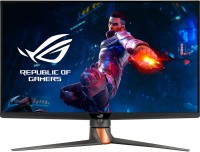
gaming, 32 ", 4K, 3840x2160 (16:9), Mini LED IPS, response 1 ms, 160 Hz, 10-bit (1.07B Colors), sRGB 160 %, DCI-P3 96 %, HDMI, v 2.1, DisplayPort, HUB: USB-A 1x2.0, 2x5Gbps, AMD FreeSync Premium Pro, VESA Adaptive-Sync, HDR

gaming, 31.5 ", 4K, 3840x2160 (16:9), QD-OLED, response 0.03 ms, 240 Hz, 10-bit (1.07B Colors), DCI-P3 99 %, HDMI, v 2.1, DisplayPort, USB-C (DP Alt Mode), Power Delivery, HUB: USB-A 3x5Gbps, KVM switch, AMD FreeSync Premium Pro, NVIDIA G-Sync Compatible, VESA Adaptive-Sync, HDR, TÜV Rheinland
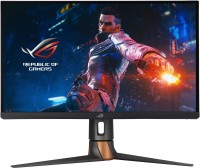
gaming, 27 ", 2560x1440 (16:9), IPS, response 1 ms, 360 Hz, sRGB 135 %, DCI-P3 98 %, HDMI, DisplayPort, HUB: USB-A 2x5Gbps, NVIDIA G-Sync, HDR
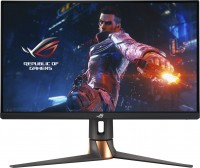
gaming, 27 ", 4K, 3840x2160 (16:9), IPS, response 1 ms, 160 Hz, 8-bit + FRC (1.07B Colors), DCI-P3 95 %, HDMI, v 2.1, DisplayPort, HUB: USB-A 2x5Gbps, AMD FreeSync Premium Pro, NVIDIA G-Sync Compatible, VESA Adaptive-Sync, HDR, TÜV Rheinland
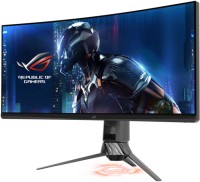
gaming, 35 ", 3440x1440 (21:9), curved 1800R, *VA, response 4 ms, 200 Hz, 10-bit (1.07B Colors), sRGB 125 %, HDMI, DisplayPort, HUB: USB-A 2x5Gbps, NVIDIA G-Sync Ultimate, HDR
gaming, 24.1 ", 1920x1080 (16:9), TN+film, response 0.2 ms, 540 Hz, 8-bit (16.7M Colors), sRGB 125 %, DCI-P3 90 %, HDMI, DisplayPort, HUB: USB-A 2x5Gbps, NVIDIA G-Sync, VESA Adaptive-Sync, HDR







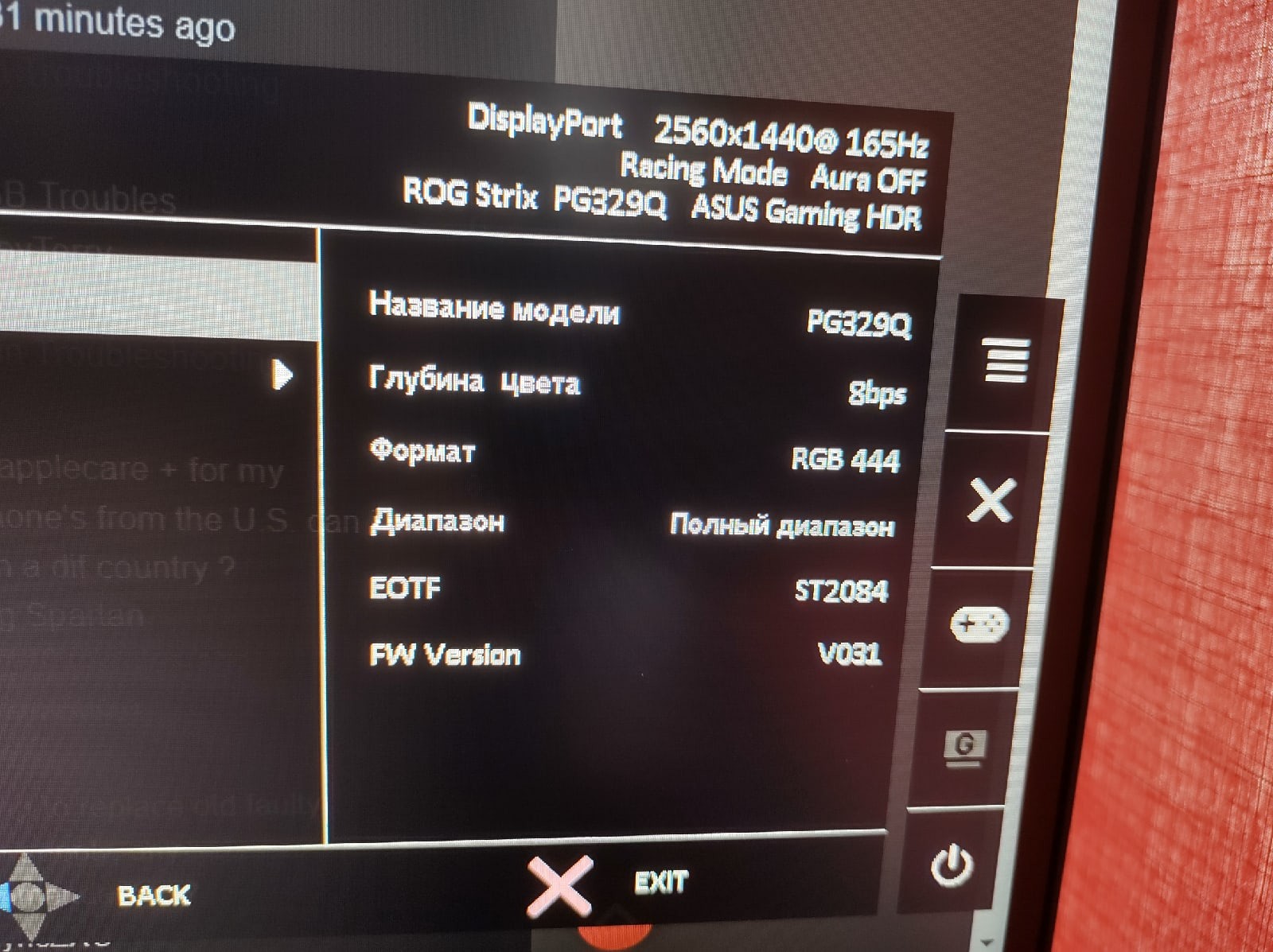
Do not buy if you need HDR mode. Fast flat 32-inch IPS matrix, picture quality in sRGB, color quality and brightness in HDR until it works without a glitch (see below). When using the monitor in HDR mode, brightness suddenly and without warning reduces by about half after anywhere between 30 minutes to 2 hours of operation (completely random timing). This occurs whether you're playing an HDR game or just sitting on the desktop. After such an event, it continues to operate at reduced brightness. You need to go into the settings and switch from HDR Gaming to HDR Console and back to restore it. I contacted Asus support, and they said this is a mechanism to preserve the panel. The solution is to bring the bulky monitor to a service center so they can update its firmware and thereby increase the intervals. According to them, it's impossible to completely disable the sudden brightness reduction in HDR mode. Question to Asus - why isn't this monitor feature mentioned anywhere? Not in the instructions nor on the website. Yet it prominently states "HDR 600 Vesa Certified" everywhere. I'm very disappointed by the brightness drop in HDR mode, without warning, during crucial moments in a game or movie. Imagine buying a car with a top speed of 150 km/h, but occasionally the speed suddenly drops to 75 km/h. How would you feel?  SandMartin: use Asus ROG Swift PG329Q less than month SandMartin: use Asus ROG Swift PG329Q less than month |
Add Review
Ask Question
Video reviews

Everything I've ever WANTED!! - ASUS PG329Q Monitor
15 February 20211 332 176 view

Asus PG329Q Review, The Very Fast 32-Inch 1440p Gaming Monitor To Get
19 December 2020277 287 view

Unboxing Asus ROG Swift PG329Q
14 November 20219 164 view

✅ ASUS PG329Q Review 2021 ⭐ 1440p 175Hz 1ms FreeSync IPS Gaming Monitor ⭐
6 September 20215 847 view

ASUS ROG Swift 32 Inch PG329Q Unboxing
22 March 20222 886 view

Возврат монитора ASUS PG329Q 32"
5 September 20211 849 view

ROG SWIFT PG329Q MONITOR TEST
2 October 2023695 view
SimilarCompare using chart →

gaming, 31.5 ", 4K, 3840x2160 (16:9), WOLED, response 0.03 ms, 165 Hz, 330 Hz (Full HD), 10-bit (1.07B Colors), DCI-P3 99 %, HDMI, v 2.1, DisplayPort, USB-C (DP Alt Mode), Power Delivery, HUB: USB-A 3x5Gbps, KVM switch, AMD FreeSync Premium Pro, NVIDIA G-Sync Compatible, HDR, TÜV Rheinland
gaming, 24.5 ", 1920x1080 (16:9), IPS, response 0.5 ms, 320 Hz, 16.7M Colors, sRGB 99 %, HDMI, v 2.1, DisplayPort, HUB: USB-A 2x5Gbps, AMD FreeSync Premium, NVIDIA G-Sync Compatible, VESA Adaptive-Sync, HDR

gaming, 31.5 ", 4K, 3840x2160 (16:9), IPS, response 0.5 ms, 160 Hz, 320 Hz (Full HD), 8-bit + FRC (1.07B Colors), sRGB 131 %, DCI-P3 99 %, HDMI, v 2.1, DisplayPort, HUB: USB-A 2x2.0, VESA Adaptive-Sync, HDR, TÜV Rheinland

gaming, 24.5 ", 1920x1080 (16:9), IPS, response 1 ms, 240 Hz, 16.7M Colors, sRGB 120 %, HDMI, DisplayPort, speakers, AMD FreeSync Premium, HDR, TÜV Rheinland

gaming, 31.5 ", 4K, 3840x2160 (16:9), QD-OLED, response 0.03 ms, 240 Hz, 10-bit (1.07B Colors), DCI-P3 99 %, HDMI, v 2.1, DisplayPort, USB-C (DP Alt Mode), Power Delivery, HUB: USB-A 2x5Gbps, KVM switch, speakers, AMD FreeSync Premium Pro, NVIDIA G-Sync Compatible, HDR
gaming, 26.5 ", 2560x1440 (16:9), QD-OLED, response 0.03 ms, 240 Hz, sRGB 147.6 %, DCI-P3 99.1 %, HDMI, DisplayPort, NVIDIA G-Sync Compatible, VESA Adaptive-Sync, HDR, TÜV Rheinland

gaming, 27 ", 2560x1440 (16:9), QD-IPS, response 1 ms, 200 Hz, 1.07B Colors, sRGB 150 %, DCI-P3 99 %, HDMI, DisplayPort, USB-C (DP Alt Mode), Power Delivery, HUB: USB-A 2x5Gbps, KVM switch, NVIDIA G-Sync Compatible, VESA Adaptive-Sync, HDR, TÜV Rheinland

gaming, 27 ", 4K, 3840x2160 (16:9), IPS, response 1 ms, 160 Hz, 320 Hz (Full HD), 1.07B Colors, sRGB 125 %, DCI-P3 95 %, HDMI, v 2.1, DisplayPort, USB-C (DP Alt Mode), Power Delivery, HUB: USB-A 3x5Gbps, KVM switch, speakers, AMD FreeSync Premium, NVIDIA G-Sync Compatible, VESA Adaptive-Sync, HDR, TÜV Rheinland

gaming, 27 ", 2560x1440 (16:9), WOLED, response 0.03 ms, 240 Hz, 10-bit (1.07B Colors), DCI-P3 99 %, HDMI, v 2.1, DisplayPort, USB-C (DP Alt Mode), AMD FreeSync Premium, NVIDIA G-Sync Compatible, HDR, TÜV Rheinland
gaming, 27 ", 2560x1440 (16:9), IPS, response 1 ms, 300 Hz, 1.07B Colors, sRGB 132 %, DCI-P3 95 %, HDMI, v 2.1, DisplayPort, USB-C (DP Alt Mode), Power Delivery, HUB: USB-A 2x5Gbps, KVM switch, NVIDIA G-Sync Compatible, VESA Adaptive-Sync, HDR, TÜV Rheinland

gaming, 27 ", 4K, 3840x2160 (16:9), Mini LED IPS, response 1 ms, 160 Hz, 320 Hz (Full HD), 8-bit + FRC (1.07B Colors), sRGB 151.8 %, DCI-P3 98 %, HDMI, v 2.1, DisplayPort, HUB: USB-A 4x5Gbps, NVIDIA G-Sync Compatible, VESA Adaptive-Sync, HDR
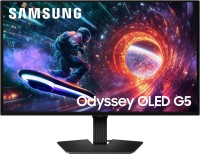
gaming, 27 ", 2560x1440 (16:9), QD-OLED, response 0.03 ms, 180 Hz, 1.07B Colors, DCI-P3 99 %, HDMI, DisplayPort, AMD FreeSync, NVIDIA G-Sync Compatible, HDR, Pantone Validated