
Asus TUF Gaming VG27VQ 27 " black
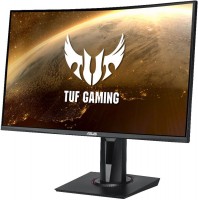 | Expecting restock Product type: gaming; Size ("): 27; Curved screen: 1500R; Panel type: *VA; Treatment: anti-glare; Resolution: 1920x1080 (16:9); Response time GtG (ms): 4; Viewing angle vert.: 178; Horizontal viewing angle: 178; Brightness (cd/m²): 400; Static contrast: 3 000:1; Dynamic Contrast: 100 000 000:1 |


|
| ||||||||||||||||||||||||||||||||||||||||||||||||||||||||||||||||||||||||||||||||||||||


Always clarify the specifications and configuration of the product with the online store manager before purchasing.
Catalog Asus 2026 - new arrivals, bestsellers, and the most relevant models Asus.


















(Black depth) is simply amazing! In a dark screen with the lights off, only the monitor's power indicator is visible. It turns easily and conveniently, and also raises and lowers just as smoothly. GamePlus - the crosshair sometimes goes off for unclear reasons and shifts to the right from the center! But these are minor issues in essence! I used it exclusively for testing! In my opinion, these features seem broken - only the timer seems to work well )))) HDR support - I don't know how to enable it ))! It's not certain it's even available - when connecting a PS4 Pro, it says it's not supported!!! But the picture is good even without HDR, quite colorful and bright - maybe HDR is somehow passively integrated already, I don't know! But in reality, the picture will pleasantly surprise you - that's 100%!!! |








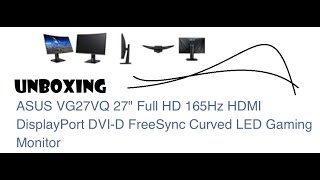
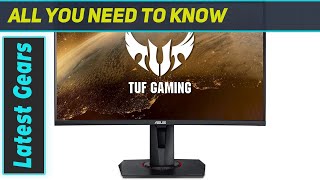
Modern Monitor by Asus
At the end of 2019, Asus updated its TUF monitor lineup by releasing an intriguing 27-inch model, the TUF Gaming VG27VQ, featuring a curved screen, thin side bezels, and support for the HDR standard. According to the vendor, this new model is perfect for fans of dynamic shooters or racing games, as well as professional eSports athletes.
ASUS GamePlus Gaming Suite
At the core of the monitor is a curved VA panel with a resolution of 1920x1080 pixels and a curvature radius of 1500R. Considering the device's positioning, the display has an increased refresh rate of 165 Hz, a response time of 4 ms, and supports FreeSync technology, which prevents the so-called screen tearing in dynamic scenes. At the same time, the user's eyes are protected by Flicker-Free and Ultra-Low Blue Light systems, reducing monitor flickering and the negative impact of blue light on the eyes. The familiar ASUS GamePlus gaming suite from the company's previous monitors is also present. It includes a timer, FPS counter, fixed crosshair, picture alignment tool for multi-display configurations, and the Shadow Boost feature for highlighting particularly dark sections of the screen.
Ergonomics at 5+
The ergonomics and set of additional functions are particularly commendable. Firstly, it is a rare gaming monitor with a DVI-D connection option (in addition to the standard HDMI and DisplayPort). Secondly, it has a truly convenient stand, allowing you to adjust the monitor's height, tilt angle, and even rotate it to portrait mode for use alongside another monitor. Thirdly, the model is equipped with a pair of built-in 2-watt speakers. Their quality isn't exceptional, but in the absence of speakers or headphones, they can be quite handy.
Considering the price tag "slightly over $300", it seems that we've got an exceptionally good gaming monitor with a quality panel, thoughtfully designed ergonomics, and most importantly, without any obvious weaknesses.







165Hz looks nice in Apex (smoothness is sufficient).
Built-in speakers - work fine, nothing magical about them, just regular tweeters))) Good enough for watching videos.