Catalog   /   Computing   /   Input Devices   /   Mice   /   Hama

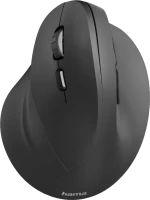
Hama EMW500 (00182699)
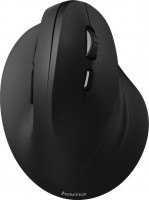
Photos - Mouse Hama EMW500
Videos 1Photos 2
Compare prices 4 →
When you make a purchase through links on our site, we may receive a affiliate commission.
 £18.99  £26.83
 £27.51  £37.37
add to listmy lists
Hama EMW500
Colour
Product typemouse
Connectionradio
Sensoroptical
Typeergonomic (vertical)
Sensor and control
Sensor resolution1000 – 1800 DPI
Number of buttons5
Side buttons
DPI-button / 1000, 1400, 1800 /
Scroll wheels1
Connection and power supply
Power source1xAA
General
In boxUSB-A dongle
Size (LxWxH)86x71x115 mm
Official Websitehama.com
Added to E-CatalogOctober 2018
P/N
00182699

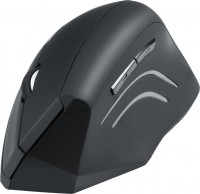
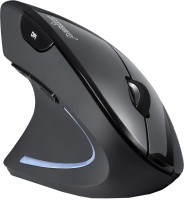
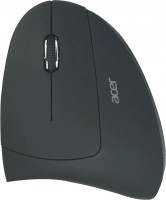
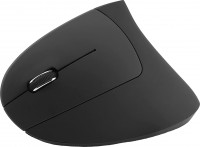
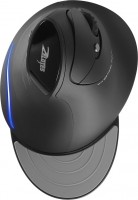
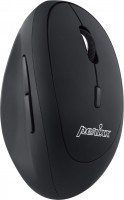
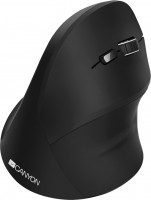
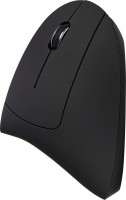
Stylish 5-button wireless mouse with original exterior design. The high, ergonomically shaped body provides an inclined position for the user's hand. Such a position is considered physiologically natural. Working in this position eliminates a very common and unpleasant syndrome (carpal tunnel syndrome, which is manifested by numbness in the fingertips and pain in the wrist). It should be added that such a grip may seem uncomfortable at first and takes time to get used to.

This is due to the fact that the palm rests completely on the body and to move the manipulator, you need to move the whole wrist, and not just rotate the brush. Comfortable thumb rest and tactilely pleasant plastic body provide a secure grip. The two buttons on the left are for forward and backward navigation. On the bottom surface of the Trust Verto Ergonomic mouse there are small Teflon legs, a sensor, a switch and a battery compartment (1xAA).

It is connected to a computer using a compact USB receiver, communication with which is maintained via a radio channel with a frequency of 2.4 GHz (maximum radius up to 8 m). A high-quality optical sensor ensures stable operation of the manipulator on fabrics, plastic, wood, leather and metal. Three different levels of sensitivity are supported (1000/1400/1800 dpi), which can be quickly switched with a separate button under the scroll wheel.

The information in the model description is for reference purposes.
Always clarify the specifications and configuration of the product with the online store manager before purchasing.
Catalog Hama 2026 - new arrivals, bestsellers, and the most relevant models Hama.

Buy Hama EMW500

When you make a purchase through links on our site, we may receive a affiliate commission.

Hama 00182699 mouse Office Right-hand RF Wireless Optical 1400 DPI

Ergonomic mouse for pain-free working at a computer and notebook. Provides improved comfort and ergonomics when working with the mouse thanks to a more natural posture. 2.4 GHz radio technology for reliable, interference-free and fast signal transmission. Wireless range: up to 8 metres. The ultra-small USB receiver is suitable for permanent install... moreation in a notebook or PC. Switchable sensitivity between 1000, 1400 and 1800 dpi. Smart-Link technology for easy start-up. Mouse. Purpose. Office. Device interface. RF Wireless. Movement detection technology. Optical. Movement resolution. 1400 DPI. Scroll type. Buttons. Number of scroll wheels. 1. Scrolling directions. Vertical. Buttons quantity. 6. Buttons type. Pressed buttons. Recommended usage. Universal. Customizable movement resolution. Yes. Number of movement resolution modes. 3. Design. Form factor. Right-hand. Product colour. Black. Surface coloration. Monochromatic. Ergonomics. Plug and Play. Yes. Weight & dimensions. Width. 86 mm. Depth. 115 mm. Height. 71 mm. Packaging data. Quantity per pack. 1 pc(s). Packaging content. User guide. Yes
Backtotheoffice.co.uk
Delivery: in United Kingdom
Report
£18.99

Hama 00182699 mouse Office Right-hand RF Wireless Optical 1400 DPI

Hama 00182699 mouse Office Right-hand RF Wireless Optical 1400 DPI
Pcnova.co.uk
Delivery: in United Kingdom
Report
£26.83

Hama 00182699 mouse Office Right-hand RF Wireless Optical 1400 DPI

Hama Vertical Emw-500 Mouse Wireless BlackNeck Back Sitting Position - This Is What We Have On Our Ergonomic Radar When Working On The Screen. But What About Our Hands? An Incorrect Position Puts Strain On Tendons Muscles And Blood Circulation. Get Comfortable With Our Vertical Ergonomic Mouse!• Vertically Designed Mouse Prevents Excessive Str... moreain And Pain In The Shoulder And Wrist• Dpi Switch For Adjusting The Pointer Speed• High-Resolution Optical Sensor Ensures Precise And Smooth Control Of The Mouse Cursor• Browser Buttons Provide Quick Access To The Forward/Back Functions In The Web Browser For Easy Navigation• Rubberized Surface For Improved Grip And Comfort• Storable Usb Receiver Can Be Transported Inside The Mouse To Save Space• Separate On/Off Switch Allows For Energy-Saving Use Of The Mouse For Relaxed Pain-Free Work At The Pc And Notebook Germans Spend An Average Of Seven To Nine Hours A Day At The Workplace Or In Their Home Office. So It’S All The More Important That The Desk At Work And At Home Is Ergonomically Arranged With The Aim Of Maintaining And Improving Health. In Particular The Hand That Is Used To Operate The Mouse Is Subject To Considerable Strain Each Day. Ergonomically Shaped Our Vertical Ergonomic Wireless Mouse Supports You In Assuming An Ergonomically Correct Hand Posture And Prevents Overstraining And Pain In The Shoulders And Wrist.• Natural Wrist Position And Movement• Strain On The Muscles Is Reduced Allowing Constant Blood Flow• Additional Strain On The Wrist Through Sideways Movements• Twisting Of The Wrist And Forearm Practical Buttons Our ‘Emw-500’ Mouse Is Not A Simplified Version Of A Standard Mouse But Is Equipped With Everything Needed To Make Office Work With A Mouse Easier And More Relaxed. Use The Browser Buttons To Easily Navigate Back And Forth Within Your Internet Browser. Of Course A Considerate Approach To Energy Use Is Also Required For Mice: The ‘Emw 500’ Has A Separate On/Off Switch To Conserve Battery Power And Extend Battery Life.• Vertical Design• Two Sidelong Buttons• Ergonomical Shape Wireless Mouse With Adjustable Sensitivity With Our Wireless Mouse There Is No Usb Receiver In The Way: It Is So Tiny That You Can Leave It Plugged Into The Laptop. To Safely Transport The Receiver And Save Space You Can Place It Inside The Mouse. It Takes About A Minute For The Receiver And Transmitter To Connect To One Another.Depending On The Kind Of Work You Do At The Pc You Can Set The Mouse Sensitivity (Dpi) Entirely According To Your Needs &Ndash; Up To A Maximum Of 1800 Dpi For High Sensitivity And Fast Mouse Movements Or 1000 Or 1400 Dpi For Slower Mouse Movements And Lower Sensitivity.In Your Home Office You Can Lounge Around On The Sofa Comfortably With The Mouse &Ndash; The Eight-Metre Range Of The 2.4-Ghz Mouse Allows Creative Sitting Positions.Please Note:Due To The Ergonomic Design Operation Of
Quzo.co.uk
Delivery: to United Kingdom
Report
£27.51

Hama 00182699 Mouse EMW-500 Ergonomic 00182699

Mouse EMW-500 Ergonomic WL Vertical black
Onbuy.com
Delivery: in United Kingdom
Report
£37.37
Cheap wireless vertical mouse.
19 July 2021 
Previously I used a similar, but wired model - everything was fine. Unfortunately, wireless has several disadvantages.
Price - no comment. Weight - they write that it is small, but the wired version is even lighter. When you carry light weight with you, it is an advantage. Ease of use - button placement and shape.
The cover where the transmitter is hidden is not convenient. It’s not that much of a problem, but it’s inconvenient to constantly poke it with something. And the transmitter can only be removed by removing the battery. But the main drawback is poor communication between the device and the transmitter. If there is an obstacle (such as a table) between the mouse and the transmitter, the transmitter may briefly lose connection, causing the mouse cursor to appear to move upward.
Add Review
Video reviews