
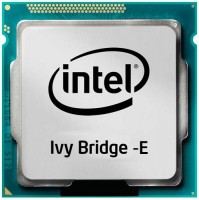
Intel Core i7 Ivy Bridge-E i7-4960X BOX
 |


We recommend products in stockCPUs Intel →
Intel LGA 2011, cores 6, threads 12, 3.4 GHz, TurboBoost 3.9 GHz, process technology 22 nm, unlocked multiplier, multithreading, TDP 130 W, memory RAM: maximum 64 GB
Intel Core i7 Ivy Bridge-E i7-4960X BOX | ||||||||||||||||||||||||||||||||||||||||||||||||||||||||||||||||||||||||
|
| |||||||||||||||||||||||||||||||||||||||||||||||||||||||||||||||||||||||


The information in the model description is for reference purposes.
Always clarify the specifications and configuration of the product with the online store manager before purchasing.
Catalog Intel 2026 - new arrivals, bestsellers, and the most relevant models Intel.
Always clarify the specifications and configuration of the product with the online store manager before purchasing.
Catalog Intel 2026 - new arrivals, bestsellers, and the most relevant models Intel.
Guide to Intel Core Processor Architectures and SocketsUnderstanding Intel generations and sockets: which processors to consider for purchase and which to avoid.
How to choose a CPU?How to choose the right CPU for any task, from spreadsheets to modern games and work applications
AccessoriesAll accessories for Intel i7-4960X BOX →





Be careful when choosing a motherboard. Not all motherboards that support socket 2011 support stone. I first took the GA-X79-UD5 and, as it turned out, it was a stone in the air without the latest (beta) version of the F13W BIOS. As a result, I changed it to ASUS P9X79-DELUXE, on which, in the case of an old BIOS, you can change the firmware without the stone itself (fortunately it was not necessary)! I found it for 14 thousand, when everywhere else there were already 20 thousand... this is perhaps the main advantage. The price, like all Intel products... The motherboard turned out to be more expensive than stone! use Intel i7-4820K BOX month or more i recommend it should buy |
Add Review