
LG 27BK550Y 27 "
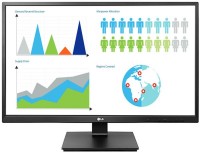 |

LG 27BK550Y 27 "
24 "27 "
Screen size:27 "
Resolution:1920x1080 (16:9)
Panel:IPS, response 5 ms
Frequency:75 Hz
Contrast:1 000:1
Brightness:250 cd/m²
Functions:Flicker-Free
Connectors:DisplayPort • HDMI, DVI, VGA
All specifications
Specifications 27BK550Y
|
| ||||||||||||||||||||||||||||||||||||||||||||||||||||||||||||||||||||||||||||||||


E-Catalog UK editor, Monitors
Dmytro Prokopenko, edited 19.08.2026
The information in the model description is for reference purposes.
Always clarify the specifications and configuration of the product with the online store manager before purchasing.
Catalog LG 2026 - new arrivals, bestsellers, and the most relevant models LG.
Always clarify the specifications and configuration of the product with the online store manager before purchasing.
Catalog LG 2026 - new arrivals, bestsellers, and the most relevant models LG.

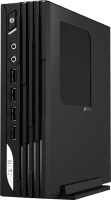
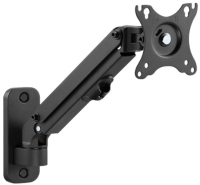
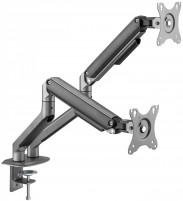
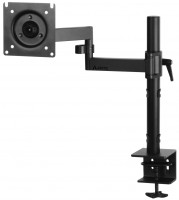
AccessoriesAll accessories for LG 27BK550Y →

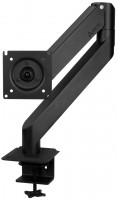

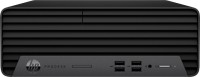

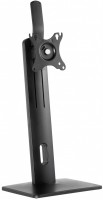
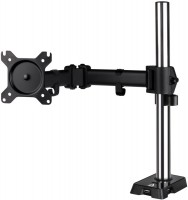



Model overview based on user reviews
The LG 24BK550Y 24" monitor features an IPS panel with a 1920x1080 resolution, offering excellent color rendition and bright colors. It includes height adjustment and rotation capabilities, making it versatile for various setups. The monitor is equipped with built-in speakers, which are suitable for basic office needs. Despite its anti-glare surface and Flicker-Free technology, some users have reported discomfort due to excessive brightness and potential screen pulsation, although this is debated among reviewers. The monitor lacks HDMI and DisplayPort connections, relying on VGA and DVI instead. While some users appreciate its professional-grade color accuracy, others have noted issues with customer support and missing accessories like HDMI and VGA cables. Overall, the LG 24BK550Y is a solid choice for those prioritizing color accuracy and ergonomic features, but potential buyers should consider their sensitivity to screen brightness and flicker.
Pros
Cons
LG 27BK550Y-B wonderful professional. monitor for work and entertainment. I was looking for a replacement for Apple cinema Display 27. The latter was tormented by the very small resolution of 2560x1440, all the letters are tiny + at this resolution, games require a computer almost 2 times more powerful. Therefore, in principle, I selected a model of the same screen size of 27 inches, but with a lower resolution - Full HD. I have very demanding eyesight when it comes to display quality. Many models make their eyes just fall out. Therefore, the main criteria when choosing a monitor were safety for vision and high image quality. Previously, I had already tried NEC and Sony monitors, which made my eyes very tired (the reason was the pulsation of the screen backlight). Based on the fact that Apple monitors use LG matrices, it fundamentally set its sights on this manufacturer and was right. I started reading reviews for this model and found a lot of negativity online. However, having studied them carefully, I was surprised to discover that criticism of this model comes from the same person, and he persistently writes the same thing on different Internet resources (under different names). All other buyers are very happy with the model. The main complaint is that it seems to him that the monitor has strong screen pulsation. The statement is purely subjective and not supported by anything. From the very beginning, this man’s arguments raised strong doubts in me and I decided to take a risk. When purchasing, it helped me a lot that I have a device for measuring screen ripple - Radex Lupin. It was he who helped me confirm the correctness of my choice. Measurements showed that the monitor does not have any ripples! Radex measured about 1.2% (over the entire brightness range), which is an excellent result on par with the best models on the market (Apple 27 - 0.80%). For monitors with screen ripple, this value usually lies in the range of 35% - 50%. It’s very comfortable to work behind the monitor and your eyes don’t get tired at all. For my demanding eyesight this is very rare. Excellent color rendition, bright colors. In terms of its picture, the monitor is very similar to the Apple 27 and has a very good factory calibration. Large dot size that is not noticeable. Please note that LG has cheaper 27-inch Full HD monitors that have a smaller pixel size (which means it will be more visible). How a person working professionally is depicted I started reading reviews for this model and found a lot of negativity online. However, having studied them carefully, I was surprised to discover that criticism of this model comes from the same person, and he persistently writes the same thing on different Internet resources (under different names). All other buyers are very happy with the model. The main complaint is that it seems to him that the monitor has strong screen pulsation. The statement is purely subjective and not supported by anything. From the very beginning, this man’s arguments raised strong doubts in me and I decided to take a risk. When purchasing, it helped me a lot that I have a device for measuring screen ripple - Radex Lupin. It was he who helped me confirm the correctness of my choice. Measurements showed that the monitor does not have any ripples! Radex measured about 1.2% (over the entire brightness range), which is an excellent result on par with the best models on the market (Apple 27 - 0.80%). For monitors with screen ripple, this value usually lies in the range of 35% - 50%. It’s very comfortable to work behind the monitor and your eyes don’t get tired at all. For my demanding eyesight this is very rare. Excellent color rendition, bright colors. In terms of its picture, the monitor is very similar to the Apple 27 and has a very good factory calibration. Large dot size that is not noticeable. Please note that LG has cheaper 27-inch Full HD monitors that have a smaller pixel size (which means it will be more visible). How a person working professionally is depicted use LG 27BK550Y week i recommend it should buy |
1. All the advantages are overshadowed by excessive brightness and possibly PWM. The monitor is not suitable for sensitive eyes and older people. To reduce the brightness, I had to set the contrast and brightness to 20% in the video card settings, compromising color accuracy. It is better to buy a smaller screen size from a reliable manufacturer. 2. It's a pity I came across a review of the LG 43UD79 monitor on Yandex Market too late (read all three reviews from A to Z -- you won't regret it https://market.yandex.ru/product/1728844509/review 1. Shows. 2. Height adjustment, rotation. 3. Appearance (especially the stand). 4. Speakers (for office needs). 5. Mechanical buttons and an intuitive settings menu. 6. No dead pixels and stains. 7. Suitable for gaming. 1. It's painful for the eyes to look from a distance of 1 meter at night, even at zero brightness and with external lighting on. 2. There is no customer support. LG did not respond to the request to confirm the absence of PWM at minimal brightness (VCS180228089958 from 22.02.18). I've been waiting for a response for almost a month, or rather, I’ve stopped waiting. 3. The pencil, fan, and mobile phone did not detect PWM. Photos clearly show that the entire screen is divided by four lines into a grid, resembling a tic-tac-toe game. If you look closely, you can see several equally spaced horizontal lines. 4. My eyes do not feel the declared Flicker Safe technology; instead, there's some irritating factor. 5. The disc with drivers was without packaging, and HDMI and VGA cables are missing. 6. The stand base is incorrect. The monitor pressed against the wall doesn't rotate left-right by the necessary 5-15 degrees. A well-designed base should be round or have a rounded back. 7. The minimum height of the monitor is 10 mm higher than stated. use LG 27BK550Y week i recommend it don't buy |
Add Review
LG 27BK550Y configurations
| Price for LG 27BK550Y | ||||
|---|---|---|---|---|
 | LG 24BK550Y 24 " | from £132.00 | 2 offers | |
 | LG 27BK550Y 27 " | from £301.90 | 2 offers | |
SimilarCompare using chart →
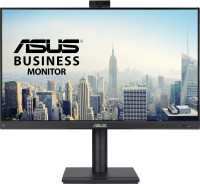
27 ", 1920x1080 (16:9), IPS, response 5 ms, 100 Hz, 16.7M Colors, sRGB 99 %, VGA, HDMI, DisplayPort, speakers, webcam, TÜV Rheinland
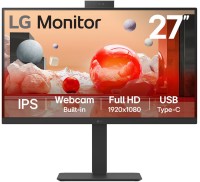
27 ", 1920x1080 (16:9), IPS, response 5 ms, 100 Hz, 6-bit + FRC (16.7M Colors), sRGB 99 %, HDMI, DisplayPort, USB-C (DP Alt Mode), Power Delivery, LAN, HUB: USB-A 4x5Gbps, KVM switch, speakers, webcam, VESA Adaptive-Sync
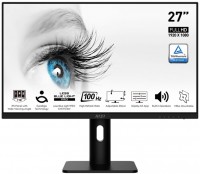
27 ", 1920x1080 (16:9), IPS, response 4 ms, MPRT 1 ms, 100 Hz, 6-bit + FRC (16.7M Colors), sRGB 106 %, DCI-P3 84 %, VGA, HDMI, DisplayPort, speakers, VESA Adaptive-Sync, TÜV Rheinland
27 ", 1920x1080 (16:9), IPS, response 5 ms, 60 Hz, 6-bit + FRC (16.7M Colors), sRGB 102 %, VGA, HDMI, DisplayPort, speakers
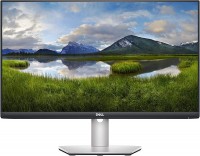
27 ", 1920x1080 (16:9), IPS, response 4 ms, 75 Hz, 8-bit (16.7M Colors), HDMI, DisplayPort, AMD FreeSync
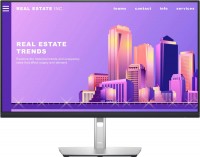
27 ", 1920x1080 (16:9), IPS, response 5 ms, 60 Hz, sRGB 99 %, VGA, HDMI, DisplayPort, HUB: USB-A 4x5Gbps
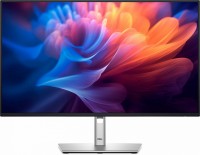
27 ", 1920x1080 (16:9), IPS, response 8 ms, 100 Hz, 16.7M Colors, sRGB 99 %, HDMI, DisplayPort, USB-C (DP Alt Mode), Power Delivery, LAN, HUB: USB-A 3x5Gbps, USB-C 1x5Gbps, TÜV Rheinland
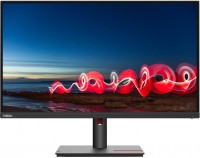
27 ", 1920x1080 (16:9), IPS, response 4 ms, 60 Hz, 8-bit (16.7M Colors), sRGB 99 %, VGA, HDMI, DisplayPort, HUB: USB-A 3x5Gbps, TÜV Rheinland
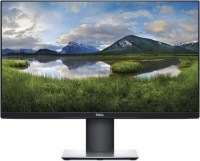
27 ", 1920x1080 (16:9), IPS, response 5 ms, 60 Hz, 6-bit + FRC (16.7M Colors), VGA, HDMI, DisplayPort, HUB: USB-A 2x2.0, 2x5Gbps
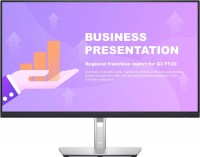
27 ", 1920x1080 (16:9), IPS, response 5 ms, 60 Hz, sRGB 99 %, HDMI, DisplayPort, USB-C (DP Alt Mode), Power Delivery, LAN, HUB: USB-A 4x5Gbps
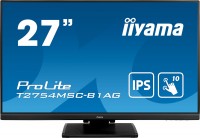
touch, 27 ", 1920x1080 (16:9), IPS, response 4 ms, 60 Hz, 8-bit (16.7M Colors), VGA, HDMI, HUB: USB-A 5Gbps
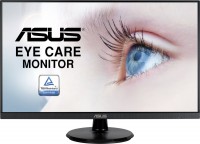
27 ", 1920x1080 (16:9), IPS, response 5 ms, 75 Hz, VGA, HDMI, DisplayPort, speakers, AMD FreeSync, NVIDIA G-Sync Compatible